 |
 CQ CQ CQ from a beach using a Baofeng
 3 November 2016 | by
Later on in the week getting a bit bored, I decided to take the Baofeng down on the beach.
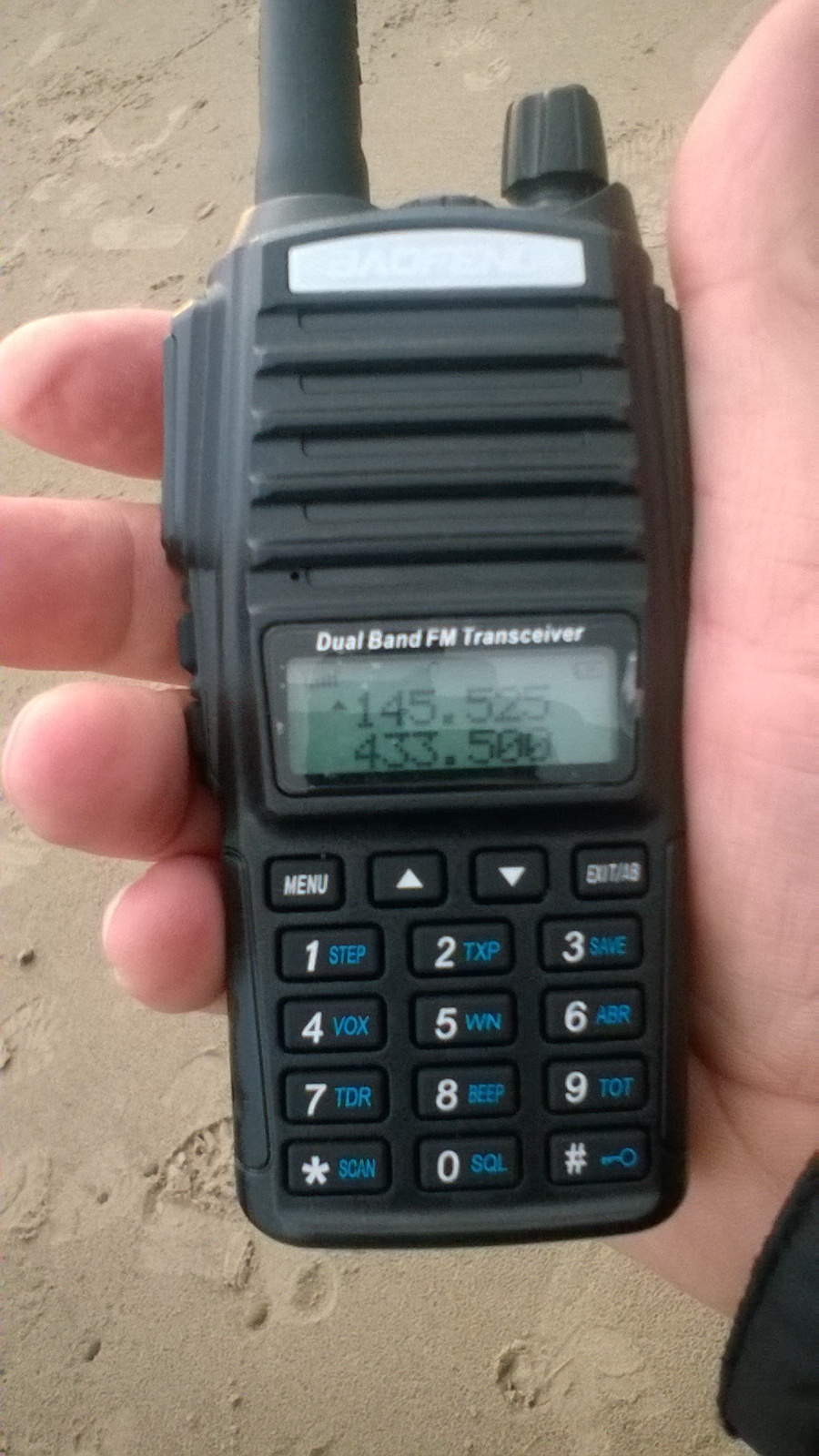
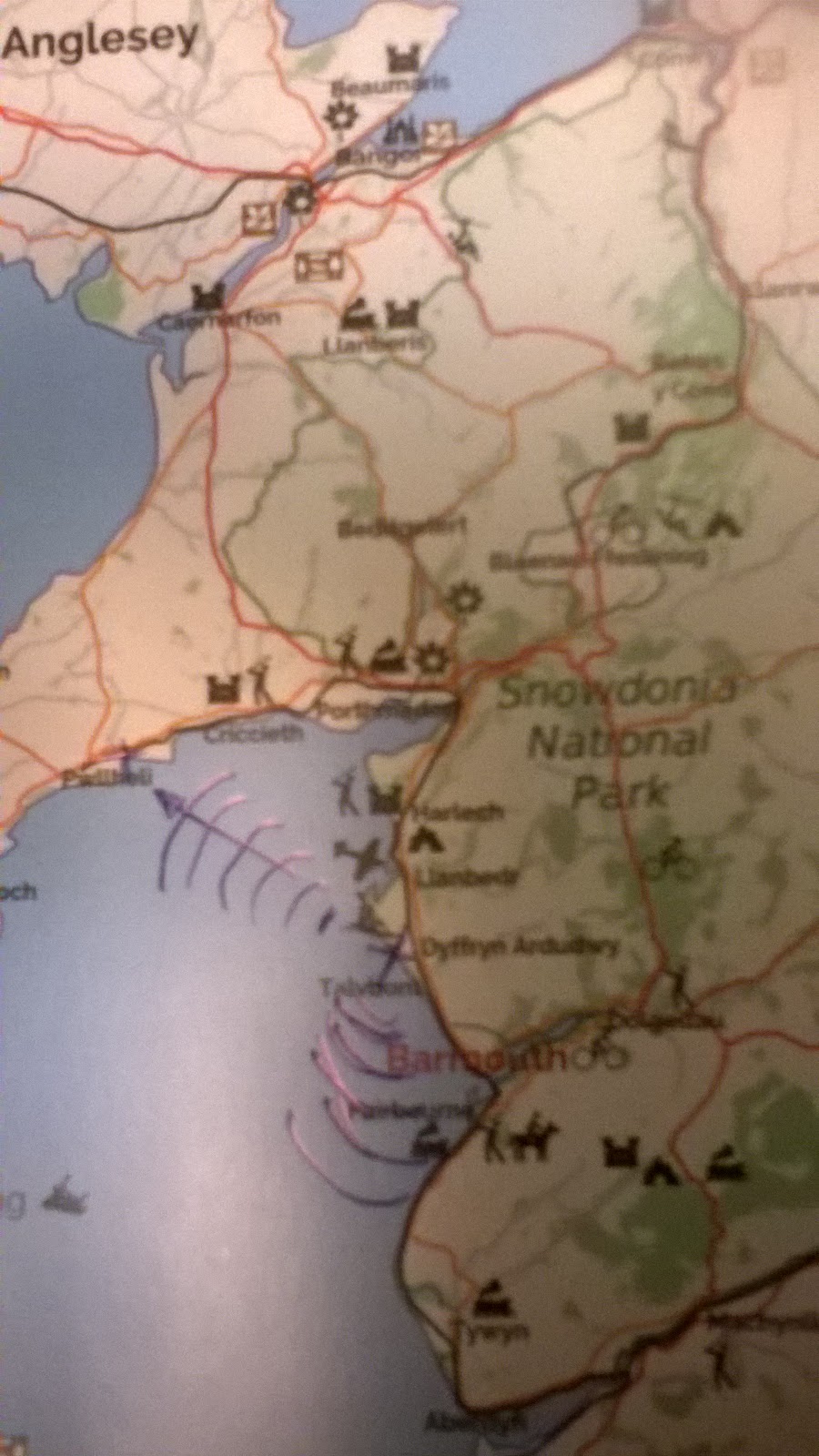
Our temporary QTH was situated mid way on the Cambrian coast, making it ideal for contacts over to the North (Abersoch and Cricceth area), and to the South of the bay which lies the seaside town of Barmouth.
I must admit after nearly a week of hearing nothing but noise on 2m I wasn't too hopeful of hearing anything.

But the first CQ I put out, straight away an instant reply! MW0RHD came back and give me a 5/5 reporting wind noise on top of my modulation, however we managed to exchange names and QTH's, he was about 6 miles NW across the bay from me as the crow flies, near the coastal town of Pwllheli, using an Icom from an homebase with an excellent take off towards the South where I was situated.
 The sun was begining to set, and so was my battery, the radio started beeping low and interupted the short QSO. I had left the radio on all week in standby mode with no thought of topping it up on the charger.
What this does prove you might not think there is any one around when the band is so quiet, so do always try a CQ. Always make sure the battery is well topped up, or better still take a spare charged pack and you won't get caught out like I did.
Steve, G1KQH, is a regular contributor to AmateurRadio.com and writes from England. Contact him at [email protected].
CQ CQ CQ from a beach using a Baofeng
Later on in the week getting a bit bored, I decided to take the Baofeng down on the beach.
Our temporary QTH was situated mid way on the Cambrian coast, making it ideal for contacts over to the North (Abersoch and Cricceth area), and to the South of the bay which lies the seaside town of Barmouth.
I must admit after nearly a week of hearing nothing but noise on 2m I wasn't too hopeful of hearing anything.
But the first CQ I put out, straight away an instant reply! MW0RHD came back and give me a 5/5 reporting wind noise on top of my modulation, however we managed to exchange names and QTH's, he was about 6 miles NW across the bay from me as the crow flies, near the coastal town of Pwllheli, using an Icom from an homebase with an excellent take off towards the South where I was situated.
The sun was begining to set, and so was my battery, the radio started beeping low and interupted the short QSO. I had left the radio on all week in standby mode with no thought of topping it up on the charger. What this does prove you might not think there is any one around when the band is so quiet, so do always try a CQ. Always make sure the battery is well topped up, or better still take a spare charged pack and you won't get caught out like I did.
Steve, G1KQH, is a regular contributor to AmateurRadio.com and writes from England. Contact him at [email protected].
CLE 212 Results
 |
| Friday's auroral condx courtesy of :OVATION |
Well another CLE has come to pass with most listeners in North America reporting poor conditions ... other than those in the southern states.
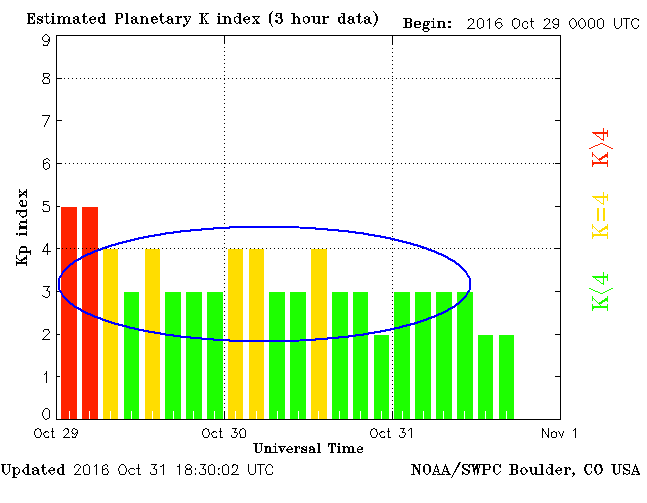
As typically happens when hit with a serious geomagnetic event (why do they always coincide with our CLE's?), northernmost stations are affected worse than those further south. This disturbance was a strong and persistent solar wind, making the band very noisy. Signals in the Perseus SDR waterfall that looked as if they should be easy copy, were mushy and run together, making many idents uncopyable in the solar wind noise.
 |
| Welcome to CLE 212 couretsy of: OVATION |
The east-west path, being reliant on quiet geomagnetic conditions, was totally absent, with no NDB's from Ontario making it into my log. Somewhat surprising was the rarely heard Galapagos Island NDB on 272 kHz ... heard widely throughout North American.
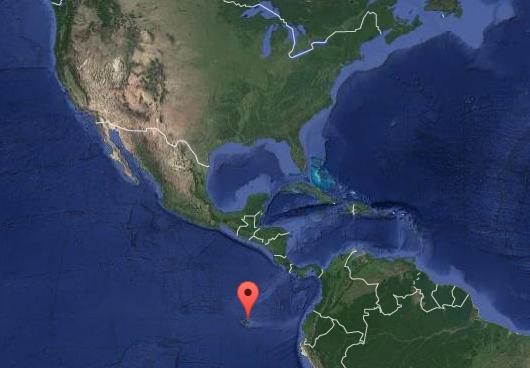 |
| GLS - 272 Galapagos courtesy: Google Maps |
As usual, my receiver for the CLE was the Perseus SDR along with my normal LF / MF inverted-L antenna, tuned to ~ 300kHz.
29 08:00 272.0 YLB Lac La Biche, AB, CAN
29 11:00 272.0 XS Prince George, BC, CAN
30 06:30 272.0 GLS Galapagos, GAL
29 05:00 274.0 FR Fort Resolution, NT, CAN
29 08:00 275.0 SF Williston, ND, USA
29 07:00 275.0 HIN Chadron,NE, USA
29 05:00 275.0 GEY Greybull, WY, USA
29 06:00 275.0 AV Winnipeg, MB, CAN
31 12:00 277.0 OT Worthington, MN, USA
31 05:00 280.0 GYZ Guernsey, WY, USA
31 13:00 281.0 CRN Sparrevohn, ALS
30 13:30 283.0 DUT Dutch Harbor, ALS
29 08:30 284.0 QD The Pas, MB, CAN
29 13:00 284.0 FHR Friday Harbor, WA, USA
29 08:00 287.0 ZWG Winnipeg, MB, CAN
29 08:30 287.0 PE Peace River, AB, CAN
29 08:30 290.0 YYF Penticton, BC, CAN
30 08:00 290.0 QR Regina, SK, CAN
30 08:00 292.0 ZET Edmonton, AB, CAN
30 08:00 293.0 TOR Torrington, WY, USA
29 08:00 293.0 MB Sidney, BC, CAN
30 08:00 295.0 8C Fairview, AB, CAN
29 08:30 296.0 LGD La Grande, OR, USA
29 08:30 299.0 TV Turner Valley, AB, CAN
30 10:00 302.0 QW North Battleford, SK, CAN
29 08:30 304.0 FH Mc Leod, AB, CAN
29 08:30 305.0 Z1 Three Hills, AB, CAN
29 08:30 305.0 ONO Ontario, OR, USA
30 06:30 307.0 M5 Manning, AB, CAN
29 08:30 308.0 ZZD Edmonton, AB, CAN
29 08:30 311.0 9Y Pincher Creek, AB, CAN
29 08:30 312.0 UNT Naramata, BC, CAN
29 08:30 317.0 VC La Ronge, SK, CAN
The results from all participants can be found in a few days at the NDB List website, or if you are a member of the ndblist Group, results will also be posted there.
The very active Yahoo ndblist Group is a great place to learn more about the 'art' of NDB DXing or to meet other listeners in your region. There is a lot of helpful information available there and new members are always very welcome. As well, you can follow and chat with other NDB chasers regarding antennas, techniques, unidentified signals and nightly propagation ... and, if you are building a 630m station, listening for NDB's is a great way to determine your receive capability and if it needs improvement.
Steve McDonald, VE7SL, is a regular contributor to AmateurRadio.com and writes from British Columbia, Canada. Contact him at [email protected].
The Spectrum Monitor — November, 2016
 Stories you’ll find in our November, 2016 issue:
TSM Reviews: Elecraft KX2 QRP Transceiver
By Thomas Witherspoon K4SWL
As a ham who already owns both the KX1 and KX3 transceivers, and likes them very well, wouldn’t a KX2 be redundant? Maybe. But it also puts him in a perfect position to compare Elecraft’s latest offering. Thomas takes the diminutive KX2 into the field, where it was meant to be, activating more than twenty NPOTAs (National Park on the Air). What he finds is that “the KX2 is a profound upgrade of the KX1.” He also checks out the KX2 on the international shortwave bands and finds, “It’s an exceptionally sensitive and selective receiver, with a stable AGC, that would please the most dedicated DXer.”
Small HF Antennas for Portable and Restricted Space Use
By Mark Haverstock K8MSH
While small and shortened antennas have their drawbacks, their advantages—convenience for portable use, backpacking and avoiding HOA conflicts—are substantial tradeoffs. And, while their performance is less than should be expected from full-sized antennas, this doesn’t mean they don’t perform—you just need to keep your expectations in perspective. Mark takes a look at several of the more popular portable HF antennas available commercially and he looks at the options for making your own, including a 40-6 meter end-fed antenna he made himself.
Radio Power Supplies: A Primer for Hams and SWLs
By Bob Grove W8JHD
It’s the most basic piece of equipment in your ham shack or radio room—it’s certainly the least interesting—but it could be the most important. Bob Grove answers just about every question you might have had about the lowly radio power supply: Why 13.8 volts? Is a same-brand power supply best for my name-brand transceiver? Do I really need meters on my power supply? What’s a switching power supply? What’s “crowbar protection” and “variable voltage?” What amperage do I really need? If I’m using a battery as a portable power supply, which is best?
The Kit’s Meow: Shopping for DIY Radio Projects
By Richard Fisher KI6SN
With Ramsey shutting down its radio kits division earlier this year, many hams and shortwave listeners felt it might signal the end of the radio kits industry. Don’t people build things anymore? Regular TSM contributor Richard Fisher KI6SN set out to discover the current state of kit making. What he found is quite encouraging: more than 250 online companies offering kits as varied as the spectrum we listen to, with a great range in prices and required maker skills. Richard lists them all, complete with a sampling of their wares and links to their websites.
MURS: Dots, Data and More
By Cory GB Sickles WA3UVV
Along with Class D CB, GMRS (General Mobile Radio Service) and FRS, (Family Radio Service) there’s another aspect to the FCC’s Part 95 two-way radio – MURS. The Multi-Use Radio Service occupies five channels in the VHF spectrum. By rule, it is limited to a 2 watts output power and may seem quite limited, but there’s more to MURS than meets the eye. In this segment of his Part-95 radio series, Cory, looks at the little known VHF service that can meet quite a few needed applications where you live.
Scanning America
By Dan Veenaman
Public Utilities as “Critical Infrastructure”
Federal Wavelengths
By Chris Parris
TSA Radio Updates and More Small Federal Agencies
Utility Planet
By Hugh Stegman NV6H
KPH Returns to Point Reyes
Digital HF: Intercept and Analyze
By Mike Chace-Ortiz AB1TZ/G6DHU
An HF “Beep, Beep, Beep,” Chirping Signal Mystery
HF Utility Logs
By Mike Chace-Ortiz and Hugh Stegman
Digitally Speaking
By Cory Sickles WA3UVV
DMR Update
VHF and Above
By Joe Lynch N6CL
Baofeng BF-F8HP and BTech UV-5X3 Handhelds and 220 MHZ
Amateur Radio Insights
By Kirk Kleinschmidt NT0Z
Forget the Holiday—It’s Contest Time!
Radio 101
By Ken Reitz KS4ZR
What’s New in CB and FRS/GMRS
Radio Propagation
By Tomas Hood NW7US
Space Weather: Solar Cycle 24 is Dying!
The World of Shortwave Listening
By Ken Reitz KS4ZR
Trends in Shortwave Radio
The Shortwave Listener
By Fred Waterer
EU SW Stations and Election Night Listening
Amateur Radio Astronomy
By Stan Nelson KB5VL
FITS Again
The Longwave Zone
By Kevin O’Hern Carey WB2QMY
Adventures in Radio Restoration
By Rich Post KB8TAD
The Freshman Masterpiece: a 1920s TRF Experience
Antenna Connections
By Dan Farber AC0LW
And the Twain Shall Meet: Let’s Build a Dipole
The Spectrum Monitor is available in PDF format which can be read on any desktop, laptop, iPad®, Kindle® Fire, or other device capable of opening a PDF file. Annual subscription is $24. Individual monthly issues are available for $3 each.
Ken Reitz, KS4ZR, is publisher and managing editor of The Spectrum Monitor. Contact him at [email protected].
Comparing two CW decoding programs.
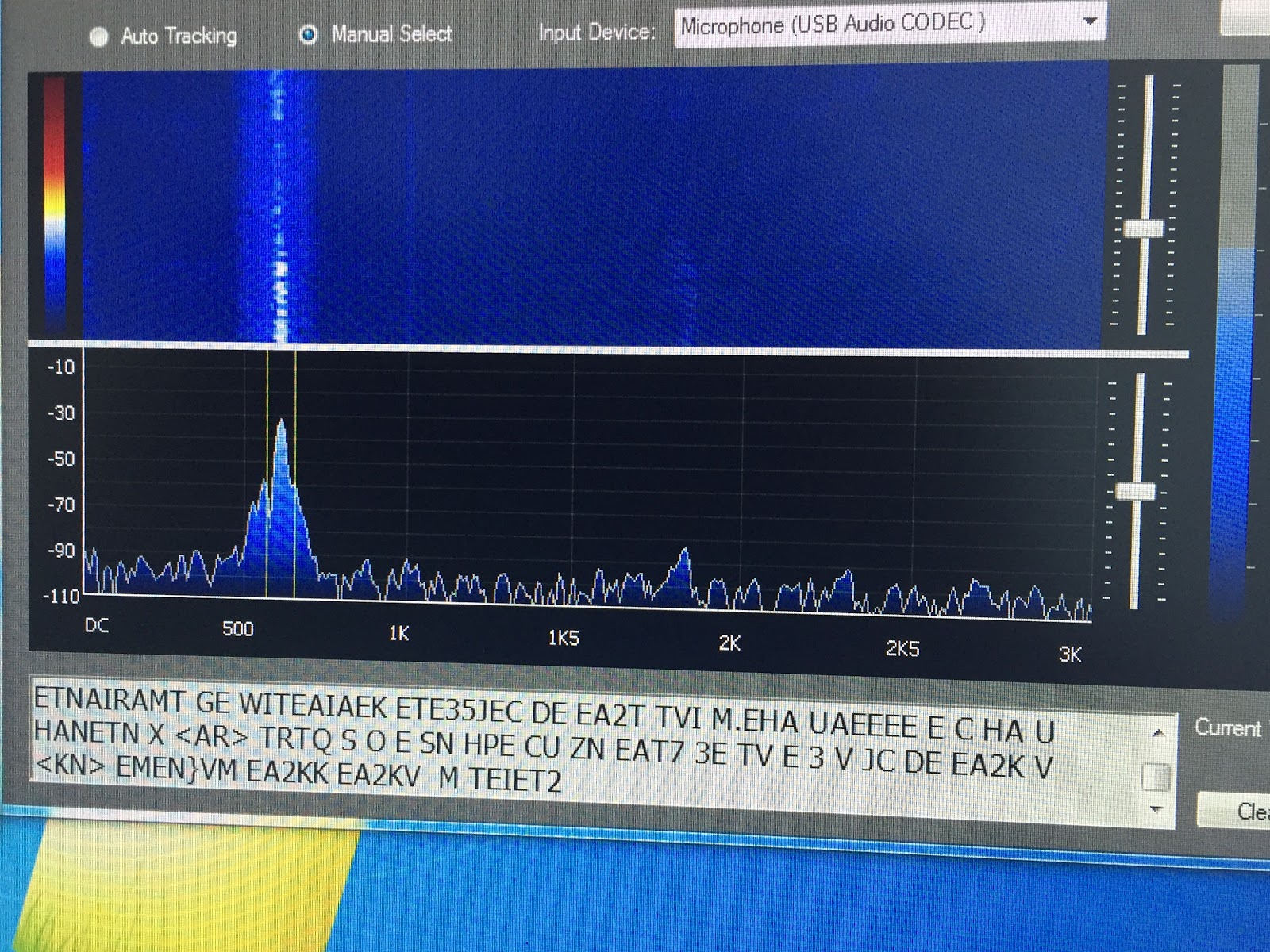 |
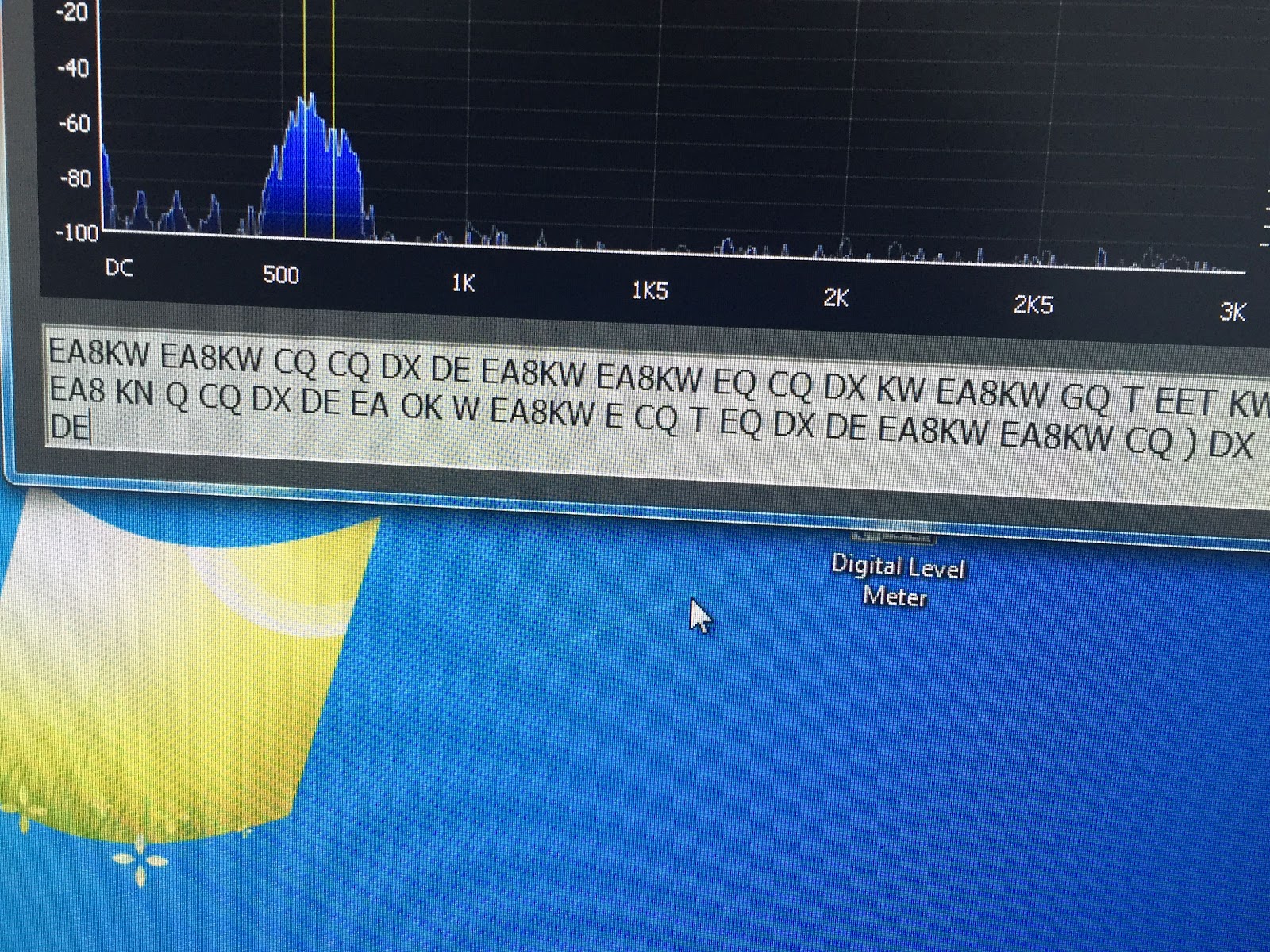
| LY3H CW decoder logic program MRP40 compared to CW decoder logic by LY3H MRP40 CW decoder 1. Decodes all speeds up to 60wpm Decodes but not mention top decode speed. 2. Has good documentation No documentation 3. Auto tracking very smooth Auto tracking hunts between long letter spaces 4. Text formatting-format mode works great Only option is manual or auto decode 5. Will not decode when APF is on Will de-code when using APF 6. Great weak signal decode S1 and below Poor weak signal de-code (not using APF) 7. Great email support Upgrades come out regularly 8. See's noise as code sends radium letters Only sends letters not radium noise as code 9. Does have save QSO but awkward to use. Just added cut and paste QSO to word or clipboard 10. Has “always on top” option Just added “always on top” option. 11. Added a mini log book No log book as of yet 12. You can send code At this time only able to read code A more in-depth look at some of the above comparisons: A) Auto tracking- When wanting to decode a CW signal it helps when the program can lock onto a signal. MRP40 will lock onto a CW signal and stay locked on. CW decoder on the other hand once the CW signal stops or has long gap between letter the program starts to hunt small segments on either side of the CW signal for other CW signals. Once the code starts again CW decoder has to relock onto it and you lose some decoding. If slow code is sent you are in a battle of lock and relock of the code. B) Text formatting options- with MRP40 you have the option on how you want to decode. - Correct word spacing…..this will attempt to add spacing between decoded words even if sender is running them together. - Expand abbreviations…..KN, AR and DE to mention a few. - Expand Q codes…self-explanatory. Both of these programs do the job of decoding CW very well, you have more options and customization option with MRP40. CW decoder logic is very easy to setup and in no time you are decoding CW. I have not had a chance to compare both programs in a CW contest situation. The major drawback to each program is….. MRP40…….no matter what test formatting option I used the program when idling would send radium code as it listened to static were as CW decoder logic would not. CW decoder Logic……when the receiving code stopped the program would start “hunting” for other CW signals. This created two issues, the first being if you are decoding slow code I found the program between letters words would start to hunt. When it does this it bounces back and forth from decoding and hunting and your decode is not reliable. The second is if I second CW op appears close to the op you are decoding the program will bounce between the two QSO’s. The major positive of each program is….. MRP40…..it will decode CW that is almost down at the noise floor and do a great job of it too. CW decoder Logic……it will not send random letters when it is not decoding and does a great job of adding the breaks between words and not running them together. Also this program is free. These code programs will always decode what is sent so you must consider if you are reading odd words and letters it may have to do with poor code sending. CW signals that are close to each other (CW contesting) if your rig cannot filter out the one CW signal your decoder will be confused. CW decoder by LY3H free. MRP40 will cost you 50.00 Euro. 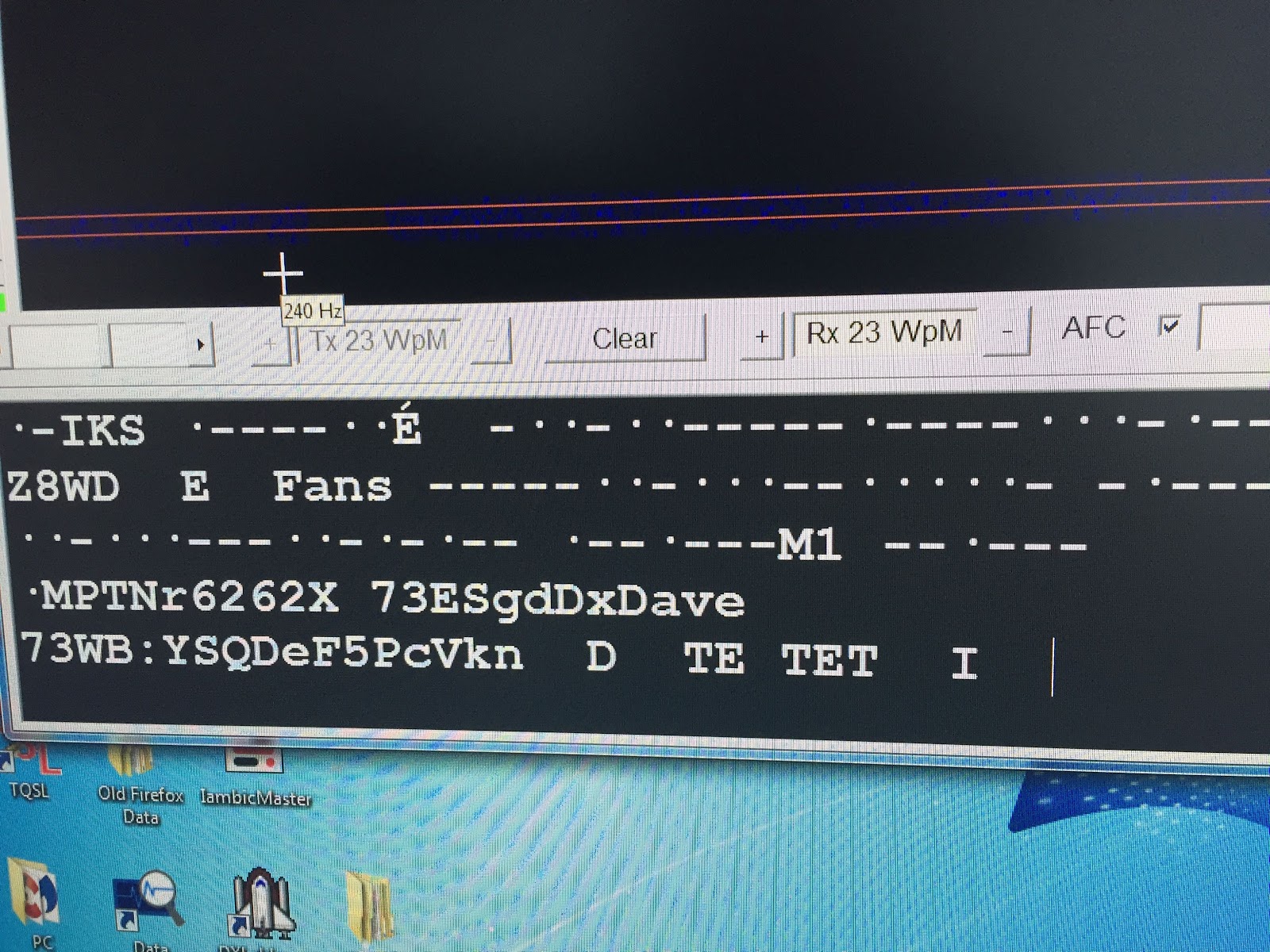 The picture to the left shows MRP40 trying to decode static. |
Mike Weir, VE9KK, is a regular contributor to AmateurRadio.com and writes from New Brunswick, Canada. Contact him at [email protected].
Comparing two CW decoding programs.
|
| LY3H CW decoder logic program MRP40 compared to CW decoder logic by LY3H MRP40 CW decoder 1. Decodes all speeds up to 60wpm Decodes but not mention top decode speed. 2. Has good documentation No documentation 3. Auto tracking very smooth Auto tracking hunts between long letter spaces 4. Text formatting-format mode works great Only option is manual or auto decode 5. Will not decode when APF is on Will de-code when using APF 6. Great weak signal decode S1 and below Poor weak signal de-code (not using APF) 7. Great email support Upgrades come out regularly 8. See's noise as code sends radium letters Only sends letters not radium noise as code 9. Does have save QSO but awkward to use. Just added cut and paste QSO to word or clipboard 10. Has “always on top” option Just added “always on top” option. 11. Added a mini log book No log book as of yet 12. You can send code At this time only able to read code A more in-depth look at some of the above comparisons: A) Auto tracking- When wanting to decode a CW signal it helps when the program can lock onto a signal. MRP40 will lock onto a CW signal and stay locked on. CW decoder on the other hand once the CW signal stops or has long gap between letter the program starts to hunt small segments on either side of the CW signal for other CW signals. Once the code starts again CW decoder has to relock onto it and you lose some decoding. If slow code is sent you are in a battle of lock and relock of the code. B) Text formatting options- with MRP40 you have the option on how you want to decode. - Correct word spacing…..this will attempt to add spacing between decoded words even if sender is running them together. - Expand abbreviations…..KN, AR and DE to mention a few. - Expand Q codes…self-explanatory. Both of these programs do the job of decoding CW very well, you have more options and customization option with MRP40. CW decoder logic is very easy to setup and in no time you are decoding CW. I have not had a chance to compare both programs in a CW contest situation. The major drawback to each program is….. MRP40…….no matter what test formatting option I used the program when idling would send radium code as it listened to static were as CW decoder logic would not. CW decoder Logic……when the receiving code stopped the program would start “hunting” for other CW signals. This created two issues, the first being if you are decoding slow code I found the program between letters words would start to hunt. When it does this it bounces back and forth from decoding and hunting and your decode is not reliable. The second is if I second CW op appears close to the op you are decoding the program will bounce between the two QSO’s. The major positive of each program is….. MRP40…..it will decode CW that is almost down at the noise floor and do a great job of it too. CW decoder Logic……it will not send random letters when it is not decoding and does a great job of adding the breaks between words and not running them together. Also this program is free. These code programs will always decode what is sent so you must consider if you are reading odd words and letters it may have to do with poor code sending. CW signals that are close to each other (CW contesting) if your rig cannot filter out the one CW signal your decoder will be confused. CW decoder by LY3H free. MRP40 will cost you 50.00 Euro. The picture to the left shows MRP40 trying to decode static. |
Mike Weir, VE9KK, is a regular contributor to AmateurRadio.com and writes from New Brunswick, Canada. Contact him at [email protected].
Ham College 22
In this episode we cover more circuits and schematic symbols..
48:28
George Thomas, W5JDX, is co-host of AmateurLogic.TV, an original amateur radio video program hosted by George Thomas (W5JDX), Tommy Martin (N5ZNO), Peter Berrett (VK3PB), and Emile Diodene (KE5QKR). Contact him at [email protected].
 Ham Radio Deluxe |
 W5SWL Electronics |
 Ham Radio Prep |
 KB3IFH QSL Cards  Hip Ham Shirts  HamRadioAuctions HamRadioAuctions Reliance Antennas Reliance Antennas Enigma Shop Enigma Shop |  morseDX  Ni4L Antennas  R&L Electronics R&L Electronics antennas.us antennas.us QRV QRV |
- Matt W1MST, Managing Editor
