 |
 LHS Episode #178: A Thor and A Beer
 7 November 2016 | by
 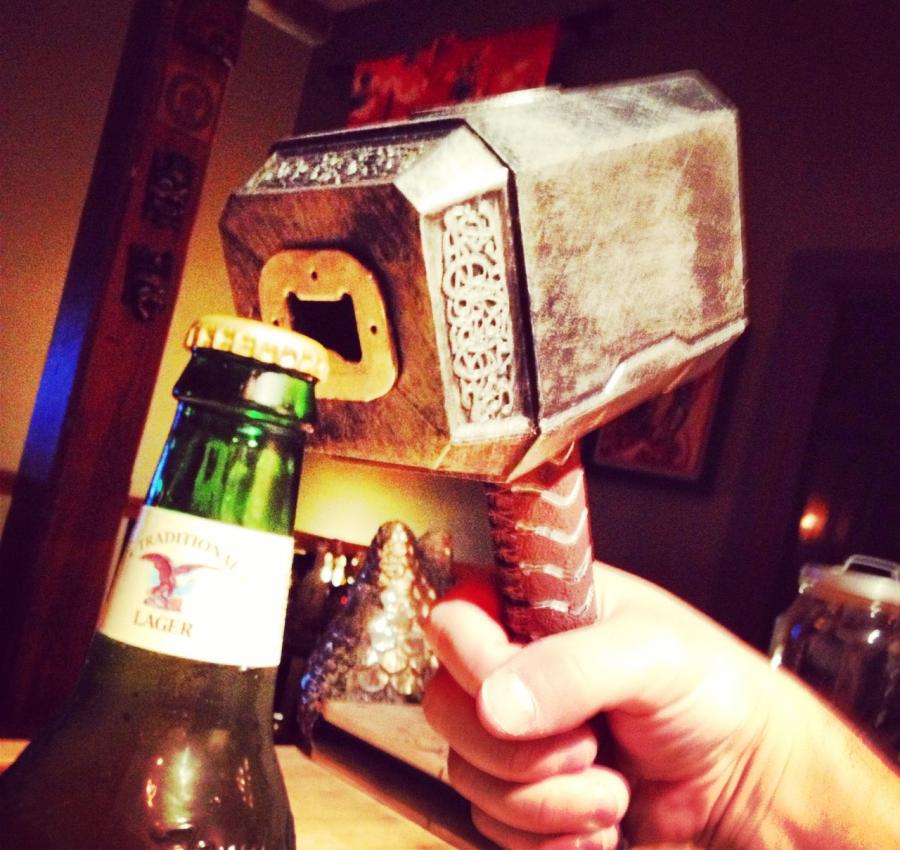 In the latest episode of Linux in the Ham Shack, Bill plays dead for Halloween. In his absence, Russ and Cheryl discuss long-distance 2-meter communication, vanity call sign rules, Windows 10 embedding Linux, Wal-mart, Arch Linux, Norse gods, fake Mexican food and a whole lot more. Thank you for tuning in. We appreciate you!
73 de The LHS Crew
Russ Woodman, K5TUX, co-hosts the Linux in the Ham Shack podcast which is available for download in both MP3 and OGG audio format. Contact him at [email protected].
Yet another Arduino clock
Does the world need more Arduino clocks? Maybe not.
But I needed another Arduino project as I had made a K3NG morse keyer. I love this keyer because it is unique in supporting a display where you can see what you send. But I wasn’t using the morse keyer all the time, so I wanted the hardware to serve two purposes. That’s the excuse for also making a clock.
Its main features are:
- Controlled by a GPS module outputting data over an RS232 serial interface, and handled with the TinyGPS++ library
- Shows raw GPS data such as UTC time and date, position, altitude, and number of satellitess
- Shows derived GPS data such as 6-digit locator
- Finds local time and handles daylight saving automatically using the Timezone library
- Finds local sunset and sunrise, either actual value, or civil, nautical, or astronomical. The library is Sunrise.
- The clock also gives local solar height based on the Sunpos library from the K3NG rotator controller.
- Finally, the clock also provides the lunar phase based on ideas found here and using a reference new moon on 11 November 2015, 11:47 (UNIX time 1447264020)
 |
Local time, solar and lunar state Line 1: Local day, date, time Line 2: Sunrise, maximum solar elevation (actual solar angle during the day), sunset Line 3: Civil dawn, local time at maximum solar elevation, civil dusk Line 4: Lunar phase, arrow showing that it is rising, days since new moon |

 |
| UTC and position display Line 1: UTC time, locator Line 3: latitude, longitude Line 4: Altitude, number of GPS satellites |
 |
| Dual time display with local time, UTC time, and locator |
The post “Yet another Arduino clock” first appeared on the LA3ZA Radio & Electronics Blog.
Sverre Holm, LA3ZA, is a regular contributor to AmateurRadio.com and writes from Norway. Contact him at [email protected].
Yet another Arduino clock
Does the world need more Arduino clocks? Maybe not. But I needed another Arduino project as I had made a K3NG morse keyer. I love this keyer because it is unique in supporting a display where you can see what you send.
But I wasn’t using the morse keyer all the time, so I wanted the hardware to serve two purposes. That’s the excuse for also making a clock. Its main features are:
- Controlled by a GPS module outputting data over an RS232 serial interface, and handled with the TinyGPS++ library
- Shows raw GPS data such as UTC time and date, position, altitude, and number of satellitess
- Shows derived GPS data such as 6-digit locator
- Finds local time and handles daylight saving automatically using the Timezone library
- Finds local sunset and sunrise, either actual value, or civil, nautical, or astronomical. The library is Sunrise.
- The clock also gives local solar height based on the Sunpos library from the K3NG rotator controller.
- Finally, the clock also provides the lunar phase based on ideas found here and using a reference new moon on 11 November 2015, 11:47 (UNIX time 1447264020)
|
Local time, solar and lunar state Line 1: Local day, date, time Line 2: Sunrise, maximum solar elevation (actual solar angle during the day), sunset Line 3: Civil dawn, local time at maximum solar elevation, civil dusk Line 4: Lunar phase, arrow showing that it is rising, days since new moon |
|
| UTC and position display Line 1: UTC time, locator Line 3: latitude, longitude Line 4: Altitude, number of GPS satellites |
|
| Dual time display with local time, UTC time, and locator |
The post “Yet another Arduino clock” first appeared on the LA3ZA Radio & Electronics Blog.
Sverre Holm, LA3ZA, is a regular contributor to AmateurRadio.com and writes from Norway. Contact him at [email protected].
Head Copying CW
There's more to using Morse Code than Learning Morse Code

Head Copying
How to practice for a ragchew
THIS IS COMMUNICATION with Morse Code and it is different than anything else we are familiar with so treat it as learning a new skill.
Next steps
After you've practiced with machine sent top 100 or top 500 words you'll still need time copying actual QSOs because more often than not, most operators you will communicate with have lousy spacing and run their words together or use so many abbreviations that you'll have to learn to hear the abbreviations as new words. When I work an operator who runs things together I'll first try to really exaggerate my word spacing during my exchange to give them a hint and if that doesn't work I ask them put more space between their words. Some will comply, but some folks just don't seem to know how to leave space so I'll catch what I can, politely respond to what I could understand and then move on.So if you're getting discouraged when you reach a wall of comprehension, try the steps above and with time I think you'll find your comprehension during a ragchew improving and it will take you to a new place in the hobby.
That's all for now
So lower your power and raise your expectations... and put extra space between your words!
73
Richard AA4OO
Update 11/7/2016:
KA8BMA pointed me to a nice reference created by W0XI for the top 100 "Ham Words" used in QSOs... check it out most common ham wordsRichard Carpenter, AA4OO, is a regular contributor to AmateurRadio.com and writes from North Carolina, USA. Contact him at [email protected].
Amateur Radio Weekly – Issue 132

HDSDR beta 2.75 released
HDSDR hasn’t been updated since 2013, so it is good to see that the author is back in action.
RTL-SDR.com
Put that Amateur Radio license to use on 915 MHz
Faraday makes it very easy to transmit and receive digital data, with decent power and range.
Hack A Day
Learning Morse Code in 4 hours
Researchers at the Georgia Institute of Technology have developed a system that teaches people Morse code within four hours using a series of vibrations felt near the ear.
Georgia Tech
National Geographic: Guide to Ham Radio
Can Ham radios really talk to space? And other answers.
National Geographic
Suspected terrorists believe HAARP controls minds
Two men collected dozens of weapons as part of a plan to attack the High Frequency Active Aural Research Facility or HAARP.
WALB
SainSonic APRS Tracker
1 watt APRS tracker with GPS, Bluetooth built-in.
SainSonic
KB6NU’s One-day Tech class videos
KB6NU has been sharing a series of videos from his One-day Tech class.
KB6NU
ISS APRS packet system switched to UHF
Crew member Shane Kimbrough, KE5HOD, has activated an ARISS UHF radio that had been in storage on the ISS, and it is now operational on 437.550 MHz.
ARRL
An improved knob for the K2
Compared to tuning knobs on most commercial rigs, the one on the K2 has a rather sharp edge, the effects of which can become obvious if you tune a lot by resting one finger against it.
AA7EE
Do you have a prepared Ham Radio elevator pitch?
Don’t try to be all things to all people, stick with the aspects of ham radio you enjoy and have passion and expertise.
Ham Cram
All-Seeing Eye: Russia builds gigantic military radar in Arctic
The so-called “over the horizon” radar is a type of radar system, which is able to detect targets at very long ranges, typically hundreds and thousands of kilometers.
Sputnik News
Video
Building an APRS Digipeater
The transceiver is a GM300, with a KAM plus TNC modulating it. If we didn’t happen to have a KAM+ on hand, I would have probably used an OT3m from Argent Data.
The Life of Kenneth
TYT MD-398 GPS Unboxing
This model is the GPS version. It also comes in a version without GPS. This is a pre-release model, however, it is identical to the Radioddity GD-55 model.
Ham Radio Review
W9BVX’s helium balloon vertical antenna
Watch now as he ticks another item off his ‘bucket list’.
KB8VBR
Radio Review: QYT KT8900 Mini Dual Band Mobile
Programming repeaters into the QYT KT8900 Mini Dual Band Mobile
AF5DN
Amateur Radio Weekly is curated by Cale Mooth K4HCK. Sign up free to receive ham radio's most relevant news, projects, technology and events by e-mail each week at http://www.hamweekly.com.
TX Factor Episode 13 is Live!
We have an autumn feast of amateur radio content in this ‘13 – lucky for some’ episode of TX Factor!
Bob gets to weigh up the latest offering of digital transceivers with Gary from ML&S.
We chat about the weather with two experts who always look on the bright side. Jim Bacon and Steve Nichols explain how we can work with the prevailing conditions to maximise our chances of good DX.
And Bob realises a boyhood dream by reliving the heady days of offshore radio on the UK’s high seas.
The Show is available to watch now at www.txfactor.co.uk
We hope you enjoy this nostalgic show.
Nick Bennett 2EØFGQ co-hosts TX Factor with Bob McCreadie GØFGX and Mike Marsh G1IAR. Contact the team at [email protected]
Worldwide SDR’s Online
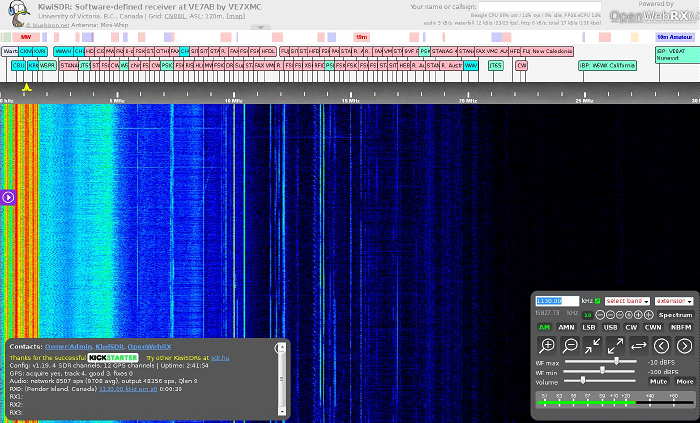 |
| The University of Victoria online SDR from SDR.hu |
The site is run by Andras Retzler, the author of the OpenWebRX software that enables these SDR's to be made seamlessly available online through your web browser. Since all of the sites use the same software, all receivers appear the same, thus providing a very short operational learning curve. At the time of this posting, there were 76 online SDRs, a number that fluctuates slightly throughout the day. Conveniently, the site also indicates how many users are currently using any individual receiver.
I can think of several very handy uses of such a resource, from checking your own on-air signal to confirming, in real time, a suspected DX catch that you might be hearing from your own location. You may even be interested in putting your own SDR online for others to share. It really is a very useful resource and while there, check out the rest of Andras's interesting site.
Steve McDonald, VE7SL, is a regular contributor to AmateurRadio.com and writes from British Columbia, Canada. Contact him at [email protected].
 Ham Radio Deluxe |
 W5SWL Electronics |
 Ham Radio Prep |
 KB3IFH QSL Cards  Hip Ham Shirts  HamRadioAuctions HamRadioAuctions Reliance Antennas Reliance Antennas Enigma Shop Enigma Shop |  morseDX  Ni4L Antennas  R&L Electronics R&L Electronics antennas.us antennas.us QRV QRV |
- Matt W1MST, Managing Editor
