 |
 Morse USB keyboard
 27 May 2010 | by
 This is a really cool little project.
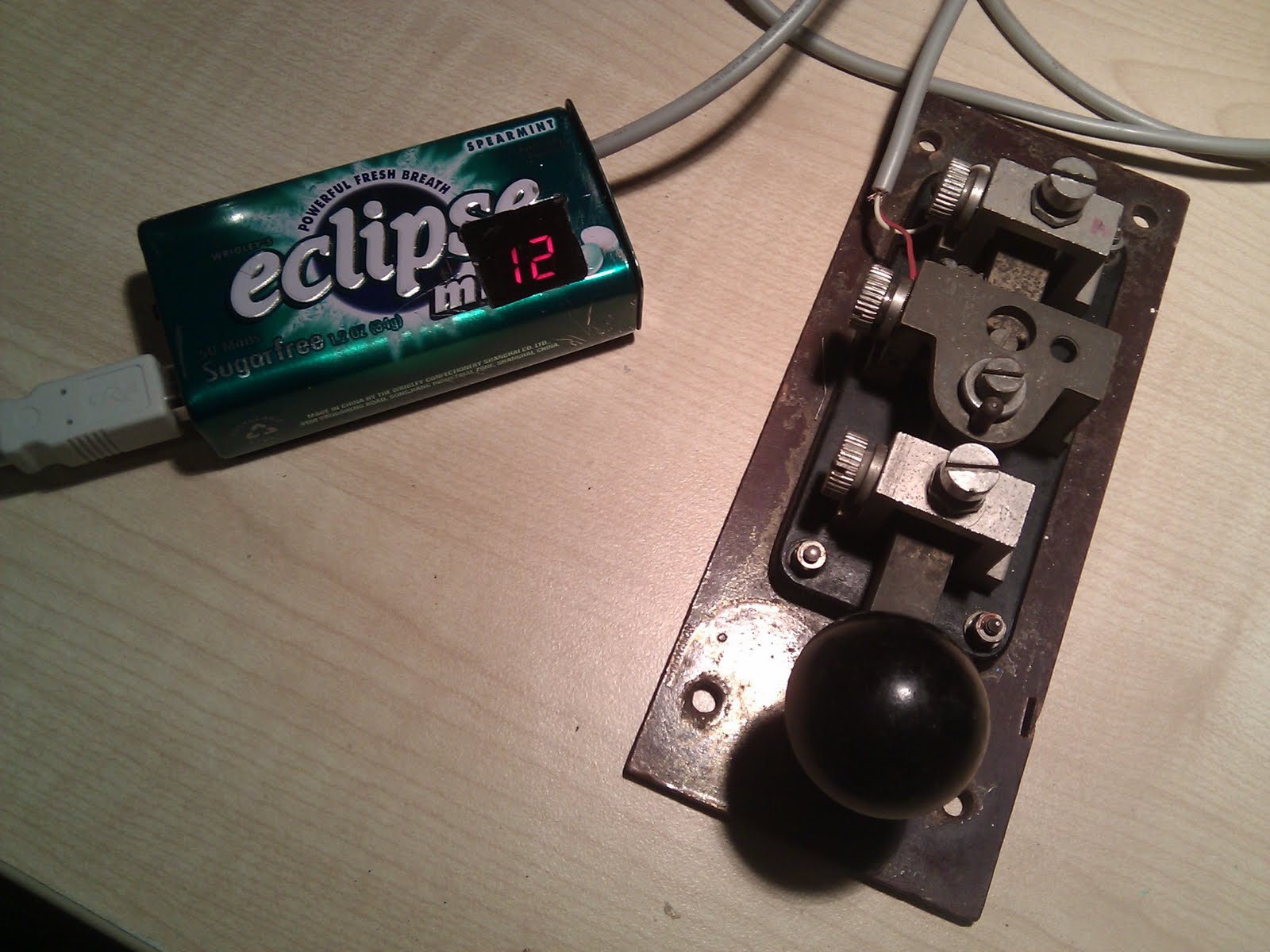 It isn’t clear what it does from the picture, but it’s a device that makes a Morse key look to a computer like a standard USB keyboard. So you can type into your word processor, blog or whatever by sending Morse.
I want one of these. If I had to type all my blog posts using Morse I’m sure I would really get my speed up! Shame it isn’t available as a kit.

Julian Moss, G4ILO, is a regular contributor to AmateurRadio.com and writes from Cumbria, England. Contact him at [email protected].
Baffled
I don’t know if it’s just my advancing years but increasingly I find new technology and the direction it is going in completely incomprehensible. Phones are becoming so complicated that they can now only be understood by teenagers. But the topic of today’s rant is computer sound cards.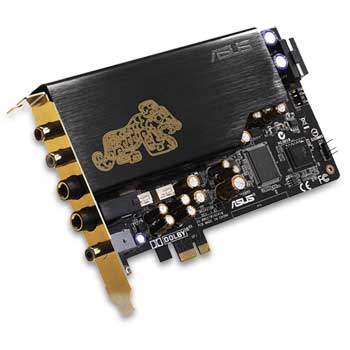 One of the reasons I prefer a desktop or tower PC in the shack is that you can install additional soundcards in them. This allows you to interface with one or more radios for digital modes, EchoLink and so on and still have normal computer sound available. Yes, you could do this with a laptop and external USB soundcards. But it has always seemed to me to be better RF practise to have the digital electronics inside the nice tightly screened metal PC case with only screened cables going from the PC to the radio. USB looks like a radio amateur’s nightmare with these often unscreened cables carrying high speed data and the USB devices usually in completely unscreened plastic cases radiating digital hash everywhere. In fact I would not be surprised to find that the proliferation of USB devices is mainly responsible for the increasing HF noise environment that one day soon will result in my giving up HF altogether.
Once upon a time you could buy a 16-bit soundcard for £15 – £20 ($25 – $30) that was more than good enough for computer sound or amateur digimodes. But one of the advances in computer technology has been the disappearance of PCI slots. The new computer I bought a few months ago, to my surprise, turned out to only have something called PCI Express slots, for which the cheapest sound cards available cost around £70 ($100.)
The specifications of these “bottom end” PCI Express soundcards are way above what I need to either listen to computer sounds and video soundtracks on my PC speakers or decode PSK31 signals. Why do ordinary computer users need 24-bit 96kHz recording or a direct digital input? What on earth is “sound output 7.1” and why do I need three or four different speaker outputs (the presence of which make finding the socket for the PSK31 TX audio by trial and error while groping round the back of the PC in the dark about as likely as winning the lottery?)
I understand that some people might want these features but those who didn’t want them weren’t forced into buying them because more basic products were available. Who decided the simple, stereo 16-bit soundcard without 3D special effects such as computers had for years was no longer needed by anybody?

Julian Moss, G4ILO, is a regular contributor to AmateurRadio.com and writes from Cumbria, England. Contact him at [email protected].
What frequency standard?
I think the frequency readout of my IC-910H is out by about 400Hz and unfortunately I can’t receive any accurately calibrated beacons like GB3VHF to set it with. I also like to check my K3’s calibration from time to time and would like to take advantage of the option to lock it to a 10MHz frequency standard should Elecraft ever provide it as originally promised. So I decided to have a look on eBay for frequency standards.
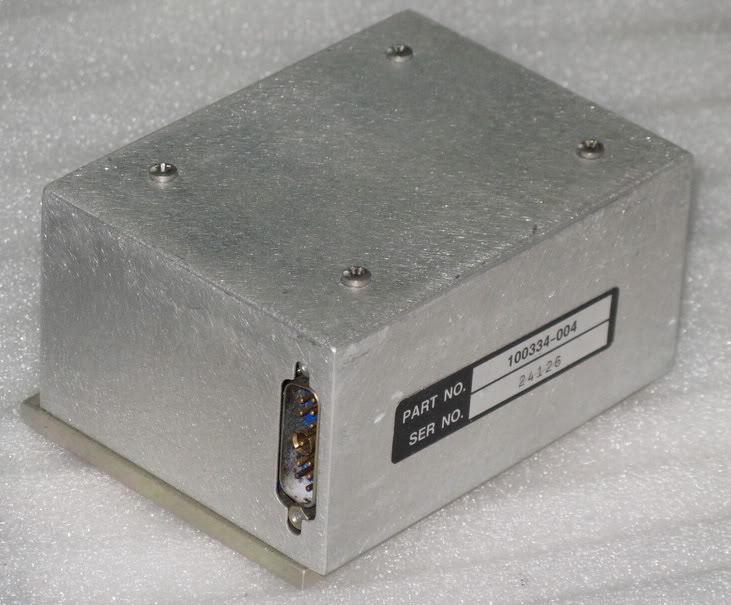 There seem to be a number of ex-equipment 10MHz rubidium frequency standards at prices starting from around £50 – which is about the right level for me – available from China. For a bit more you can have a GPS locked time and frequency standard, though where time is concerned the NTP software is good enough for me. There is also a smart looking Quartzlock off-air frequency standard, though that is a bit outside my price bracket for this and would take up a bit too much space for the G4ILO shack.
I don’t know anything about this equipment and aren’t sure if any of these things would be any use to me. The rubidium frequency standard pictured has a frequency adjustment setting which surely defeats the object. If you need to calibrate it against something else then that’s no use to me. I want something of known accuracy to calibrate my radios against. Perhaps the GPS type would be more useful?
Does anyone know about these things?

Julian Moss, G4ILO, is a regular contributor to AmateurRadio.com and writes from Cumbria, England. Contact him at [email protected].
USB – the shortsighted interface
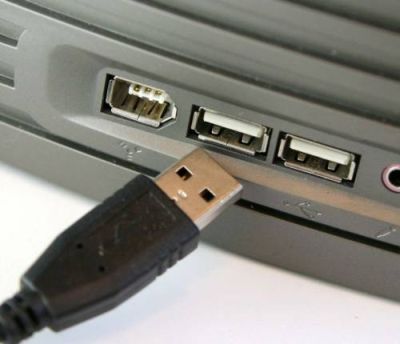 In his review of the Yaesu FTDX5000 in the June 2010 issue of RadCom, Peter Hart G3SJX criticizes Yaesu for not providing a USB interface as Icom does with its IC7600 transceiver. This same criticism is frequently made by new users or prospective users of the Elecraft K3. I think it is an extremely shortsighted view and I’m surprised to hear it from someone of G3SJX’s experience. This seems to be another example of the “it’s newer technology so it must be better” attitude that seems to be taking root in the hobby.
The RS-232 serial port has been around since long before the personal computer. It has not been used for “consumer” equipment since the days when printers and modems came with a serial interface, which is why RS-232 ports are no longer provided with new PCs. But it is nonsense to claim that RS-232 is obsolete because of this. Adding a couple of serial ports to a PC is simply a matter of opening the case and slotting in an RS-232 board. Granted, it isn’t as easy if you are using a laptop, which is why RS-232 to USB adapters exist. But expandable desktop or tower PCs have so many advantages that why anyone would choose to use a laptop for their shack computer beats me.
Icom uses USB not just for computer control but also for audio so the IC7600 doesn’t need the sound card and requires only a single cable to connect it with the PC. This is an innovation that has obvious marketing appeal – which is no doubt why Icom included it. But it’s a benefit that can only be enjoyed by users of specific versions of Windows. If you use Linux, Mac OS, Windows 2000 or earlier or Windows XP 64-bit you’re out of luck. RS-232 on the other hand is supported natively by just about any computer running any OS, by microcontrollers and even by non-computer devices like Ethernet serial port servers. It offers far more choices, even if most of those choices are only of interest to a minority of users.
Buy a device with USB and you are dependent for its continued usability on the willingness of its manufacturer to develop drivers for as yet unreleased operating systems. I’ve had to junk perfectly good printers and scanners in the past because the latest drivers were for Windows 98 or Windows 2000 and the manufacturer did not produce any for Windows XP. Most radios have a life of 20 or 30 years, considerably longer than most computer hardware, so designing into them an interface that itself may have been replaced by something faster and better in the PCs of 10 or 15 years time seems to me very shortsighted.
Icom chose to provide a Windows-only supported USB interface on the IC7600 for purely marketing reasons. Elecraft arguably made the best decision with the K3 by not just providing a true RS-232 interface (not a lame TTL version requiring an extra-cost level converting cable) but also making the DTR and RTS signals optionally usable for PTT control and CW keying. Although separate audio cables and use of a sound card are needed, Elecraft included isolating transformers so no separate interface (RigBlaster etc.) is needed. If Yaesu chose to emulate this aspect of the K3 design as well then it should be commended not criticized.

Julian Moss, G4ILO, is a regular contributor to AmateurRadio.com and writes from Cumbria, England. Contact him at [email protected].
Odds and Ends
Yesterday, I revisited this post listing on-going projects from December 2009. Some things have changed, some remain the same.
The computer stuff has all been crossed-off the list, except that the home server is off-line with a dead power supply (or motherboard). I’m somewhat loathe to spend any money on it, but I should be able to pick something up.
While it would probably have been cheaper to buy one of the HF/VHF/UHF combo radios, I’ve set off stupidly down the trail of building (and interfacing) transverters. I am just three amplifier stages away from having 3-5 watts on 50 MHz! …plus the interfacing. I’ve decided that interfacing transverters to radios is more difficult than actually designing and building the transverters themselves. I built the 903-MHz W1GHZ transverter during the Winter, but haven’t tried it on the air just yet. W8ISS announced recently that he had some leftovers from the group buy of W1GHZ transverter parts, including boards for 2304 and 3456 as well as some G6Y relay kits. I bought the lot. I have enough MMICs and chip caps in the shop to build these and since I’ll need to order a couple of mixers for the other transverters, I can hit the Mini-Circuits minimum order. Sometime. Microwaves may all get pushed off to Fall and Winter.
Through a strange coincidence, my wife and I independently decided that it would be a good idea to move my ham shack. The new location is closer to the center of activity in the house, which means I’ll operate more radio and be more accessible to her while I’m doing it. But, the feedline and rotator cable no longer reach my 144-MHz Yagi. Fortunately, I’ll be able to raid the K8GU coax stash shortly. In the mean time, I’ve been missing what appear from the Hepburn maps to be epic tropo conditions. Stuff happens.
QSLing, notably my favorite QSL topic—bureau cards. All bureau requests for KP4/K8GU have been processed. I ran out of CE/K8GU cards with 10 to go. I will run some more of these from a photo printer in the next couple of days. Piles of PJ2/K8GU, K8GU, and (go figure) AA8UP cards remain. I will get the PJ2 cards done this weekend since I have a box of cards on-hand. K8GU and AA8UP cards are awaiting a redesign.
Although it sounds like a lot, relatively little is getting done on any of these things thanks to an outdoor project at home. More on this in the future.
Ethan Miller, K8GU, is a regular contributor to AmateurRadio.com and writes from Maryland, USA. Contact him at [email protected].
TS-930S PA mod — first try
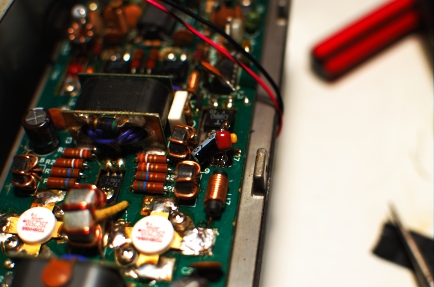
As I wrote recently, I have been tackling the low-frequency instability problem in the TS-930S PA unit. My first attempt was to add several bypass capacitors to from the supply side of L7 to ground (through a lug on the Q7 mounting screw a short distance away). This should tame the drivers, although the problem is not there.
The hum came back when I pushed the power beyond about 50 watts. The push-pull MRF-422 final amplifier circuit in the TS-930 comes from Motorola EB27, with a few small modifications. However, it is not clear to my untrained eye where additional precautions could be taken. I have a hunch that my next target will be this portion followed by the 2SC2075 pre-driver stage if I come up empty on the finals.
Ethan Miller, K8GU, is a regular contributor to AmateurRadio.com and writes from Maryland, USA. Contact him at [email protected].
Intek H-520 battery trials
On my first outing with the Intek H-520 Plus handheld transceiver a week ago I found that the batteries died as soon as I pressed the PTT. It turns out that this is a very common problem with this transceiver. M3XEM has even made a video about it which he has posted on YouTube.
After trying some different NiMH cells, freshly charged, my H-520 seemed to be happy using my longer whip antennas, though it still wouldn’t work with the supplied mini-whip. But after only a little use of the batteries it began cutting out again when using a 2ft centre-loaded whip. The only antenna it would still accept was the 4ft whip with counterpoise. I felt that something wasn’t right, so I decided to investigate.
I measured the battery voltage and current. The batteries were not freshly charged but had been used on Sunday to make numerous calls though no contacts. With the radio turned on and receiving the current drain is 90mA and the battery voltage was 7.71V. This is substantially above the 7.2V nominal voltage which suggests that there should be plenty of life still left in the batteries. This was confirmed by the battery state indicator.
I then transmitted into a dummy load. On the 1W setting (with slightly under 1W output) the current drawn was 750mA. On the 4W setting (with about 3.5W measured output) the current drawn was 1.3A. The voltage across the batteries whilst full power was being transmitted dropped to 6.75V, significantly less than the 7.2V nominal voltage. The current consumption is not excessive in comparison to an FT-817 which is specified to draw up to 2.0A at 5W output. One factor contributing to the voltage drop is the use of separate AA cells. Most handheld radios use battery packs in which the cells are welded together to minimize resistive losses.
The radio still worked fine at 6.75V, but this was transmitting into a dummy load. On most of my 10m antennas – and as observed by M3XEM – the battery voltage would fall away after a couple of seconds and the radio would cut out and restart. I tried to measure the voltage across the batteries when using the two short whips and it fell right away to 3 or 4 volts! This explained why the radio cut out and restarted. It must be drawing a lot of current to cause such a large drop, but I was unable to measure exactly how much as the radio’s voltage sensor cut the power to the TX too quickly for my meter to catch the reading.
My conclusion is that when presented with a load that is something other than 50 ohms, the PA of the H-520 draws an increased current. This effect is significant enough that the radio cuts out even on the 1W setting using the mini-whip antenna. This current draw may be more than rechargeable AA cells are designed to sustain, quickly pulling the voltage below the “low voltage” sensor level.
The transceiver isn’t really “eating the batteries” as some users have claimed, as the cells quickly recover their original voltage when the load is removed. The problem is purely and simply poor design which causes the PA to behave in this way and draw too much current when presented with a mismatch. As can be seen from the schematic (which is included in the manual) there is no SWR protection to back off the power.
It is very unlikely for a whip antenna on a hand held radio to present a perfect match, so the H-520’s performance in this respect is lamentable. As I noted in an earlier post, the supplied whip antenna was found to give its best match at 28.5MHz. It would present a high SWR on the UK and EU CB frequencies that most buyers of this radio would use and I doubt if any buyer of this particular radio would have found it possible to use the highest power setting with this antenna.

Julian Moss, G4ILO, is a regular contributor to AmateurRadio.com and writes from Cumbria, England. Contact him at [email protected].
 Ham Radio Deluxe |
 W5SWL Electronics |
 Ham Radio Prep |
 KB3IFH QSL Cards  Hip Ham Shirts  HamRadioAuctions HamRadioAuctions Reliance Antennas Reliance Antennas Enigma Shop Enigma Shop |  morseDX  Ni4L Antennas  R&L Electronics R&L Electronics antennas.us antennas.us QRV QRV |
- Matt W1MST, Managing Editor
