 |
 You cannot always believe spots via the internet…
 23 December 2011 | by
  |
| JT65 HF with webSDR |
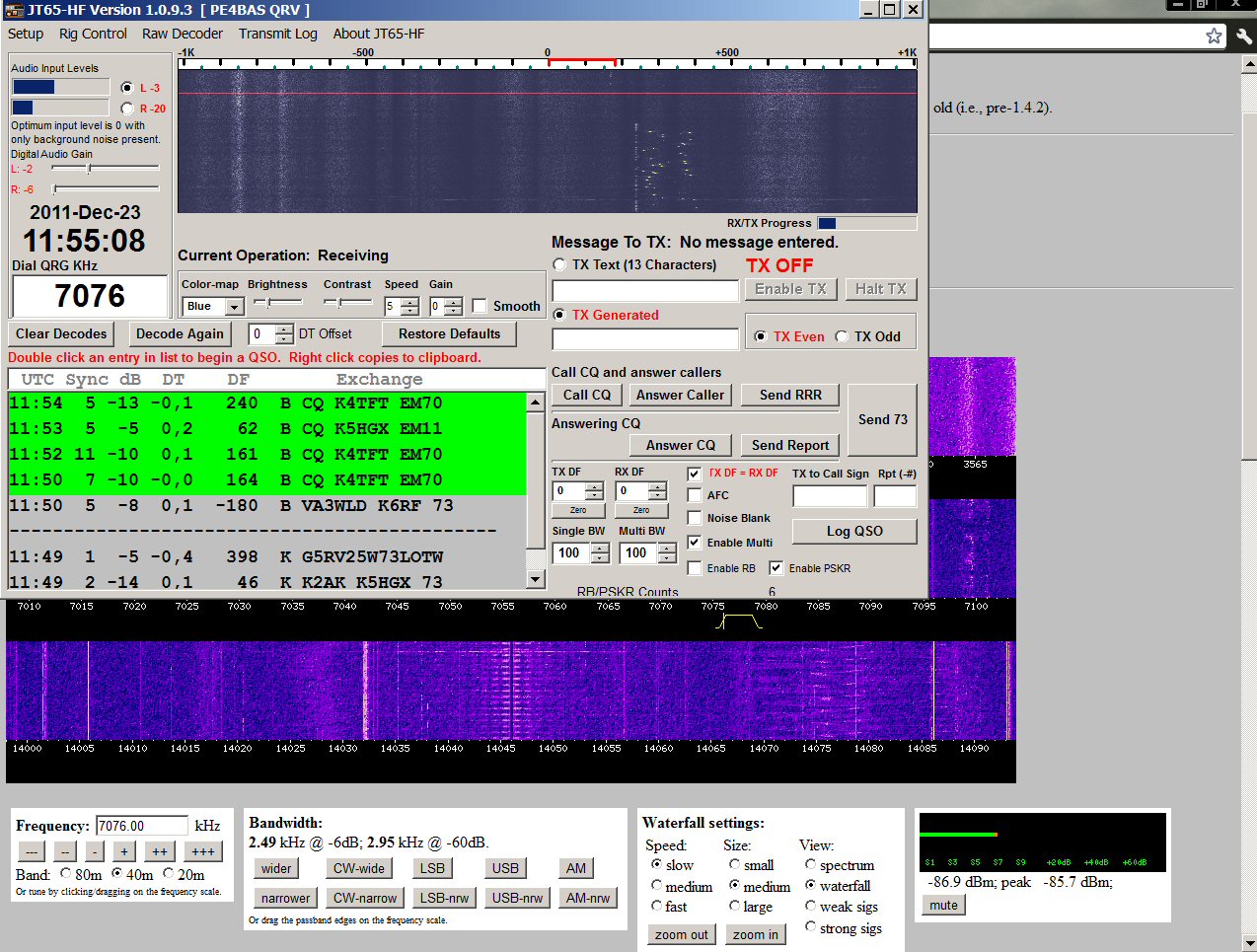
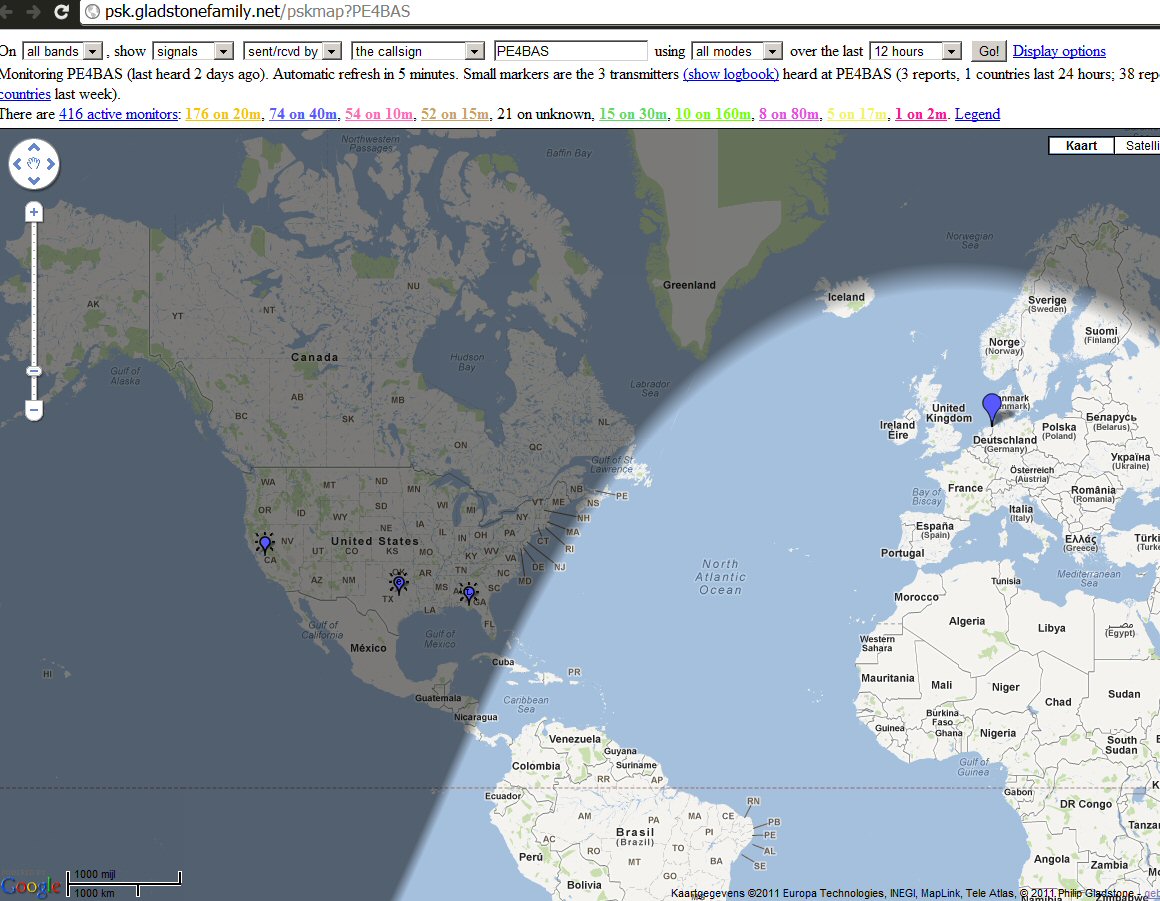
It’s cheating I know. But considering I still had my thoughts about my 5W 40m signal being received in daylight by VP8DMH Mike in Antarctica. It came across my mind that Mike could have been testing with a webSDR located in Europe. Is that possible, as JT65 is time related and internet has a bit delay. So, I would like to test it and set up JT65 with a webSDR in the USA. At the middle of the day I reported some American JT65 calls to PSK reporter. So, you cannot always believe spots via the internet. Although received by radio, the reporting station can be everywere, propagation or not! With that in mind I mailed Mike down on Antarctica, I wished to solve the mystery. Did he use a webSDR in Europe or his own receiver?
Here our small conversation:
On 23/Dec 04:15, BasLev wrote:
> Hello Mike,
>
> I hope you don’t mind writing you but I have something on my
> mind that I would like to solve. I was received by your
> station at 20-12-2011 see my
> blogpost:?http://pe4bas.blogspot.com/2011/12/40m-jt65-surprise.html
> But since you were in daylight and far from the greyline this
> would be impossible in my opinion. You also wrote??on
> QRZ.com?your equipment would not arrive before christmas. It
> could be received by a SW receiver of course. But it could also
> be that you were listening/decoding via a webSDR?
>
> Can you help me out with this??
Hi Bas,
Thanks for the mail. My main radio is indeed on the ship, and
won’t be with me for another week or so, but I do have my FT-817
with me, and I’ve been using that for WSPR and JT-65A in the
meantime.
As for propagation, strange things happen down here! We have a
suprisingly good nighttime path to the EU on 40m, even though
it’s 24-hour daylight here at the moment. I recently did some
tests over a few days using WSPR, which I wrote about here:
http://clarkema.org/posts/2011-12/2011-12-12-propagation-videos.html
You might be interested in the video linked at the bottom of the
4th paragraph, which shows propagation from here to Europe as
night falls.
I did make a couple of European JT65 QSOs on teh 20th as well as
just listening, so hopefully I’ll see you in the log at some
point.
73,
—
Mike, VP8DMH
P.S. my location given the pskreporter website is out of date; my
current QTH is HB64ok.
A very fast reply and amazing that I can just e-mail to someone in Antarctica. So he did receive me on his FT-817. And he even made a few QSOs to Europe. And most interesting of all he has his own blog and actually does something usefull with the WSPR data. I was really surprised and can recommend this video. It gives a nice insight in the Antarctic propagation. Anyway, e-mail still is the best way to verify if you want to be certain a station heard your signal, especially in suspicious situations. Internet can be usefull but also very misleading and that concerns not only amateurradio !!
 |
| A small JT65 cheat.. |
Bas, PE4BAS, is a regular contributor to AmateurRadio.com and writes from Groningen, Netherlands. Contact him at [email protected].
Don’t Get Stuck On 2 Meters
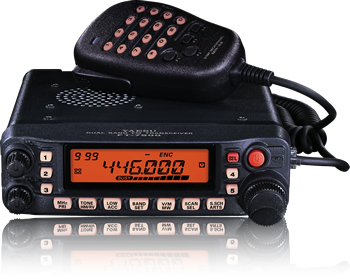 When I first got started in amateur radio (many years ago), one of the engineers that I was working with at a summer job told me “Don’t get stuck on 2 Meter FM”. At the time I was a college student and felt lucky enough to have 1) found time to pass my Novice exam, including Morse Code test, 2) found time to travel 150 miles to the regional FCC office and pass my Technician exam, and 3) scraped up enough money to buy a basic 2 Meter FM mobile rig. I was in Technician ham heaven, playing around on 2 Meter FM, both simplex and repeaters. Oh, and we had this cool thing called autopatch that let you make actual phone calls from your car. I really wasn’t worried about getting “stuck on two”.
Even though my discussions with this Old Fart Experienced Radio Amateur revealed that he didn’t see 2 Meter FM as Real Ham Radio, I could see that he had a point. Two meter FM is only small part of the ham radio universe and it would be easy to just hang out there and miss out on a lot of other things. I was reminded of this recently by K3NG’s post: Things I Wish I Knew When I Was A Young Radio Artisan. I agree with most of his comments with the exception of this one:
Don’t get your start on 2 meter repeaters.
This took me back to the comments from the Experienced Radio Amateur from years ago. I get the point — starting out on 2 Meter FM and Repeaters can give you a limited view of ham radio — but I see it as the perfect platform for getting started. Here’s what is working in my area with new Techs: get them started with a dualband FM rig (usually an HT) so they have some on-the-air success. This also puts them in touch with the local ham community, where we not-so-subtlely expose them to other bands, modes and activities. They hear the other guys talking on the repeater about working DX on 10 Meters and start thinking about how to pursue that as a Tech. From there, it just expands out to all kinds of bands and modes.
Just for the record, I guess I did follow the advice of the Experienced Radio Amateur and managed to not “get stuck on two” (i.e., I’ve worked all of the bands from 80M to 10 GHz, earning WAS, WAC, DXCC and VUCC.)
73, Bob K0NR
Bob Witte, KØNR, is a regular contributor to AmateurRadio.com and writes from Colorado, USA. Contact him at [email protected].
Why has my DVAP started to get disconnected from the reflectors? (Win-DV users)
Last weekend I thought it was about time that I made some D-STAR contacts again. Out here in the wilderness, I use my DVAP to connect to the network. As I have noted on the blog before, I often use the Win-DV software from http://www.dutch-star.eu
That software allows me to do a bit more than the DVAP-Tool software from AA4RC – just in terms of being able to set up connections on the PC rather than having to do it on the E-92.
Anyway, last weekend I started up the Win-DV software connected it to REF001C and went downstairs with my handheld. I hadn’t heard anything after a while so I did a quick check and found that I had been disconnected. No big deal, I’d probably done something silly!
Connected it and checked again. I’d been disconnected. Probably something to do with 1C so tried another reflector. Same again!
Hmmm. Now my mind was starting to wonder. I closed down Win-DV and started up DVAP-Tool. Guess what? It connected and stayed there!
I didn’t have anytime to investigate at the time, but this evening I checked out the Dutch*star site. It seems that a decision was taken by ‘DPLUS Network managers’ not to allow DVAPs or DV-Dongles to connect to the network unless they sent the hardware serial number. DVAP-Tool was doing that and Win-DV was not, hence anyone using Win-DV would get disconnected.
Why was this done? This blog has never been about radio politics and we’re not going to start now. You can form your own opinion I am sure.
However, the good news is that the latest release of Win-DV allows you to select the ‘HARDWARE’ option to send your DVAP serial number to the network.
I tested it this evening and it’s working fine. You can read more detail on the Dutch*Star site.

Tim Kirby, G4VXE, is a regular contributor to AmateurRadio.com and writes from Oxfordshire, England. Contact him at [email protected].
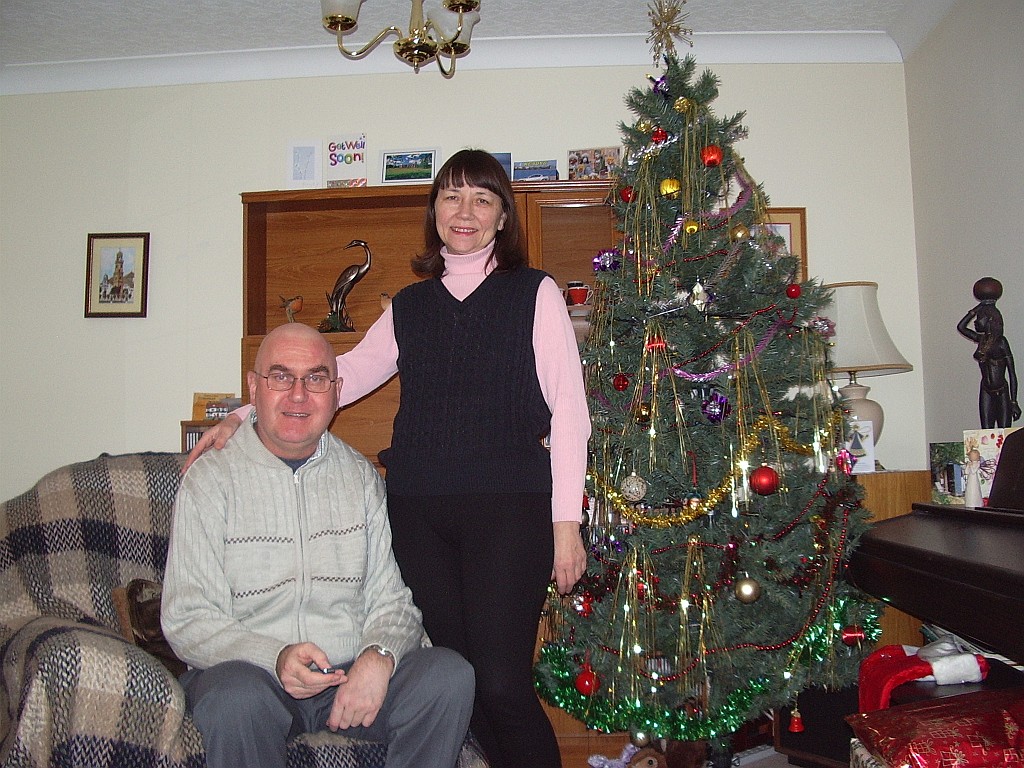
Season’s Greetings

Julian Moss, G4ILO, is a regular contributor to AmateurRadio.com and writes from Cumbria, England. Contact him at [email protected].
Breaking News…Grinches ALMOST Stole My Favorite SDR Site
BREAKING NEWS! Mack has rebooted and W4AX.com is back online. It is a huge blessing and thanks again to Mack and the host of others who serve all of us! YAHOOO>>> Grinches lose! W4AX.COM is online again! Belay my last!
A few years ago, we did not know the term, Software Defined Radio but now it has become one of many new technologies that we hams are learning to adapt to our needs. As an antenna restricted condo dweller, I’ve found it most helpful for being able to listen to the bands at various times through the day.

W4AX.com during IARU CW contest
Yesterday I learned my favorite site, W4AX.com is shut down due to abuse by non-hams and other constraints. A big thanks to Mack, W4AX and others who are the unsung heros that provide services like these and have allowed access to others over the years. The Reverse Beacon Network is another great service and we often forget the time and expense that our fellow hams have put into keeping them going. As a blogger with multiple sites, I understand the challenges and resources it takes all too well.
I’ll miss being able to check the bands 24 x 7 on my favorite site, but perhaps it will prompt me and others to set up our own SDR site and share it with others. I salute those who like Mack paved the way for new technology to provide access to so many hams. Sorry that the burden got too heavy to keep it going, but know your work was appreciated by many. I’ll be sure to let others who are working behind the scenes know that they are appreciated too.
Blessings gang of pioneers and Happy Holidays to you all!
72,
Kelly K4UPG
Kelly McClelland, K4UPG, is a regular contributor to AmateurRadio.com and writes from Florida, USA. Contact him at [email protected].
New 1000 mile per watt record………
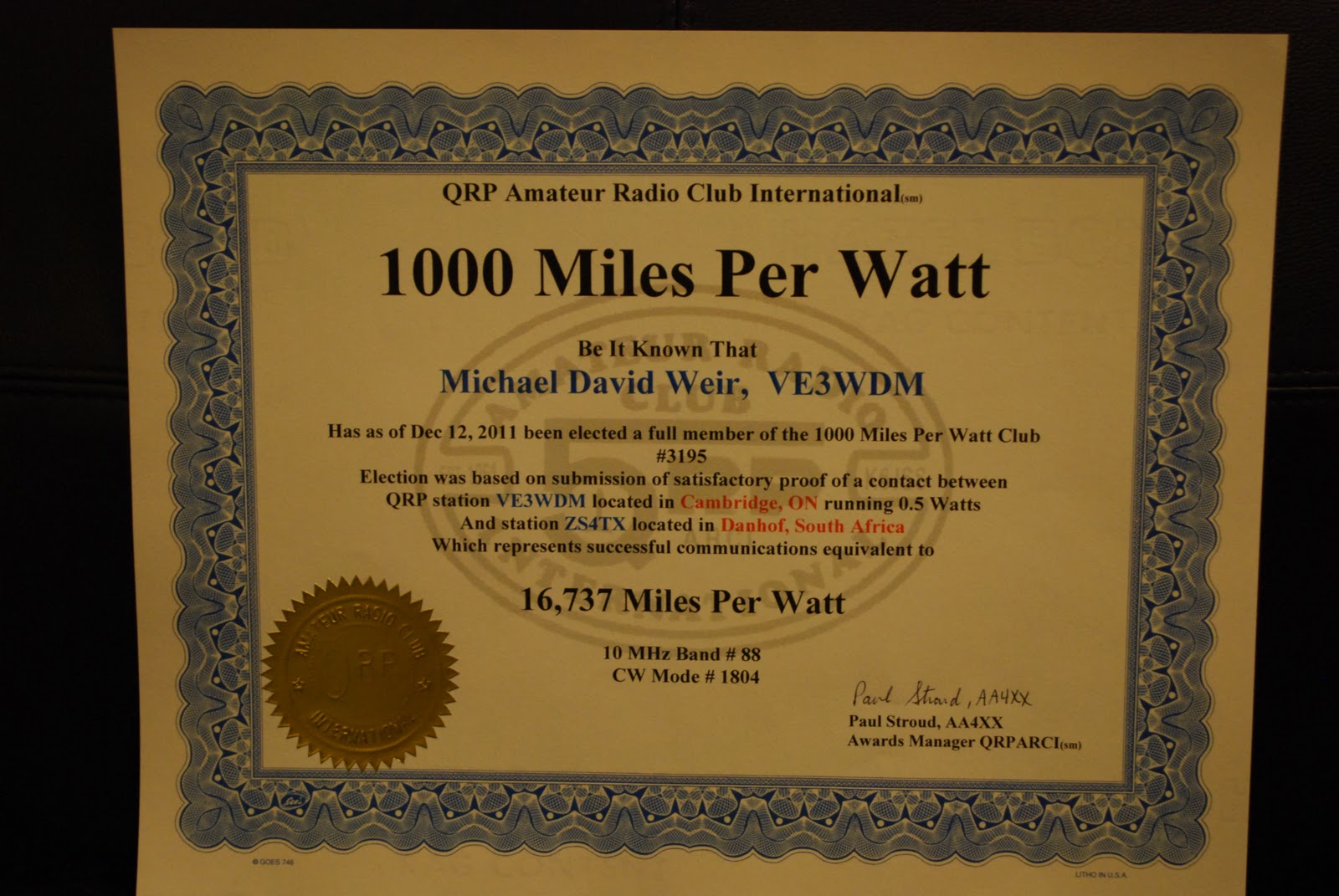 |
| The excitement had me fill in the wrong band a new one is coming for 14 MHZ (click for full size) |
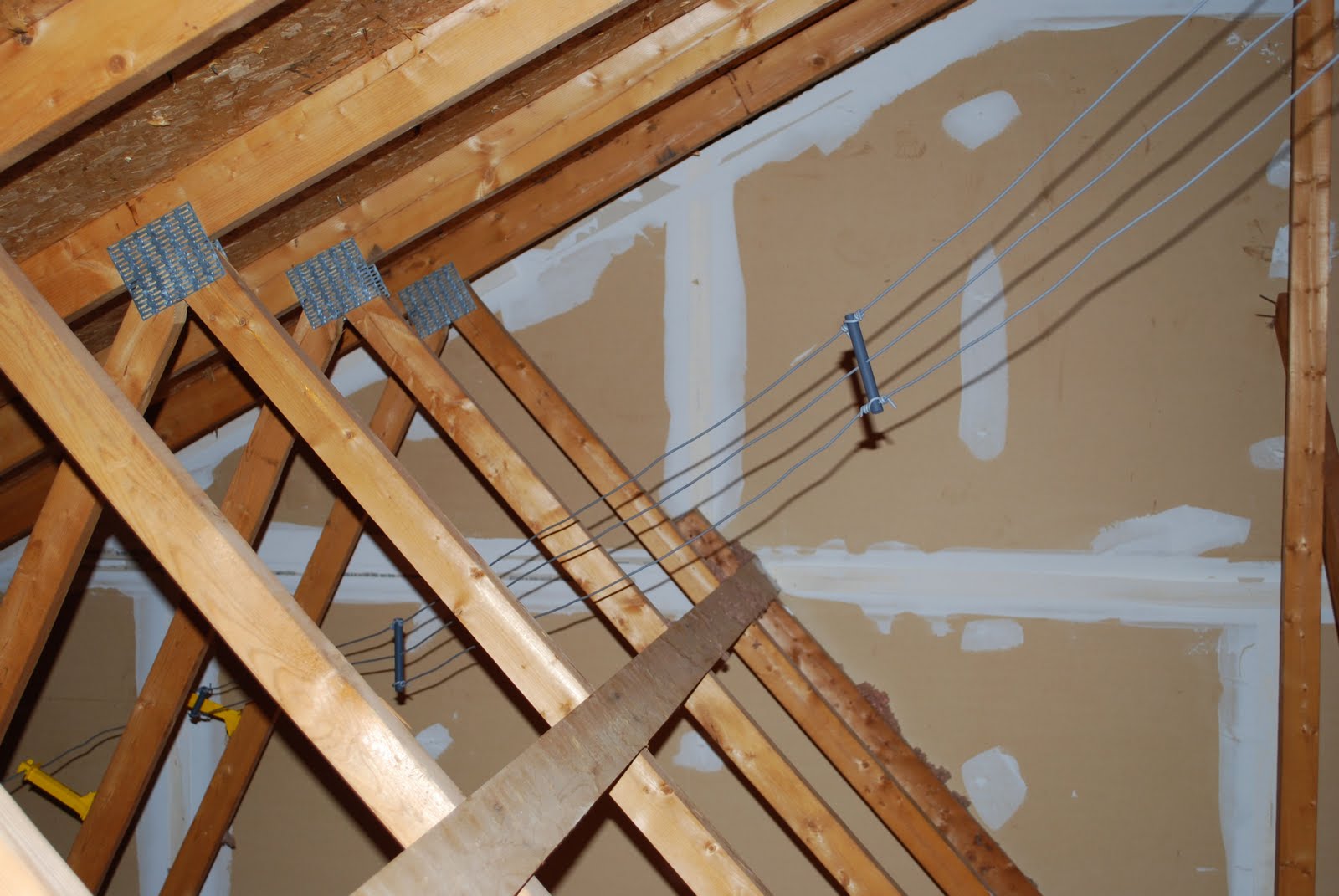 |
| Attic dipole (click to enlarge) |
my miles per watt all time high was 8325 miles per watt!! Now you also have to remember I am not running a huge tower loaded with eye candy beams. My radio waves into ham land are done with an attic dipole in a "Z" configuration (Alpha Delta DX-EE), so it has a nice wooden roof above an insulated ceiling below. Yes it is not the latest and greatest of antennas but I'm not doing to bad with it. During the contest I dropped the Elecraft K3's power to 500mW's to see what I could do. To my surprise ZS4TX came back to me... I made contact and exchanged contest info. After the contest I emailed ZS4TX (Bernie) and he was shocked that I was running QRPp at 500mW's. My signal according to Bernie was above average into South Africa. So my new "to beat record" is 16,737 miles per watt I more than doubled my last record!!!
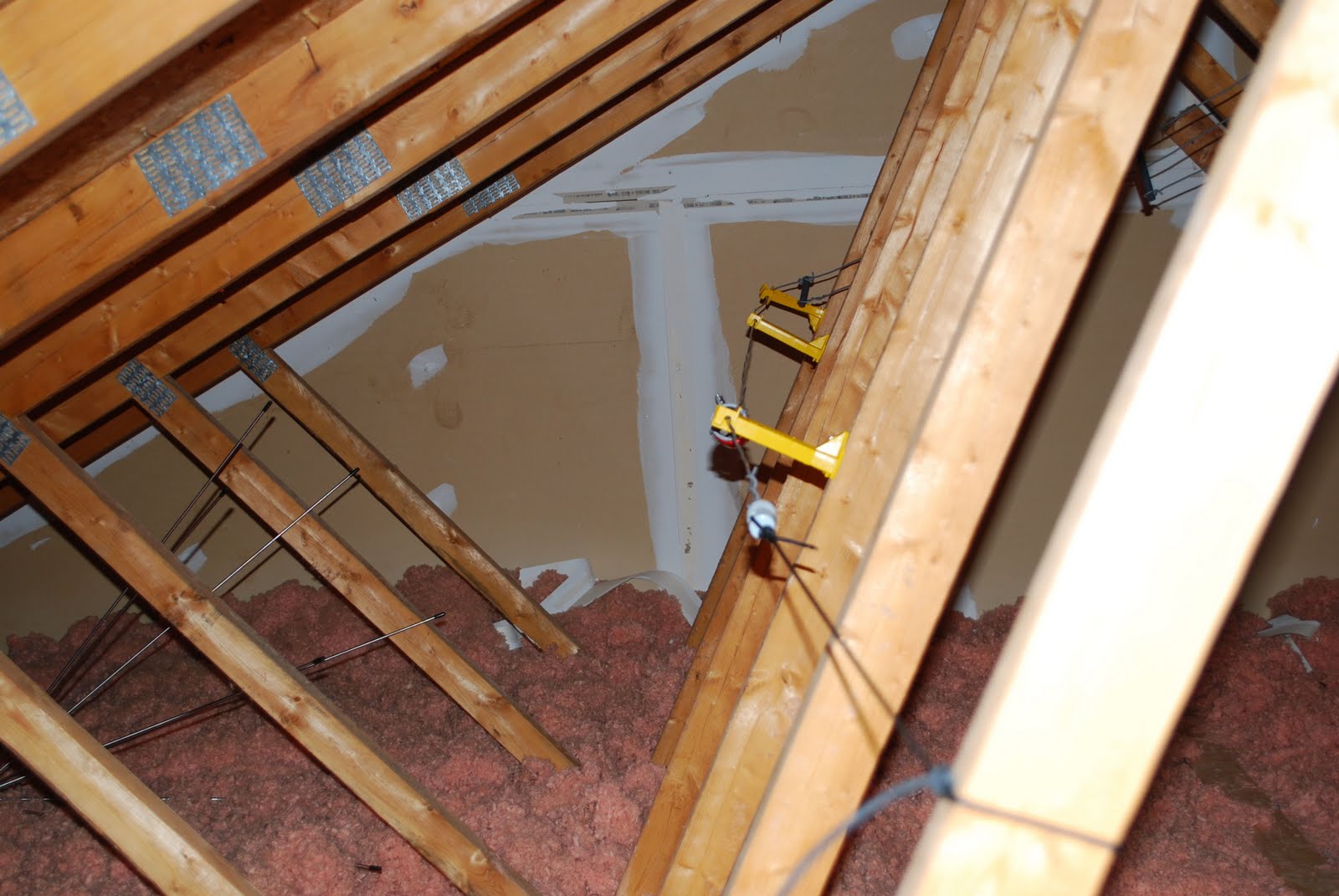 |
| The folded or "Z" part (click to enlarge) |

Mike Weir, VE9KK, is a regular contributor to AmateurRadio.com and writes from New Brunswick, Canada. Contact him at [email protected].
LHS Show Notes #071
Announcements:
- The Black Sparrow Media web site has been updated. If you use the aggregate feed from there, you’ll receive Linux in the Ham Shack, QSK Netcast, and Resonant Frequency (or Richard’s Radio Adventures) podcasts.
Topics:
- D-RATS
- Bruce, VE2GZI, asks for help installing D-RATS on his Linux Mint computer. He tried adding the repository per the instructions on the D-RATS website, but received errors.
- Richard has several suggestions: Make sure the whole line “deb http://d-rats.com/apt karmic release” gets entered into your sources.list file and that you are using the right repo for your distribution. Linux Mint normally falls a version behind Ubuntu. You might also try the tar file labeled “source” from the website, and use the archive manager to install it. Since D-RATS is written completely in Python, and Dan normally tries to stay with the most current version, check to see if you have the most recent version of Python installed. Finally, you could subscribe to the D-RATS mailing list from the website for more help.
- Russ adds: If you wish to add the repository via the command line, there are a couple of ways to do it: (a) Edit the file /etc/apt/sources.list and add the “deb http://d-rats.com/apt karmic release” line, OR (b) Create a file in the /etc/apt/sources.list.d directory called, say, d-rats-repo.list, and add the “deb http://d-rats.com/apt karmic release” line to it. However, back in April, 2011, Steve Conklin, AI4QR, said his packaging of D-RATS had been accepted into both Debian Testing and Unstable branches. So, if you’re running Debian or Linux Mint Debian Edition, it’s already in the repository. Just issue the command “apt-get install d-rats”. For Ubuntu, there’s a PPA at https://launchpad.net/~sconklin/+archive/hampackages. That should work with Ubuntu 10.04 (Lucid Lynx), 10.10 (Maverick Meerkat), and 11.04 (Natty Narwhal). (It may not work with Ubuntu 11.10, Oneric Ocelot, but then again, it might).
- Ed. Note: After this episode was recorded, the D-RATS website was updated to say:Ubuntu users should use the ubuntu-hams PPA in order to get packages for D-RATS. To install the PPA, go to a terminal and type:
sudo apt-add-repository ppa:ubuntu-hams-updates/ppa
sudo apt-get update
sudo apt-get install d-rats
The package manager will do the rest!
- Chirp
- Chirp was written by Dan Smith, KK7DS, who is also the author of D-RATS.
- From the Chirp wiki: CHIRP is a FREE cross-platform, cross-radio programming tool. It works on Windows and Linux (and Mac OSX, with a little work). It supports a growing list of radios across several manufacturers and allows transferring of memory contents between them.
- Chirp currently supports 41 different model radios from Alinco, Yaesu, Kenwood, Icom, and others.
- Richard tested it with his Icom IC-91 and IC-2200.
- Chirp has a bare-bones interface, using a basic spreadsheet style, and is primarily for entering memory channel information. It will allow entry of call signs for D-STAR operation.
- There are packages for Fedora and Ubuntu, and a source package for all other distributions of Linux. Chirp is written in Python, so be sure to have the latest version of Python installed.
- There is also a self-extracting .exe file for Windows, and an app package for Mac OS-X. You must install the Python runtime package, available on the Chirp website, for the Mac version.
- There is a Chirp mailing list, among others, at http://intrepid.danplanet.com/mailman/listinfo/.
- Russ and Richard then discuss the cost of various D-STAR radios.
- Linux Tip: apt-cache policy
- Russ offers a tip on how to determine which Debian repository is providing a given package.
- Use the command apt-cache policy <package name>
- For example: apt-cache policy libpulse0
- The results of that command will show you which version is installed, if any, which version would be installed, and all other versions available.
Feedback:
- Dan, K4FD, thanks us for the podcast. It has inspired him to return to the hobby after a 10 year hiatus. Thanks, Dan, and welcome back to the hobby!
- We received a donation from Jim G. Thank you, Jim!
Contact Info:
- Contact Richard at [email protected], Russ at [email protected], or both at the same time at [email protected].
- Listen to the live stream every other Tuesday at 8:00pm Central time. Check the LHS web site for dates.
- Leave us a voice mail at 1-909-LHS-SHOW (1-909-547-7469), or record an introduction to the podcast.
- Sign up for the LHS mailing list.
- Sign up for the MAGNetcon mailing list.
- LHS merchandise is available at the Merch link on Web site. Check out the Badgerwear or buy one of the other LHS-branded items at PrintFection.com/lhs or Cafe Press. Thanks!
- Thanks to Dave from Gamma Leonis for the theme music.
Music:
- To be added.
Russ Woodman, K5TUX, co-hosts the Linux in the Ham Shack podcast which is available for download in both MP3 and OGG audio format. Contact him at [email protected].
 Ham Radio Deluxe |
 W5SWL Electronics |
 Ham Radio Prep |
 KB3IFH QSL Cards  Hip Ham Shirts  HamRadioAuctions HamRadioAuctions Reliance Antennas Reliance Antennas Enigma Shop Enigma Shop |  morseDX  Ni4L Antennas  R&L Electronics R&L Electronics antennas.us antennas.us QRV QRV |
- Matt W1MST, Managing Editor
