 |
 Got some QRP time in this past Sunday………
 31 January 2012 | by
  |
| Lets play radio |
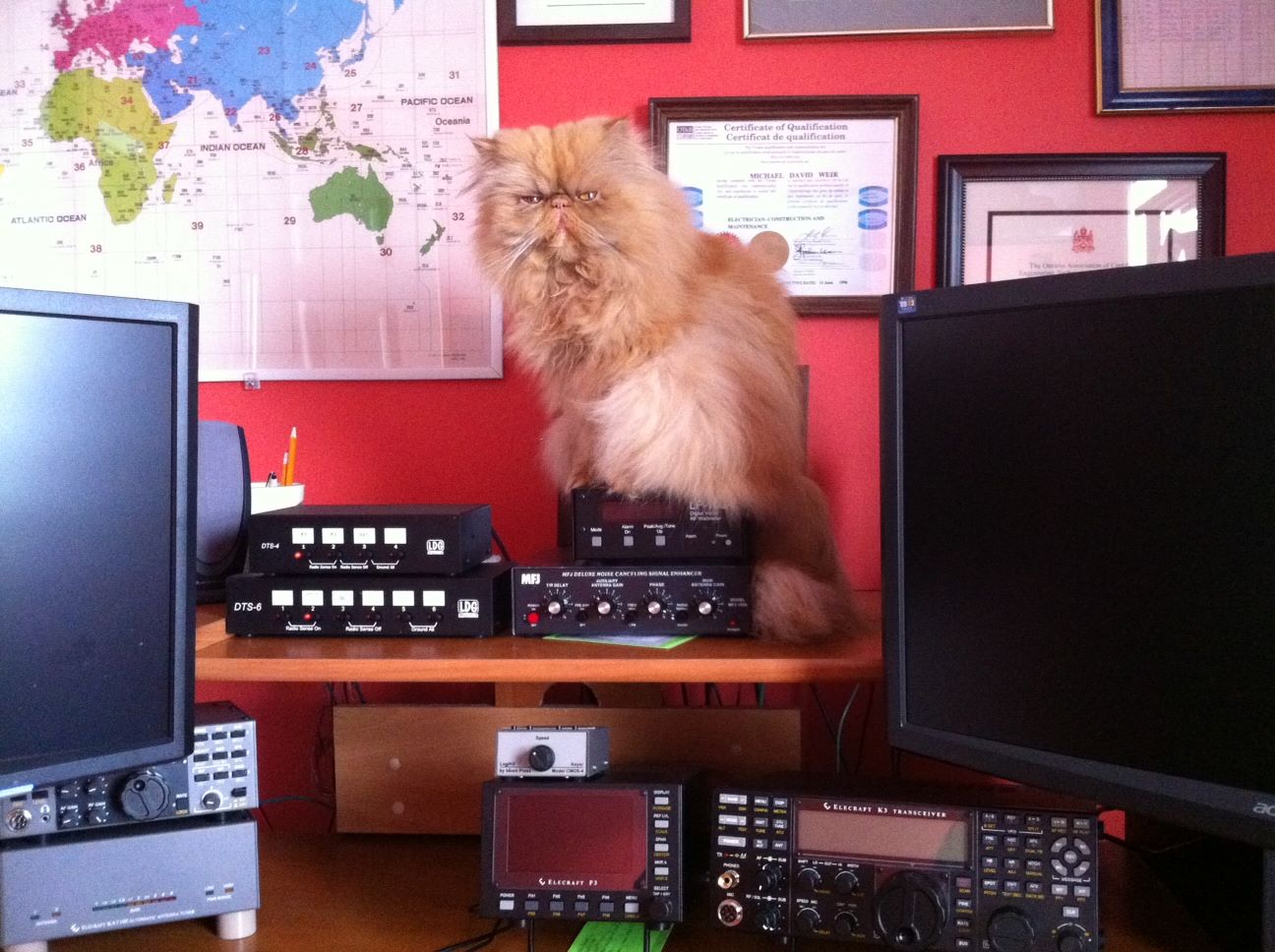
it was this huge solar eruption of the sun the other day that was still having it's affect on the bands. In the past I had checked out the solar forecast before hitting the air waves but I found it used to cloud my ambitions. So now I just go for it without checking or if I do I don't let it affect my operating time. Anyway.........Peter's signal gave me a chance to try out the K3's APF (audio peak filter again. I have had some troubles in the past with getting this feature just right and it does I am told take some practice. Well it sure did help with Peters signal. I had a nice QSO that had to be cut short as another station unknowingly was calling CQ. I then gave things a little rest and started to read and comment on some blogs I still had the rig on and the head phones around my head just in case China happen to be calling CQ......HI HI. Once again I called CQ and WD9F/QRP came back to me.....and this QSO was a very humbling experience . For some strange reason my brain went into neutral, I just could not get my ears around the /QRP in the Woody's call!!! I asked him for a repeat...still did not get it and at the end of each transmission I would try his call and end it with ?. Well Woody was very polite and patient and dropped the /QRP and stayed with his call only. Once he did that it clicked what was going on. Boy did
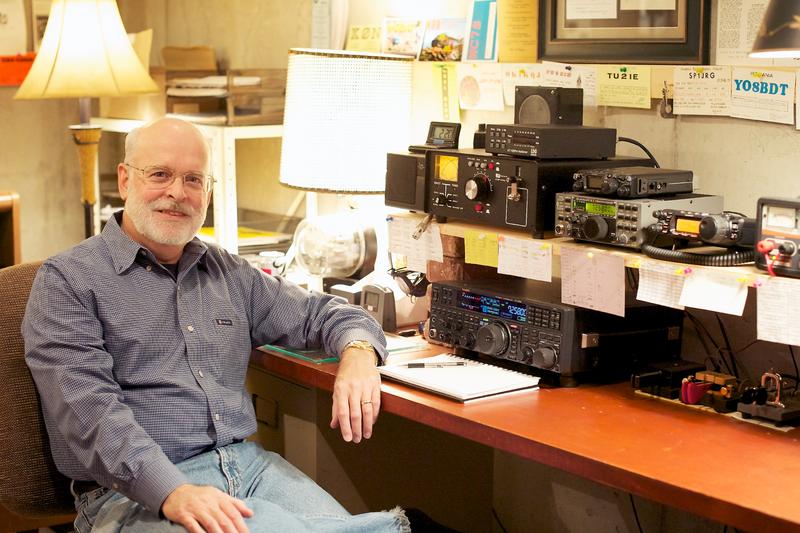 |
| WD9F/QRP |

Mike Weir, VE9KK, is a regular contributor to AmateurRadio.com and writes from New Brunswick, Canada. Contact him at [email protected].
Check out the QSL card I received!

I received this QSL card in the mail Saturday January 28th. It is autographed by actor Tim Allen. He used to be Tim “the toolman” Taylor on the TV sitcom “Home Improvement,” but now he is Mike Baxter on the new ABC sitcom “Last Man Standing” that airs Tuesdays at 8 PM on ABC. Tim isn’t really a ham, but on the TV show he is and the ARRL was instrumental in helping make it as realistic as possible. He chose the callsign KA0XTT to represent KA0 X Tim Taylor. You can read all about it on the ARRL’s web site at http://bit.ly/A3Aucb.
Last Man Standing also has a Facebook page at http://www.facebook.com/KA0XTT If you would like to have one of Tim’s cards for your collection simply mail him one of your QSL cards (NO SASE required) to:
Last Man Standing
4024 Radford Ave.
Bungalow 17
Studio City, CA 91604
Cliff Fox, KU4GW, is a special contributor to AmateurRadio.com and writes from North Carolina, USA. Contact him at [email protected].
QST Going Digital
You’ve probably heard the news by now. Last week the American Radio Relay League (ARRL) announced what many of us hoped would eventually happen. In June 2012, QST will be available in an on-line, digital edition version. Now before anyone panics, QST will still be available in the same print version we all know and love. So in addition to receiving the print version, ARRL members will also have access to the digital version at no additional cost.
This news truly excites me. There are a few monthly publications which I subscribe to in digital only format. Some of these publications are only available this way. However, many other magazines (and some supporting our very own hobby) have recently introduced digital content. CQ Magazine is an example of this. However, even if you subscribe to the paper version you must still pay extra for the digital version.
Our hobby is unique (so are those individuals who participate in it) and as I stated, while some of the monthly publications I subscribe to are just fine in digital only versions, I must admit that for now I still want QST, CQ, RadCom and Practical Wireless delivered to my mailbox in paper form. However, if you think I won’t use the new QST digital version, you would be wrong.
The ARRL is going to do more with the digital version of QST than simply scan the magazine in and create a .PDF. There will be content available via the digital version (and methods of delivering that content) which won’t be available in the paper version of QST. Want a magazine article to jump out at you? With the additional features available in digital content delivery, readers will have access to click links from articles, watch video, listen to audio, print, share and search across the entire edition. All of this included in the regular cost of membership.
Again, while other magazine publishers charge (and charge full price as well) for both a print and digital version. I proudly take my hat off to the ARRL for doing this the right way and making both editions available. This is another example of why I’m proud to not only be an ARRL Member, but a Life Member.
Until next time…
73 de KDØBIK
Jerry Taylor, KD0BIK, is a regular contributor to AmateurRadio.com and writes from Colorado, USA. He is the host of the Practical Amateur Radio Podcast. Contact him at [email protected].
MSF Receiver project
Just a quickie to say that I’ve started a new project page to show you how I got on making an accurate clock with the MSF 60Khz time signal, an Arduino and someone elses code. The detail is all here
Alex Hill, G7KSE, is a regular contributor to AmateurRadio.com and writes from Cumbria, UK. Contact him at [email protected].
LHS Show Notes #073
Introduction:
Announcements:
- The free Black Sparrow Media Android app is available now. An iPhone app is in the works. Visit http://blacksparrowmedia.net/ or the Android Market to get your copy.
- Ronny, K4RJJ, has offered to be an LHS ambassador at the Dalton Hamfest, February 25, 2012, in Dalton, GA.
- The Southern California Linux Expo, SCaLE 10x will be (was!) January 20-22, 2012, in Los Angeles, CA. If you will attend and would like to be an ambassador for LHS, please let us know.
- Northeast Linux Fest will be March 17, 2012, in Worcester, MA. Again, if you’d like to be an LHS ambassador for that event, please contact us.
Topics:
- IPv6 – The End is Near (of IPv4)
- Internet Protocol version 6.
- If you can, start setting up your devices for IPv6 on your devices that support it. All of the current IPv4 address space has been allocated to the Regional Internet registrars (RIRs). IPv6 is the next version of Internet Protocol with a greatly expanded address space.
- IPv6 is now the default IP stack for Linux. Unfortunately, many Internet service providers (ISPs) are not yet ready for IPv6.
- There are IPv6 tunneling services that will forward your IPv6 traffic to IPv4 services:
- If possible, give IPv6 a try. It’s inevitable, so if it works for you, you’ll be that much further along.
- HSMM – High Speed Multimedia, also known as “hinternet” (ham + internet)
- The advantage is that we can use the normal “Internet” tools and off-the-shelf wifi hardware to provide emergency communications services.
- One caveat: avoid using channel 1 as it uses the same frequency as AMSAT OSCAR 40 (Note: AO-40 became non-operational in 2004.)
- Compared with other digital communications equipment, HSMM offers a lot of capability for little investment. The Linksys WRT54GL router is often used with alternate firmware from dd-wrt or OpenWrt.
- Resources:
Feedback:
- Andrew, AC8JO, updated his blog to acknowledge that the LHS website has been updated and new episodes have been released. Thanks, Andrew!
- Bert, K1OIK, has been a frequent commenter on the website. Unfortunately, the comments aren’t appropriate and he becomes the latest victim of the Ban Hammer.
- To Gary, KN4AQ: contact us via email if you’d like us promote your endeavors.
Contact Info:
- Contact Richard at [email protected], Russ at [email protected], or both at the same time at [email protected].
- Listen to the live stream every other Tuesday at 8:00pm Central time. Check the LHS web site for dates.
- Leave us a voice mail at 1-909-LHS-SHOW (1-909-547-7469), or record an introduction to the podcast.
- Sign up for the LHS mailing list.
- Sign up for the MAGNetcon mailing list.
- LHS merchandise is available at the Merch link on Web site. Check out the Badgerwear or buy one of the other LHS-branded items at PrintFection.com/lhs or Cafe Press. Thanks!
- Thanks to Dave from Gamma Leonis for the theme music.
Music:
- To be added.
Russ Woodman, K5TUX, co-hosts the Linux in the Ham Shack podcast which is available for download in both MP3 and OGG audio format. Contact him at [email protected].
LHS Show Notes #072
Introduction:
- Happy New Year! Sorry for the delay in releasing the last several episodes.
Announcements:
- Would you be interested in the return of Resonant Frequency, the Amateur Radio Podcast, if it cost a dollar an episode? Send your thoughts to Richard via email at [email protected].
- Black Sparrow Media now provides an aggregate RSS feed of Linux in the Ham Shack, QSK Netcast, and Resonant Frequency. One feed, three shows! Quite a bargain.
- There is now a (free) Black Sparrow Media mobile app for the iPhone, iPad, iPod Touch and Android! See blacksparrowmedia.net for details, and send us your feedback.
- Andrew, AC8JO, has a blog that discusses Linux, amateur radio, and other topics. Naturally, he mentions our podcast. Thanks, Andrew!
- Leif, KC8RWR, responded to our comments in episode 67 that Apple created CUPS. According to Wikipedia, CUPS, the Common UNIX Printing System, was developed by a Michael Sweet beginning in 1997, and was later adopted by Apple for OS X. In 2007, Apple hired Michael Sweet and purchased his source code. The Apple website provides a somewhat different version.
Thanks for the information, Leif. Our advice is to pick the story you like and stick with it!

Topics:
- Channel Bonding for Linux
- Channel bonding combines two or more network interfaces on a host computer for redundancy or greater bandwidth.
- By bonding two or more Ethernet links to your computer, you get several benefits, including redundancy, so if one network port fails, the other still works, and greater bandwidth when both (or more) links are running.
- Based on the Link Aggregation Control Protocol (LACP), though called different things depending on vendor, such as EtherChannel or PortChannel.
- It’s relatively easy to set up. Briefly:
- You’ll need an Ethernet port for each link, set up and configured in the normal manner. These ports will likely be called eth0, eth1, etc.
- Install the ifenslave package, which allows you to create a “bond” interface, say bond0.
- Create modules.conf file to alias the various ethx devices as bonding interfaces.
- Modify your /etc/sysconfig or /etc/network/interfaces file (depending on your version of Linux) to include an entry that references the bond0 interface.
- ifup the bond0 interface, and all the component interfaces should come up.
- Other configuration settings will set up the failover time.
- Resources:
- http://www.linux-corner.info/bonding.html for Red Hat-based systems.
- http://wiki.debian.org/Bonding for Debian-based systems.
- Ethernet bonding on linux (Debian based)
- Ethernet Bonding Configuration in Debian
- Bonding
- Our hosts then discuss the utility of load balancing between multiple network interfaces.
- More about the apt-cache utility
- Russ provides more information about the apt-cache utility for Debian-based systems, previously discussed in Episode 69.
- The basic syntax of the utility is apt-cache [command] [package(s)]. There are many commands you can use, including:
- policy [package] shows which repository provided, or would provide, a specified package.
- depends [package] shows all packages in the repositories that depend on the named package, and which other packages would be installed or suggested.
- showpkg [package] shows reversed dependencies; that is, which packages depend on the named package, and the MD5 checksum of the package.
- stats shows some aggregate sums about all the packages in the repositories included on your system. For example, on Russ’ system:
Total package names: 42814 (856 k) Total package structures: 42814 (2,398 k) Normal packages: 32874 Pure virtual packages: 374 Single virtual packages: 3670 Mixed virtual packages: 465 Missing: 5431 Total distinct versions: 33706 (2,427 k) Total distinct descriptions: 33706 (809 k) Total dependencies: 200360 (5,610 k) Total ver/file relations: 35248 (846 k) Total Desc/File relations: 33706 (809 k) Total Provides mappings: 6402 (128 k) Total globbed strings: 197 (2,192 ) Total dependency version space: 789 k Total slack space: 65.4 k Total space accounted for: 11.5 M - unmet shows packages in the repositories with unmet dependencies in the tree, that is, if you attempted to install, would fail.
- show [package] shows meta information about the package. For example, “apt-cache show adduser” returns:
   Package: adduser
      Version: 3.113
      Installed-Size: 1100
      Maintainer: Debian Adduser Developers
      Architecture: all
      Replaces: manpages-it (<< 0.3.4-2), manpages-pl (= 5.6.0)
      Suggests: liblocale-gettext-perl, perl-modules
      Description: add and remove users and groups
      This package includes the 'adduser' and 'deluser' commands for creating
      and removing users.
      - 'adduser' creates new users and groups and adds existing users to
        existing groups;
      - 'deluser' removes users and groups and removes users from a given
        group.
      Adding users with 'adduser' is much easier than adding them manually.
      Adduser will choose appropriate UID and GID values, create a home
      directory, copy skeletal user configuration, and automate setting
      initial values for the user's password, real name and so on.
      Deluser can back up and remove users' home directories
      and mail spool or all the files they own on the system.
      A custom script can be executed after each of the commands.
      Development mailing list:

http://lists.alioth.debian.org/mailman/listinfo/adduser-devel/

      Homepage: http://alioth.debian.org/projects/adduser/
      Tag: admin::user-management, implemented-in::perl, interface::
      Section: admin
      Priority: important
      Filename: pool/main/a/adduser/adduser_3.113_all.deb
      Size: 217556
      MD5sum: 74c114db96f321f4d097b04ae305600a
      SHA1: 567b8e42dc9b4777ab694f15ca71b7fa159749ef
      SHA256: 3bfea7f2ffcb363e2cc2b701a6e6d2079f7554b4d76194a118916afd2400f5c4
- Tim Allen’s character in his latest TV show, “Last Man Standing” is a Ham Radio Operator, KA0XTT.
Feedback:
- Kevin, KC9VAN, writes that he’s enjoying the show and just recently received his ham radio license. He also notes that he’s had the most luck with Hewlett-Packard printers under Linux. Thanks, Kevin. Russ has had good luck with Dell printers and generic PCL drivers.
- Leif, KC8RWR, posted several comments about episode 67. He suggests avoiding “all-in-one” printers, and instead, using separate printers and scanners. (I agree! -Ed.) Often, used scanners can be had for very little money. Leif also suggests buying printers with separate cartridges for each color. That way, you’re not throwing away all the colors when just one is empty. He seconds Russ’ suggestion to use a laser printer over inkjet, as the cost per page is less.
- Russ likes the Epson Artisan 835, especially for printing on CDs and DVDs, and it works well with Linux.
Contact Info:
- Contact Richard at [email protected], Russ at [email protected], or both at the same time at [email protected].
- Listen to the live stream every other Tuesday at 8:00pm Central time. Check the LHS web site for dates.
- Leave us a voice mail at 1-909-LHS-SHOW (1-909-547-7469), or record an introduction to the podcast.
- Sign up for the LHS mailing list.
- Sign up for the MAGNetcon mailing list.
- LHS merchandise is available at the Merch link on Web site. Check out the Badgerwear or buy one of the other LHS-branded items at PrintFection.com/lhs or Cafe Press. Thanks!
- Thanks to Dave from Gamma Leonis for the theme music.
Music:
- To be added.
Russ Woodman, K5TUX, co-hosts the Linux in the Ham Shack podcast which is available for download in both MP3 and OGG audio format. Contact him at [email protected].
Who broke it this time?
I have just finished the heavy dose of chemo for my fourth cycle so for the last week and for several more days it will be more than usually difficult to concentrate or even get motivated to do anything. Mostly over the last week I have just been tinkering with the Parallax Propeller WSPR and Opera beacon code and running the beacon barefoot on the air.
Stupidity seems to dog my programming efforts as much as my attempts at electronics construction. I wasted a couple of hours trying to understand why the Propeller was not doing what I wanted before eventually realizing that it was doing exactly what I had told it. I was nearly at the point of splashing out on ViewPort, an interactive debugger for Spin code that would allow me to step through my programs a line at a time. That would quickly have revealed the error, but it would have been a high price to pay to show me what was staring me in the face.
I had been pleasantly surprised at the reach of my barefoot 20mW Propeller beacon, receiving a number of reports of both Opera and WSPR signals. Today I modified my beacon program to transmit both a WSPR and then an Opera beacon, but frustratingly I have not received a single report of either of them on 30 metres. Have I broken the program again or did someone break the ionosphere? I really need to get motivated enough to build a small PA and boost the signal to at least the hundred milliwatt level.

Julian Moss, G4ILO, is a regular contributor to AmateurRadio.com and writes from Cumbria, England. Contact him at [email protected].
 Ham Radio Deluxe |
 W5SWL Electronics |
 Ham Radio Prep |
 KB3IFH QSL Cards  Hip Ham Shirts  HamRadioAuctions HamRadioAuctions Reliance Antennas Reliance Antennas Enigma Shop Enigma Shop |  morseDX  Ni4L Antennas  R&L Electronics R&L Electronics antennas.us antennas.us QRV QRV |
- Matt W1MST, Managing Editor
