 |
 A new dual band multimode radio for 50 and 70MHz: Noble Radio NR6N4
 4 May 2013 | by
 Earlier in the week, via the Southgate Amateur Radio feed, I saw details of a rig I’d heard rumoured for some time – a dual band 50 and 70MHz multimode. The manufacturer is a new name, Noble Radio.

Technical specs, provided by the Noble Radio website are as follows:
1. RECEIVER SPECIFICATIONS
Frequency Coverage: 4M: 69.9 MHz to 70.5 MHz
6M: 50.0 MHz to 52.0 MHz
Modes: SSB (USB & LSB) and CW
Circuit Type:
Downconverting Design
Dual Converesion: 1st IF: 10.7 MHz 2nd IF: 25 kHz
Sideband elimination using phasing techniques with digitally generated Quadrature carriers and Image Reject Mixers preceeded by 15 kHz crystal roofing filters
Ultimate receiver bandwidth set by adjustable SCAF filters (two 8th order filters used. One for High Cut and one for Low cut)
Sensitivity: MDS = -130 dbm
Dynamic Range Figures:
Blocking: 110 db
IMD (3rd Order) = 95 db
Selectivity:
500 Hz to 4 kHz adjustable with the SCAF filters
Ultimate attenuation of filters are 55db or better
2. TRANSMITTER SPECIFICATIONS
Frequency Coverage: 4M: 69.9 MHz to 70.5 MHz
6M: 50.0 MHz to 52.0 MHz
Modes: SSB (USB & LSB) and CW
OUTPUT POWER: 20 Watts CW or PEP SSB
SCAF Filters can be used to tailor SSB Transmit audio.
3. GENERAL SPECIFICATIONS
SYNTHESIZER: DDS/PLL synthesizer with 10 Hz minimum step size. Tuning rate is variable depending on the Tuning Knob speed (Variable Speed Tuning – VST)
MEMORIES: 10 Memories per band
ANTENNA IMPEDANCE: 50 ohms unbalanced
SUPPLY VOLTAGE: 11.5 to 14 Volts Regulated DC (Negative Ground) at approximately 3.6 Amps at full output power.
DIMENSIONS: 8 in (203 mm)W x 12 in (305 mm) D- including knob and heatsink x 3.75 in (95 mm) H – including feet
WEIGHT: Approximately 4 lbs (1.8 kg)
4. SPECIAL FEATURES
The NR-6N4 has the capability of being controlled by a standard PC type keyboard that plugs into a rear connector. Once a keyboard is interfaced to the radio, it can be used to directly enter a frequency, skip directly to various functions by a single press of a function key without having to navigate the menus from the front panel buttons as well as being used to send CW via the keyboard. There is also a built in keyer function that operates with a standard keyer paddle for CW operation with or without a keyboard connection.
The low level 10.7 MHz IF signal is also brought out to a rear connector so that it may be used for panadapter or SDR applications.
* All specifications in this document may be subject to change without notice or obligation
No details of availability are provided as yet – no doubt the CE approval hoops will have to be jumped through.
This is sure to be a popular rig. A commercial 70MHz multimode has been long awaited. The fact that it is a dual bander including 50MHz will no doubt add interest, although I guess the majority of people that want 50MHz radios probably have one. Is the power level right? 20W is certainly useful – though 50W would be better still for tropo contacts, I feel. Hopefully datamodes interfacing (JT65A/JT6M/JT9 etc) will be straightforward – I haven’t yet seen a photo of the back of the rig!
Exciting news for 50 and 70MHz enthusiasts!
Tim Kirby, G4VXE, is a regular contributor to AmateurRadio.com and writes from Oxfordshire, England. Contact him at [email protected].
The Updated Incomplete List of Ham Radio iPhone Apps
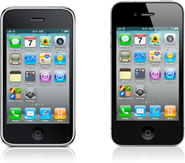 It is about time I updated one of my more popular posts, The Incomplete List of Ham Radio iPhone Apps from 2011. This was a challenging task back then and has gotten more difficult as the number of ham radio apps for the iPhone has greatly expanded. Still, I will give it a shot and appreciate your feedback to make the list better. I am only evaluating iPhone apps, not iPad apps, since I don’t use an iPad.
In general, I will focus on free or low cost (less than $5) apps that I am actively using.
From the Simple Utility Category:
Maidenhead Converter (Author: Donald Hays, Cost: Free) Handy app that displays your grid locator, uses maps and does lat/lon to grid locator conversions.
Ham Radio Handbook (Author: Antonis Miliarakis Cost: Free) This app provides some basic ham radio info: Q Signals, Country Prefixes, Band Plans and RST signal reporting.
UTC Time (Author: Michael Wells, Cost: Free) A simple app that displays UTC time and local time.
Ham I Am (Author: Storke Brothers, Cost: Free) A handy app that covers some basic amateur radio reference material (Phonetic alphabet, Q Signals, Ham Jargon, Morse Code, RST System, etc.) Although I find the name to be silly, I like the app!
There are quite a few good apps for looking up amateur radio callsigns.
CallBook (Author: Dog Park Software, Cost: $1.99) Simple ham radio callbook lookup with map display.
Call Sign Lookup (Author: Technivations, Cost: $0.99) Another simple ham radio callsign lookup with map display.
CallSigns (Author: David Fleming W4SMT, Cost: $1.99) This is my favorite ham radio callsign lookup. The features are not much different than the others I have listed but the graphics are nicer and the user interface a little cleaner. I am sure this is mostly personal preference.
There are a few repeater directory apps out there:
iHAM Repeater Database (Author: Garry Gerossie, Cost: $4.99) Geolocation repeater directory. This seems to work well.
RepeaterBook (Author: ZBM2 Software, Cost: Free) I’ve only used this one a bit but it seems to work well and its free.
If you are an EchoLink user, then you’ll want this app:
EchoLink (Author: Synergenics, Cost: Free) The EchoLink app for the iPhone.
There are quite a few APRS apps out there. I tend to use these as my needs are pretty simple….just track me, baby!
iBCNU (Author: Luceon, Cost: $1.99) The first APRS app I was able to get running. It just turned on and worked. It integrates the aprs.fi mapping into the app, so it is easy to use. I recommend this one for most casual APRS users.
Ham Tracker (Author: Kram, Cost: $2.99) APRS app, works OK, uses external maps such as Google and aprs.fi. “Share” feature allows you to send an SMS or email with your location information.
Satellite tracking is another useful app for a smartphone:
ISS Lite (Author: Craig Vosburgh, Cost: Free) A free satellite tracking app for just the International Space Station. It has annoying ads but its free.
ProSat Satellite Tracker (Author: Craig Vosburgh, Cost: $9.99) This app is by the same author as ISS Lite, but is the full-featured “pro” version. Although it is a pricey compared to other apps, I recommend it.
For Summits On The Air (SOTA) activity, there are a few apps:
Pocket SOTA (Author: Pignology, Cost: Free) A free app for finding SOTA summits, checking spots and accessing other information.
SOTA Goat (Author: Rockwell Schrock, Cost: $4.99) This is a great app for SOTA activity. It works better when offline than Pocket SOTA (which often happens when you are activating a summit).
For Technician License training, I like the HamRadioSchool.com app. (OK, I am biased here as I contribute to that web site.)
HamRadioSchool (Author: Peak Programming, Cost: $2.99) There are a lot of Technician practice exams out there but this is the best one, especially if you use the HamRadioSchool license book. They also just released the General practice exam, too.
For a mobile logbook:
HamLog (Author: Pignology, Cost: $0.99) I am not too keen on the idea of keeping a log on an iPhone, but it does come in handy once in a while. More importantly, HamLog includes a bunch of handy tools including UTC Clock, Callsign Lookup, Prefix list, Band Plans, Grid Calculator, Solar Data, SOTA Watch, Q Signals and much more.
Well, that’s my list. Any other suggestions?
Bob Witte, KØNR, is a regular contributor to AmateurRadio.com and writes from Colorado, USA. Contact him at [email protected].
Outdoor Fun
It was a beautiful day here in Central NJ. At lunch time it was sunny and 63F (17C). Time to head outdoors!
I only get an hour for lunch, so I have to squeeze in all I can. The best thing, is that the park near my work QTH is only 5 minutes away. Once I get to the parking lot, it’s only about a 100 yard walk to the picnic table area. So within 10 minutes from exiting the building, I was shooting a line into a tree to get the PAR up in the air.

That went VERY well. I shot the fishing weight over a suitable limb, and the fishing reel fed out the line smoothly and easily. I pulled the antenna up, set up the KX3 and was listening to 20 Meters lickety-split. To my dismay however, 20 Meters seemed – DEAD! What now? I didn’t want to head back so quickly, so I switched over to 40 Meters. As I expected, there wasn’t too much going on there, either. So I cycled the KX3’s band button on up to 17 Meters. Eureka! Stations – LOUD stations – but how would the PAR tune? Since it’s the PAR ENDFEDZ 10/20/40 MKII, it’s really only meant to operate on either 10, 20 or 40 Meters. I hit the KX3’s tune button expecting the worst. I was pleasantly surprised! The tuner brrrrrp’ed for all of about 2 or 3 seconds – not long at all. When you have a really bad situation, the autotuner can grind on for what seems like hours. But it matched the wire rather easily and before long, I was tuning around the band in earnest.
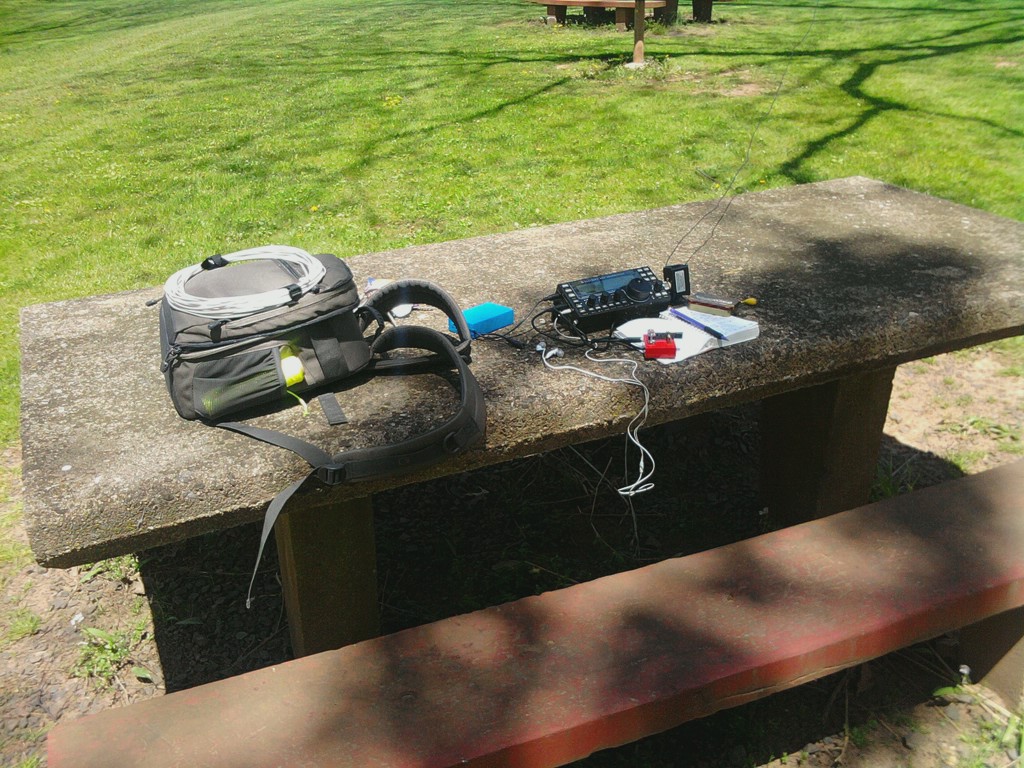
I worked Gun OE3CGU in Austria who has great ears and boundless patience. I doubt I ever worked so hard to give a 599 report. I got a (generous) 339 in return, which I kind of expected. Thanks for your efforts, Gun! From there I decided to call CQ to see what would happen. The response was gratifying, as Mike KD5CB answered my very first CQ. Mike was located in Hillsboro, TX which was kind of neat, as Hillsboro, NJ was all of about 5 miles away from where I was sitting. Mike had a booming 599 plus signal into NJ and I received a 579 in return. Mike was using an IC-7200 at 600 Watts to an 80 Meter Delta Loop. The surprising thing was our respective weather situations. While it was sunny and relatively warm here, Mike was experiencing temperatures in the low 40s (5C) with a good stiff wind. Who would have thought that Texas would have been colder than New Jersey? We spoke for a bit before I had to tear down and head back to work. It just so happened that Mike got his own call to lunch at just the same time. All in all, it was a nice little rag chew.
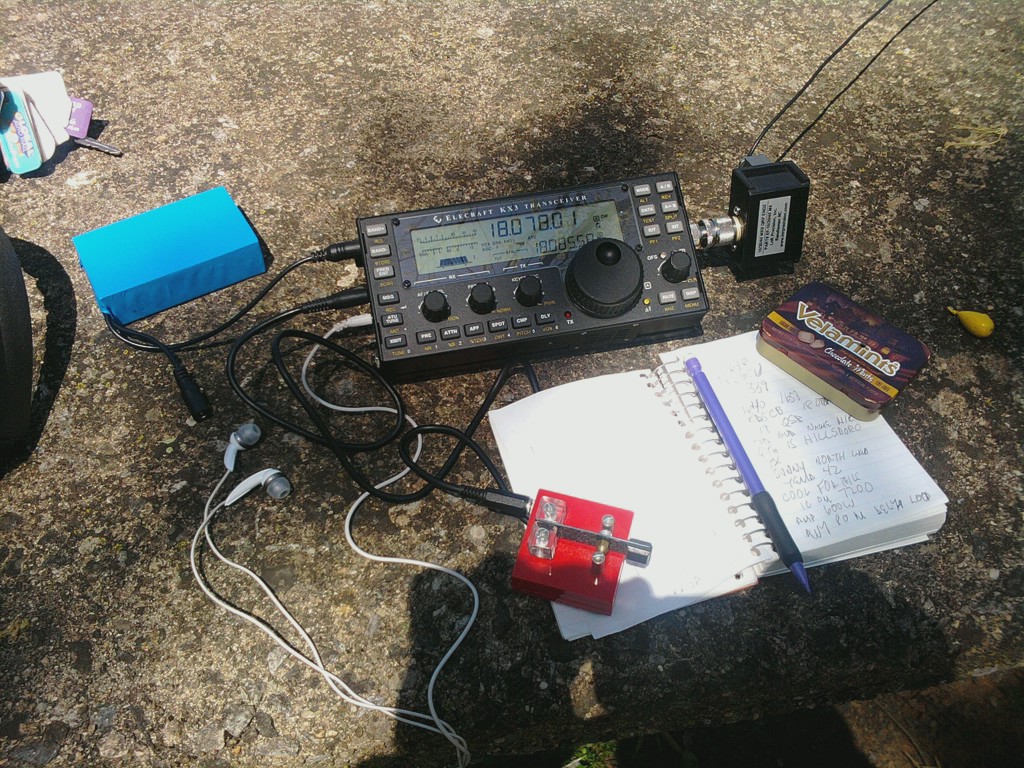
I love operating from outdoors and I enjoy Jim W1PID’s stories. I can very easily understand why he likes outdoor operating so much. In fact, when you have a routine down and things go well, it’s downright addicting!
To borrow a line from Monty Python, “And now for something completely different!” I’d like to take this opportunity to rant a little. All my readers need to regularly read another blog – N8ZYA’s Radio Blog. If you don’t read John’s blog on a regular basis, you are doing yourself an extreme disservice. If you are a QRPer, his blog (and John K3WWP’s diary and Website) should be considered “Required Reading”. Whenever you run into some smart-alec, know-it-all type who gets into your face with “Life is too short for QRP” or “QRP doesn’t work” or “What can you do with 5 puny Watts – work across town?” comments …… direct them to John’s blog. No stopping, no dilly-dallying ….. right to John’s blog.
Read his post for today – “100 Days of DX”. Then consider the fact that these 100 days of DX contacts were accomplished with an INDOOR random wire antenna with about 3 Watts of power. John’s stats speak for themselves – QRP works and it works well. AND, as a bonus – with enough time and experience, it WILL make you a top notch operator. I could give you the call signs of about 20 – 30 QRPers right off the top of my head, who are all A1 Ops – and if they’re not in the A1 Op Club, they darn well should be.
If you’re a new QRPer …… yes, at times this niche of the hobby may seem daunting. Heck, it might seem darn near impossible to you; but it’s not. Even if QRP is frustrating for you from the beginning, the proof is in the pudding. Never give up – never throw in the towel.
72 de Larry W2LJ
QRP – When you care to send the very least!
A special greeting – A very Blessed Good Friday and a very Happy Easter to all my Orthodox friends who are celebrating the Pascha this weekend!
Larry Makoski, W2LJ, is a regular contributor to AmateurRadio.com and writes from New Jersey, USA. Contact him at [email protected].
Two more QRPTTF videos
From Rem K6BBQ – QRPer and videographer extraordinaire:
From KB3ZHX – not strictly QRPTTF, but this video was done on the same day as QRPTTF (mostly Florida QSO Party QSOs – but hey, they counted towards QRPTTF!):
72 de Larry W2LJ
QRP – When you care to send the very least!
Larry Makoski, W2LJ, is a regular contributor to AmateurRadio.com and writes from New Jersey, USA. Contact him at [email protected].
A nice way to rest a sore back.
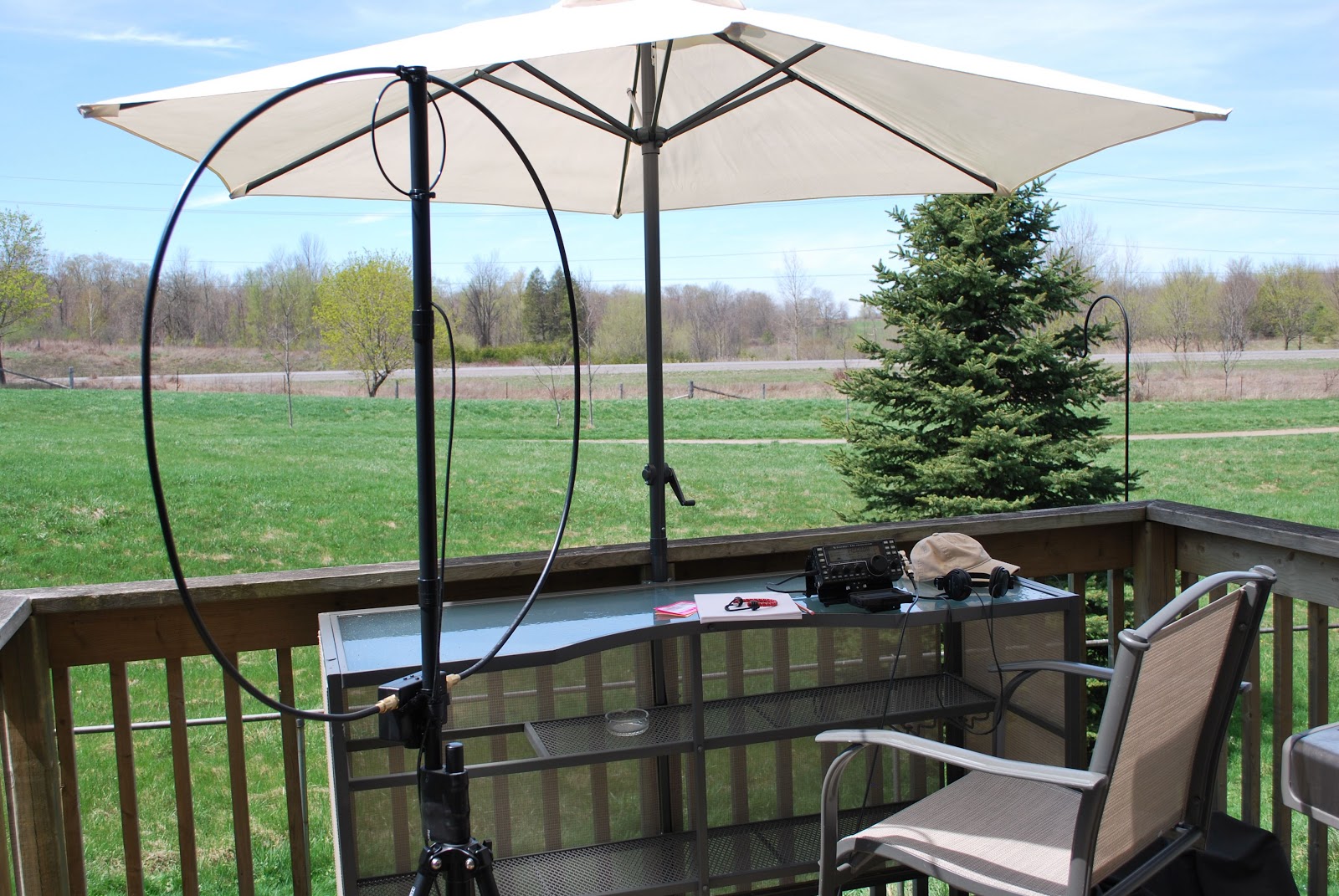 |
| Relaxing on the deck. |
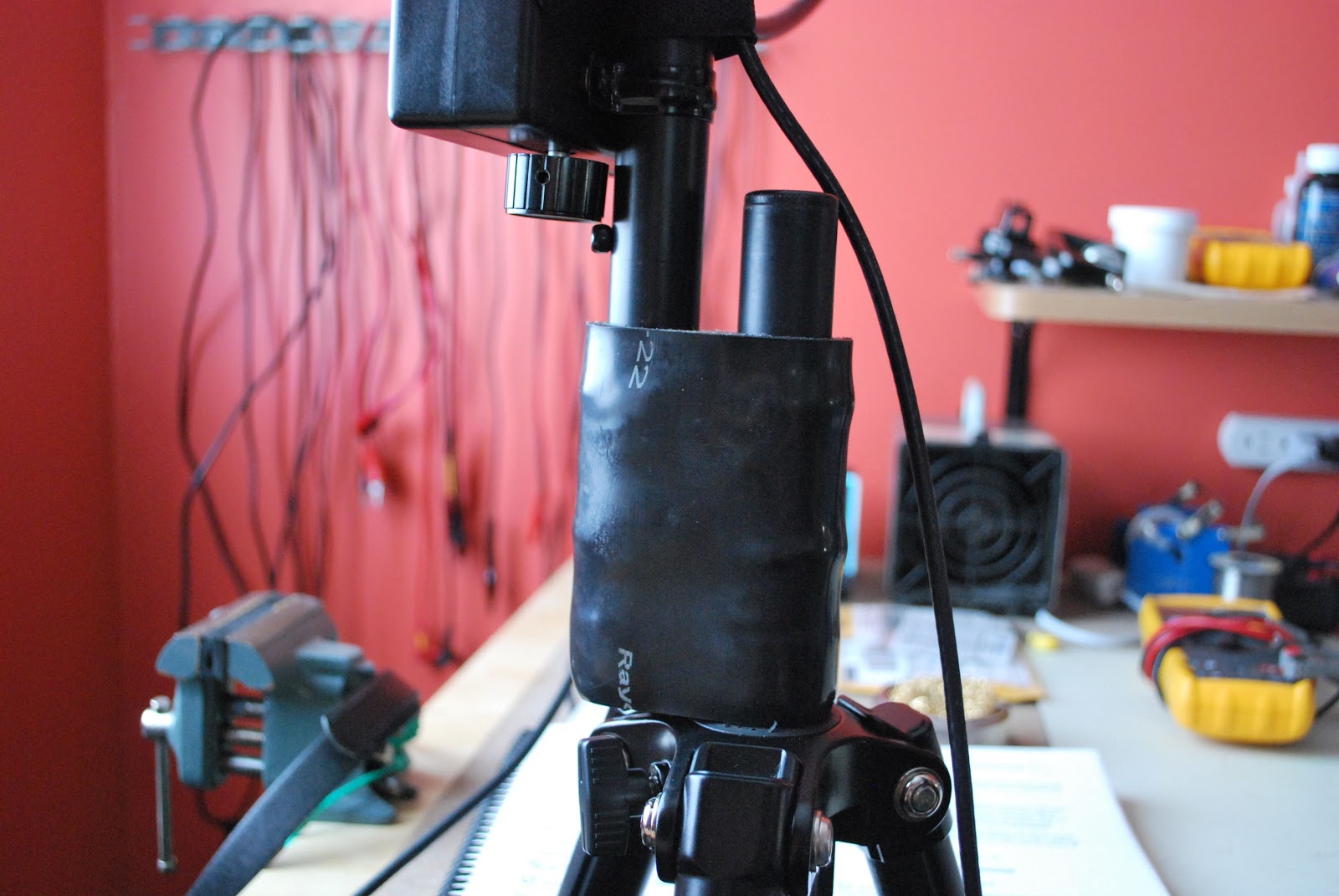 |
| New loop to tripod adapter |
Mike Weir, VE9KK, is a regular contributor to AmateurRadio.com and writes from New Brunswick, Canada. Contact him at [email protected].
Is the ultimatic Morse keyer really that efficient?
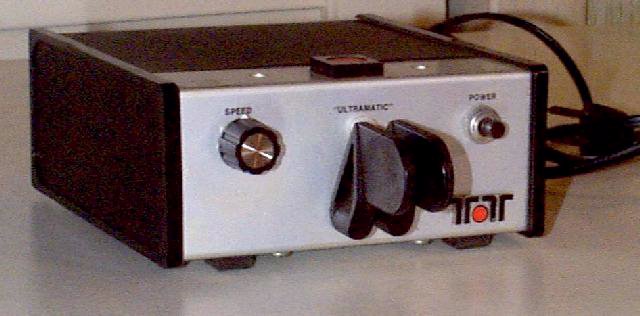 |
| Vintage Ten-Tec Ultramatic Keyer KR50. Nice name but the similarity to ultimatic seems to be coincidental. |
Iambic keying with a dual-lever paddle is by far the most popular form for Morse keying. But in recent years an old alternative has reemerged. This is the Ultimatic mode which goes back to W6SRY in the 1950’s.
The experience seems to be that it needs less timing precision than the iambic mode for letters like A, N, R, and K (· —, — ·, · — ·, — · —). When both paddles are squeezed, the last one to be pressed takes control. So when right-left is pressed one gets a dah followed by dits, not the dah-di-dah-dit of the iambic keyer.
It is very simple to add code for an ultimatic keyer to an iambic one. In recent years this has led to an ultimatic option in some stand-alone keyers, such as:
- Several of the keyers from Jackson Harbor Press, WB9KZY, like the PK-4.
- Several of the newer K1EL keyers, like the K14 which also has modes for dah priority, dit priority, and bug.
- The ultimatic kit from Elektor.
I have yet to hear of a single integrated keyer in a rig that supports the ultimatic mode, and that is probably why from time to time a request for a software upgrade to the Elecraft rigs is sent to the Elecraft reflector. If you really want that, and you don’t want to use a stand-alone keyer, then an alternative is to build the ultimatic adapter for iambic keyers by W9CF. It can be built with two logic ICs or with a microcontroller.
In “Using an Iambic Paddle” Chuck Adams, K7QO, compared the iambic paddle, the single-lever paddle, the bug, and the straight key with respect to number of movements. He counted the number of strokes if all 26 letters of the English alphabet and the numbers from 0 to 9 are sent.
I found it interesting to add to the analysis of K7QO by doing the counting for the ultimatic mode also. There are only 3 letters which have to be sent differently compared to an iambic keyer: P (· — — ·), X (— ·· —), and C (— · — ·). The P and the X are simpler to send with the ultimatic keyer, but the C takes more effort. A table of right and left movements and number of presses is:
Letter | Iambic | Ultimatic |
P | L-R-L = 3 | L-R = 2 |
X | R-L-R = 3 | R-L = 2 |
C | R-L = 2 | R-L-L = 3 |
Straight key: | 132 |
Bug: | 90 |
Single-lever paddle: | 73 |
Iambic mode, dual-lever paddle: | 65 |
Ultimatic, dual-lever paddle: | 64 |
It should be said though that in the ultimatic mode it requires much less coordination to send the letter C as if one is using a single-lever paddle and use four movements. Since three is the maximum number of presses for any letter in iambic mode, this may be one of the reasons why the iambic mode took over. But this was before my time, so I am only speculating.
Now that I have discovered the virtue of the ultimatic mode, I have used my K1EL WinKeyer with ultimatic mode more. I could need the greater tolerance to timing errors. So far I find it hard to remember to send the C differently and have a tendency to end up with a D (— ··) instead. The same goes for the letter Ä or Æ (· — · —) which we use in inter-Scandinavian contacts (as German-speakers also do) and which easily ends up as a W (· ——) instead. I’ll just practice P, X, and in particular C and Ä to build confidence.
Sverre Holm, LA3ZA, is a regular contributor to AmateurRadio.com and writes from Norway. Contact him at [email protected].
SOTA IS!!!
So in the vein of Cass, I submit the following
Mike Crownover, AD5A, is a regular contributor to AmateurRadio.com and writes from Texas, USA. Contact him at [email protected].
 Ham Radio Deluxe |
 W5SWL Electronics |
 Ham Radio Prep |
 KB3IFH QSL Cards  Hip Ham Shirts  HamRadioAuctions HamRadioAuctions Reliance Antennas Reliance Antennas Enigma Shop Enigma Shop |  morseDX  Ni4L Antennas  R&L Electronics R&L Electronics antennas.us antennas.us QRV QRV |
- Matt W1MST, Managing Editor
