Archive for the ‘radio’ Category
 Sotabeams Laserbeam DSP Filter
 September 22nd, 2016 |
  Author:
 I’ve bought a few odds and sods from Richard, G3CWI at Sotabeams in the past. Stuff like a super cheap End Fed Half Wave tuner for my MT5B that took about 30 minutes to make, a SB270 dual band 2m and 70cm yagi which is my favoured UKAC antenna and things like antenna winders. But, I ventured into DSP and bought a Laserbeam CW DSP filter on a whim at the NARSA Norbreck rally and to my shame haven’t really used it too much. The complaint was that I didn’t get round to boxing it up. Now all that has changed. There’s a kit! not just a box but an amplifier as well.

Richard now sells plenty of different types of filter from single SSB and CW types as well as a variable version and even one for the ft817 (next stop I think). He also sells a neat little box and audio amplifier kit. Something that was clearly missing from the original line up. I paid my money and a few days later mine arrived. Some downloaded instructions from the website were used and within 30 minutes the very good quality PCB was populated and they enclosure being prepared. Here is a small niggle, the case is an aluminium extruded type that follows the Hammond 1455 style but is an alternative that is no doubt cheaper. The end pieces are laser cut and engraved acrylic that don’t quite fit flush with the holes and the self tapping screws are driving int thick aluminium and as such are prone to slipping and potentially able to fowl the front panel. There is a very minor issue with fit and in my case the audio jacks sit ever so slightly too far out and as such force the thin acrylic to bow. Lesson learnt is that fit those parts more conservatively to avoid the bowing. That being said its a small gripe.

Powering up is straightforward. Anything from 5-15v works and so my standard 12v ‘checking stuff’ battery powered it up first time and I soon noticed that the audio was quite loud with my headphones. The front panel has a volume control and a handy LED reminder if you drive it too much. The sweet spot is just below the level LED ‘light up’. A second LED shows the incoming signal and a wide / narrow switch chooses between wide and narrow settings of course. The website shows lots of graphs and technical guff but using it is clearly what I’m after and it certainly doesn’t disappoint. The ability to remove unwanted signals is just brilliant. For such a cheap unit I can’t think why I didn’t get my backside in gear earlier.
The minor mechanical niggle aside, I would recommend this as a simple and effective filter. It is cheap, simple, razor sharp and a really useful add on. Long may it carry on filtering!
Saved by something or other
Today I almost bought a new rig. I say almost because it has been the closest time I have ever got to buying a new rig. I had a week with a KX3 and found it wasn’t to my taste, not because it didn’t perform well but for some reason or another it just didn’t do it for me. So I looked at the new Icom IC7300 and was really taken aback by it. It looks like a great rig and I’m sure it’ll do a lot for those that buy it, one day I might get one. Today I almost did. My finger was hovering over the buy now….I put one in the basket and got the credit card out. My XYL pointed out I could afford it (This made me very suspicious). Then I realised I was sure I didn’t actually want it. Am I losing the fun of radio?
I don’t think so.
I bought a LNR Precision Mountain Topper last April and have used it a handful of times and enjoyed the portability of it all. The simplicity and the lack of domestic real estate needed to make it work for me. I put together a neat little pack for taking away with me and I think I’ll refine that a little. Some things might look familiar, others look like they’re missing, notably a ‘flight deck’ or ‘thing to put your radio on whilst you’re operating out and about’. I’m going to laser cut a bespoke one that will fit into the case (which by the way is an old Dremel carry case). More on that later

So I decided to save my money and think about a shack in the box that I really miss, a Yaesu FT817ND. I sold my 817 a couple of years ago and regretted it from the minute I sold it. I think I will get myself a decent second hand one of those with a few of the bells and whistles I didn’t have the first time around. At least that’s what I think I’ll do today.
Tomorrow I’m sure I’ll change my mind again.
2016 Summer Trip – Day 55
Wind Cave National Park, South Dakota. Devils Tower National Monument, Wyoming.

Friday, July 22nd – Toured Wind Cave. Once we entered the cave and started to descend, Emily was scared at first but then was ok. After the tour, the girls finished up their Junior Ranger books and received their badges for Wind Cave.
The day started getting hot. The expectation was temps into the upper 90s. I had gotten a prime parking spot in front of the Wind Cave Visitors Center which allowed me to connect to their wifi. I used the wifi connection to make reservations at the Devils Tower KOA. The heat made me want to camp at a location where we could make use of our air conditioner.
We left the Elk Mountain Campground around 1pm. Elk Mountain Campground is a good place to camp if the weather had been a bit more cooperative. I was disappointed in the lack of any substantial Ranger-led evening program.
It was a nice drive in a northeast direction through a national forest to I-90 where we were only on I-90 to go up one exit. Checked into Devils Tower KOA (located immediately outside the monument) and had some food across the street at the trading post. Ended up getting a pull-thru site next to another ham (KF5SA). He has an HF station mounted inside his trailer.
Quick trip up to the visitors center to get Junior Ranger books (from Ranger Erin Cahill). Attended evening program at the campground amphitheater which was blown out by bad weather into the picnic area.

Raspberry Pi APRS iGate
Further to my previous post(s) on APRS and Specifically Direwolf, here’s something with a bit more meat.
APRS has always been a bit of a thing for me. I like to go for a ride or a walk on the Lakeland fells and whilst I don’t get to go on as many SOTA trips as I’d like I do nearly always carry a hand held when I’m on the mountain bike. I know that there are a few local hams who like a bit of APRS and you never know when you’ll need a way of communicating when you’ve gone over the handbars and smashed your phone….
So what?
Well I also have an early Raspberry Pi model B and an RTL-SDR dongle. I live quite close to a digipeater and also have a terrible QTH for an iGate. So, I thought I’d combine the two with my liking f APRS. I’m glad to say the process was really easy and very robust. Want to have a go yourself? Ok…
So lets start
- Get you SD card and load it with the OS (I used the Raspian image from the Raspberry Pi site)
- Get a copy of the Direwolf software from WB2OSZ (and simply excellent documentation) from GitHub
- Have a look in the Direwolf docs folder. Follow the Raspberry-Pi-SDR-IGate instuctions and the Raspberry-Pi-APRS. I’m definitely not going to try and replicate of better these docs as they are perfect
- Get an APRS passcode from Magicbug
- Off you go, simple as that. Any issues then the Direwolf Yahoo Group should sort you out

That’s it really. There are a few little odds and sods like beaconing your iGate. This can be achieved by adding a line into the sdr.conf file so it looks a little like this:
# # Sample configuration for SDR read-only IGate.
#
# We might not have an audio output device so set to null.
# We will override the input half on the command line.

ADEVICE null null
CHANNEL 0
MYCALL MX0WRC

# First you need to specify the name of a Tier 2 server.
# The current preferred way is to use one of these
# regional rotate addresses:
# noam.aprs2.net - for North America
# soam.aprs2.net - for South America
# euro.aprs2.net - for Europe and Africa
# asia.aprs2.net - for Asia
# aunz.aprs2.net - for Oceania

IGSERVER euro.aprs2.net

You also need to specify your login name and passcode.
# Contact the author if you can't figure out how to generate # the passcode.

IGLOGIN MX0WRC 12345 (your passcode)
PBEACON sendto=IG delay=0:30 every=10:00 symbol="igate" overlay=R lat=54^38.5611N long=3^3$

# That's all you need for a receive only IGate which relays
# messages from the local radio channel to the global servers.
I’ve not managed to get it to start up automatically if it falls over with the dw_start.sh script but that is a work in progress. Here we are on APRS.fi

Ok, thats all very well but mine is remote. There are a few suggestions from the RPi people but I plumped for Weaved and tightVNC as a solution. Here are the instructions I followed for Weaved, and for TightVNC . If you don’t fancy a link then try this:
Install Weaved and run the installer
sudo apt-get install weavedconnectd
sudo weavedinstaller
Then TightVNC
sudo apt-get install tightvncserver
Run it once to do the password thing, then to run at boot
sudo su
sudo nano vncboot.sh
Enter this into nano
#! /bin/sh
# /etc/init.d/vncboot

### BEGIN INIT INFO
# Provides: vncboot
# Required-Start: $remote_fs $syslog
# Required-Stop: $remote_fs $syslog
# Default-Start: 2 3 4 5
# Default-Stop: 0 1 6
# Short-Description: Start VNC Server at boot time
# Description: Start VNC Server at boot time.
### END INIT INFO

USER=pi
HOME=/home/pi

export USER HOME

case "$1" in
 start)
  echo "Starting VNC Server"
  #Insert your favoured settings for a VNC session
  su - $USER -c "/usr/bin/vncserver :1 -geometry 1280x800 -depth 16 -pixelformat rgb565"
  ;;

 stop)
  echo "Stopping VNC Server"
  /usr/bin/vncserver -kill :1
  ;;

 *)
  echo "Usage: /etc/init.d/vncboot {start|stop}"
  exit 1
  ;;
esac

exit 0
Then chmod
chmod 755 vncboot
Lastly
update-rc.d -f lightdm remove
update-rc.d vncboot defaults
I can’t tell you how useful to follow the steps enough. I found that one RTL dongle isn’t quite the same as another so there can be issues. So much so that I wiped the SD card a few times so as to get right and simple. If you didn’t want to run Jessie, Jessie lite will do but you’ll need to find an alternative way to remotely access the RPi, with something like SSH as VNC doesn’t work (easily) without the X server.
As always, comments, suggestions and alternative approaches are always welcome, after all this is a hobby and none of this hard work belongs to me, I just follow the instructions 
Project collaboration
During my working life I collaborate with a large groups on multiple sites and we do stuff together. When I am attempting a radio projects I take on a different tack. I attempt to be either an expert in many things or I follow sets of instructions slavishly. Most of the time it takes a long time and there are numerous failures or dead ends along the way. I’m not sure why I do this.
There are many websites that will offer support to the frustrated builder or keen expert. But few that offer hobby collaboration (or at least I haven’t looked too hard but a quick trawl didn’t really yield much). I wonder why that is? A probably misquoted quote goes along the lines of ‘Travel alone, travel fast. Travel together, travel further’. You could argue that sites such as forums offer support and collaboration by using a project management analogy, I can not agree with that. Tasks are not identified, resources are not defined and task durations are not agreed. Expertise is sought, sometimes this results in no responses.
A local ham was at the centre of a project that has now become a major SDR rig. He worked from home, in the evenings with a group spread around the world. They have developed a really astounding product that is now sold as part of the Apache Labs brand. Why is this approach not prevalent?
I’m not offering a solution, just a question. Does a place exist or am I right in assuming that there are some international superstars that produce lots of ‘things’ from 3D designs through to circuit boards and kits that hobbyists use? I think there ought to be a place where we can go to collaborate. I just don’t know where it is or how to engage with it….yet.
April 2016 trip to American Sa’moa
I had originally planned to make a maintenance and upgrade visit to my instrumentation in American Samoa in February 2016. There are lots of advantages to February: It’s cold here in W3, the ARRL DX CW contest is in February, and the phenomenon I’m studying is most active during the equinoxes. I scheduled a 7-day trip that ended with the weekend of ARRL DX so I had the opportunity work through the weekend or play some radio if work went better than expected.
My flight had been booked out of Washington National (DCA) airport at 5:15 am Monday morning, which is the best possible time of day at the worst possible airport. A snowstorm of unknown magnitude was bearing down on the mid-Atlantic. And, around 4:00 pm on Sunday afternoon, I fell asleep on the couch. When I awoke 90 minutes later, it rapidly became clear that I had a nasty stomach flu. As my condition deteriorated further, I finally decided I didn’t want to be fighting that for the next 24 hours on 767s on my way to a foreign place where I wasn’t sure what kind of medical facilities I could access. I cancelled the trip and spent the next 24 hours in bed instead.
The trip was rescheduled for three weeks later in March and I managed to get this itinerary out of BWI, which is much more convenient. I loaded up my gear and went to the airport at 4:00 am. My upgrade had cleared so I didn’t pay excess on my overweight and extra Pelican cases. We sat at the end of the runway on the tarmac doing the preflight checks and the cabin lights started flickering intermittently. And we sat, and we sat. And, we returned to the gate and sat some more. I nervously refreshed the ETA on my phone finally watching the arrival in PHX slip past the departure to HNL. I deplaned.
The agents tried to convince me that I could “just take the flight to Honolulu tomorrow.” With some effort, I communicated to them that the HNL-PPG (Sa’moa) leg my journey only goes on Mondays and Fridays and that I would rather be stuck at home for a week rather than a week in Honolulu. So, I cancelled the trip for a second time. My bags went to PHX and were delivered to my house the next day. I rescheduled the trip for late April with a night in Honolulu on the outbound leg to avoid this bit of bad luck happening twice.
Two days before I left, my local contact called me on the phone to tell me that Tropical Cyclone Amos was bearing down on the island. Fortunately, the hurricane dumped some rain and brought some winds but passed to the north of island. The April trip went off without a hitch, although it was scheduled for four days (Monday night – Friday night) instead of the original seven. So, I was hustling to get my work done and find time for radio.
I was vaguely aware that KC0W is also in KH8, but given my historical bad luck with this particular visit, I didn’t reach out to him. In fact, he’s the one that contacted me once I arrived. We met for breakfast at the McDonald’s in Tafuna one morning and had a nice long ragchew about radio and travel. Typical hams. I decided to focus on bands (especially 160) that Tom wasn’t on given my limited time on the island.
Fortunately, I had access to this mobile phone tower, which I use for my wireless networking for instruments as well. So, I climbed up to check on the network equipment and put a pulley on the tower so I could raise and lower ham antennas safely after-hours when no one was around.
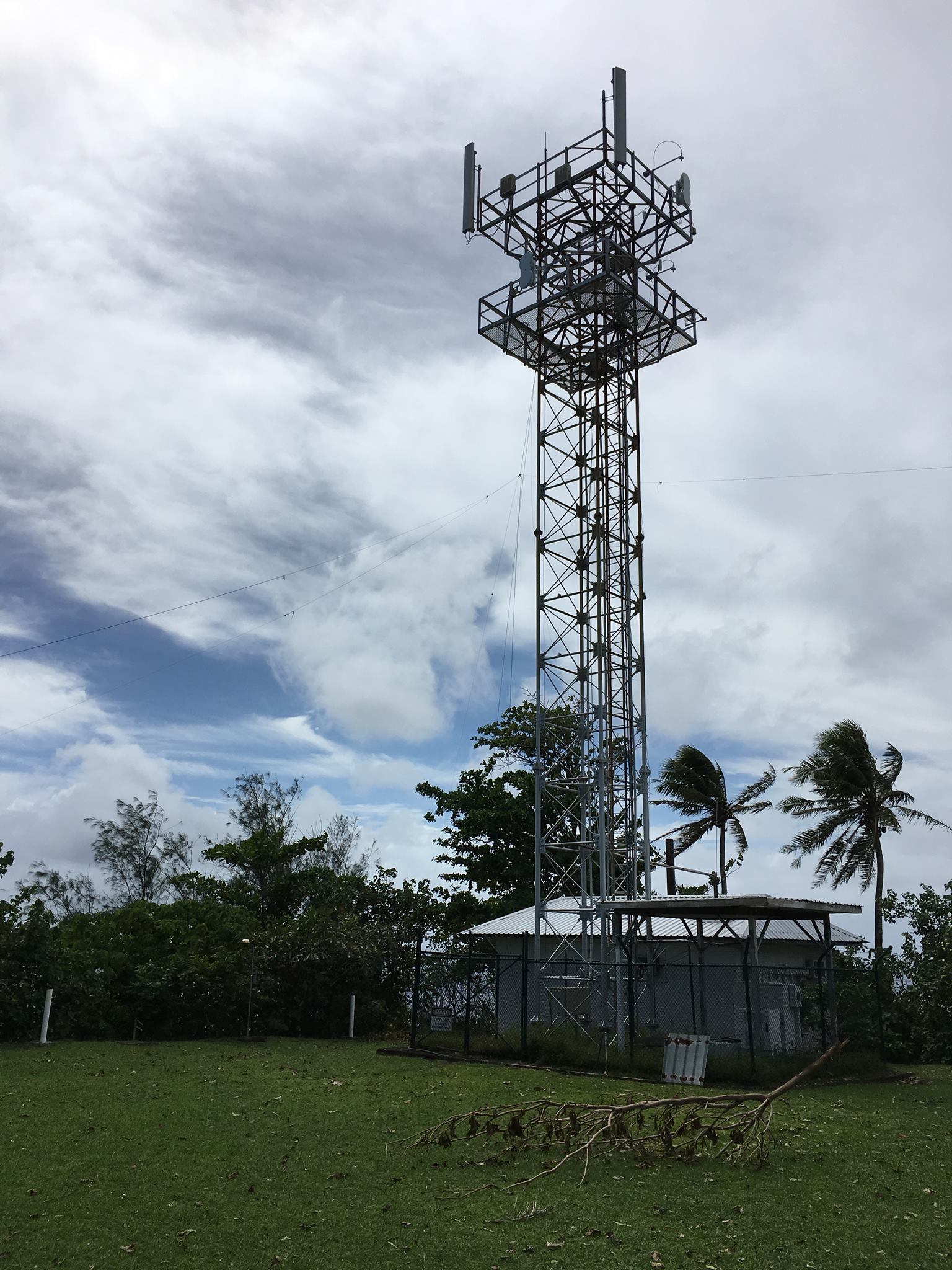
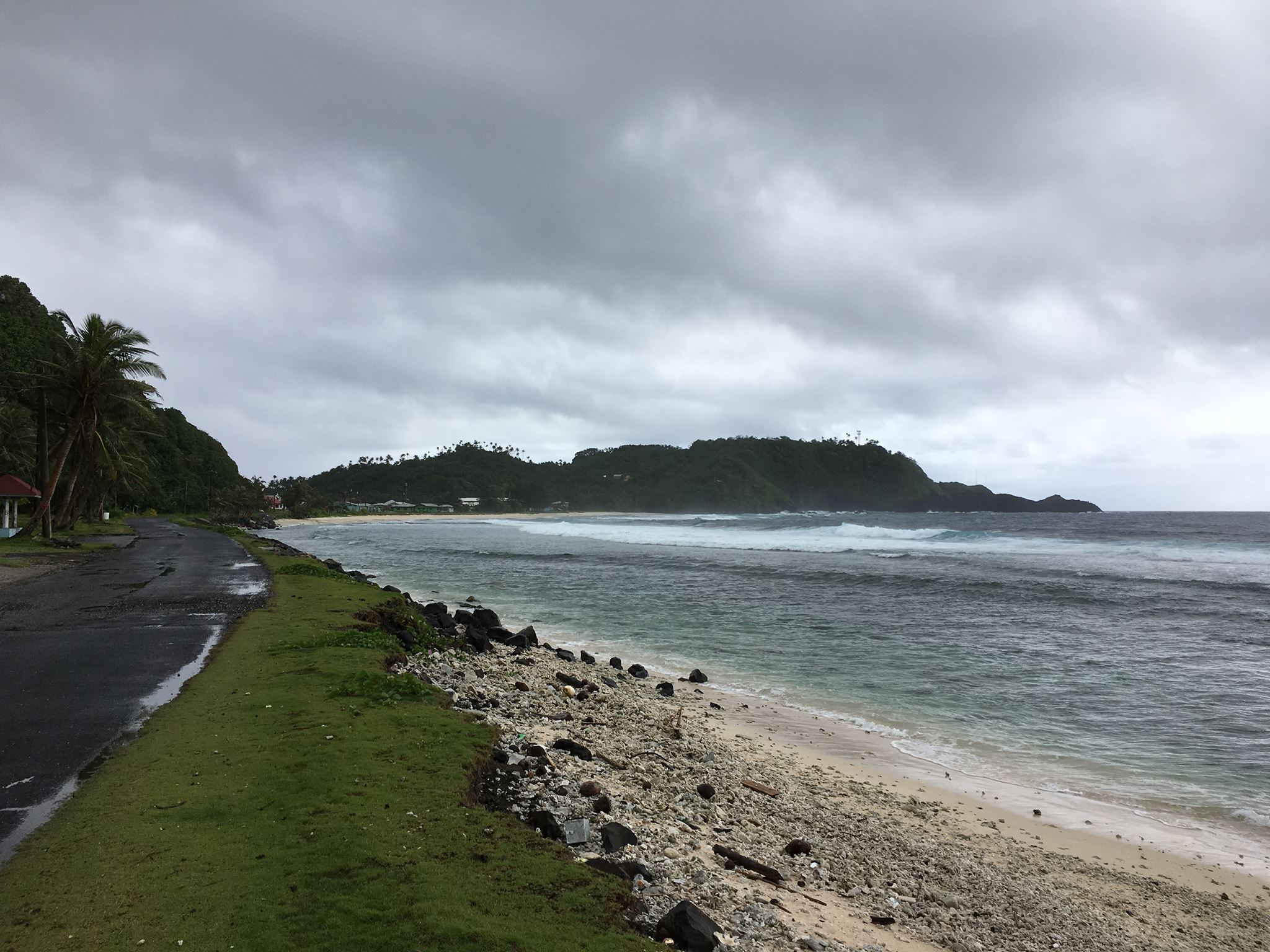
The tower is on the top of Cape Matatula, which sticks out of the northeast corner of Tutuila island. It’s the bit of land jutting out in the middle of the photo below. If you open the full-size photo, you can see the tower just at the edge of a rather precipitous drop-off toward the rocky shore about 1/3 of the way from the right-hand side of the frame. Needless to say, it’s a great QTH with 270 degrees of saltwater view as I’ve mentioned before. At sunrise and sunset, the middle and higher bands are open to EU, JA, and NA/SA all at once. The pileups are thrilling but very challenging.
Here’s the radio setup from this trip: K2/100, KPA500, WKUSB, and TRLinux running under VirtualBox on my Mac. This worked OK, but the WKUSB would drop out every few QSOs and needed to be completely rebooted which meant that I had to unplug the USB cable and restart TRLinux. Obviously, this worked when I tested it at home but I was not stressing it like I was in the field. I’m not sure whether it was an RF issue or software/hardware. In any case, I will probably be installing another Windows VM like I’ve used previously.
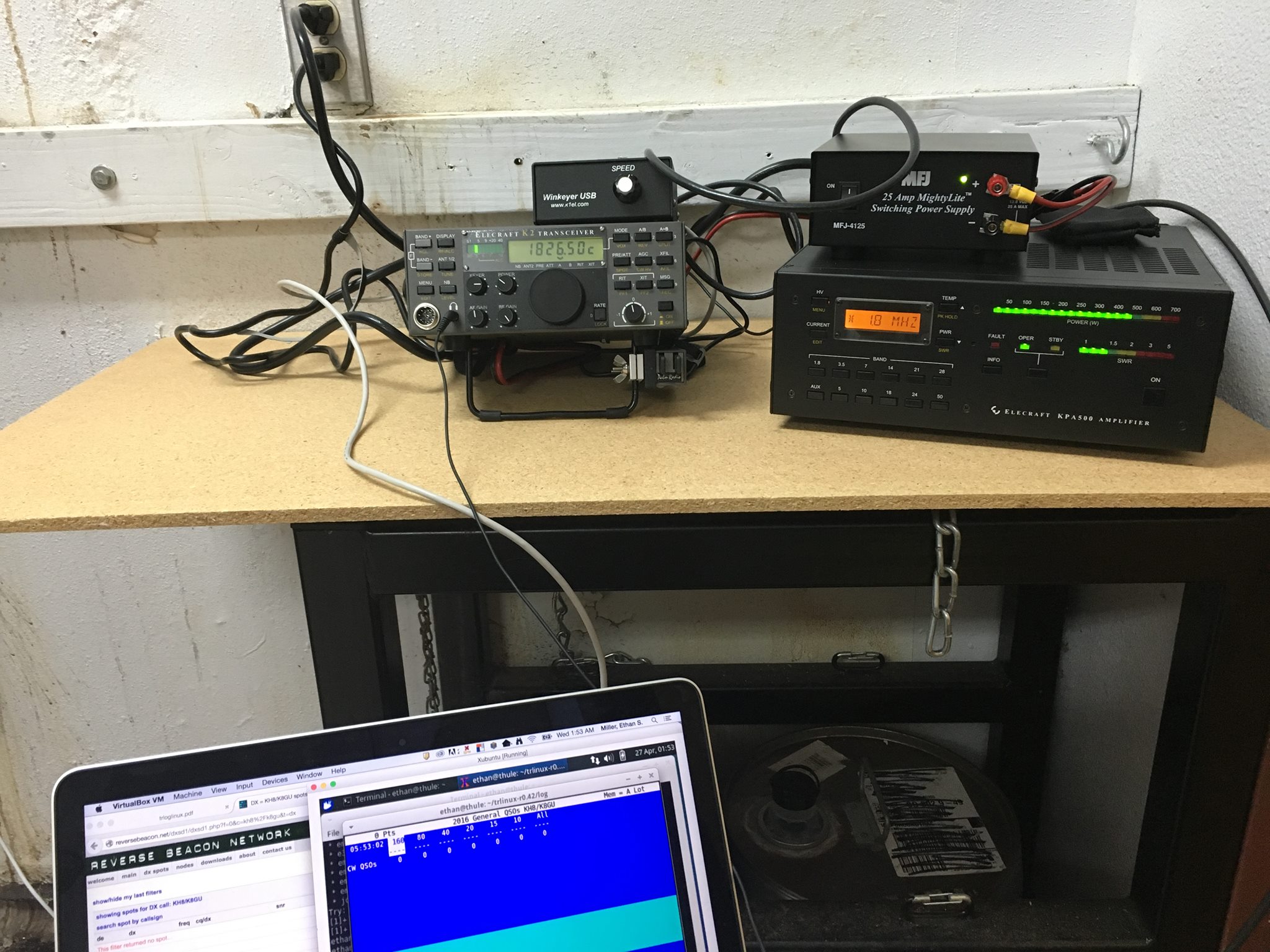
I only ended up making about 400 QSOs on this trip, which is way down from the approximately 3000 QSOs I made over the past two trips. The combination of aggressive work schedule, glitchy keying, and poor 160-meter conditions (too late in the season, but I made a few guys happy), made it hard to get excited about operating a lot. Furthermore, my operating position was located in a room with an air compressor nearby that would kick on every few minutes. Even with the excellent Etymotic MC5 earbuds, it was still loud. Enough complaining! There will be at least one more trip out there under my present project and if KC0W hasn’t worked everybody, I’ll be there to give you all new counters again. I just uploaded the log to LoTW before I posted this blog entry. I have not responded to any direct QSL cards yet.
HF Email From The Mobile?
Last summer when we were camping in the national parks, there were many campsites where we had no cell phone service. I am not complaining about that, but our work around to communicate back home to the XYL often required a trip to the pay phone (sometimes hard to find). I thought about perhaps using APRS’s capability of relaying short pieces of text as emails. Part of the problem is that there are many areas of the parks that don’t have any APRS digipeater coverage (Glacier and Yellowstone National Parks for example). How to get a message through?
Then I remembered my MARS station (AEN5AC) in Iraq. I was using an ICOM IC-7000 and an SCS PTC-IIusb modem to pass MARSGRAMS from my location north of Baghdad to another station at the US embassy in Qatar. The pairing worked quite well and I was consistently able to connect and pass traffic using PACTOR 3 at the 1400 baud rate. Could I use a similar setup to provide an HF email option while camping this summer?
I dug out my SCS PTC-IIusb modem. I had not used it since shutting down the MARS station in June of 2008. Everything was still in the box. To include the cables necessary to interface the modem with an ICOM IC-706MKIIG… the same rig I use for HF mobile.
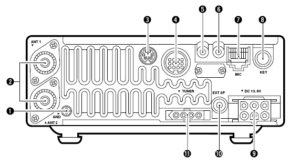
I pulled out my spare IC-706MKIIG. Coming back to Kansas from Field Day in California back in 2009, my IC-706MKIIG quit on me. I ended up buying a second at the HRO in Denver and sent the broke one to ICOM. ICOM fixed it and returned it. I kept it in the box and it went back on the shelf. I did order a 6 pin Molex connector with powerpoles to allow for an easy power connection (#9). I connected the two cables from the modem to the rig. Once cable is for the data and plugs into the 706’s 13 pin accessory connection (#4). The other cable connects to the 706’s CI-V interface (#6) to have the radio change frequencies based on what station is being contacted.
I had the basic hardware of a HF email station, except for a computer. I would need one that would function out of the vehicle. This would probably require a laptop. I also decided for the ease of simplicity that the computer should be Windows driven (instead of Linux). Gasp! The bottom line is that the software and drivers required to send email via HF and use the SCS PTC-IIusb modem is Windows based. The answer ended up being an Dell XPS 15.

Using a Windows based computer helped me with a number of summer travel tasks that could not be accomplished by my small Linux laptop:
(1) Run the software required for HF email (more on Winlink and Airmail later)
(2) Run ARRL’s TravelPlus for Repeaters
(3) Run RT Systems radio programming software for my TM-D710A
(4) Run RT Systems radio programming software for my VX-8RGs
(5) Read the SD card from my Canon digital camera
Interestingly enough, the new laptop does not have a CD/DVD drive nor an RJ-45 connection for a LAN cable. Neither of these have been a show stopper yet.
ARRL’s TravelPlus for Repeaters
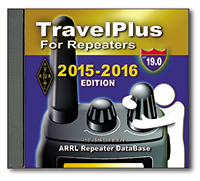 I had purchased TravelPlus for Repeaters with the intent of installing it on my existing Linux laptop and running it under a VirtualBox Windows session (similar to how I run iTunes on my Linux laptop). However the software failed to install. I tried troubleshooting and looking at suggested fixes found on the forum sites but still had no luck. I tried installing TravelPlus using WINE. It installed but would not run as well.
Dell XPS 15 to the rescue. As the laptop does not have a CD/DVD drive, I copied the drive onto network storage. I then was able to install TravelPlus over the network and it is working without issue.
RT Systems Programming Software
The RT Systems programming software works fine under a VirtualBox Windows session. As I was moving all my vehicle related radio/computer tasks to the new Windows laptop, I attempted to install the programming software for the TM-D710A (used for beaconing the location of my vehicle and talking on VHF/UHF). Following a similar procedure that worked for TravelPlus, I copied the programming software from the install disks to a network drive. The software installation for the TM-D710A worked without a hitch. The software for the VX-8RGs (HTs we use for around camp and hiking) failed to load. The error said that I must use the original disk to install. A big challenge when the laptop doesn’t have a CD/DVD drive. The work around is that you find another Windows computer with a CD drive, load the software CD, then back on the driveless laptop, map the CD drive (like you would map a network drive). That worked and I was able to install the programing software for the VX-8GR.
HF Email Software
There are two main choices for software to allow for HF email: RMS Express and Airmail. I installed both. Airmail was the same program I used in Iraq and it offered easy configuration with the IC-706MKIIG and the SCS PTC-IIusb.
I now had all my equipment for a test run setup in my basement hamshack: spare IC-706MKIIG, SCS PTC-IIusb, and the Dell XPS 15 with Airmail. I connected the IC-706MKIIG to my Elecraft tuner and used my existing G5RV antenna. Airmail configures easily. The software has a list of stations offering mailbox services that can be viewed on a propagation chart by frequency and distance. Based on time of day, I selected a station in Texas that offered a 40M PACTOR 3 connection. Airmail allows me to click on the frequency in the propagation chart which then changes the dial frequency of the radio. After listening to see if there were any ongoing connections, I initiated contact. The modem lights flashed and the rig clicked between transmit and receive. The connection was made and I was able to send a test email as well as a position report.
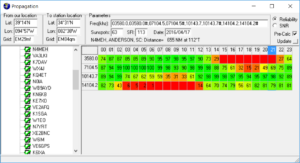
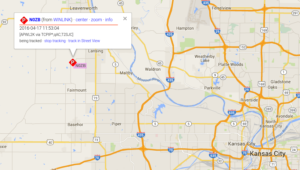
Success! The position reports that go into the Winlink system are copied over into APRS. Now, even if I am not able to reach a digipeater with my VHF APRS beacon, I can send a position report over HF to let the XYL know where we are.
I then thought about the steps I would have to take of transitioning my IC-706MKIIG configured for HF mobile to be ready to work with the PTC-IIusb to send email. As the remote head is located up near the drivers seat, this would present problems with being able to observe the modem, laptop, and radio control head all at the same time.
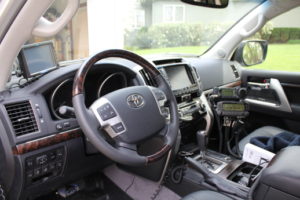
What if I just dedicated the spare IC-706MKIIG rig to the task of HF email? It would save me time and bother in pulling and plugging cables. It would also give the camping option of being able to operate HF from outside the vehicle.
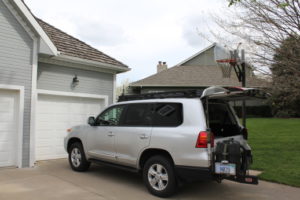
Using an additional iPortable box, I rack mounted the spare IC-706MKIIG and the SCS PTC-IIusb. Now I will have a spare HF rig with me, so if one goes out I will still be operational. I also attached the Tarheel screwdriver antenna’s rocker switch to raise and lower the antenna on the side of the box. During normal HF mobile operations, the TurboTuner (connected to the other IC-706’s tuner connection and CI-V connection) manages achieving a correct match between the operating frequency and the screwdriver antenna.
I only have the one TurboTuner. The TurboTuner requires a connection to the CI-V. So does the SCS PTC-IIusb. My solution was to leave the TurboTuner alone. Instead, using the rocker switch, I can manually tune the antenna while visually observing the 706’s SWR meter.
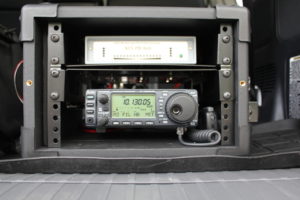
To transition between using the 706 dedicated to HF mobile to the 706 now dedicated to HF email, I have to do the following:
(1) disconnect the antenna feedline from the TurboTuner
(2) disconnect the control line that goes from the TurboTuner to the Tarheel screwdriver antenna
(3) connect the antenna feedline directly to the HF email 706
(4) connect the control line to the rocker switch
(5) connect the laptop to the SCS PTC-IIusb via a USB cable
(6) connect the iPortable’s powerpole connection to the junction box in the back of the vehicle
… then I am ready to go. The iPortable box rests nicely on the vehicle’s tailgate, next to the laptop. All at about lawn chair height. Not only can I use this setup to send email via HF, but I can also use it for causal National Parks On The Air contacts as well.
What’s left to do:
(1) Constant cooling fan modification for both IC-706s (see AD5X’s article)
(2) An extended control cable for the Tarheel screwdriver antenna. This will allow me to further remote away from the vehicle, but still use the antenna.
(3) A length of antenna feedline for remoting.
(4) A length of powerpole-ready powerline to attach to either the travel trailer battery or directly to the spare vehicle battery… again for remoting away from the vehicle.
(5) I have a set of Heil headsets that worked with my IC-7000. I think if I get the AD-1ICM, I should be able to use them with the 706.
(6) A Heil HS-2 hand PTT switch to use with the headset.













