Archive for the ‘ham radio’ Category
 Have Handheld, Will Travel — First Stop: University of Notre Dame!
 May 23rd, 2012 |
  Author:
 My wife and I are on the way to Toronto, Ontario for a wedding. Right now I’m dashing this off before laying my head down to sleep in the apartment of a dear friend of ours in South Bend, Indiana. She’s a PhD student at Notre Dame and will be hitching a ride with us since she’s the maid of honor. My daughter, one of the bridesmaids, is already in Toronto since she went out a day ahead of us with the bride’s family. My son had to stay home since his passport didn’t show up in time — he was disappointed but getting to stay with friends made up for it.

NØIP at the Gates of the University of Notre Dame
Anyhow, I brought along my Wouxon KG-UV6D. I would have brought along my HW-8 but space was at a premium. I didn’t use my HT on the drive (I simply didn’t have time to figure out the repeaters on the way and program them on my radio), but once we got into South Bend I hit two repeaters that both came in full-quieting — one a 2m repeater in town and the other a 70cm repeater belonging to the University of Notre Dame Amateur Radio Club. I’m sorry to say that despite many calls I have yet to hear anybody on the two repeaters. Perhaps it has something to do with my timing; the academic year has just ended and things are unusually quiet around here.
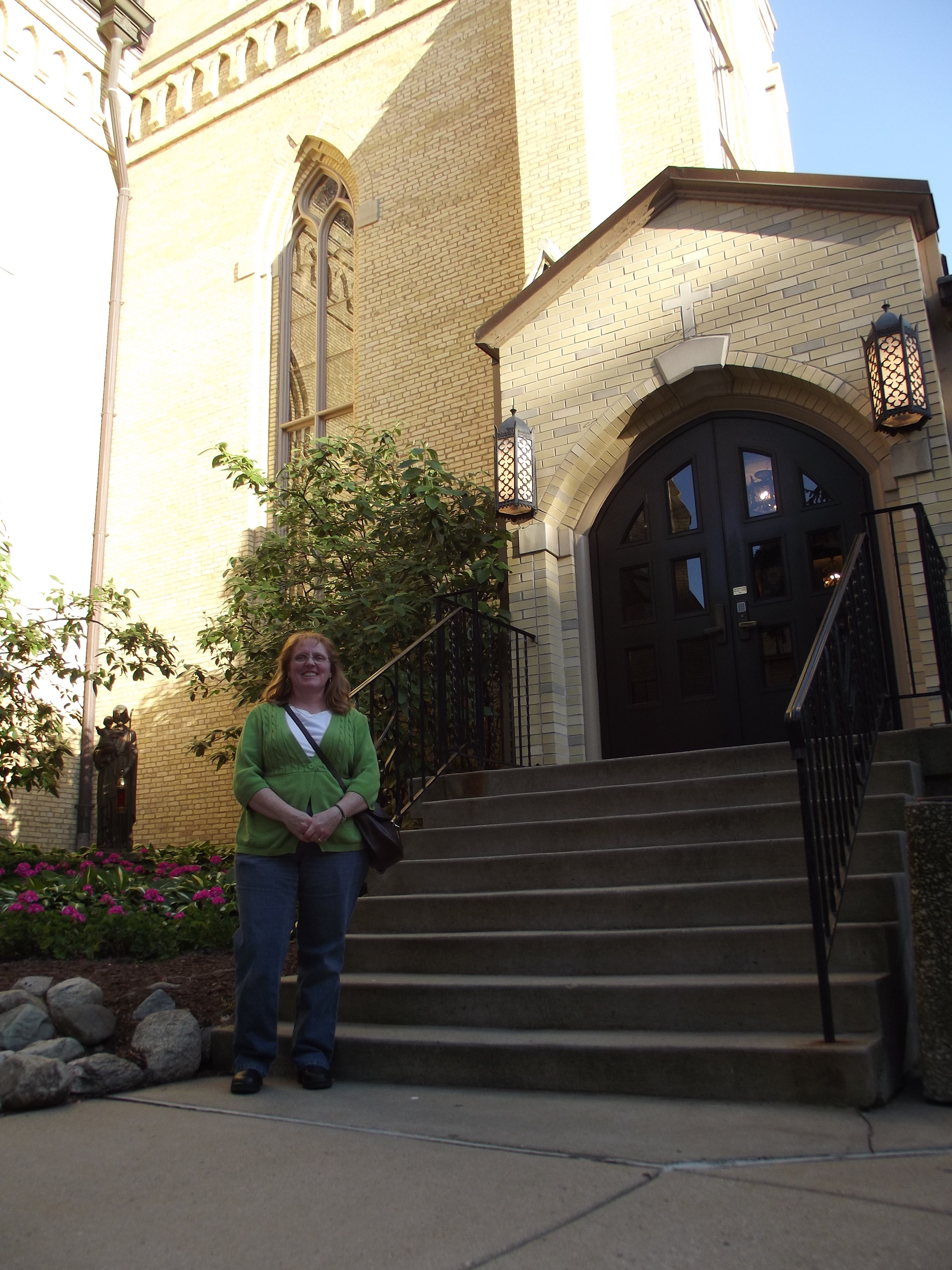
My XYL outside the Basilica, University of Notre Dame
I had high hopes of setting up an impromptu visit to the Jerome Green Amateur Radio Station (click here), but I also knew my hopes weren’t realistic since it was a last-minute idea. Next time I’ll try to remember and search out such opportunities in advance.

Basilica, University of Notre Dame
We had a great time exploring the Notre Dame campus, touring the grotto, basilica, and bookstore. (Already bitten hard by the academic bug, I nearly melted when I got near the philosophy section!) Eventually we went out for a late supper at Fiddler’s Hearth, which serves up the best Reuben I’ve ever had in my life (and I’ve had a few).

Basilica, University of Notre Dame
Next stop, Toronto! I am using this website (click here) to find repeaters by clicking on a Google map, so I have the frequencies, offsets, tones, etc. all printed out and in the car with me.
If only I had that HW-8 with me . . .


A New Digital VHF/UHF Radio from Yaesu
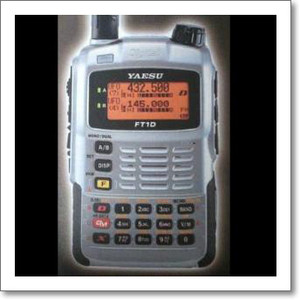 A while back, Yaesu published a white paper/brochure on VHF/UHF digital technology that slammed D-STAR for using GMSK modulation and stated that C4FM (4-Level FSK) is the way to go. See my previous posting on that topic. The paper also talked about DMR and APCO 25 as standards that use C4FM.
At this point in time Vertex Standard believes the C4FM (4-level FSK) FDMA or TDMA are the most suitable selections for Amateur radio applications. In early 2012, we will release a C4FM (4-level FSK) FDMA Handy-Talky and a Mobile transceiver into the Amateur radio market. After our initial introduction, we plan to introduce a C4FM (4-level FSK) TDMA (2 slots) or TDMA Handy and Mobile transceiver into the Amateur market.
ARES® & Incorporation: ARRL’s Policy
Just Google “County ARES, Inc.” (click here) and you’ll see that there are lots of ARES® groups out there who have incorporated. It sure seems like a great idea because it allows you to file for 501(c)3 status, opening doors for donations of cash and equipment, free website hosting for non-profits,  and grants that require 501(c)3 status.
But to do this correctly we must ensure compliance with ARRL policy — ARES® is ARRL’s program, not ours! We’re not free to just do whatever we feel like. Here are the two challenges we’re facing:
- The ARRL insists that local ARES® groups not incorporate
- “ARES®” is a registered trademark of the ARRL that cannot legally be used in the name of another corporation without the ARRL’s permission
According to this document (click here) on the ARRL website:
ARES® and Amateur Radio Emergency Service® are registered trademarks of the ARRL. Any use of these trademarks must have the registered trademark notation (circle R®)
ARES® is a program of the ARRL. Local ARES® groups under the direction of the ARRL field organization or its appointees (SEC, DEC, EC) cannot be organized as a club or incorporated as this will conflict with the ARES® program. [emphasis added]
I emailed the ARRL asking how we should go about incorporating an entity for 501(c)3 status to support the ARES® group here. ARRL Membership and Volunteer Programs Assistant Manager Norm Fusaro, W3IZ, kindly replied. Here is an excerpt from his helpful response:
The Amateur Radio Emergency Service – ARES is a program of the ARRL. ARES is not an entity. The ARES brand is trademarked by the ARRL and may be used with permission from the ARRL.
The job of Emergency Coordinator is a political position in which the EC promotes the ARES program and supports training among the local Radio Amateurs in the community. This is done mostly through the local clubs.
The Emergency Coordinator’s job does not involve fund raising or corporate management. Equipment such as repeaters, generators, etc are supplied by the local Amateur Radio community and clubs. ARES supplies training and coordination. Note the job title Emergency coordinator not manager.
Forming a club or corporation is not only beyond the duties of the EC but also conflicts with the basic ARES requirement.
- The only requirement to belong to ARES is an Amateur Radio License and a desire to serve.
- There is no requirement to join any club or organization.
- There are no dues to participate in ARES.
So I’m not out in left field for wanting some kind of entity to support the local ARES® group — the ARRL clearly depends on local clubs to supply equipment for ARES® work. As far as the EC not getting involved in fund raising, well, I obviously need to wear more than one hat at this stage of the game. There are only a dozen or so hams in the whole county at this point.
The nearest club is pretty far away, so it makes sense to form a new “club” to serve this purpose. The ARRL wants the club to be distinct from the local ARES® group; okay, we can do that. We’ll just clearly state the purpose of our “club” is to support the local ARES® group. You can find a good example of this wording over at the Wisconsin ARES/RACES “501(c)3 Links and Information” Page (click here).
As Mr. Fusaro pointed out, membership in this “club” must never be a prerequisite to participation in the local ARES® group.
I think the name of this “club” should clearly reflect it’s purpose. If the local hardware store has a generator to donate, surely the idea of donating it to the “Yellow Medicine County Amateur Radio Emergency Service®” would be more appealing than donating it to the “Yellow Medicine County Amateur Radio Club.” But my brother, an attorney, has explained to me that since “ARES®” and “Amateur Radio Emergency Service®” are registered trademarks of the ARRL, they cannot legally be used in an entity’s name without permission from the ARRL.
I’m assuming we don’t have permission to use “ARES®” in our “club” name, but I’ve asked for clarification on this. If not, we could always name it something similar, e.g. “Yellow Medicine County Amateur Radio Emergency Corps/Support/Operators Association, Inc.” or something like that.
I don’t want this post to turn into an ARRL-bashing session, but if some of you readers have some helpful insight and/or experience with ARES®-related incorporation, I’d love to hear it.


The Joy of Elmering (with Congratulations to KK4FKM for His First QSO!)
I got some good news and some bad news Tuesday. The bad news came when Dean, NYØI, let me know he couldn’t get into my EchoLink station. A little investigation proved that my radio is deaf; the problem is either the feedline or the antenna itself. What a disappointment.
But the good news I got that day was so good that it more than made up for the bad news. I got a taker on my offer to be a CW Elmer! Michael, KK4FKM, found me listed over at the SKCC Elmer Page and sent me an email. Great timing — I easily pushed my antenna woes to the back of my mind and set up a SKED with him for yesterday afternoon on 20m.

The Key I Used to Work KK4FKM: The Kent SP-1
At the appointed hour I called KK4FKM KK4FKM KK4FKM DE NØIP NØIP NØIP KN. I wasn’t sure I’d hear him since the band was unusually noisy and KK4FKM was running QRP. But sure enough, there he was!
He was buried pretty deep in the QRN; I quickly flipped on my CW filter to isolate his signal. I managed nearly solid copy on the first go-around, but I couldn’t make out his subsequent transmissions. I was booming in there, though, so he had the opportunity to copy plenty of code.
Afterward we chatted by phone. I was moved when Michael told me this was his first QSO! What an honor to be his first contact. Impressive, too, that Michael’s first QSO was by CW, especially considering that he has his General — he could have gone straight to HF SSB if he wanted to, but instead he went the extra mile and tapped out his first QSO on a straight key, QRP no less. Well done!
It turns out that Michael and I have even more in common than our appreciation for CW. He is a police officer in a department about the same size as the one in which I served, and he is a Baptist, too. After a delightful conversation, we set up another SKED before bidding one another farewell.
This is one QSL that I would send if it cost me a hundred stamps! It’s in the mailbox. Congratulations, KK4FKM!
If you ever have a chance to Elmer, go for it. And if you could use an Elmer, don’t hesitate to seek one out. You’ll be doing him a favor. Of all the things we can do in this hobby, Elmering might just be the most delightful one of all.


Handiham World for 16 May 2012
Welcome to Handiham World.
You can do it!
Today, just as we did last week, we are going to begin with Troubleshooting 101 as part of our initiative to help new ham radio operators (and even some of us older ones) learn how to do some basic troubleshooting for ourselves. Yes, it can be tempting to ask someone else to do things for us. This can become a bad habit when it keeps us from learning new things, especially things that we could – with a bit of practice – learn to do for ourselves. Knowing these basic things can serve us well in the future when no help is available.
Troubleshooting 101

Let’s get to today’s troubleshooting question:
I sometimes use my handheld radio in the car. I can hear the repeater just fine, but I have had complaints that other stations can’t hear me. What’s going on here? Is there something wrong with my HT?
Yes, I’m afraid there is a problem with your radio. The problem is that it has a terrible antenna. Before you complain that the radio has always worked quite well when you used it around the house, let me explain.
Handheld radios are meant to be portable so that they are easy to carry around. Haven’t you noticed that people prefer smaller, lighter electronic devices? So what was once referred to as “a brick” – the venerable 2 meter HT – has evolved to a multiband miniaturized wonder that fits in the palm of your hand. The antenna on the old brink was just about the same length as the one on your new radio, though. These flexible “rubber duck” antennas are the ones that come as standard equipment with a new handheld radio. They have always been terrible antennas, but they are designed to be flexible so that they can bend without breaking and generally survive being dumped into a backpack, stuffed into a pocket, or crammed into a purse. A quarter-wave antenna for the 2 meter band should be around 19 inches long (48 cm), but the radio would hardly be portable with that big antenna, would it? The rubber duck antenna is inductively loaded so that it can be physically shorter but still act like an electrical quarter wave.
This seems like a great solution because now you have the equivalent of 19 inches of antenna in a tiny, convenient flexible stick. Ha, ha, that is a good one. Most of these rubber antennas are more like a “dummy load on a stick”. They are inefficient and lossy. A rubber antenna that came with the HT is probably okay if you are in a good location and not far from the repeater and are not moving around. The rubber antenna can receive okay but is not going to win any awards, but transmitting efficiently is just plain not a happening thing. When you move the antenna around, every slight cancellation of signal from multipath reception becomes a near-dropout. It is even worse inside a car, where the body of the car can block part of the signal and you are nearly always moving. No wonder your friends are complaining about your signal – because it is terrible!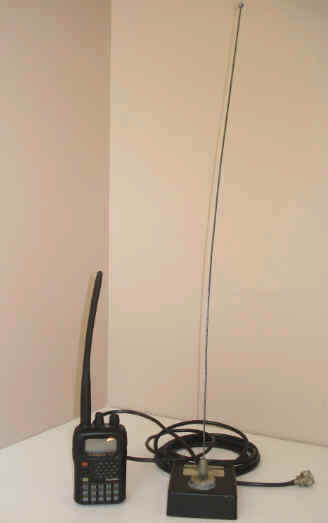
I placed my tiny Yaesu VX5R HT with the somewhat bent from years of carrying it in my pocket next to an old Larson 1/4 wavelength magnet mount antenna. The ACTUAL quarter wave mag mount towers over the HT with its wimpy rubber antenna. If only there were a way to use a quarter-wave magnet mount antenna, or even a 5/8 wavelength mag mount antenna, with my HT it would sure solve my transmitting problem and make the HT more useful as a temporary mobile radio.
Of course there is a way; you just need to get the right adapter to mate the mag mount antenna’s connector to your HT and you are in business, right?
Well, no – it’s not quite that easy. For one thing, you might not have a mag mount antenna. And you may not be familiar with these kinds of temporary antennas, especially if you are not a driver yourself and you ride with a spouse or a friend. Here are some things to consider:
- If you are going to move the antenna around a lot, such as using it on a friend’s car then removing it after you get where you are going, there are tiny, highly-portable miniature mag mount antennas with small diameter coax (RG-174U) with a connector to fit directly onto your HT. Actually, I prefer these antennas over other mag mounts because the light, flexible coax will not put extra stress on your radio’s SMA connector. MFJ makes the MFJ-1722 dual-band mag mount antenna and it is only around $15 – an accessory to your HT that is well worth the money.
- If you already have a more conventional larger mag mount with RG-58 coax, I recommend an adapter with a short piece of RG-174U coax so that the flexibility of the cable allows for comfortably moving the HT about as you use it. Stiff coax will put excessive pressure on the HT’s antenna connector and may eventually break it.
- If you are using an HT with an SMA connector, you may want to consider a special connector adaptor that seats against the body of the radio, taking pressure off the antenna connector.
- Pay attention to the routing of the feedline out the door. It may run through the gap between the door and the car’s frame, but choose a spot where the rubber gasket around the door frame will close gently against the wire.
- Avoid sharp bends when running coax.
- For longer term installations, test the water seal around the coax entry point with a garden hose.
- Place the antenna on the roof of the vehicle or on the deck of the trunk lid if the cable is to be run through the back seat and out into the trunk.
- Be sure the magnet has a serious grip on the metal car body!
- Avoid long, flapping runs of wire across the roof or trunk.
- If you have an antenna that screws onto a magnetic base, be sure it is screwed on tightly before traveling!
- Consider a small, easy to remove antenna that is placed just outside and above a back door. You can easily grab it off the roof and shove it on the back seat floor under a mat when you want to conceal the fact that you have a radio in the car or if you need the extra clearance to get into the garage. While you’re at it, unhook the HT and put it in the glove box or take it with you.
- If you are serious about using an HT in the car, you might also pop for the optional car charger. All the HT manufacturers offer them, and they can be in the glove box with an extra rubber duck antenna when not in use. You will likely need high power while operating mobile, and that can run your battery down quickly.
Once you start using a “real” antenna mounted outside the vehicle, you will wonder how you ever got by with an HT and the rubber antenna.
Email me at [email protected] with your questions & comments.
Patrick Tice, WA0TDA
Handiham Manager

My Comments on FCC Proceeding 12-91
 At the direction of Congress, the FCC opened up Proceeding 12-91: COMMISSION SEEKS COMMENT ON EMERGENCY COMMUNICATIONS BY AMATEUR RADIO AND IMPEDIMENTS TO AMATEUR RADIO COMMUNICATIONS.
I decided to file my comments with the Commission, which can be read in full here. I’ll also provide the short version here:
1. The contributions of amateur radio operators during disasters and emergencies is substantial and well documented.
2. The key attributes that make the Amateur Radio Service so valuable in an emergency or disaster situation include the large number of trained operators available, the tendency for many amateur radio operators to prepare their stations for emergency operating conditions, the high degree of flexibility due to the wide range of spectrum and emission types available, and the ability of amateur radio operators to adapt to adverse operating conditions,
3. Restrictions from homeowners associations banning all external antennas is a serious and pervasive impediment to amateur radio emergency communications.
4. Limitations on emission type in Part 97 should be relaxed or eliminated.
5. There is the potential to improve the use of the Amateur Radio Service within the overall planning and organization of the federal government.
There are many different issues that could be highlighted but I decided to focus on these…with an emphasis on restrictive covenants.
What do you think? File your comments with the FCC here.
73, Bob K0NR
My New EchoLink Station: NØIP-R
[Update 6/8/12: The problem was the coax. Thanks, Antonio, for getting it fixed! (click here for story).]
[Update 5/16/12: Yesterday my EchoLink radio went deaf. For some reason the SWR has soared — the problem is with the transmission line and/or the antenna. Happily the antenna has a lifetime warranty, so if that’s the problem it won’t cost me anything. The hard part is getting at it!]
Finally! My EchoLink station, in the works for a month and a half, is on the air and on the Internet. If you want to give it a whirl, go right ahead! It’s listed as NØIP-R, node 695717.
The idea for this EchoLink station sprang from the SKYWARN class I attended a month and a half ago. I was lamenting the fact that Granite Falls, the city where I live, didn’t have access to the hub-and-spoke repeater system used by the Chanhassen office of the National Weather Service (click on the map to learn more):

Granite Falls is about half-way between Madison and Redwood Falls on the left side of this map.
So I asked Dean Herzberg, NYØI, if there were any plans to connect his nearby repeater to the NWS station with EchoLink. Dean replied, “No plans, but I would surely authorize the connection. I can’t, but you could!”
Um, me? It hadn’t dawned on me that I could do this myself. But once Dean gave me the nudge, I was off and running (or at least hobbling enthusiastically). I thought, hey, I already have a Linux/Ubuntu server running 24/7, and I have an old Yaesu FT-1500M in a box — all I need is an interface and a radio.

Finished EchoLink station. Gotta tidy up those wires!
So I bought a RigBlaster Plug-n-Play USB interface from Ham Radio Outlet and a dual-band antenna off eBay from Edison Fong, hooked it all together and gave it the ol’ smoke test.
It worked! At first I just set it up on a simplex frequency and connected to the EchoLink test server, with the antenna propped up against the wall. That way I could work out a few bugs at low power and in relative privacy.
The whole thing went on the back burner for about a month due to other priorities, but finally I punched some coax through the exterior wall into my bedroom. That’s where the server has been for a couple years, so that’s where the station went (I have a very patient wife!). I terminated the coax with an SO-239 bulkhead connector mounted on a blank wall-plate. On the exterior of the wall I applied hi-tech IPORS caulking compound (Individually Packaged Orally Reconstituted Sealant, i.e. chewing gum!).

Dean Herzberg, NYØI, mounting antenna.
But I just couldn’t bring myself to mount the antenna up there on the peak of my gable. Part of it is because I’m slightly handicapped, but mostly it’s because I would rather give up my ham license than go to the edge of my roof up that high. NYØI to the rescue! I’ve written about Dean before on this blog. He’s a great guy who would give you the shirt off his back. Well, Dean came over a couple days ago and put up my antenna for me, then joined my family for lunch. He’s a MN State Trooper and I’m an ex-cop from the Twin Cities, so we had plenty in common to talk about.
I’ve had to fiddle with the settings in EchoLink to get it to work right, but it seems to finally be working great. The two hardest things to get right were decoding DTMF tones properly and keeping two repeaters from chasing their tails when EchoLinked. After finally figuring out the right DTMF settings, I nearly pulled my hair out trying to test them with my HT. Finally I realized that I was de-sensing my Yaesu FT-1500M every time I transmitted with my HT! When I went a block away, it worked fine.
Now the National Weather Service office can EchoLink directly to Dean’s repeater so that they can hear SKYWARN spotters here in Granite Falls. Alternatively we can link his repeater with the repeater in Madison, to which the NWS already EchoLinks during severe weather — all you have to do is punch in the right DTMF code, and my EchoLink station will dutifully link them up.
Now I just need to get a better smartphone so I can run that EchoLink app . . .
Here are some photos of Dean mounting my antenna and of the station itself:















