Author Archive
 In the park with 5 watts, KX3 and new Endfed antenna
 July 1st, 2016 |
  Author:
  |
| My outdoor shack |
 |
| Golfball setup |
10m Frequency SWR
28.020 3.8
28.060 3.8
15m
21.020 2.9
21.060 2.9
20m
14.020 3.8
14.060 3.8
40m
7.020 8.4
7.040 8.4
The antenna was mounted in a sloper configuration the high end at about 20 feet off the ground and the other end ground mounted. The tuner in the KX3 was able to bring all bands but 40m to a flat match, I was able to get 40m down to 1.5. The bands were very quite but I did spend some time
 |
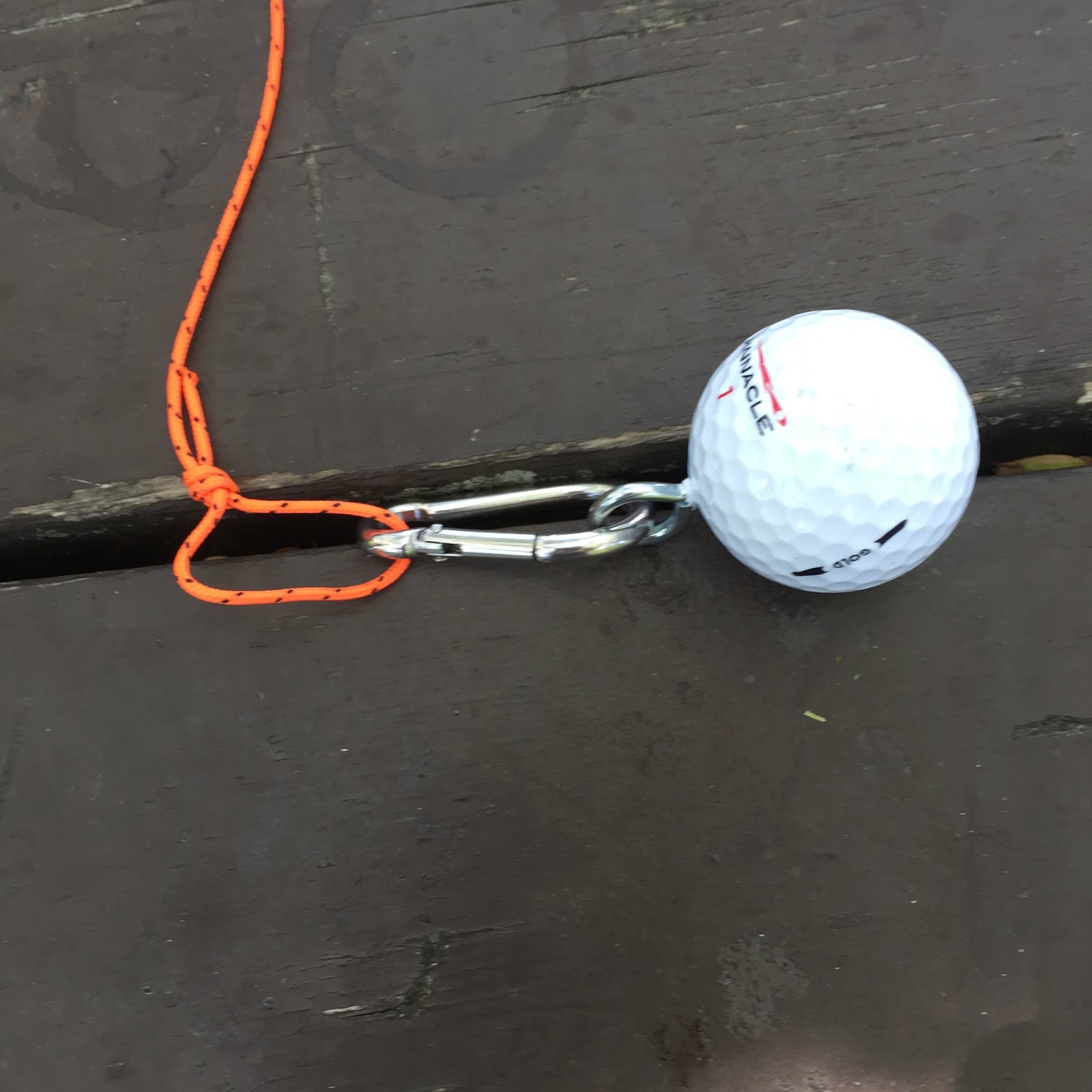
| Anchor point |
If at first you don’t succeed try try again!
Well, here we are once again trying to get the portable ham radio setup going.
My first attempt was to place one of my mono band whips on my bike and set out a counter poise. It was with mixed results, the SWR was sometimes all over, there was a TX error message now and again on my KX3 and basically frustration trying to get it to work. So if at first you don’t succeed try try again.
Last week I was online searching again for another way to get my portable op’s on the air. I was looking for something that was easy to deploy, was portable and worked!
My interest has gone toward the Endfed antennas. I was looking at LNR’s antennas and then I came across the Endfed 40-6m antenna by Steve W1SFR. I shot him some questions regarding the antenna and he got back to me right away with the answers. His Endfed seems to be very well built using Wireman “silky” 18 gauge wire which I have used in the past and been very happy with. There was a nice noticeable quality in both the wire connections and the 9:1 unUn.
The antenna is only 35 feet but you do need about 25 feet of coax to act as a counter poise. Also your rig needs to have an antenna tuner (mine does) to get the benefit of 6m-40m with only a 35′ antenna and no traps. Also it was nice to see on his web site a link to purchase his antenna including shipping to VE3 land.
The shipping was super reasonable the total came to 67.00 U.S. Steve also mentions that his price includes handling as well. Other sites I had gone to being very interested in their antenna to only find out the shipping at times was either 1/2 or more of the price of the antenna.
There was lots of positive reviews on Eham about Steve’s antenna as well. I put some items I am not using in the shack sold them very fast and the funds were in place so I have placed my order and waiting for it to arrive.
I have the 25′ of coax on hand but I do have to head out to the hardware store for some rope 1/8″ nylon rope. Then I’m thinking of placing a water bottle with some sand it it as a weight to get the rope up and over a tree branch…..that is going to take some practice!
A slight change of plans…..
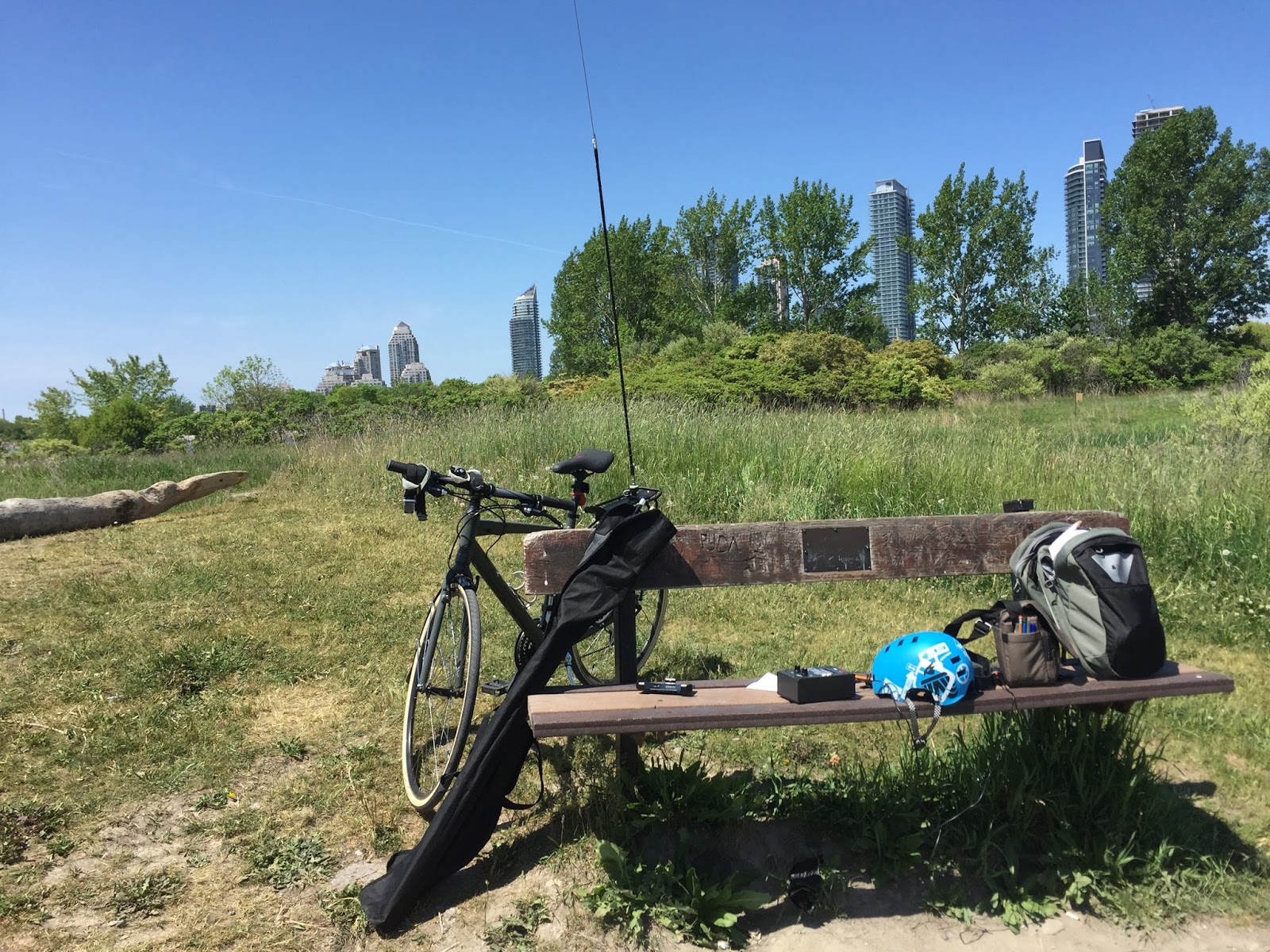 |
| The test setup |
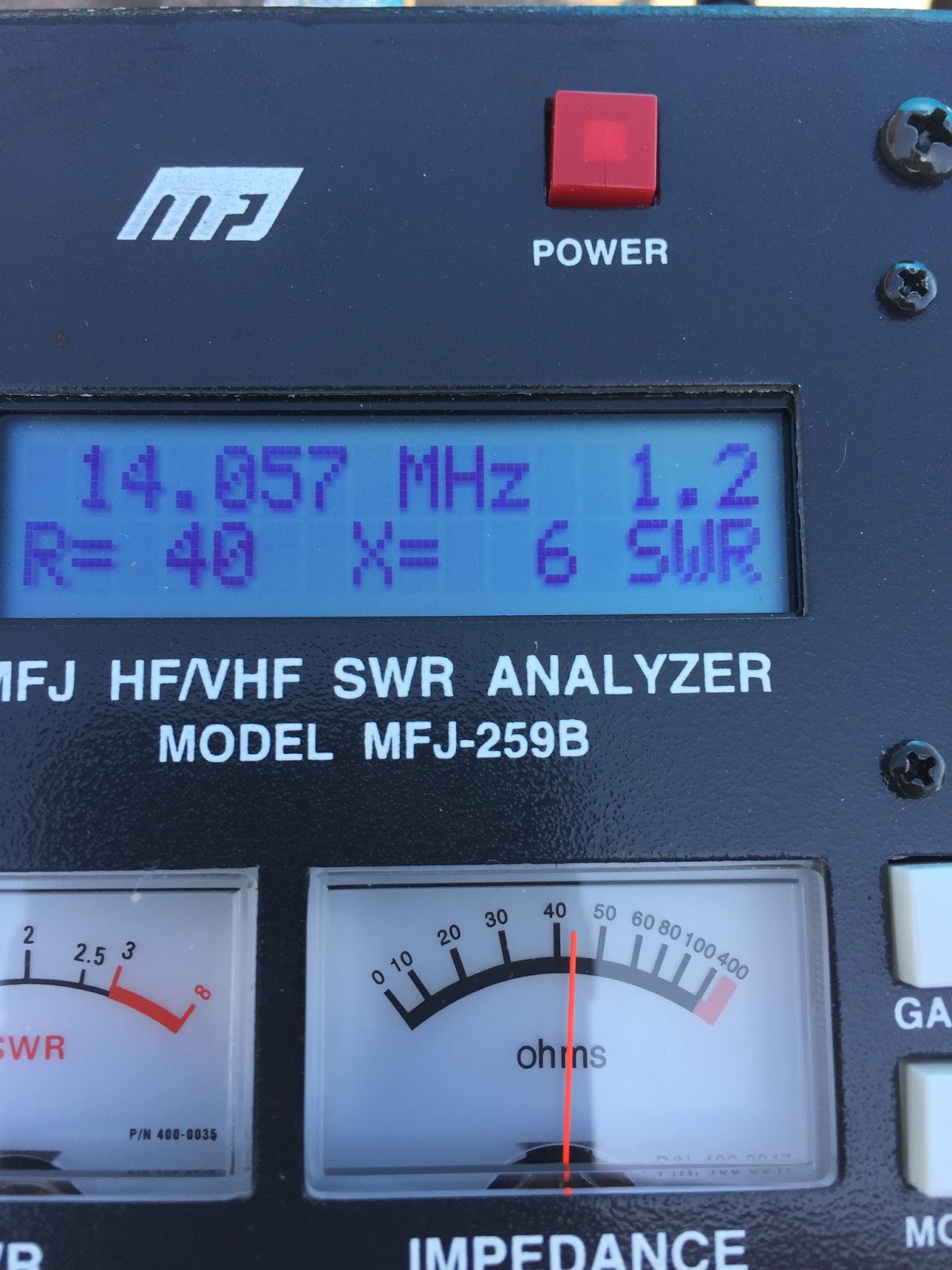 I was out today once again with my portable operations but this time there was no on air time it was time to test and decide. I went out with my MFJ antenna analyzer, mobile whip antennas and various lengths of counter poise. I wanted to see where my 20m mobile whip antenna was resonant and using the MFJ analyzer was the easiest way of doing this. The counter poise for 20m I started with was 17.5 feet long and the SWR was not showing it was resonant in the CW portion of the band but in the SSB section. So I found I have to lengthen the counter poise to 30 feet to get the SWR to 1.2:1 in the CW portion of 20m. This got me to thinking if the mobile whip was the way to go, I did have these antennas hanging around and I wanted to give them a go to see what results I would get. They are still very useful to me when I operate portable mobile from the car and they preform very well in that situation. I wanted to try the whip antenna as I felt it would be a very small footprint of an antenna but with a counter poise of 30 feet the footprint is larger than I would like. From most of my blog reading about portable trail operation, NPOTA operations and just plan old out in the park for the day operation hands down most of the time the antenna of choice was one of LNR's par end fed antenna's. I have looked over the antennas at LNR Precisions site and not sure yet which antenna to get, I am leaning toward the EF-20 as it's not as long (33') as say the other models. I'm really not going to use 40m and I figure (but not sure) I can use the Elecraft KX3's tuner to operate 15 and 10M?? Any feedback about this antenna or others would be appreciated.
 A great weekend for portable op’s
 |
| The setup by the Lake |
This past weekend the weather was great and the propagation seemed to be fair. So that meant it was time to take the Elecraft KX3 along with my bike and hit the trails again. I went out on Saturday and Monday (It was a long weekend up this way) to see if the Ham god's would smile on my QRP signal. On Saturday there was a CW contest in full swing which meant there was contesters with keen ears wanting to make contacts. On Saturday I setup at the same location I blogged about on Friday. The park located where we live was not too busy and I was able to scoop a nice picnic table. I was using the same setup the KX3 and mono band 20m whip mounted on my bike. I heard DL2SAX calling CQ test but I was not able to raise a contact from him. I did make contact with CO2RQ from Cuba who was in the contest. This contact told me my signal was getting out as up to this point I had not made any contacts with this setup. I then hung out at the QRP watering hole calling CQ there did not seem to be much action and I was beginning to wonder if Cuba would be the only contact. Then WL2LG came back to me, Len and I had a very nice QSO my report was 229 and I gave him 559. We had a nice QSO talking about antennas, rigs and weather. For Saturday that was it for my contacts.
 |
| A visitor |
Out on the trail with the KX3
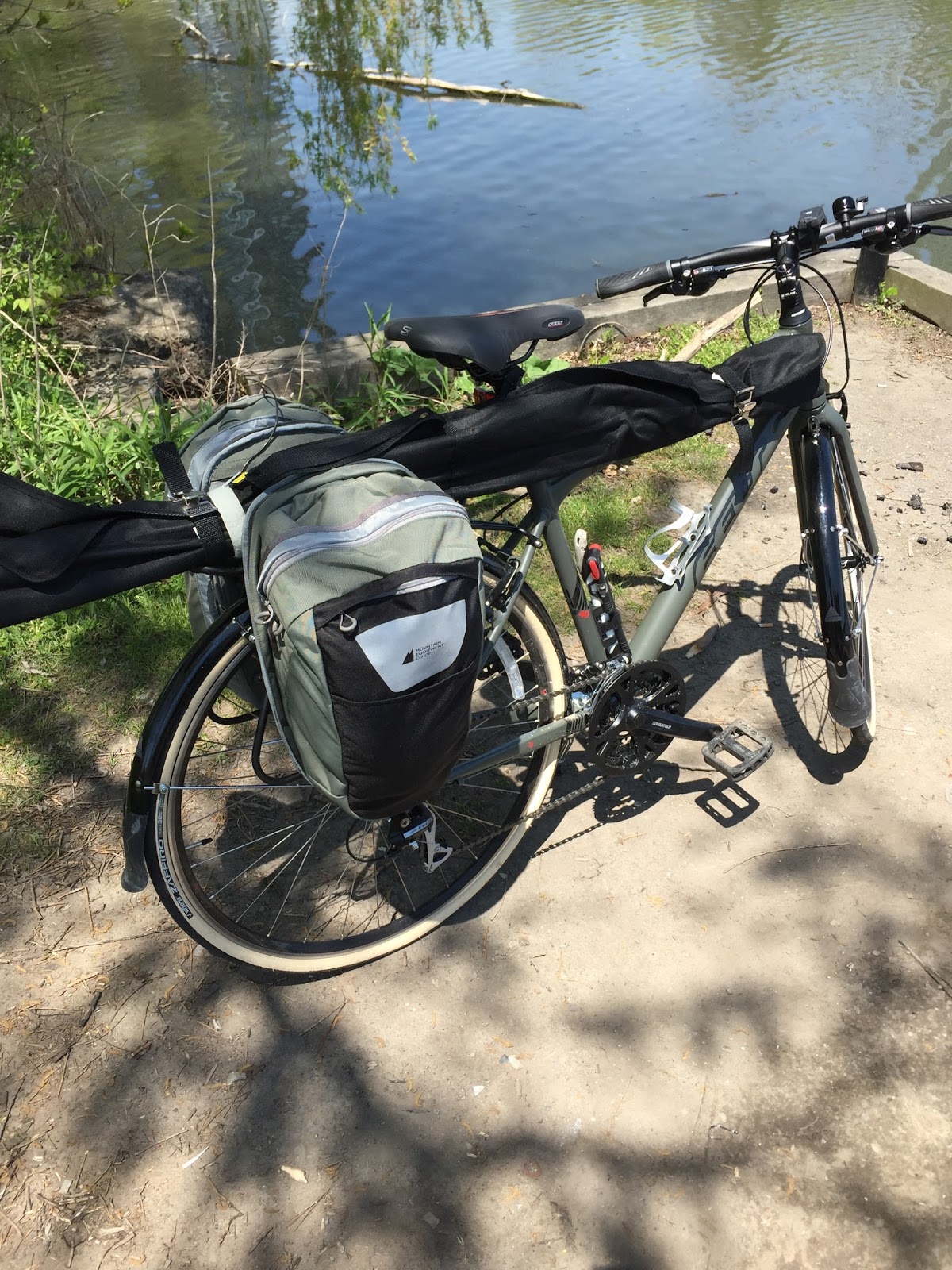 |
| The bike all loaded up |
After loading up the bike the first thing I found out was the kick stand on the bike would not support the bike and the loaded side bags. It turned out to be a fine balancing act when it
 |
| Diamond K400 mount |
Here is a list of the items I am packing:
KX3-on it's own with no Pelican case
Extra battery just in case- The Tracer battery pack
18 gauge counter poise- only for 20m at this time
Pens, paper and 3x5 cards with programming Kx3 instructions
Headphones- I don't use ear buds as my hearing is not that great and any noise around me tunes out CW.
Trunk lip mount base for antenna- Diamond K400
Miscellaneous items- antenna connectors, adjustable wrench, tire repair kit for bike, hat, sunglasses and so on.
Lets get to the trail adventure..........I was able to bike to one of my pre picked spots down at the Lake where a nice size picnic table was available. The antenna mount setup worked great on the bikes rear rack which I mounted back at the condo in case there was issues. I attached the counter poise via a male female 14 gauge connectors. The rig setup was straight forward as I have done this many times in the past. I fired up the rig and I wanted to see at this point if the counter poise was sufficient for a decent SWR and it was. BUT after
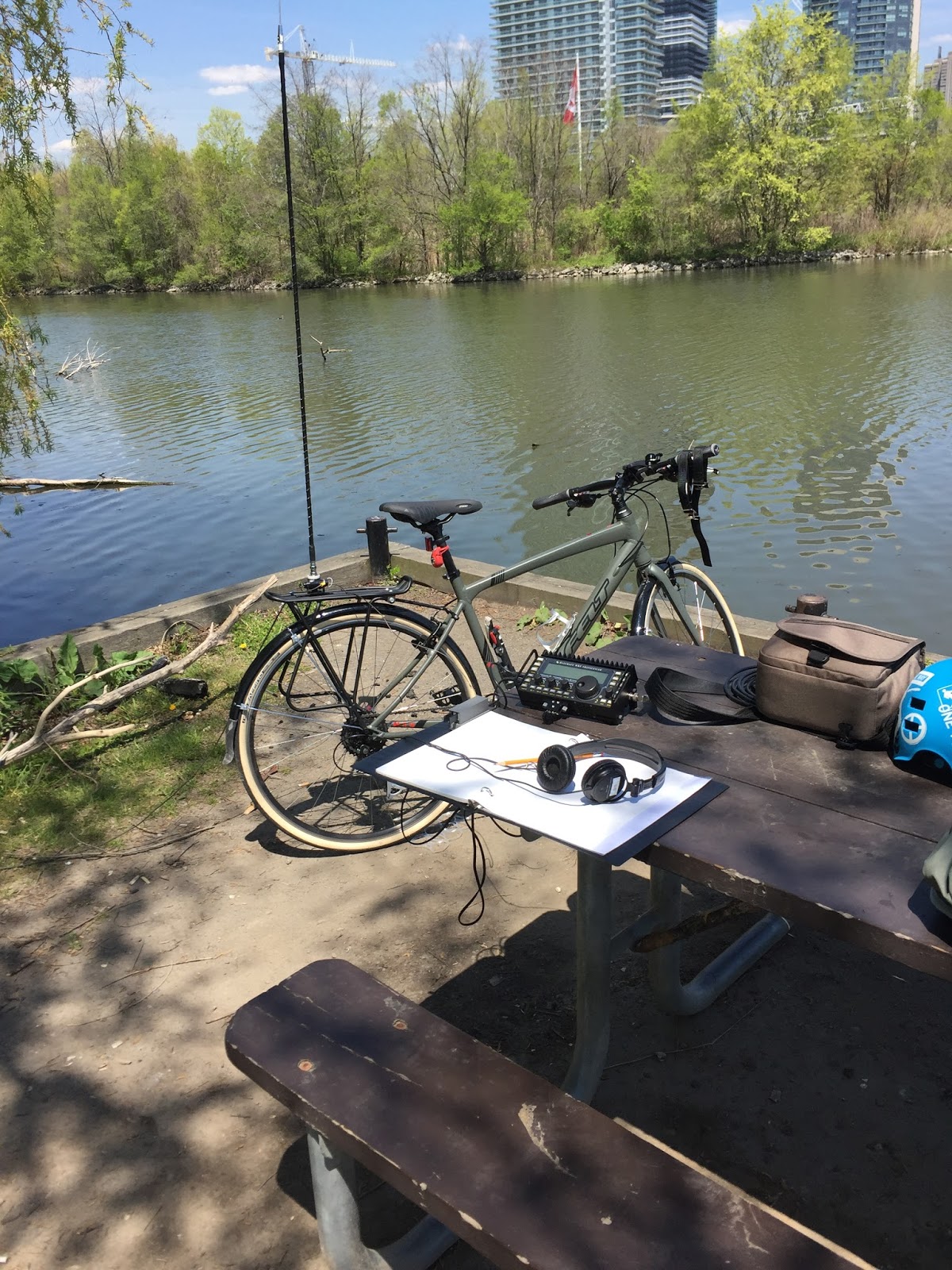 |
| The setup |
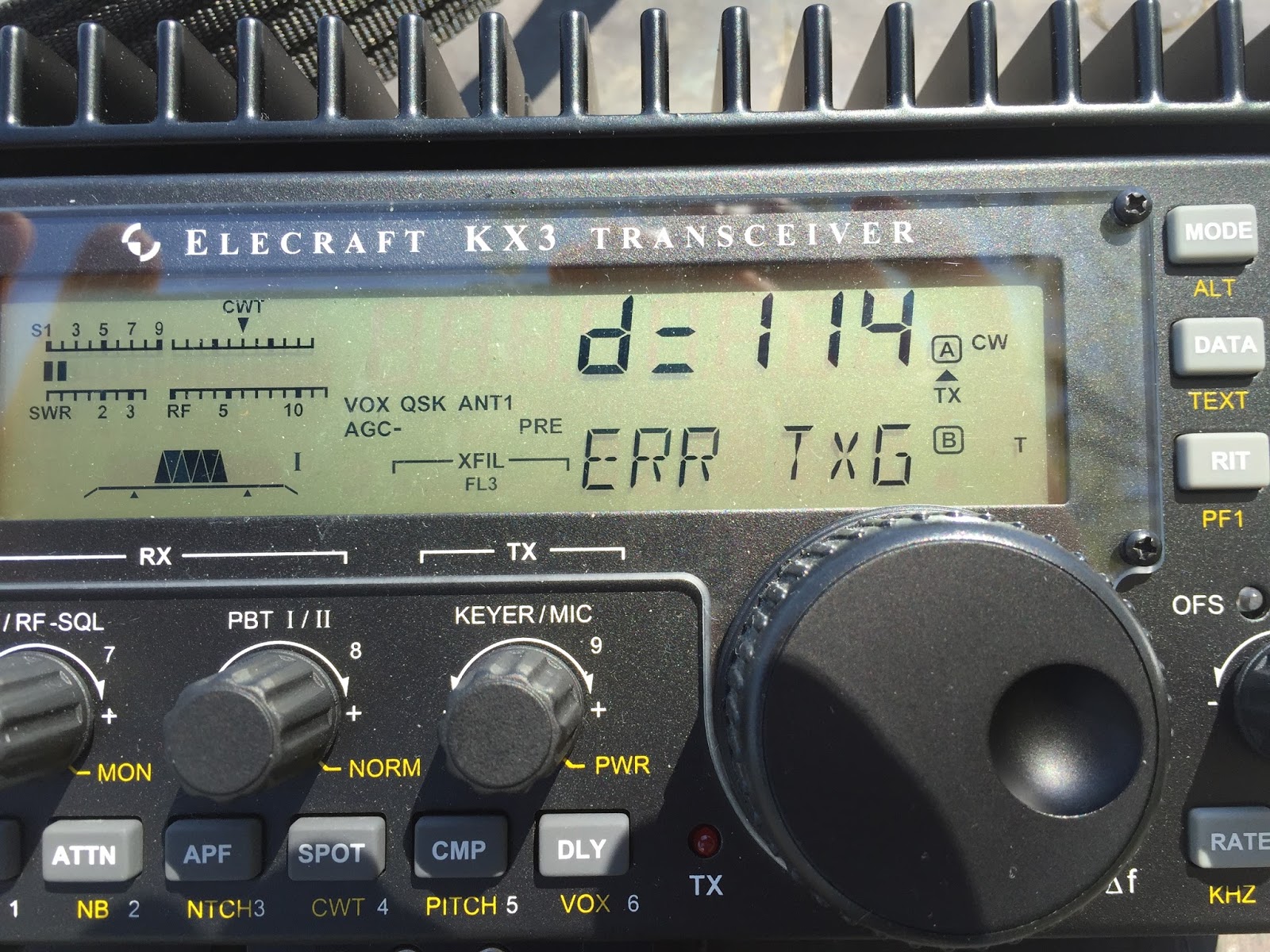 |
| The surprise error code |
This won’t take long…famous last words!

- Installed the new WD hard drive inserted Win7 CD and started the PC. The screen goes blank and PC shuts down!
- I reboot again and get a message “can’t read boot manager”
- I reboot again this time a blue screen and the message “ corrupt bios”
- I now remove the WD drive from PC and boot from the second drive in the PC (my drive for backup’s) with the Win7 CD all booted ok.
- I now figure the WD is bad but I put the WD drive back in on its own removing the Seagate drive just to make sure. Restart PC and it boots into the Win7 CD without issue.
- I now add the Seagate drive and restart and the PC screen once again goes blank and the PC shuts down.
- I Googled it and found out I may be powering both drives from the same daisy chain on the power supply and it can’t handle it. I have to power each drive from a separate daisy chain from the power supply.
- No problem I thought I will just plug in to a second daisy chain……it was too short!
- I had to move the drive down 3 bays which meant removing RAM and the video card.
- With that done the PC starts no problem and low and behold Win7 starts to install on the WD drive.
- Then all of a sudden part way through install I get a blue screen and a message “memory dump” and this is just an ongoing cycle!
- I went onto a PC forum site and was told to run a WD diagnostic program and I did and I was told my new drive was defective.
- Back to the store with bill in hand and a hard drive that is hours old.
- I was told at store that drive could not be returned as I did not have anti-static bag. I flipped and the exchange was made.
- Put the new drive in the PC and this time I ran the diagnostic program first (learned my lesson) and the drive passed.
- It then loaded Win7 without any issues and it was now time to start loading programs.
- I was told I can’t load this version as I am only running Win7 32 bit???? That’s very odd as I know without a doubt I was using the 64 bit version.
- Then it hit me……I installed my Win7 32 bit version and not the Win7 64 bit version!!!!!!
- So had to reformat the WD drive and start all over again. I installed Win7 64 bit and all went well with the software install.
- Finally I wanted to reformate the Seagate drive as it did have some programs on it from before. I wanted to use it to store my backups on.
- As I went to reformat the Seagate drive I got a message “not an active drive” whatever that means!!!!
- Back to the PC forum and I was guided on how to make the drive active and format it.
- So now I have a Seagate 1TB 32mb 7200 drive for backup and storage. The new Western Digital black 1TB 64gb 7200 drive as my main functioning drive.
When you backup it’s not all about going in reverse!

- Why even bother with a backup, it’s not a business computer, I have no crucial financial documents, I don’t store any pictures on my PC………let me stop here and say “have you EVER had to re-install you amateur radio software?” I just did and have done in the past, all I can say is “it can be a real pain in the ass”. You find a new respect for….
- Getting your software to seamlessly work with your rig again.
- Hoping your Eqsl, LOTW or Clublog is up to date so you don’t lose contacts.
- Sending out emails to get passwords so downloaded programs I paid for will work again.
- All your software’s niffy macros you worked so hard to tweak are now gone.
- Revisiting the virtual comport software program that worked well and now you have to figure it out again….the problem being you forgot how you got it to work great last time.
- So answering a loud and clear “YES” to the above question it’s time to check out the backup programs out there. I found lots of them and as stated earlier I wanted to avoid at all costs complicated ones. I chose Acronis 2016 and there are lots out there that I imagine are better or just as good but this is the one I chose. For me Acronis was easy to understand, walked you through your backup in detail and it worked!
- Where was I going to back up too……….my new hard drive is partitioned but it makes no sense to back up on the same drive that could end up failing? I have a second drive in my PC (Seagate 1TB) and that was my choice.
- Step 3 just seemed too easy and the more reading I did the more it was driven home……backup to more than one place and preferably 3 places! I ended up choosing my network Western digital 3TB external drive and a Western Digital passport USB drive. Oh and just for the record I have no connection to Western Digital…..:) From my readings one choice should be a “cloud” type storage. For me it was just too pricey and I have these drives at home and ready to use.
- I did a full backup of the drive including system reserve portion. This backup will always be kept as is, this way I have a copy of the drive just after a clean install of the OS and all programs.
- I have scheduled an incremental backup for once per month as I don’t change too much on my PC over the course of a month so I felt this length of time should be fine. I use Log40m and configured it to auto upload my QSO’s to club log, Eqsl and LOTW so I will not have uto be concerned with updating my log file it will be store in 3 places online.
- Each time a back is done the program will perform a “validation” of the backup. Having said this I have found when a failed validation has happened and I run it again the backup will then pass? Not too sure what’s up with that and may need more investigation.
- The PC is set to shut down once the backup is completed, this way I can leave and go to work.
- I receive an email once the backup is done along with a report.
- I did have the software set to repeat the backup if the validation fails but I found the software can get into a “loop” of backing up all day if a continued failed validation persists.













