Part 3 of ham radio and condo life

Failed Hy-gain tape dipole
Good Saturday afternoon readers and sorry for the tardiness with regards to finally getting around to part 3. Work has been very busy and not much computer or radio time! In this part I am going to look at the antennas I have used and I have used a lot of different configurations. I had some responses from those who live in condo townhouses I too have lived in a condo townhouse and had great success. Most townhouses up this way are of wood construction which is good news for the indoor antennas. If you have a multilevel townhouse you most likely have access to an attic. There may also be a back deck and or a small to medium backyard.
Let me begin by saying this segment on antennas assumes you are looking for something that is either hidden or looks like something it's not.
Most (but not mine) town homes have a garage and driveway to-which you park a car in. I have found a very simple way to get on the air is to put an antenna on your car and run coax out to it. Now having said that you don't want to run around town with a huge antenna on your car (maybe you ...but not me) There are many fast connect/disconnect mounts on the market. As for the antenna I have seen and did have a multi-band HF antenna. I did operate my home HF radio with a multi-band antenna.....yes I did say I had no driveway or garage but more on that in a minute. The antenna I used was something similar to the Comet UHV-6 mounted on my car. There is also the Hustler triband adapter to allow 3 Hustler resonators to be used at the same time. With these types of antennas or similar ones you can run coax out to your car in the driveway connect to the antenna and your on the air.
In my case my townhouse at the time did not have a driveway or garage it was a common car parking lot. So what I did was I buried LMR 400 in plastic tubing out to where my car was. I terminated the coax to an SO-239 in a small plastic box. The box was in a small bush and unseen. When I wanted to go on the air I connected a small jumper of coax from the box to my car antenna. I was able to use this for about 3 years.
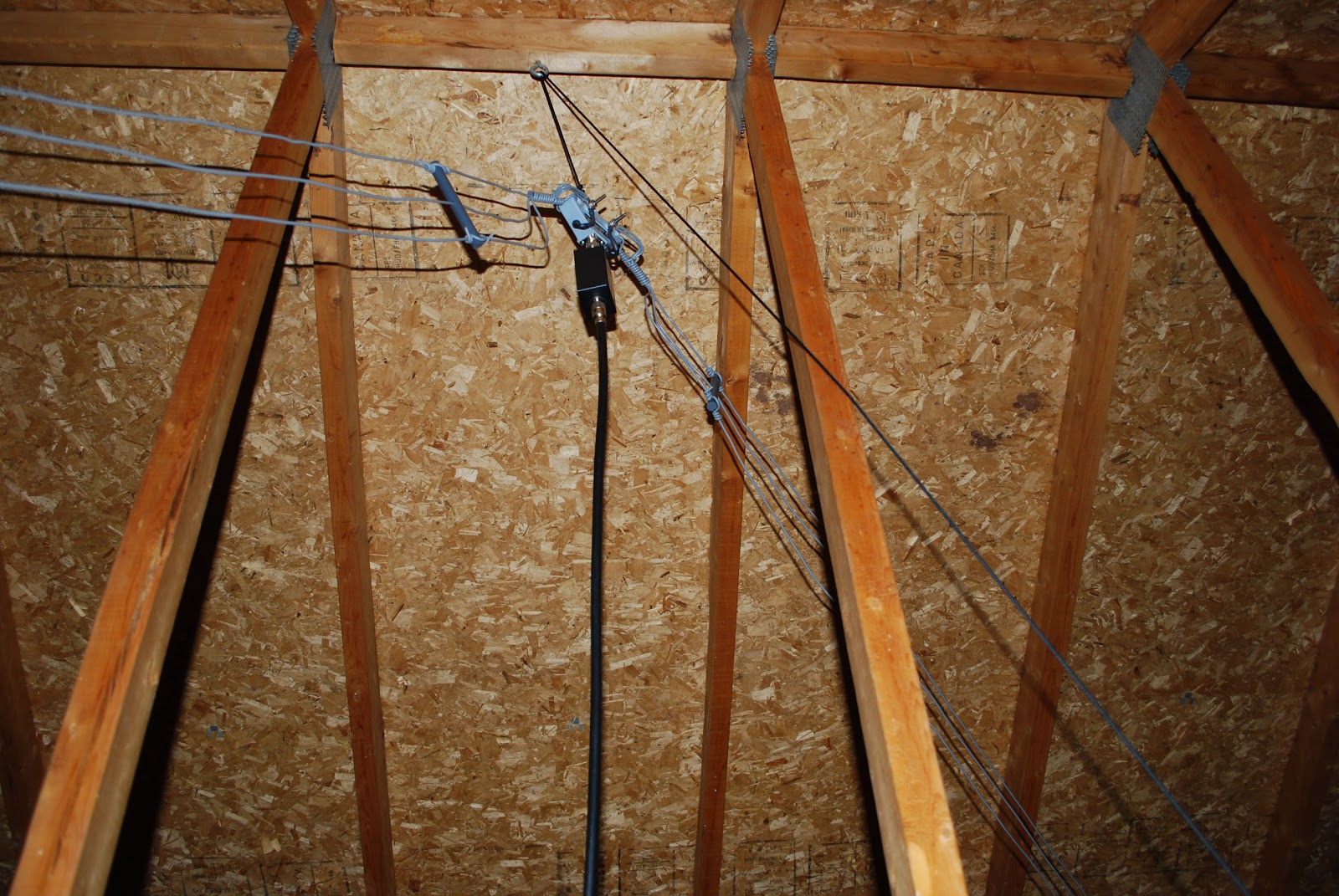
Attic DX-EE
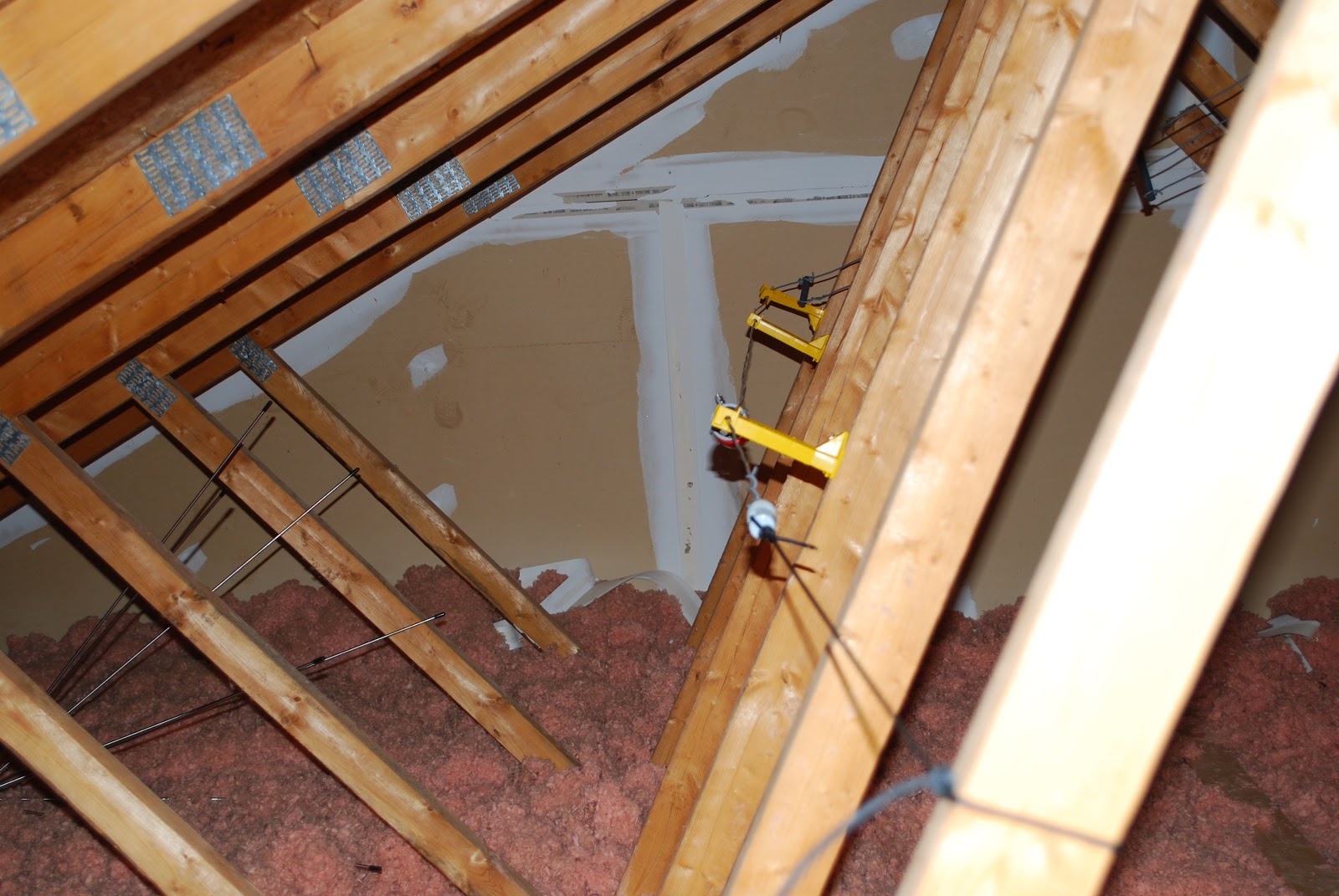
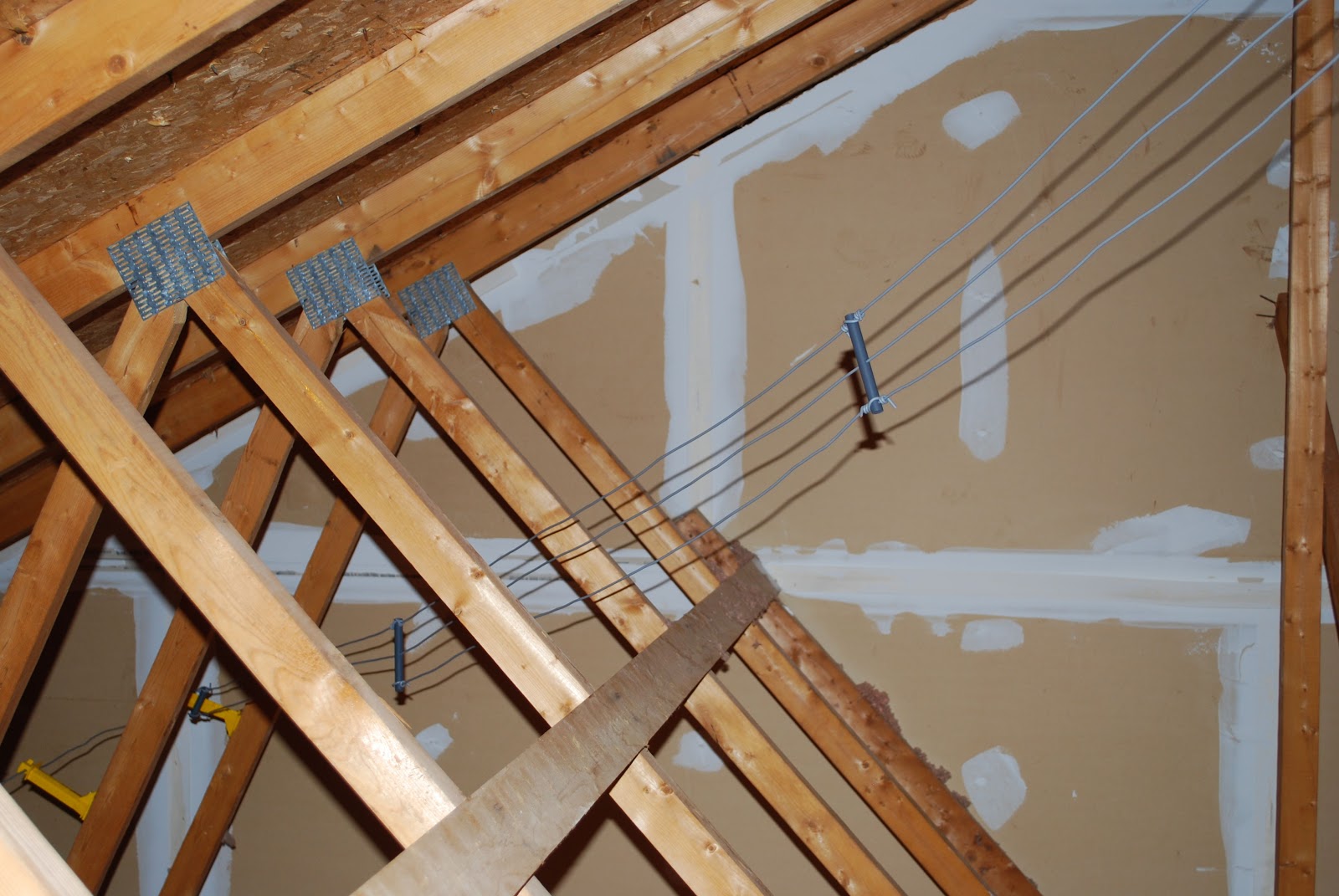
If you have an attic and I did in one of my town homes the best antenna for me was the Alpha Delta DX-EE. I mounted this antenna in my attic is a "Z" configuration. To mount it I used stand off's for electric fences. This antenna was very close to the roof and other wood 2x4 rafters but surprisingly I had no real issues with SWR. My Elecraft K3 radio has a great tuner in it when needed.
DX-EE stand offs
Another antenna configuration I tried in my attic was two mono band whip antennas set up as a dipole. This antenna was tricking to mount in the attic as it was very rigid and required room. It worked well but do to the space this antenna needed I was only able to get two separate
Weaving between rafters
antennas of this kind in the attic.
Backyard side kick
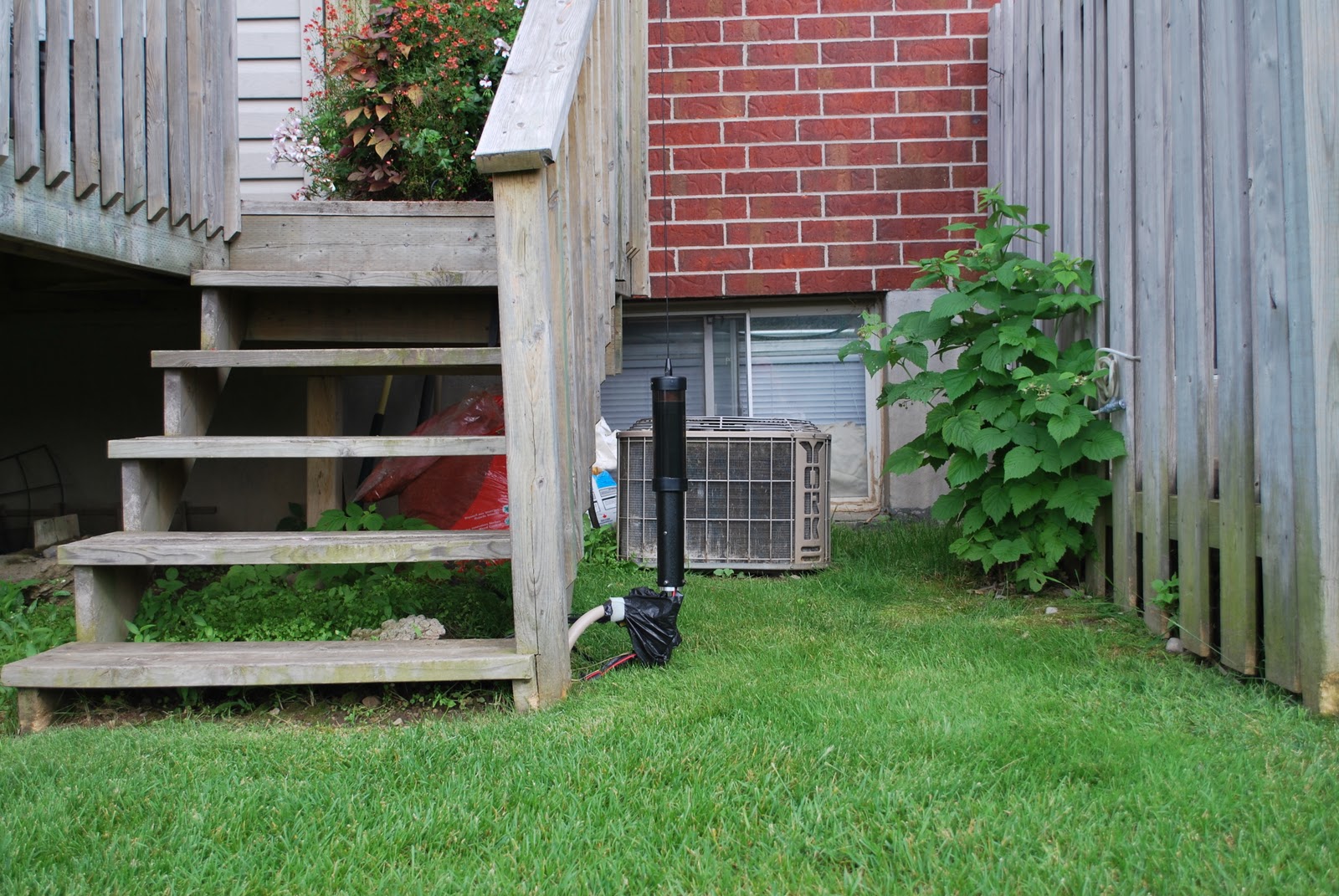
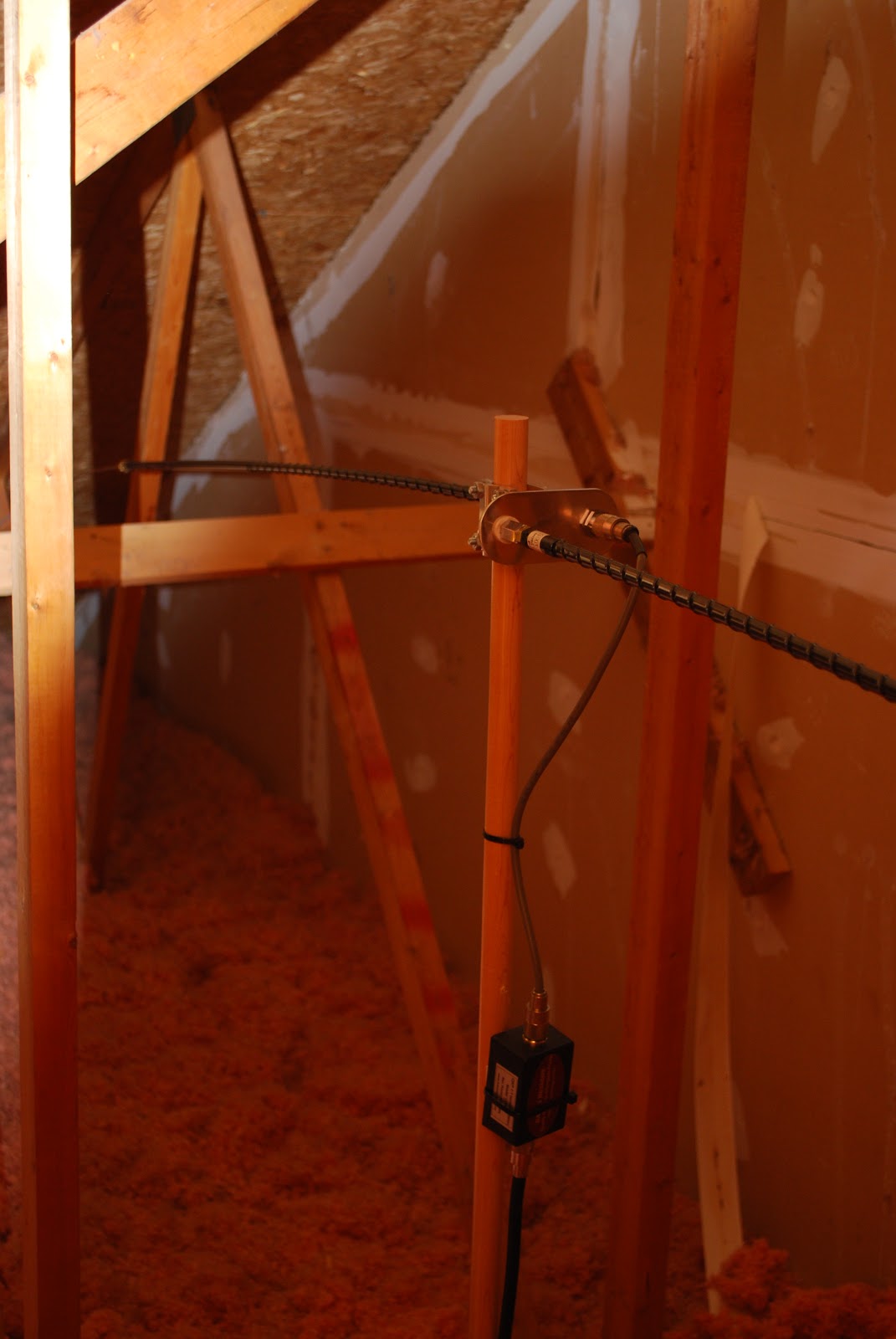
One antenna I had and tried in the attic but could not get it to work was the High Sierra sidekick antenna. I tried various ground radial configurations but could not get it to tune at all.
I did end up mounting the High Sierra sidekick antenna in the backyard close to our deck. It was in a very hard spot to see and I was able to remove the antenna when not in use and bring it in the house. I was able to conspicuously bury some radials and was able to get a decent SWR.
High Sierra attic attempt
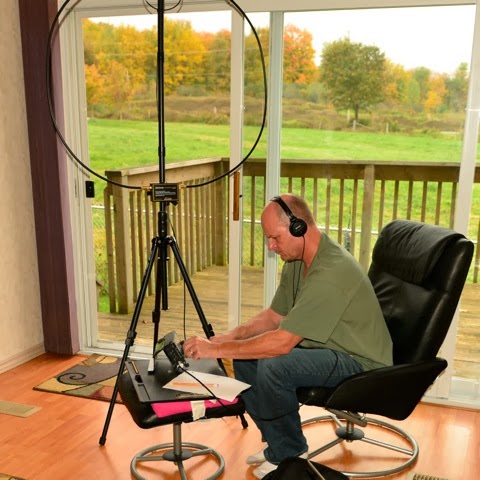
Because our condo town home was mainly wood construction I was also able to setup my Alex Loop in the living room by the patio sliding glass door and make some decent contacts. 
Mobile whip dipole

Alex loop in living room
Another failed antenna for me was the Hy-gain  tape dipole and I am not sure why it did work and the DX-EE did but it was worth a try. I had this antenna for some time so there was no money outlay but it just did not want to tune. Part 4 will be dealing with Ham radio in a condo apartment building and how I have successfully gotten on the air for the past 6 years.

PART 2 of ham radio and the condo life
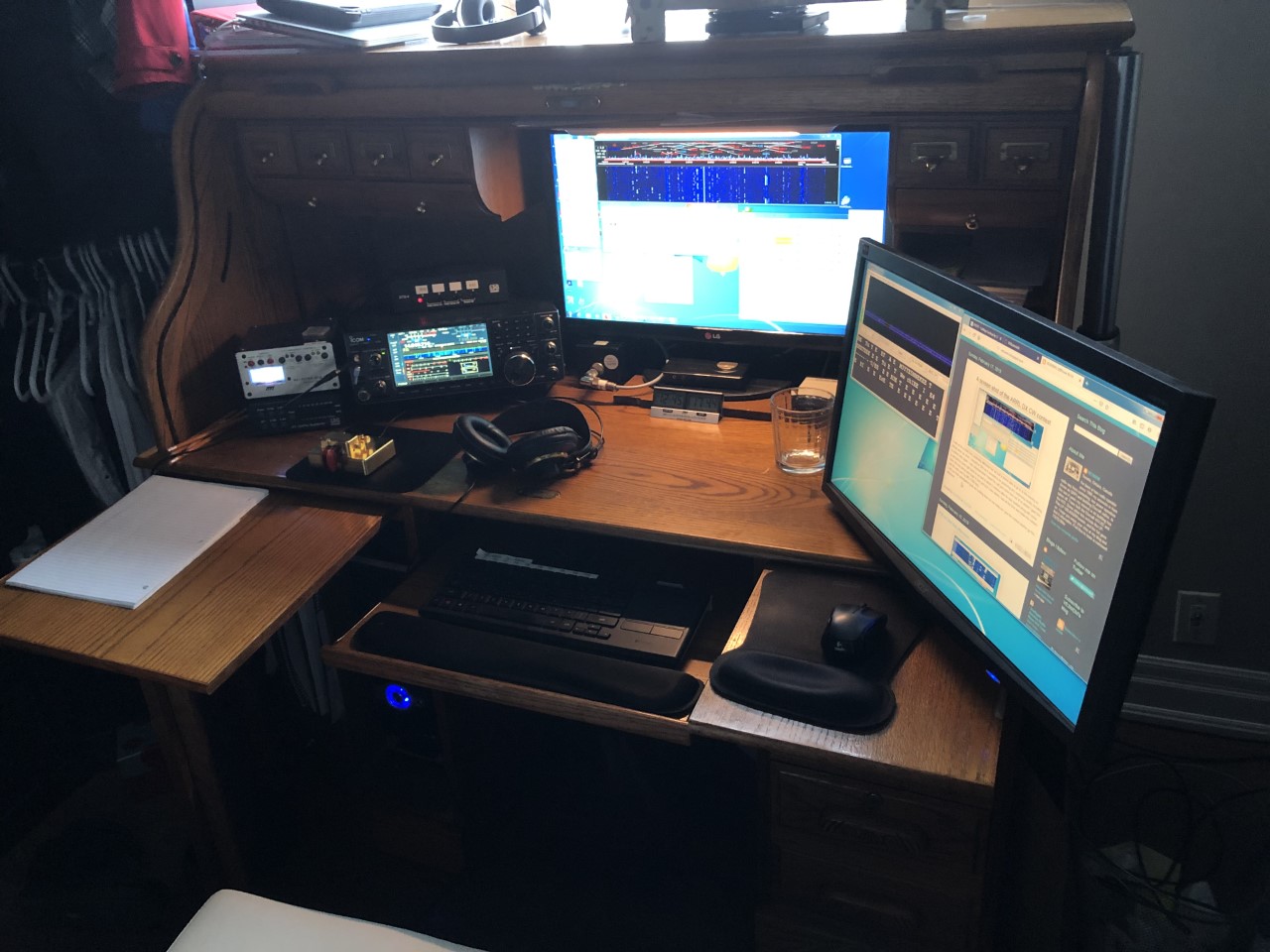
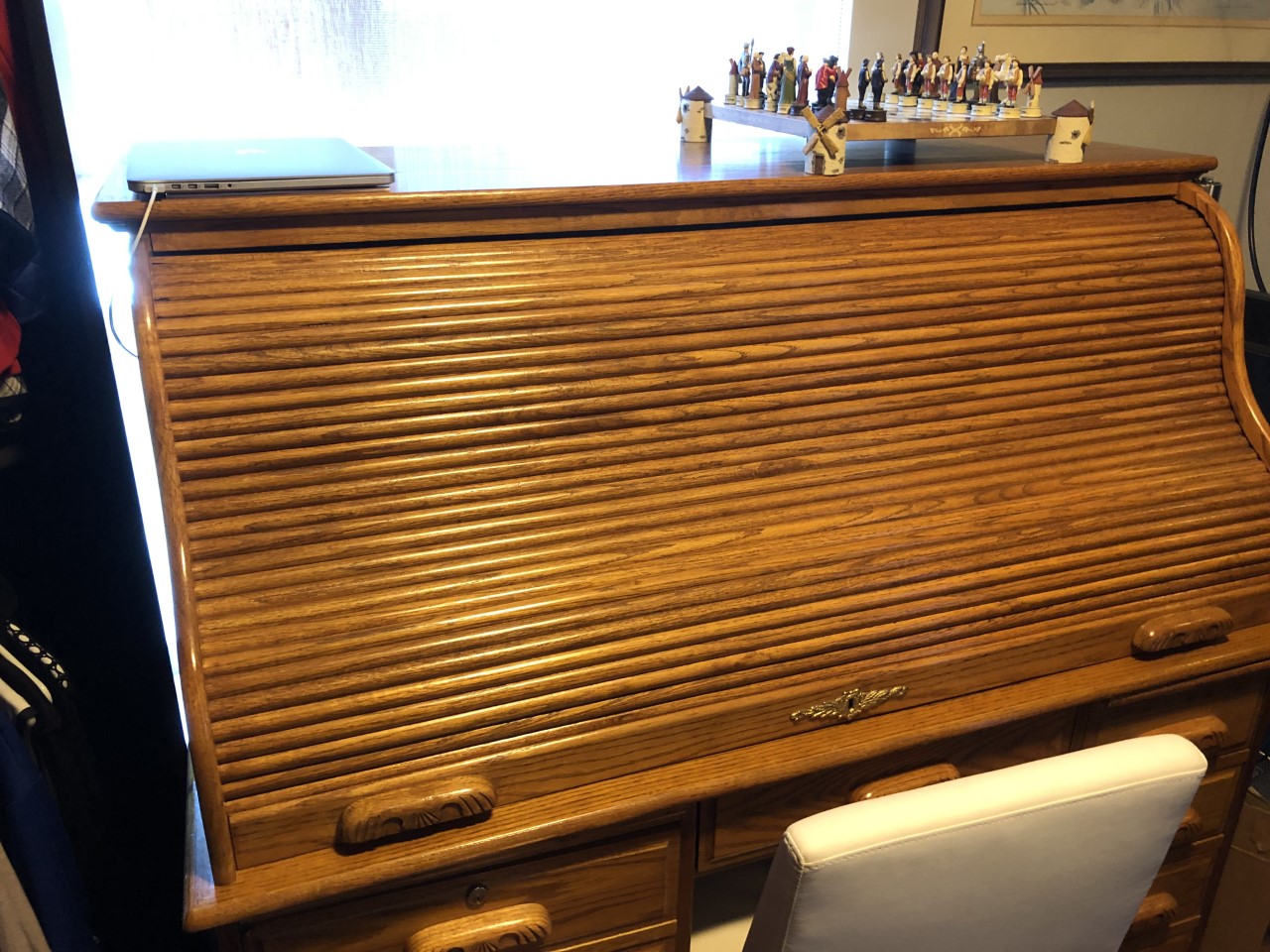
Roll-top open and it's a nice station setup
Good afternoon everyone.........today lets look at the condo itself shall we?  Mixing ham radio and condo living does not mean you have to start looking for a new hobby! It's true there is no more tower with a Yagi on it but with condo living you may gain height anywhere from 30 to possibly 400 feet up. In my case I am at the 180 foot level in my previous condo I was at the 60 foot level. Most condos have a balcony of various sizes which can serve as a spot to place an antenna. In my case because this place is built like a brick you know what and there is some type of glazing on the windows that just does not allow me to operate with an indoor antenna. I have tried the loop indoors and I get no hits from reverse beacon network and no answer when operating FT8 and no digi reports on WSPR. In the past I was in a smaller wood construction unit and I had no issues placing my mag loop indoors and operating QRP. Also the smaller wood construction units may also give you access to an attic. This was the case for me and I did very well with multiple antennas in the attic. More on antennas in up coming condo life posts. Indoor space is also another consideration as you have to incorporate your station in a smaller living space. My solution to this issue was to use a nice roll-top desk. I am able to have all my radio equipment under the cover of a nice piece of furniture and when I roll the top up it's my station. Running coax out to the antenna can be a challenge, in this unit my roll-top is in the spare bedroom. The coax leaves the room under cover of a Persian run in the
Ham radio gone under cover
hallway. Into the master bedroom (under the baseboard at the doorway) then behind the dresser (out of site out of mind) and then onto the balcony as we have 2 sliding glass doors onto balconies. How might you ask does one get the coax out the balcony door?? More about that in a followup condo life post. So in a condo you may have an attic to use, if wood construction indoor antenna may be a possibility? Even in a solid concrete condo give an indoor antenna a go you may be surprised. You can take full advantage of height depending what floor you are on. Finally you may have a balcony were you can allow you mind to percolate as to how and what antenna to use. Speaking of antennas the next "Ham radio and the condo life" I will be looking at my experiences with antennas some failures and other successes.    

Ham radio and the condo life

Ham radio from a city condo…….I have been doing it for close to 7 years now and it does have it’s challenges. I have had great success with some cool world wide contacts. In Canada it’s tough to get into the housing market right out of the gate so many younger ham’s are getting their foot into the market with condo living. Then those ham’s who are retiring and want to downsize are considering condo life as well. I am here to say that in condo life there is also ham radio!!

Before we talk about the nuts and bolts of condo ham radio lets deal with some of the basics. I have always found it avoids condo board letters if you read and understand the rules and guidelines of your particular condo. Yes get used to it if you are going to move into a condo there are rules and expectations. What does this have to do with ham radio………well if you are seen as a respectful owner (or renter) of the condo board, residents and property it can go a long way.

For example most condo guidelines (nice condo word for RULES) do not allow “permanent antennas” on the balcony. This rule is yes for Amateur radio antennas but I believe the condo is concerned about the mini satellite dishes springing up or HD antennas. Just one of many challenges a condo radio op has to creatively deal with. In my case I have the MFJ 1788 mag loop and in my newest condo (6 months now) the antenna is portable and it not  “permanently” mounted on the balcony. In my humble opinion having a low key antenna is important. Having whip antennas extending over the balcony or wires making their way down the side of the building just invites a letter from you know who from the office of your know where!!  Like it or not we are all human and once this happens you have the microscope on you…..not a very nice situation to be in.

In a condo your fellow “condo-ites” are very close to you and that means RFI on your part but also on their part as well with all the unfiltered electronics on the market today. The positive outcome to this is you will become very knowledgeable on dealing with RFI. Oh and a word of advise…..I have read this in the past “go see your neighbor and suggest installing filters on their electronics” Up here in the land of snow and proverbial “thank you” we always say to apparently to everything……there is no thank you response from someone you are asking to tamper with their electronics. Rigs these days have excellent filtering and that are some accessories you can purchase to knock out the worst of offender.

Well that is enough for today….in posts to follow I am going to look at RFI, power output and no as a condo dweller you are not a QPRer for life………..nothing wrong with that either!! What antennas I have had that work, some of the better modes (not just digi either)  to work and last but not least what happens if your in a situation were absolutely operating is possible, well I am here to say that you will still be able to get on the air in you condo on HF working DX!
Stay tuned.


ARRL DX CW 2019 in the books

The setup
Well the ARRL DX CW has come and gone for 2019 and my effort was one of interest only. I knew I had non radio related things to do this weekend and we were out each evening. Actually the contest caught me by surprise as I usually plan ahead and make time. This week I was checking WA7BNM contest site and was shocked to see the contest was this weekend! This was the first real contest run for my new IC7610 rig. Now I am used to the Elecraft K3 but honestly the 7610 preformed for me just as good as my K3 did. I left the filter set at 250Hz and never had any issues when Kilo watt  contesters were side by side belting out their call. The waterfall  on the 7610 was par with my old Elecraft P3 also it was an added bonus that N1MM+ has a spectrum scope fed directly from the 7610. Having the two independent receivers was nice. When I found rare DX but there was a pileup I left one receiver there and checked in now and then. With the other receiver I would continue the search and pounce. I had been away from the 7610 for about 2 weeks regarding CW operating so I at times found I was slow to figure out how some functions were done.
As for the contest I was running 60 watts (not sure of reason for the 60 watt number) and my antenna is the MFJ 1788 mag loop. I am in a condo so it’s a balcony antenna about 180 feet up facing south east. The software was N1MM+ and MRP40 CW decoder for the super fast fisted contesters. On Sunday the winds for some reason really picked up and my MFJ loop was moving around the balcony. I shut the radio down and took it in I would rather save the antenna from damage than taking a chance on getting more contacts.
I made only 25 contact and a score of 1575 BUT my intention was not to blow the doors off  with a great score. Instead after I made contact with a station I would look them up on QRZ.COM and read about either the individual or the contest station. Over all the limited time I was in the contest I had a blast and was very please with the Icom 7610 and the ability of my balcony mounted Mag loop antenna.


VE3WDM's QRPower BLOG 2019-02-17 17:03:00
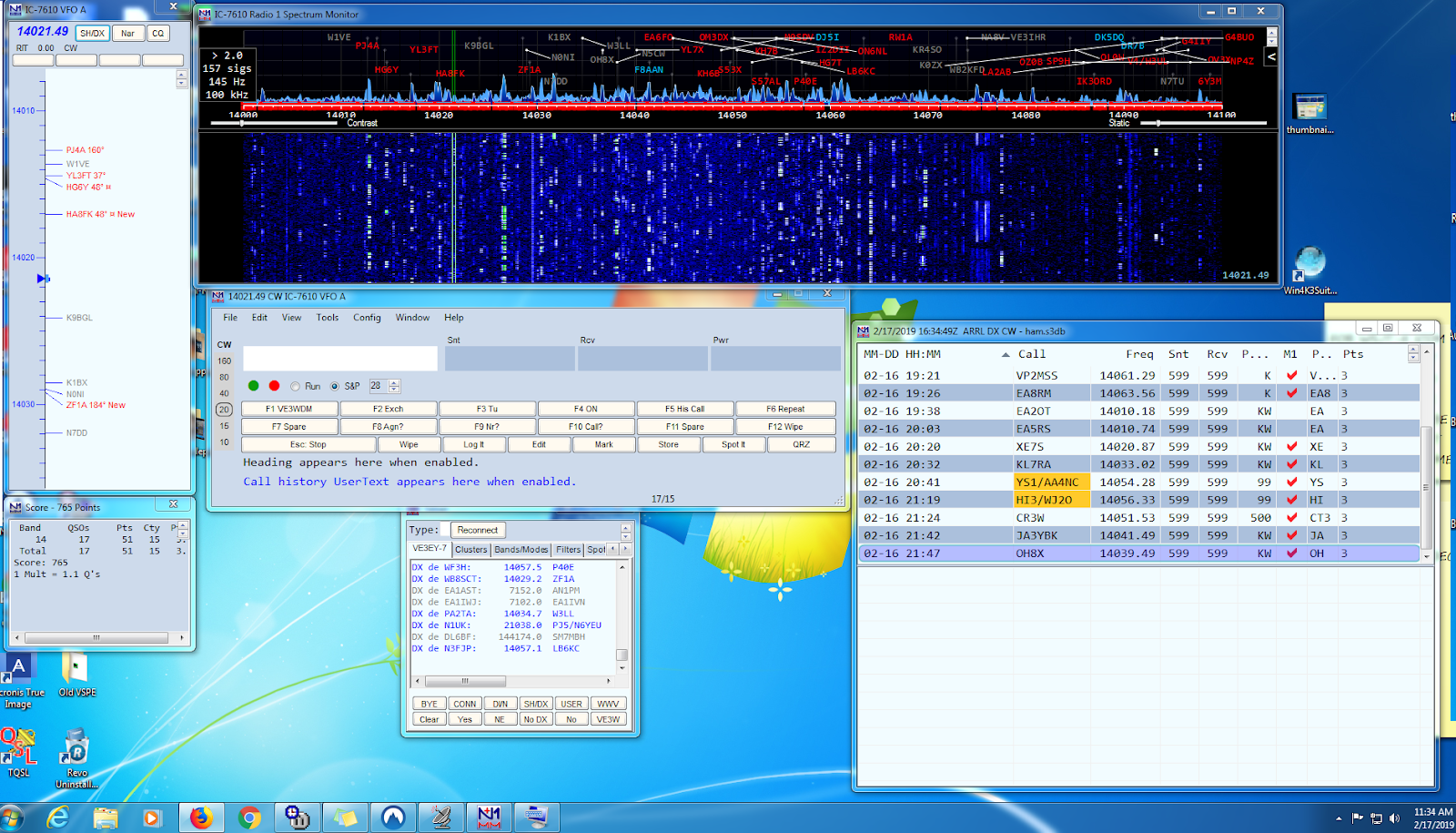
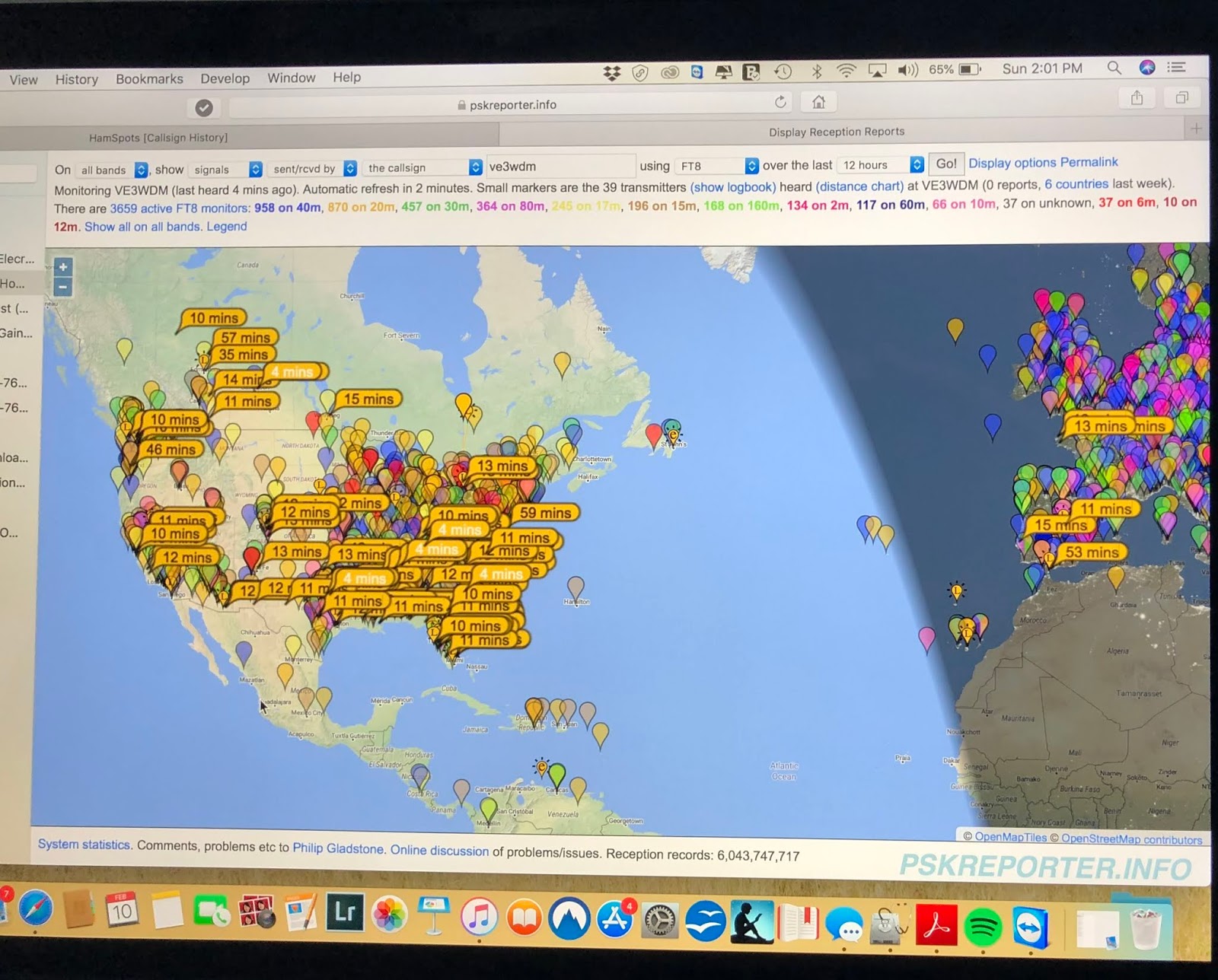
A screen shot of the ARRL DX CW contest
I was on for a short time yesterday afternoon but we had a dinner date to go to in the evening so things were cut short. I stayed on 20m as it seemed to be producing very surprising results including a contact into Japan. I was shocked when I heard his call just come from out of no where! I gave him a call and he came right back to me and in about 5 minutes after he was spotted along with some other JA's the pileup was huge. It was just luck I was where I was at the time and made the contact with 60 watts and my MFJ 1788 loop.
I will see if the propagation gods are smiling down on me today as I give the contest another go this afternoon.

FT8 on 20m this afternoon

I was able to find some spare time this afternoon and in true ham radio spirit I hauled out the MFJ mag loop set it up on the balcony and gave FT8 a go on 20m. Last week I finalized the setup of WSJT-X 2.0 and my rig the Icom 7610. Once all the settings are looked after running WSJT-X with the 7610 is a breeze. I was spotted all over the U.S. and Canada and even into Europe while on 20m. I did make 3 U.S contacts but only logged 2 as I at first did not have the setting in Reporting "Log Automatically" or "Prompt me to log QSO" Unfortunately my memory is not what I think it to be and  I lost the first contact by forgetting to log it. So it was then that I went to Settings-reporting and checked the box "Log automatically" I was excited to see my FT8 signal was heard in France, Spain and Portugal. Over all it was a very relaxing day on the radio!
I found this site that offers some great FT8 tips:

I did remove the tick from the "auto Seq" box as by doing this it did give me somewhat of a feeling of interaction with the QSO. This evening it's going to be a cup of Earl Grey tea and go over the WSJT-X 2.0 manual very closely and see what I can glean from it. Also search out some writeup's on the internet for more tips with this mode. 


SDR Transceiver up for sale!

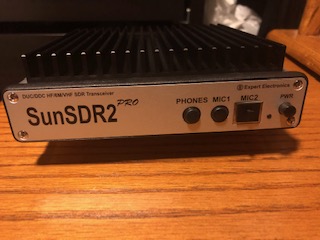
I have a 7 month old Expert Electronics Sun SDR2 pro transceiver and the E-coder for sale. It is in mint condition, non smoking environment and with about 10 hours max of operating time. The reason for selling the unit is I received an Icom 7610 for Christmas and I can't justify having both radios as the SDR2 pro is just sitting on the desk doing nothing. 
New the radio and encoder sell for 2,500.00 Canadian for the 7 month old radio and encoder I am asking 1800.00 Canadian. Weil ship to U.S and Canada only. 

Main capabilities
  • Independent RX path based on DDC (Direct Down-Conversion) architecture
  • Independent TX path based on DUC (Direct Up-Conversion) architecture
  • 2 software RXs + SubRX for each of them (4 slices total) + independent wide-band Band-scope up to 80 MHz
  • Remote control operation, using it, you connect PTT and CW-key to the E-Coder panel. Microphone and E-Coder are connected to the remotely set up PC
  • TCI interface or seamless connection with third-party software like SDC (with its own Skimmer), LogHXSWISSLOG and RUMlog, more are coming
  • Professional TX processing module provides the most advanced tuning capability for voice operation
  • ExtCTRL connector to control external devices with 8 powerful keys with open collector
  • ALC connector for external power amplifiers*
  • Supports use of VHF transverters**
  • An opportunity to use the transceiver as a signal generator via DAC OUT connector (SMA connector)
  • An opportunity to use external filters in the middle of the RF path, using ADC IN and RX OUT (SMA connector)
  • Small delay in CW mode (about 10 ms)
  • Input for external 10 MHz reference oscillator
  • An opportunity to use the transceiver in SO2V mode
  • Full duplex or half duplex modes***
  • Antenna switch with 2 HF antenna connectors and separate VHF antenna connector (Mini UHF connectors)
  • Internal power-meter for HF and VHF bands and SWR-meter for HF band
  • Ethernet LAN interface provides fast and reliable connection to PC
  • 20 watts on HF and 8 watts on VHF.
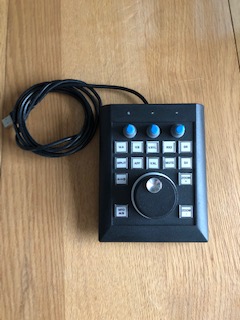
I am also selling with it the radio the E-Coder plus which has:
  • 14 programable buttons with 60 possible programming options 
  • 3 programable encoder knobs with 13 possible programming options
  • 1 optical encoder tuning knob 
For an unbiased review of the radio go to Eham reviews and there you will find 11 reviews all giving the radio a 5.0.  
2 Receivers in action 
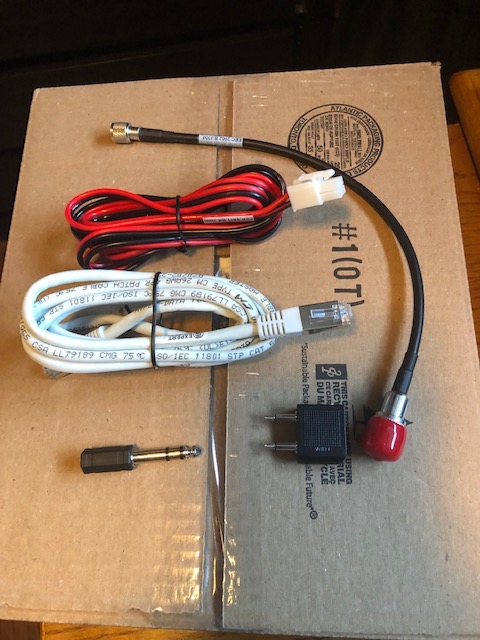
All cables

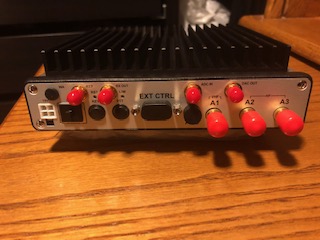
Rear view

E-coder

Subscribe FREE to AmateurRadio.com's
Amateur Radio Newsletter

 
We never share your e-mail address.


Do you like to write?
Interesting project to share?
Helpful tips and ideas for other hams?

Submit an article and we will review it for publication on AmateurRadio.com!

Have a ham radio product or service?
Consider advertising on our site.

Are you a reporter covering ham radio?
Find ham radio experts for your story.

How to Set Up a Ham Radio Blog
Get started in less than 15 minutes!


  • Matt W1MST, Managing Editor