Author Archive
 Time to update!
 June 9th, 2019 |
  Author:
 Today was my time to sit down at the PC and check out what amateur radio programs needed updating........now this has always lead me into a computer/software adventure. I use the word "adventure" loosely as it's more like a grey hair adventure. The programs I planned to tackle were:
- N1MM+ my contesting program
- WSJT-X my digi program
- JTDX my digi program I am testing out to see if I like it over WSJT-X
- Amateur contact log my logging program and sometime contest program
- WSJT-X JTAlert
- Win4icom my Icom 7610 radio control program
- Win4K3 my Elecraft KX3 radio control program
After I had finished with all that excitement it was then time to do a Windows update (running windows 7 64 bit pro), virus software which is Bitedefender and malware software which is Malwarebytes.
The first program I tackled was N1MM+ contest program and this was one program I have updated many times in the past without issue. I thought this would be a nice place to start off the whole process. I had everything updated and install. When I started the program I was greeted with the message below on my PC.
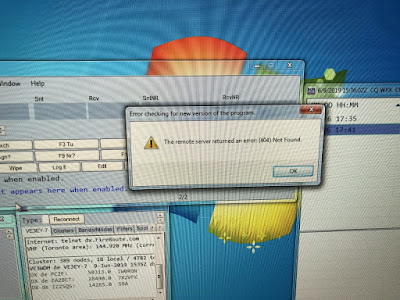 It read "The remote server returned an error (404) Not found" so it would seem for some reason the great option this programs offers that it looks for new updates to the program and it informs you has an issue. I am not sure if this is my issue or one with N1MM+ site. I will be later today posting on the N1MM+ user site for further info.
I then moved onto Win4icom radio control program for it's latest and greatest! All downloaded just fine and then when I started the program all was well and it connected with my rig no problem. I then tried to connect my logging program and Win4icom was not able to connect to it. I then went to the settings page of Win4icom and was greeted with the message below:
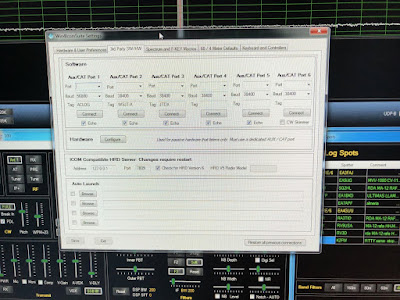 All of my Aux/CAT ports were now blank but fortunately this has happened to me in the past and I now keep track of the port assignments. This was not a big deal but it still takes time to redo the whole deal.
My next task was to upgrade WSJT-X to the latest and greatest 2.1.0 rc7 and once done and I started it for the first time I was greeted with the message below:
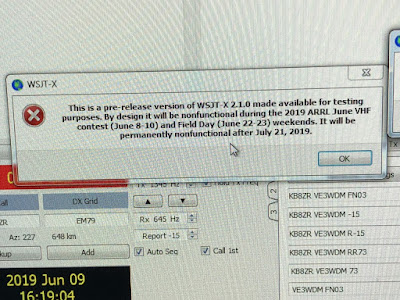 In a nut shell it was telling me (which I knew) that this program was a per-release version but also (which I did not know) this program was not going to run this weekend. Since I wanted to see how all my programs were getting along this was not going to do. So I just uninstalled this program BUT it seemed to uninstall ALL my previous WSJT-X programs so it was time to start from scratch and install the version I was using. Fortunately the DLL file was in-tacked and all my settings were loading and I was up and running in no time.
To keep track of my ports, order of program start up and some common problem fixes I have post it notes on the PC desktop.
 Win4k3 was very smooth but it has never been setup to communicate with any other programs at this point it just a stand alone program that controls my Elecraft KX3. WSJT-X JTAlert was the smoothest off all the programs to update. The windows updates, malware update and scan and the bitedefender scan went off without a hitch. I was going to type that I was "all set to go" BUT software can be a funny thing and so I am just going to just leave to a warm fuzzy feeling inside and that's it.
- N1MM+ my contesting program
- WSJT-X my digi program
- JTDX my digi program I am testing out to see if I like it over WSJT-X
- Amateur contact log my logging program and sometime contest program
- WSJT-X JTAlert
- Win4icom my Icom 7610 radio control program
- Win4K3 my Elecraft KX3 radio control program
After I had finished with all that excitement it was then time to do a Windows update (running windows 7 64 bit pro), virus software which is Bitedefender and malware software which is Malwarebytes.
The first program I tackled was N1MM+ contest program and this was one program I have updated many times in the past without issue. I thought this would be a nice place to start off the whole process. I had everything updated and install. When I started the program I was greeted with the message below on my PC.
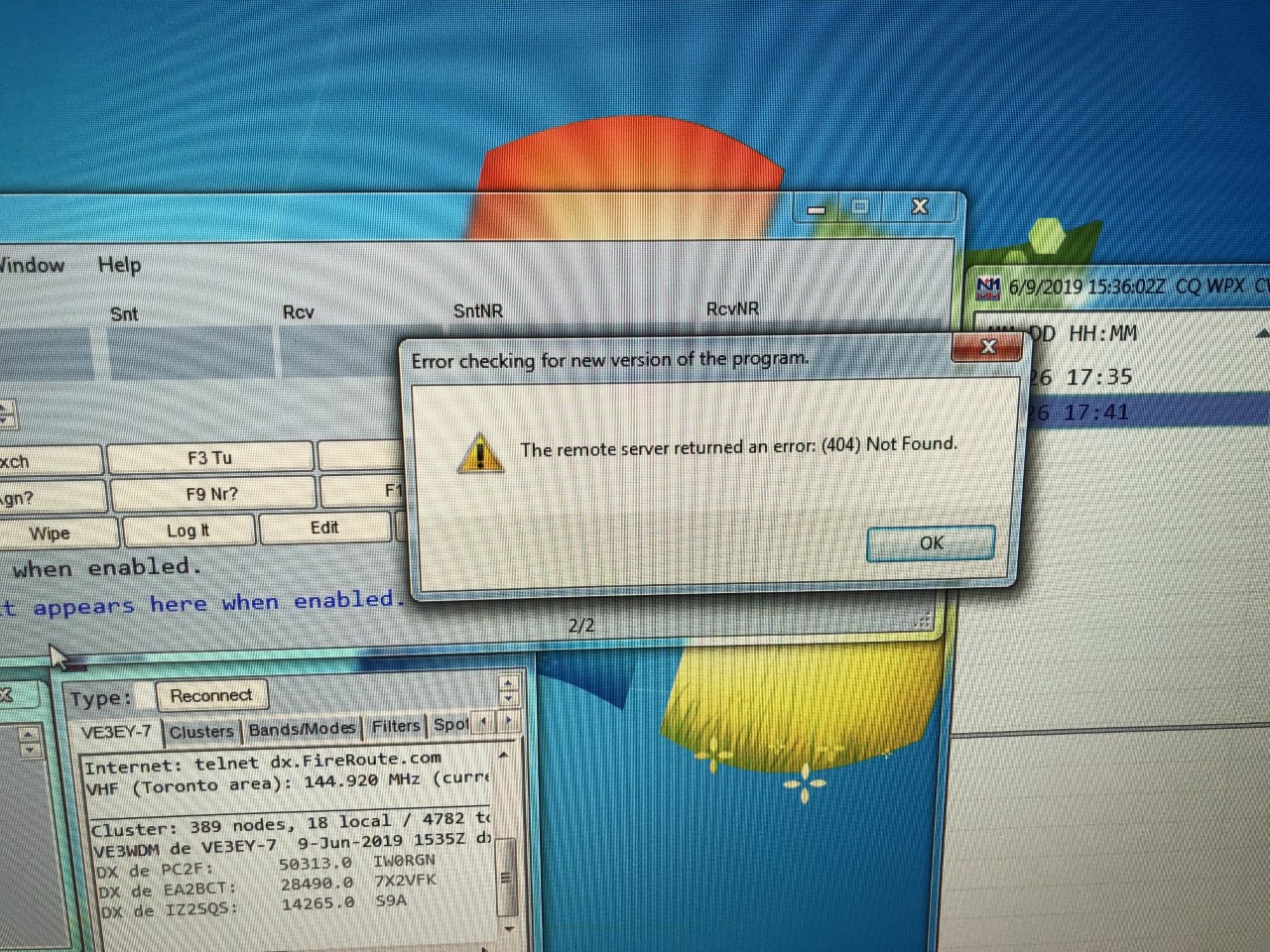
I then moved onto Win4icom radio control program for it's latest and greatest! All downloaded just fine and then when I started the program all was well and it connected with my rig no problem. I then tried to connect my logging program and Win4icom was not able to connect to it. I then went to the settings page of Win4icom and was greeted with the message below:
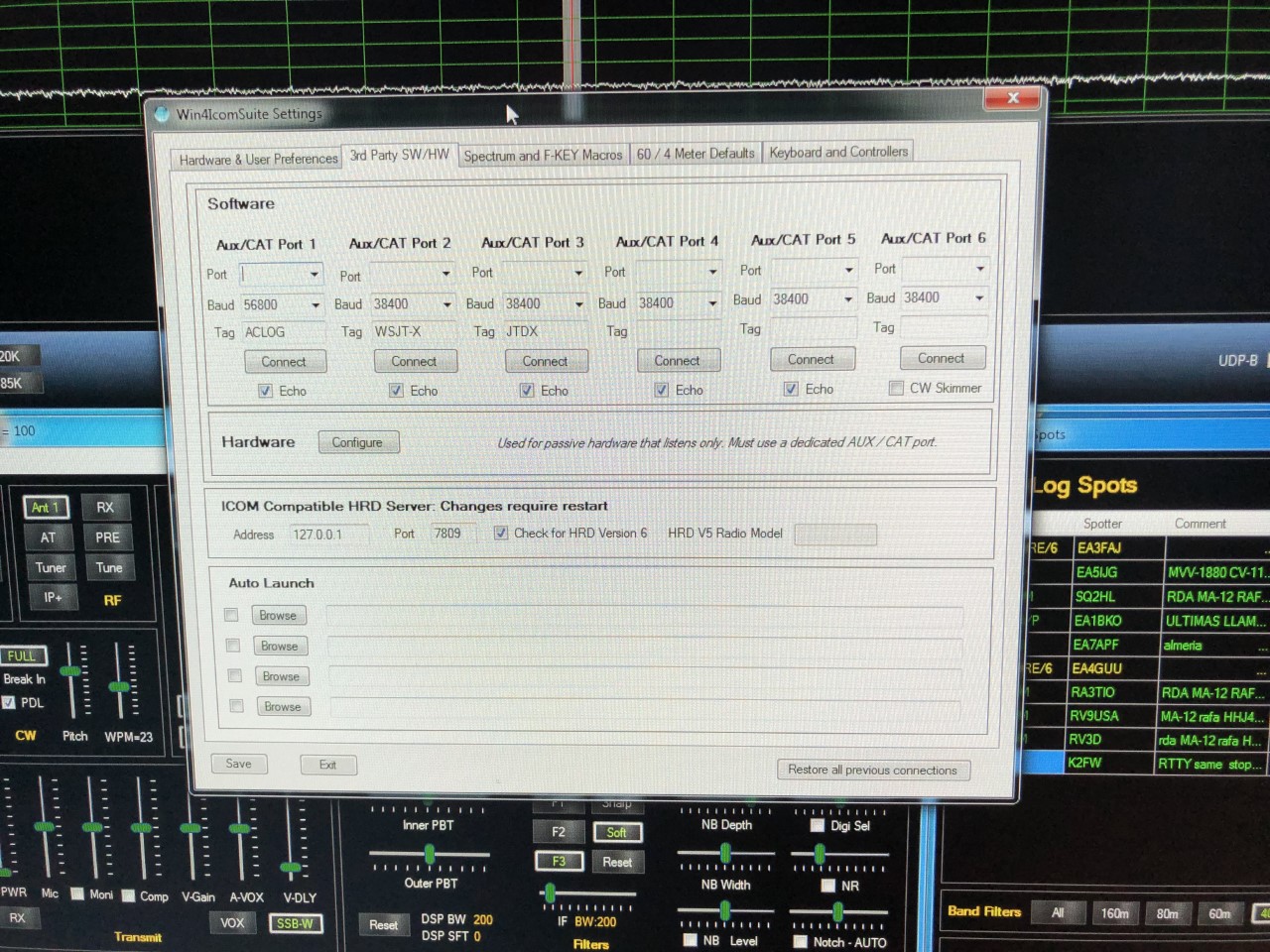
My next task was to upgrade WSJT-X to the latest and greatest 2.1.0 rc7 and once done and I started it for the first time I was greeted with the message below:
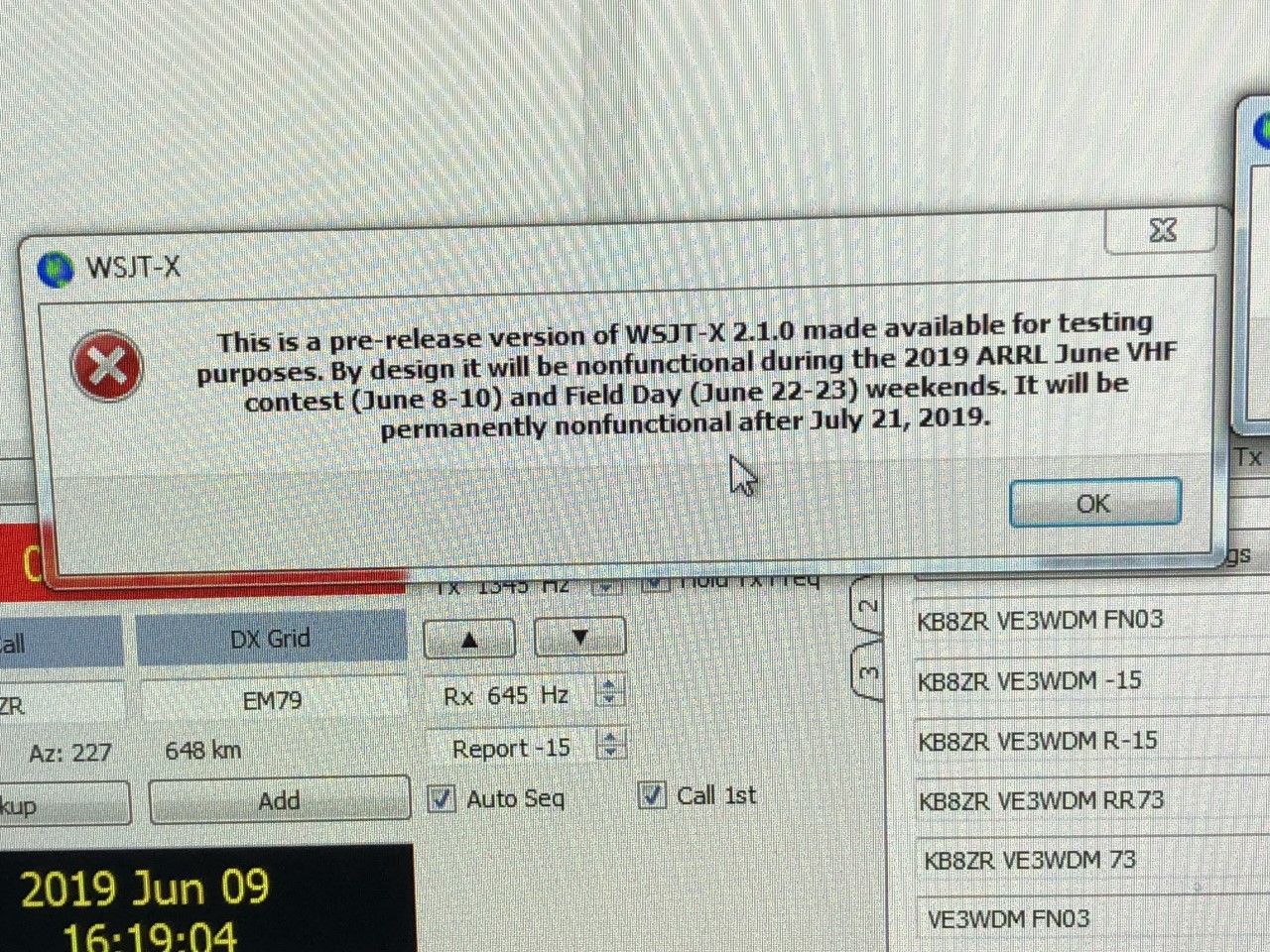
To keep track of my ports, order of program start up and some common problem fixes I have post it notes on the PC desktop.

Blogging……has it seen it’s time?

Well the news is out!
Elecraft has added some “eye candy” to Dayton the Elecraft K4! My email inbox has gone from an average daily count of about 25 emails to a new high of 80 to 100! The Elecraft reflector being the new leader for my inbox. I’m not going to get into the specifics as that has been all over the internet and blogs. It’s nice to see Elecraft enter this new phase in their product line.....am I going to rush out and purchase a K4.......nope. I am happy with my Elecraft KX3 and the Icom7610. For those of you out there who were considering an Elecraft rig now may be the time as I assume there are going to be those who are selling their K3 or K3S to get cash for a nice new shiny Elecraft K4.
A new “touch” paddle for the shack.
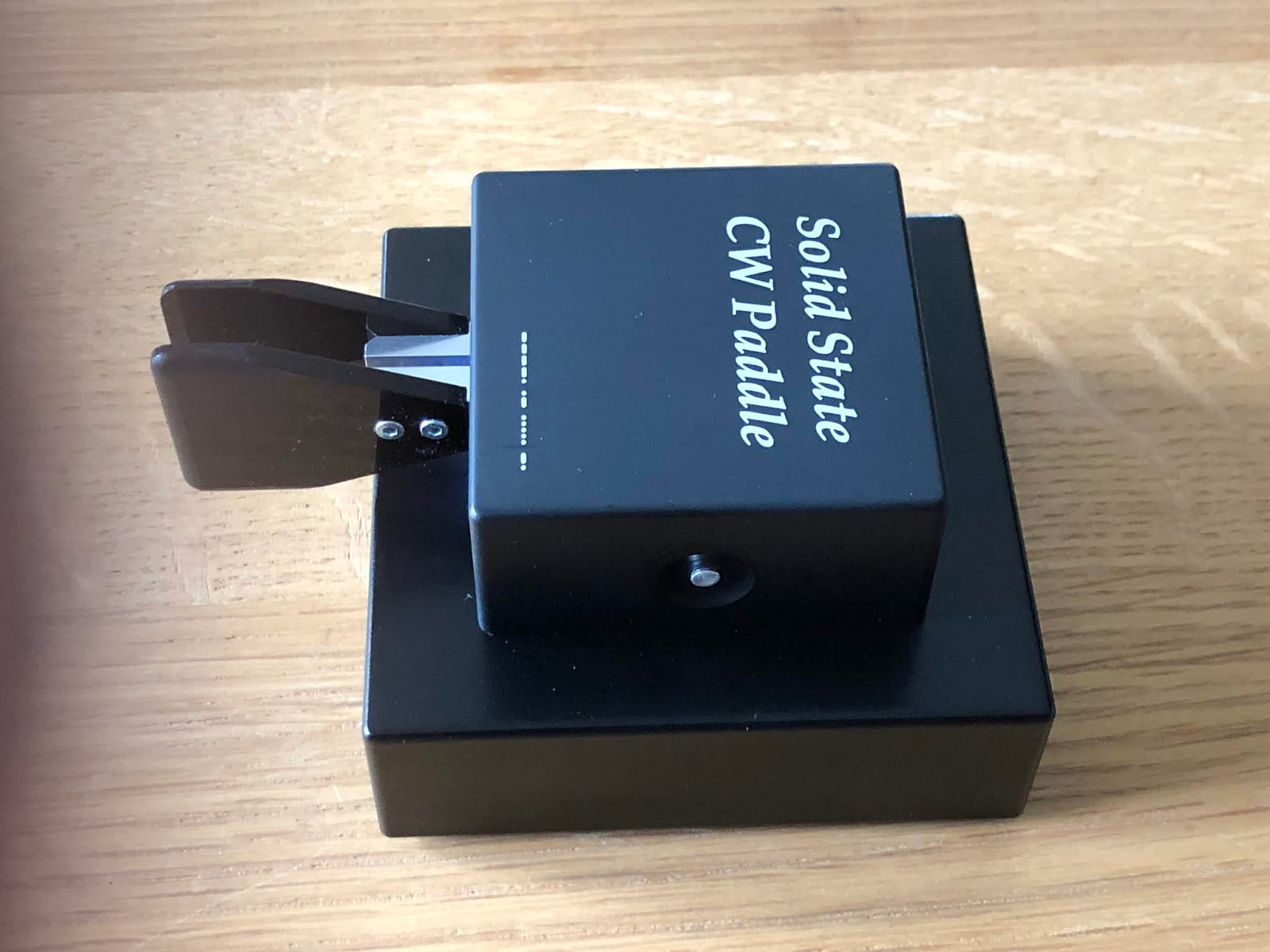
- No moving parts to ware or make a clicking noise.
- You just turn it off when not in use so no accidental dit's or dahs sent when inadvertently touching the paddle.
- There is not maintenance (other than changing the batteries) no periodic mechanical adjustments.
- If you have owned a iambic key there really is no learning curve just turn in on and away you go.
The only adjustment that you may want to do is adjust the touch sensitivity with the key factory set at 10 grams and adjustable to 50 grams in 5 gram steps. Seeing this is a touch paddle depending on your "touch" you may want to increase or decrease the sensitivity. I seemed to be happy with were it was factory set to at 10 grams.
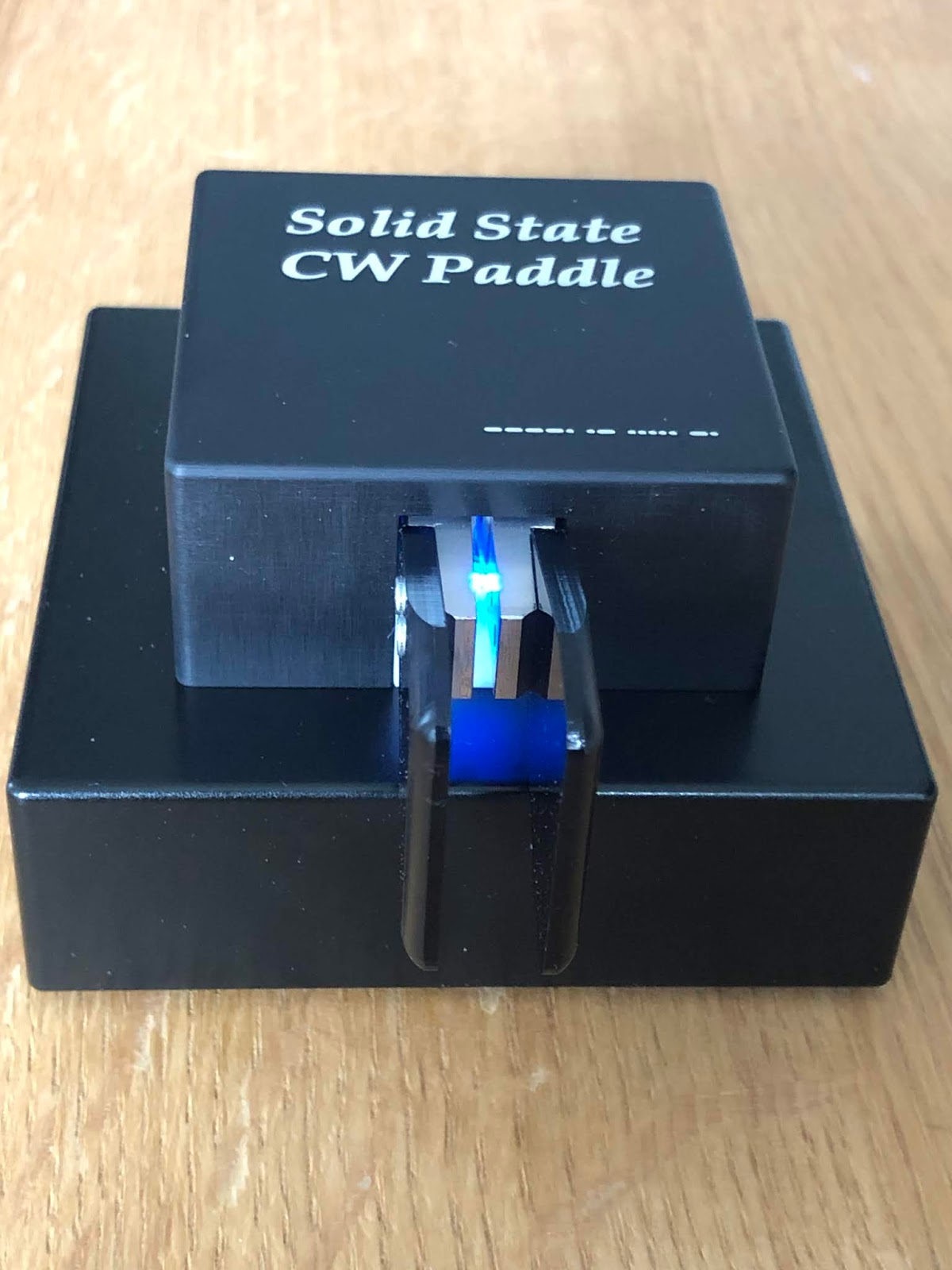
The only other menu change you can do is place the keyer in contest mode and what this means is the keyer will not time out and turn off on you. Normally If you forget to turn the paddle off it will do so after 40 minutes of non operation.
To enter contest mode make sure the key is off then push and hold the on button until the LED flashes then release the button. So in a nut shell to adjust the key paddle touch sensitivity start with the key turned on and hold the power button. To put the key in contest mode (meaning it will not turn off on it's own) start with the key off and hold the power button.
The key is very well made and the base is 1.8 kilo's so it's not going anywhere on your desk as you use it.
The last item I wanted to mention was yes it does take batteries (2 AAA) according to Neno's instructions the battery life should be up to 800 operating hours. The blue LED which is on during operation will indicate low battery life when it gets dim. So you do have an indication when its time to change out the batteries. Finally the paddle is warrantied for 24 months from date of purchase.

Part 6 of ham radio and condo life and unwanted RFI.
 |
| My son and me Back in the day without HOA, condo's an complicated city living. |
Once you have identified the RFI the trick now is to figure out where it's coming from, it is from your neighbor or from your own QTH? In my townhouse I had a crazy issue with a plasma TV and the great news was it was coming from our own TV. When you have RFI and it's your own that is easier to deal with than when from others around you. Lets have a look at some devices out there that can help out with RFI. The first item that comes to mind is made by MFJ and it's the MFJ-1026 noise canceller. It comes with an internal antenna (the antenna that picks up the noise) The best way to see how this unit works is to provide you with a link to my YouTube page were I posted a video regarding the MFJ-1026 If you have an Elecraft K3 radio I posted a second video using the MFJ-1026 plus the noise reduction on the K3 and I imagine this can work with most modern transceivers Welcome back and I hope you enjoyed the videos and I do believe there are more out there if you care to Google them.
In the condo I am in now as you know I have the MFJ mag loop and a mag loop has a great way of nulling out noise. I had a comment on one of my ham radio condo posts from a gentlemen using a loop as a receive antenna and a separate but noisy transmit antenna.
Another product out there that I personally have not tried but a reader of my blog brought to my attention is the CMC-130S-3k from My Antennas.
It's a Common Mode Choke, RF Choke and RF Isolator all in one go to the link and have a look there is also a video of the unit in action.
Well there you have it some ideas on how to reduce or illuminate issues that may be giving you some grief in regards to close quarters ham radio. This is the final segment of Ham radio and the condo life. I hope you have enjoyed it and found some useful information.
Part 5 modes for ham radio and the condo life
 |
| Multi-tasking |
Years ago when I was in a townhouse and decided to spend more time with my radio hobby. It just so happens the upcoming weekend was the Canada day SSB contest. I had a nice Yaesu FT 1000 MP radio and I was all set to dive right in. My antenna was out on my car a far distance way with coax running out to it. The first day of the contest ended and I was having a blast until my fellow neighbor asked me "did you hear "CQ contest CQ contest" from my speakers! I said no (which was the true I didn't) but knowing full well what was going on the Canada day contest came to an end and the thinking cap went on.
I could go and see them and explain it could be the poor electronics they have that is picking up my signal............not a good idea I thought as this can just open a HUGE can of worms! The plan I came up with to keep me on the air was to become a QRP (low power) operator. I very much looked forward to this and as I looked into things I also came to the understanding that you get more bang for your watt with CW than you do with SSB. My first but not only mode for ham radio in a condo is CW. Now there may be readers who are thinking "nice idea but I am morseless" funny thing so was I. Some time ago did have a basic understand but far from proficient. I set out to learn CW and it did take time and remember I did say earlier I really liked contesting so the goal was to get my CW up to contest speed in around 25-35 WPM.
Years ago I was introduced to the digital modes but found it very frustrating to get the PC to play nice with the radio and digital program. It would seem all was working fine until I turned the the rig and the PC on and for some reason something else was wrong. I found it took more time to hunt the issue down than I was operating digital. So for some time I just stuck with CW and put the digital modes off to the side.
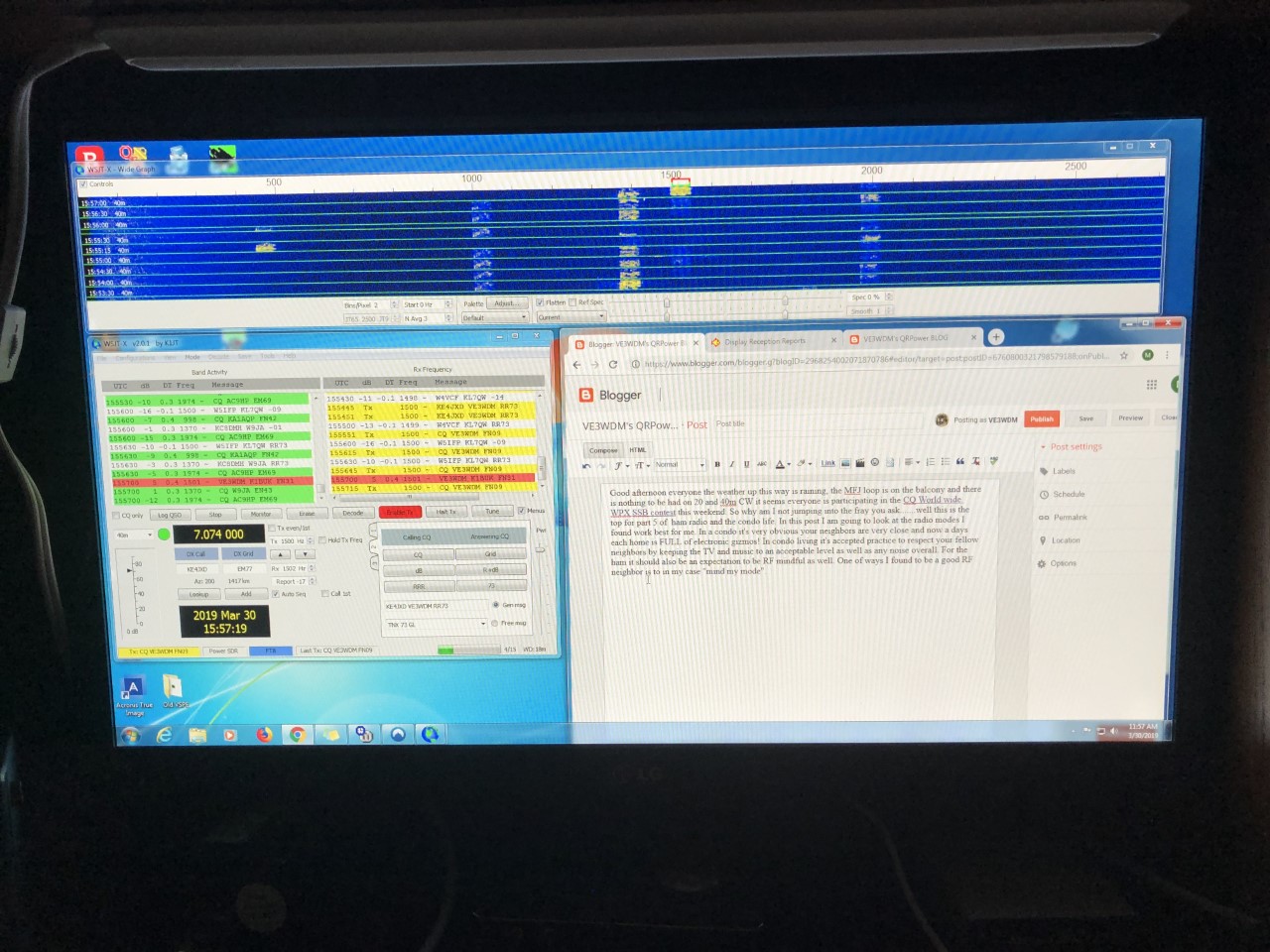
The next radio for me was the Elecraft K3 and the Elecraft reflector was booming with posts about getting your K3 up and running on the digital modes. Back then the popular modes were PSK31 and WSPR. I did still have some issues with the PC and rig talking to each other and did get frustrated at times. At present my condo modes are CW and FT8 and at the present time FT8 is very popular. While writing this post I had FT8 running in the background and was able to make 12 contacts. Having said that I do find CW more interactive but today with the SSB contest going on CW contacts were far and few to be had. The rig I have now is the Icom 7610 and it is a breeze to get working with digital.
Do give me your feedback with modes you are using in your condo. The next topic for ham radio and the condo life is dealing with close neighbors and most likely being in a city or built up urban areas is electronics causing you grief with there noise.
Part 4 Lets look at some condo antennas
 |
| At our old condo the loop loops like a covered piece of furniture. |
- most likely you are in a highly populated area with other large condo's around you.
- very small foot print for an antenna.
- In some cases the condo unit is small which limits your space for the ham radio "stuff".
Well now that I have you listing your radio on QRZ.COM for sale lets look at some of the advantages of being in a condo.
- In most cases you are high up as for me in one condo I was 60 feet up and in this one I am 160 feet up.
- Your balcony as most are made of metal make a good ground plane for some antennas.
- Your ham skills are challenged with regards to antennas, power output and mode of operation.
OK the last two points above I was really stretching for some positives but for sure height is in most cases a major advantage.
In this post lets look at some antennas that may work from a balcony. The antenna I use as you may already know if you are a regular reader of my blog is the MFJ 1788 mag loop. Now I have had many comments as well as emails saying that the mag loop is pricey. It's very true it is and most mag loops are not cheap as I also have the Chameleaon CHA P loop 2.0 mag loop for portable op's which also is a pricey antenna. I did save my pennies and spent some coin on the MFJ 1788 and not to turn this post into a review of MFJ but quality is not noted on the Eham review site with regards to most MFJ products. I did have a small issue with my loop but I repaired it and since that time (6 years ago) the loop has given me no issues at all. In no way am I saying that the mag loops are the only way to go.
A very unique looking antenna that is great for balcony operation is the Isotron antennas these antennas get a very decent review on Eham and I know of a ham who uses one and has had great success with it. These antennas are small, no ground plain needed and they can be purchased as mono band or multi band. Also they really don't look like an antenna. With antenna when you want to use it you put it out and when done take it in. In the present condo I am in this is how I use my MFJ loop it's only out when I am using it.
 |
| The loop at our new location |
Depending on the size of your balcony a wire antenna dipole antenna can be used. When we were looking at condos some balcony's were huge and could support a homemade wire dipole antenna. Two antennas I have tried that did not seem to work for me is a mono whip antenna mounted vertically with pre-cut radials...did not work at all. I also could not get the MFJ 1788 to work horizontally at my new place I had to mount it vertically. I also tried mono whip antennas in a dipole configuration and it did work but way to large for the balcony.
In my next post I am going to talk about what modes of operation I found to work best for me and how it opened a new door for me in ham radio...........oh and by the way from my condo setup as I was writing this post I was able to make contact with IK4UPB on 20m.













