Author Archive
 Bugging Out
 April 15th, 2016 |
  Author:
 Vibroplex Bug QSO
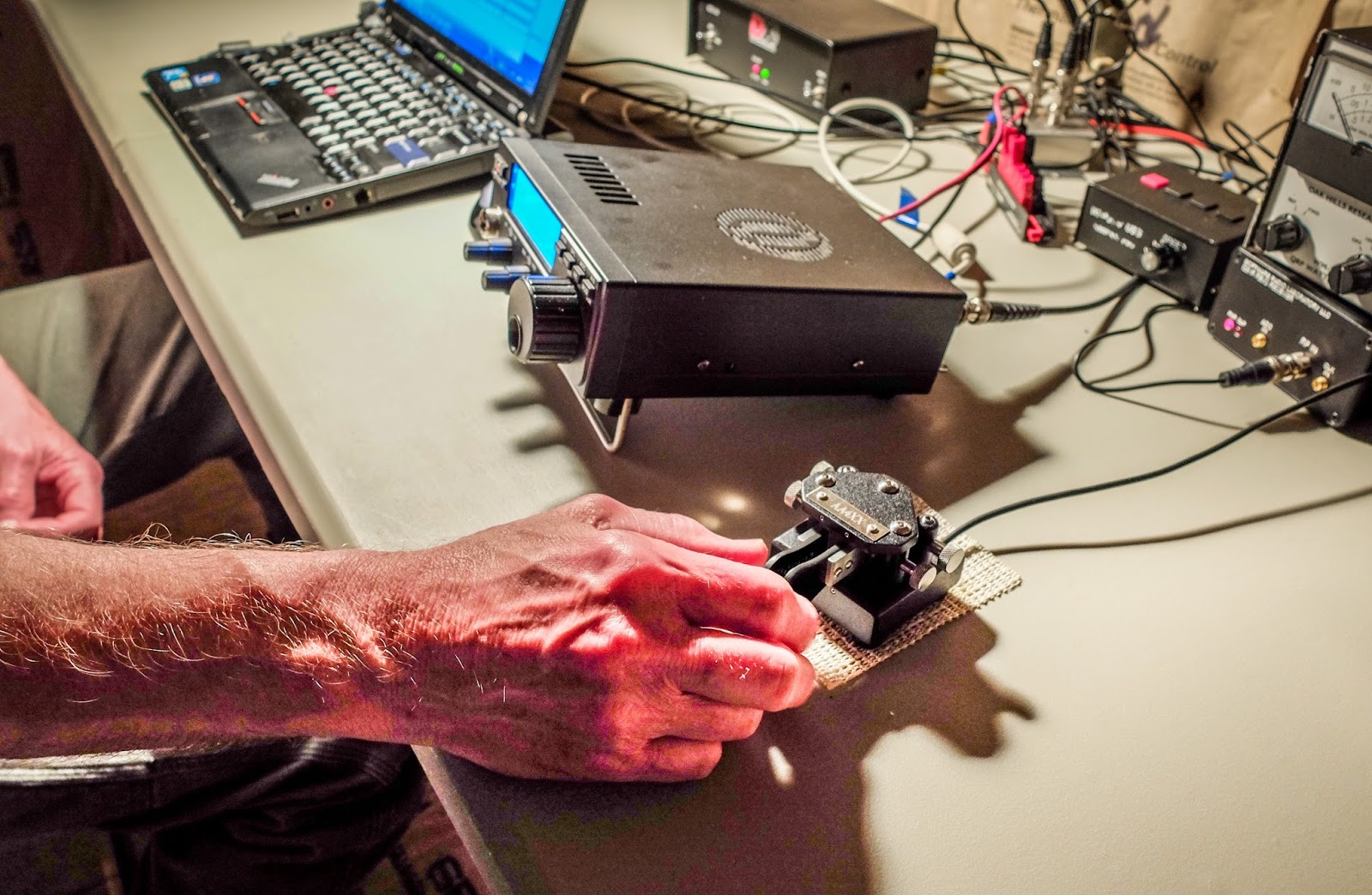
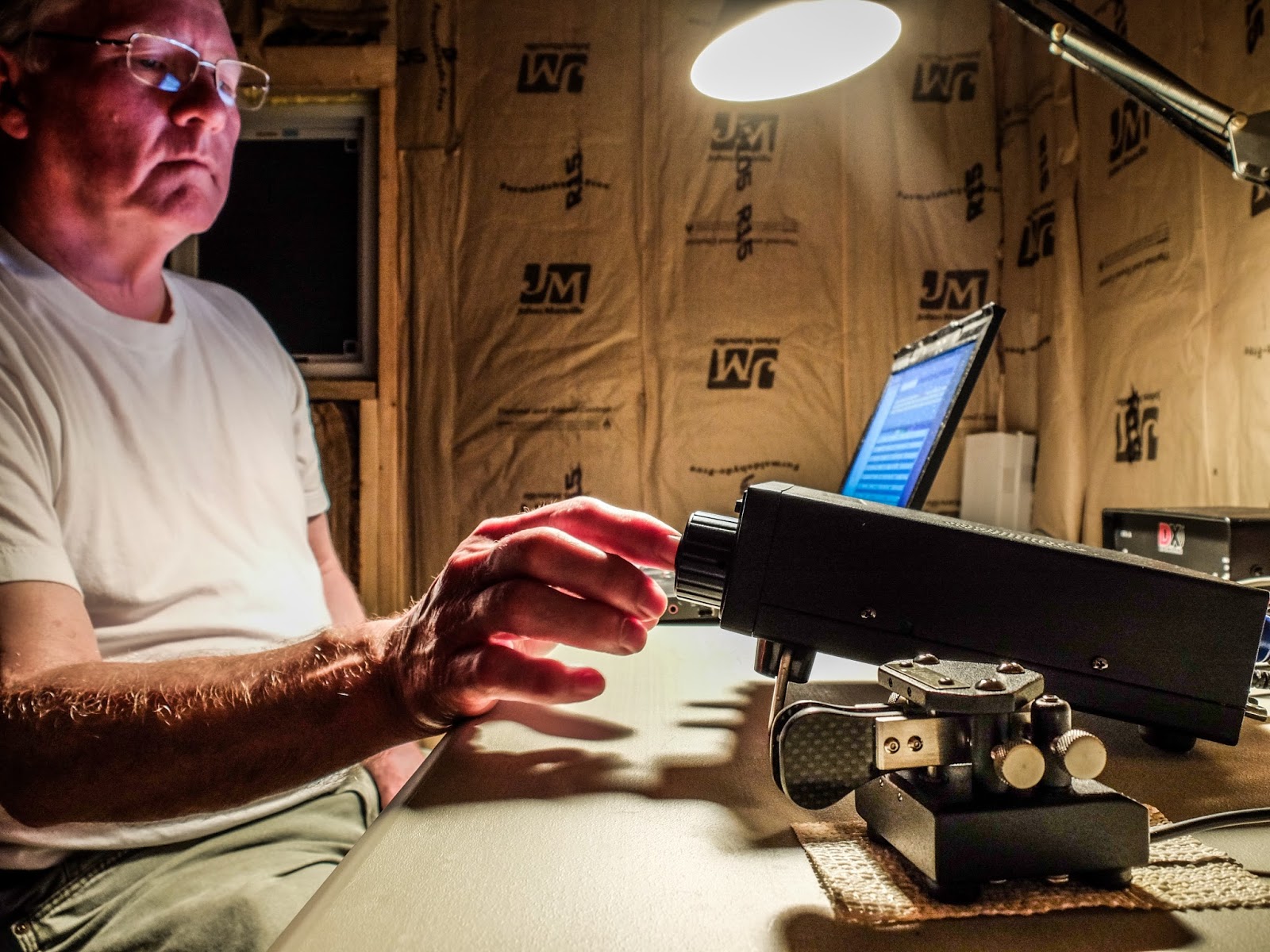
Sometimes I'm in a mood to use my bug. I'm still a relatively new CW operator and using my Vibroplex Original Bug is both novel to me and a challenge compared to my Kent Straight Key or using paddles.
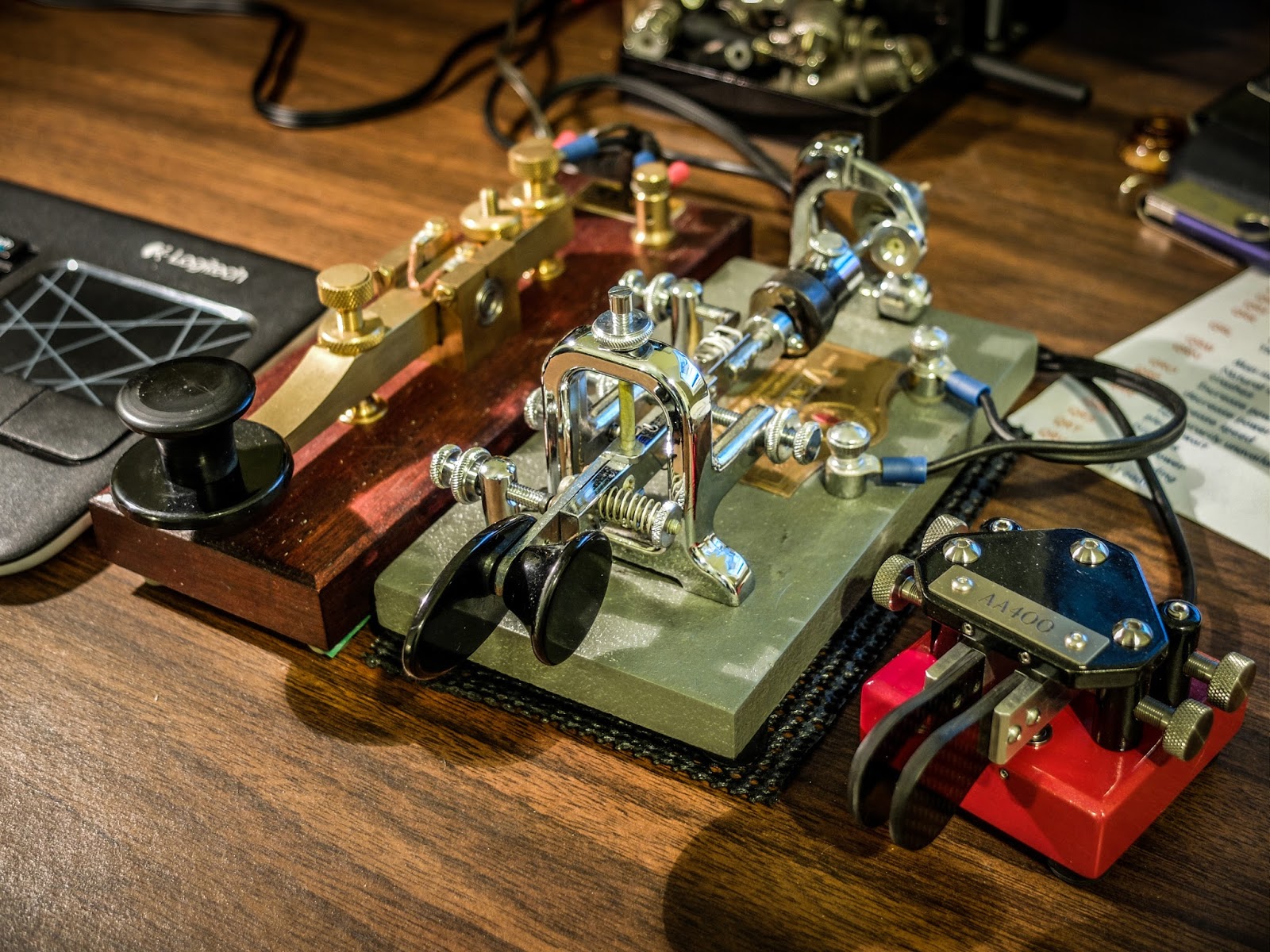 |
| The key lineup with the Bug in the center |
I purchased my bug used on a well known auction site for about $65. It dates to sometime in the mid 1970s but it doesn't differ much from bugs made in the past 75 years. I have added some weight to slow it down to around 19 wpm DITs by taping a heavy spacer onto the factory pendulum weight as well as adding a heavy metal spacer to the end of the pendulum. The weight on the end of the pendulum is held on by a simple plastic drywall screw anchor. I can pull the weight off the back quickly if I want to let it go up to about 25wpm DITs. Without the extra weights this bug sends at around 27wpm at it's slowest speed and up to... well I don't know how fast because I can't control it at the fastest speed yet and I certainly can't copy others at that speed so I usually keep it below 20wpm for now.
If you haven't used a bug I encourage you to give it a try. It's a challenging key to get the hang of but the effort to learn it is fun and rewarding. I especially enjoy the tactile feedback from that swinging pendulum and the the click-clacking of the pendulum against the hanging damper.
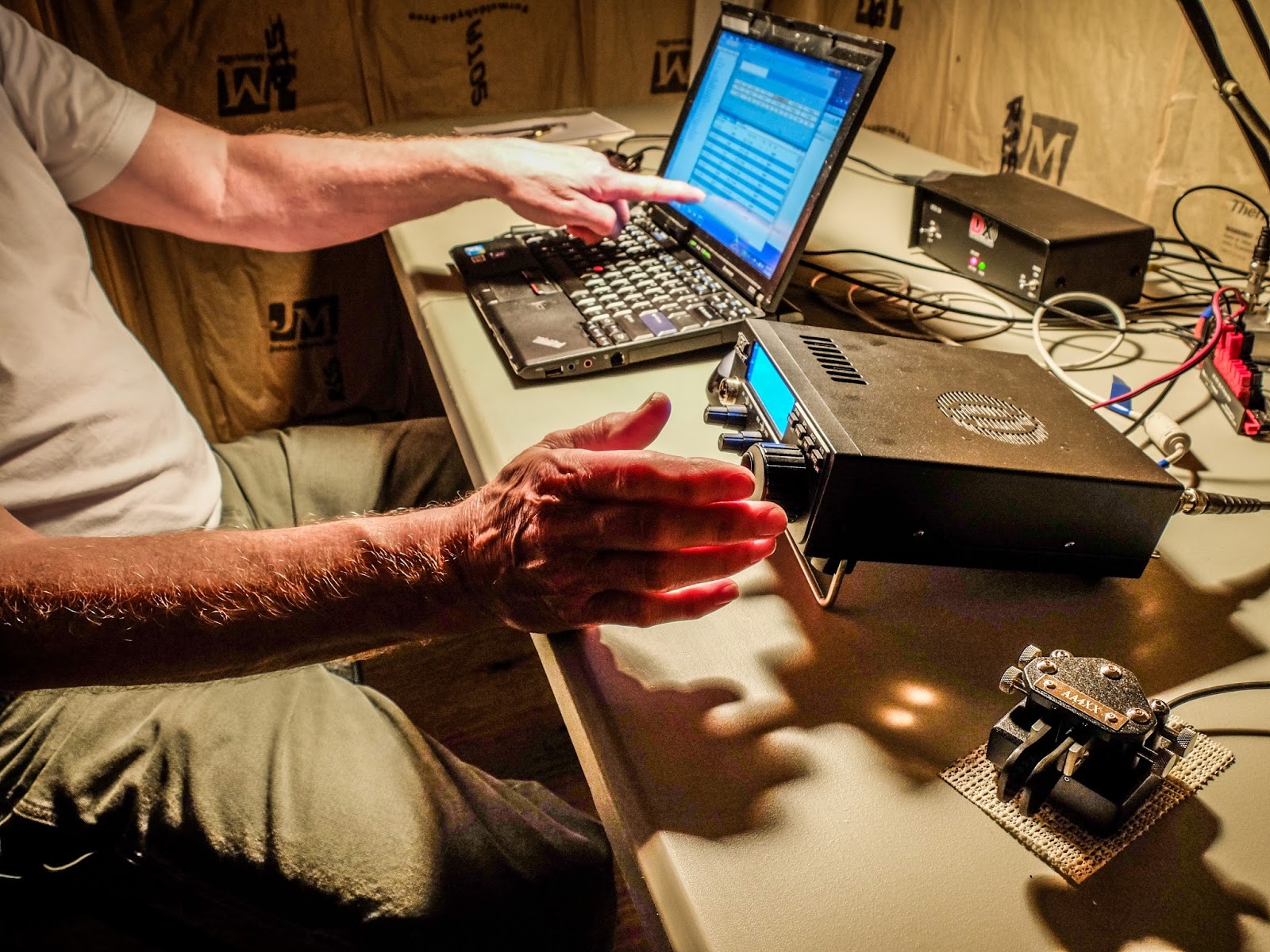
I was using my Ten-Tec Eagle (model 599) purchased used from a local ham. The Eagle is a super little QRO radio although in this QSO my output is 5w. If you have sharp eyes you may see that the power level is set to 7w but that is actually 5w output according to my external meter. The 100 number under the CW symbol is the bandwidth that I was using. I generally keep the bandwidth at 500 Hz but there was a station operating above us that I wanted to mask.
 |
| Ten-Tec Eagle 599 |
The Eagle is a great CW rig. This model has 3 front end crystal filters 2400Hz, 600Hz and 300Hz giving it nice selectivity for any mode.
I was working Ed, KG4W in VA who is an SKCC member. If you want to work other manual key stations 3550 kHz is a calling frequency for the SKCC. Ed told me during the QSO he was using a VIZ vertical bug which is a unique and interesting bug design.
He reported my signal as 599 and he was 599 as well. I was running 5w output power to my 80m OCF Dipole. He was using an Yaesu at 100w to a fan dipole. 5w was sufficient for this QSO but if he had reported me as 559 or weaker I would have raised my power to 20w to make copy for him easier. I enjoy using QRP but when I rag chew I don't want to make it difficult for QRO stations to copy me if I can help it so having the Eagle allows me to raise my power if necessary for the communication.
The QSO
So here's the qso between two bug operators. I hope you enjoy it...
That's all for now
So lower your power and raise your expectations
72/73
Richard, AA4OO
Get your news the old fashioned way
Morse News
I'm always looking for ways to improve my CW copy skills. When I'm away from the radio and have some spare time I use a program called Morse News.
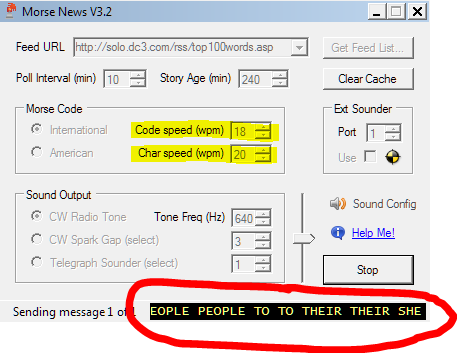 |
| Morse News interface displaying a "Top 100 words" feed scrolling at the bottom |
It's an application that pulls RSS feeds and translates them to Morse. It has useful configuration options and even allows different "sounders" to be used.
For instance: you can listen to Morse the way railroad and Civil War telegraphers heard it via the clacking Telegraph sounder, or the early 20th century spark gap transmitters.
For instance: you can listen to Morse the way railroad and Civil War telegraphers heard it via the clacking Telegraph sounder, or the early 20th century spark gap transmitters.
The application is free but only runs on Windows computers. I'd love to see something like this for my phone.
Here's the link: http://sourceforge.net/projects/morse-rss-news/files/Morse%20Code%20Tools%203.2/MorseTools32Setup.exe/download
As with all software downloads from an untrusted source use your own best judgement whether to install this software and protect yourself from malware. I haven't detected any malware from my install but that doesn't mean it's not there.
Here's the link: http://sourceforge.net/projects/morse-rss-news/files/Morse%20Code%20Tools%203.2/MorseTools32Setup.exe/download
That's all for now
So lower your power and raise your expectations
72/73
Richard, AA4OO
It’s ALIVE !
The 1Watter 40m #551 -- Lives
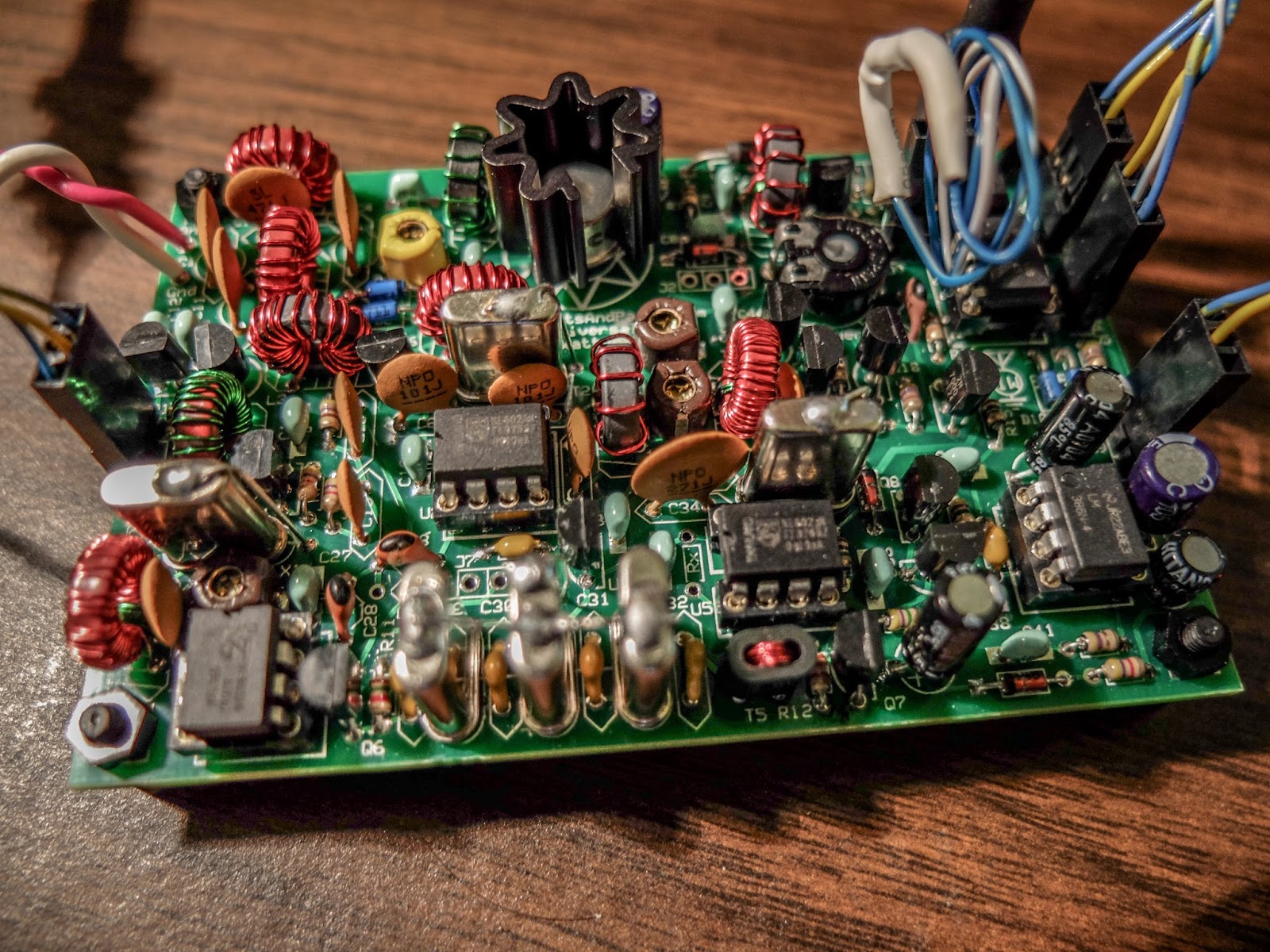 |
| The 1Watter 40m on it's inaugural QSO |
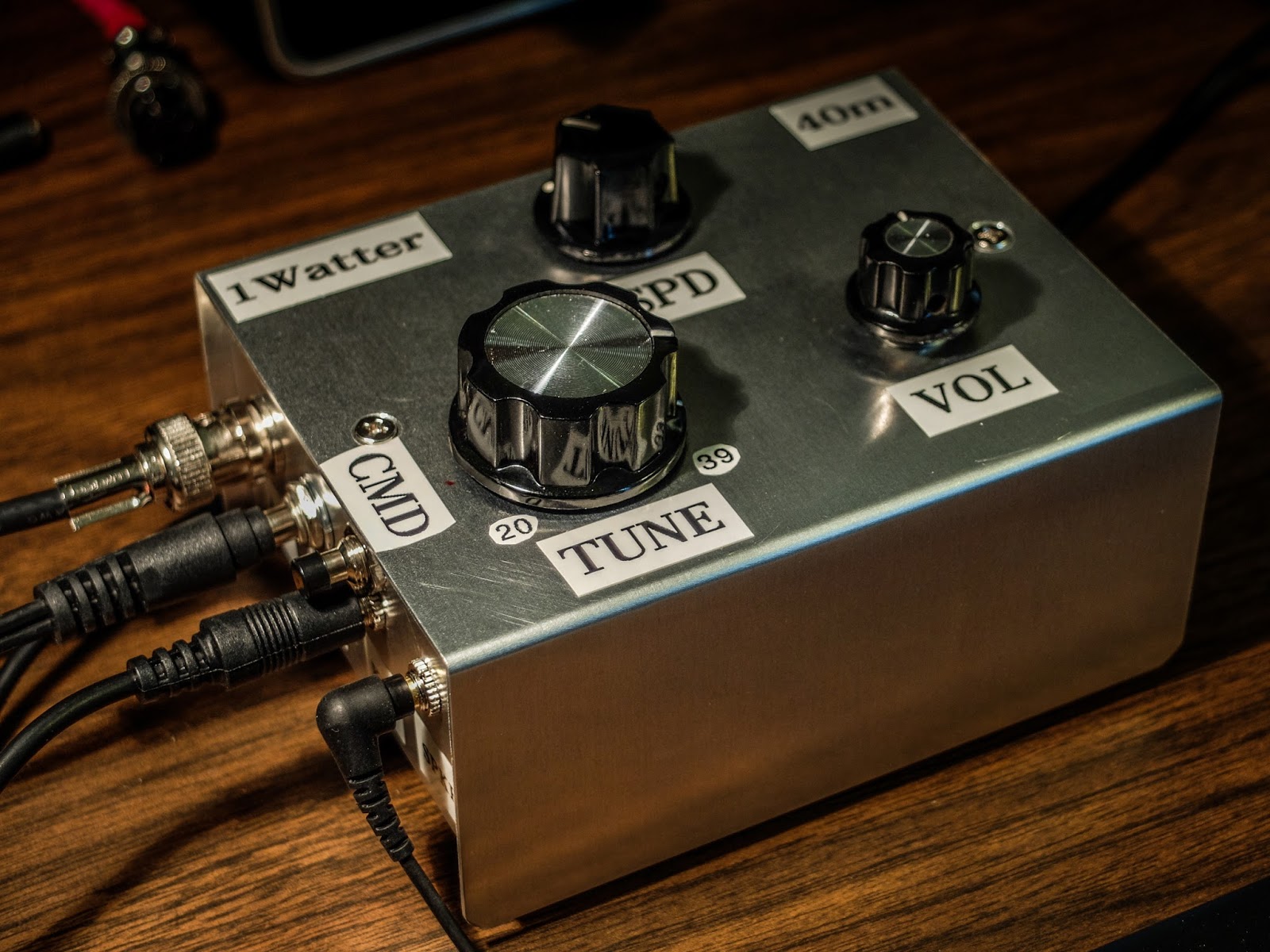 |
| Inside the enclosure |
The 1Watter is a kit from kits and parts dot com
The Universal 1Watter (also called the 1H2O) is a full featured little superhet radio transceiver that you can build for about $50. It doesn't come with an enclosure, a tuning pot, speed pot or an on/off switch so that will cost extra unless you already have some in the junk bin.
Some of the features include;
- 1 mighty watt of output
- Good selectivity from the 3 crystal filters
- A VCXO tuned frequency range for the 40m band from approximately 7,020 kHz through 7,039 kHz
- A built-in full functioned keyer with provision for adding a speed pot and messages
- Included command button accesses the functions of the electronic keyer
- Natural sounding sidetone (nicer than my Ten-Tec Century/21)
The Build
The kit is delivered in a box and inside are a couple of brown paper bags stapled together. Inside one of the bags are a couple of plastic bags with the components. The other bag contained the header kit. The ferrite toroid mix types are separated in different unmarked plastic bags so don't mix them up (the instructions tell you which bag has each mix). If anything is missing the kit supplier (Diz, W8DIZ) is very responsive.
The kit includes both SMT caps and through hole caps. I tried to solder one of the SMTs but I didn't have the right kind of tweezers to hold it in position for soldering so I used the through hole caps.
 |
| SMT and through hole caps are supplied |
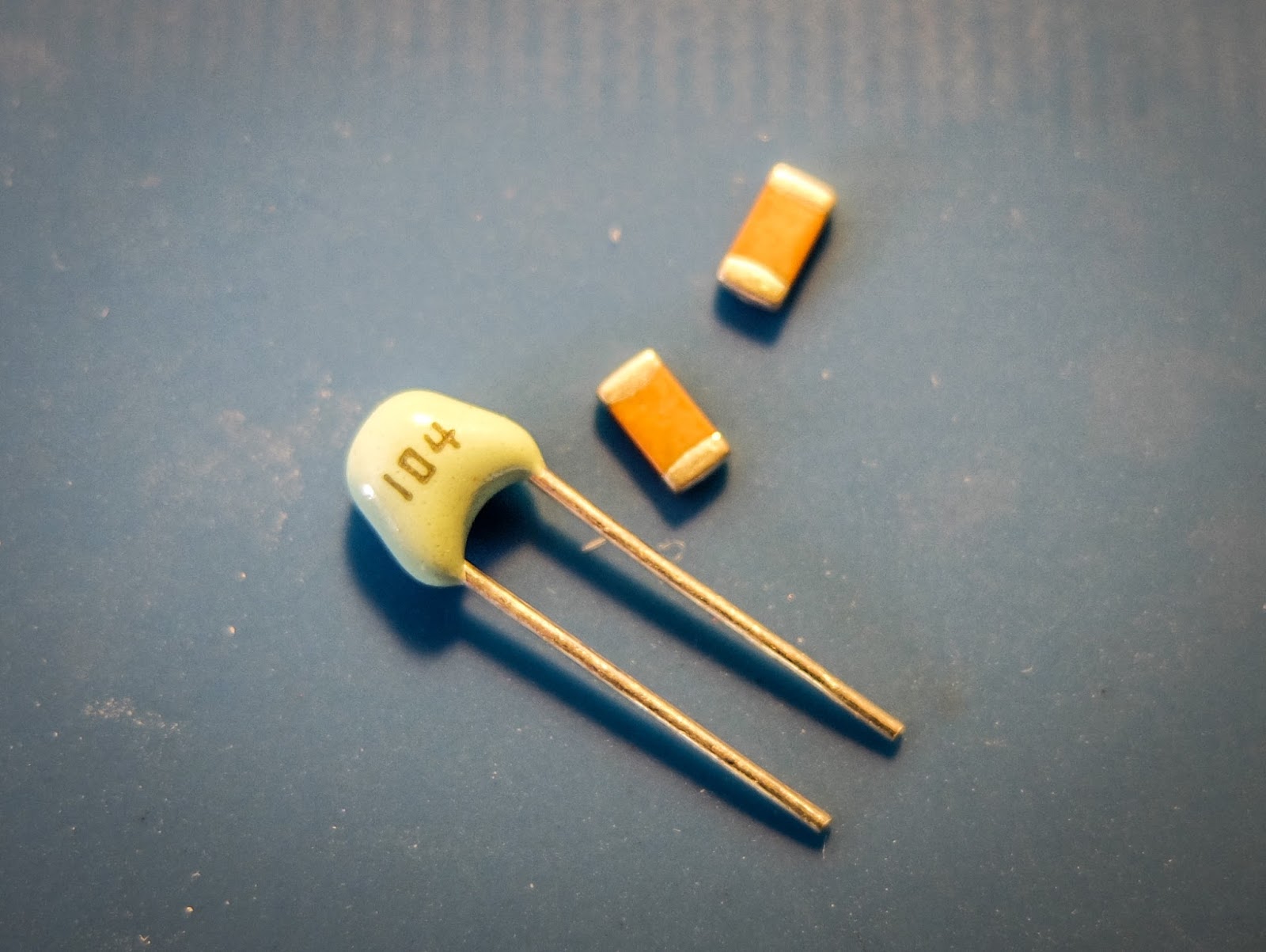
This is the 3rd revision of the Universal 1Watter board and I was the first to build the 40m version.
While the schematic was correct, some of the instructions weren't sorted out properly for the 40m kit. I related issues as I found them to the designer and he promptly updated the online documentation.
I soldered the components and wound toroids as I had time over a few evenings and the initial voltage tests went well.
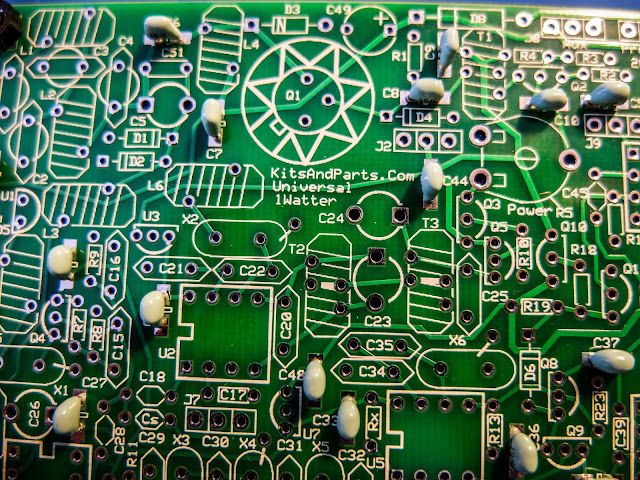 |
| using through hole capacitors rather than the SMTs |
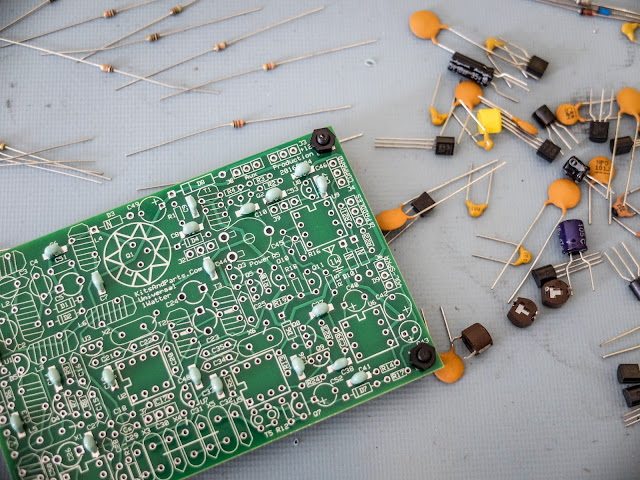 |
| some of the bits and bobs |
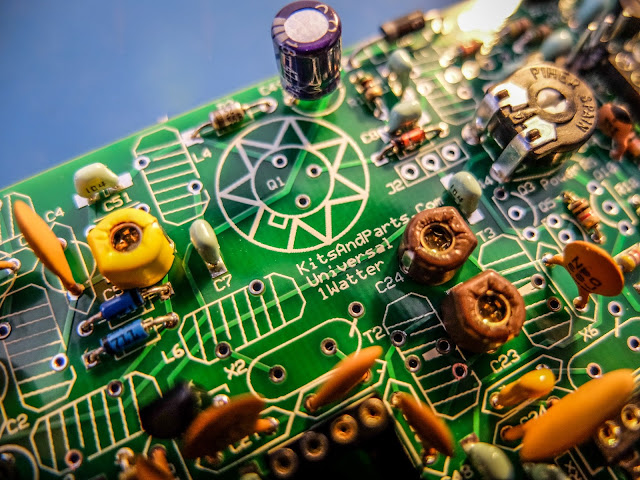 |
| build is progressing |
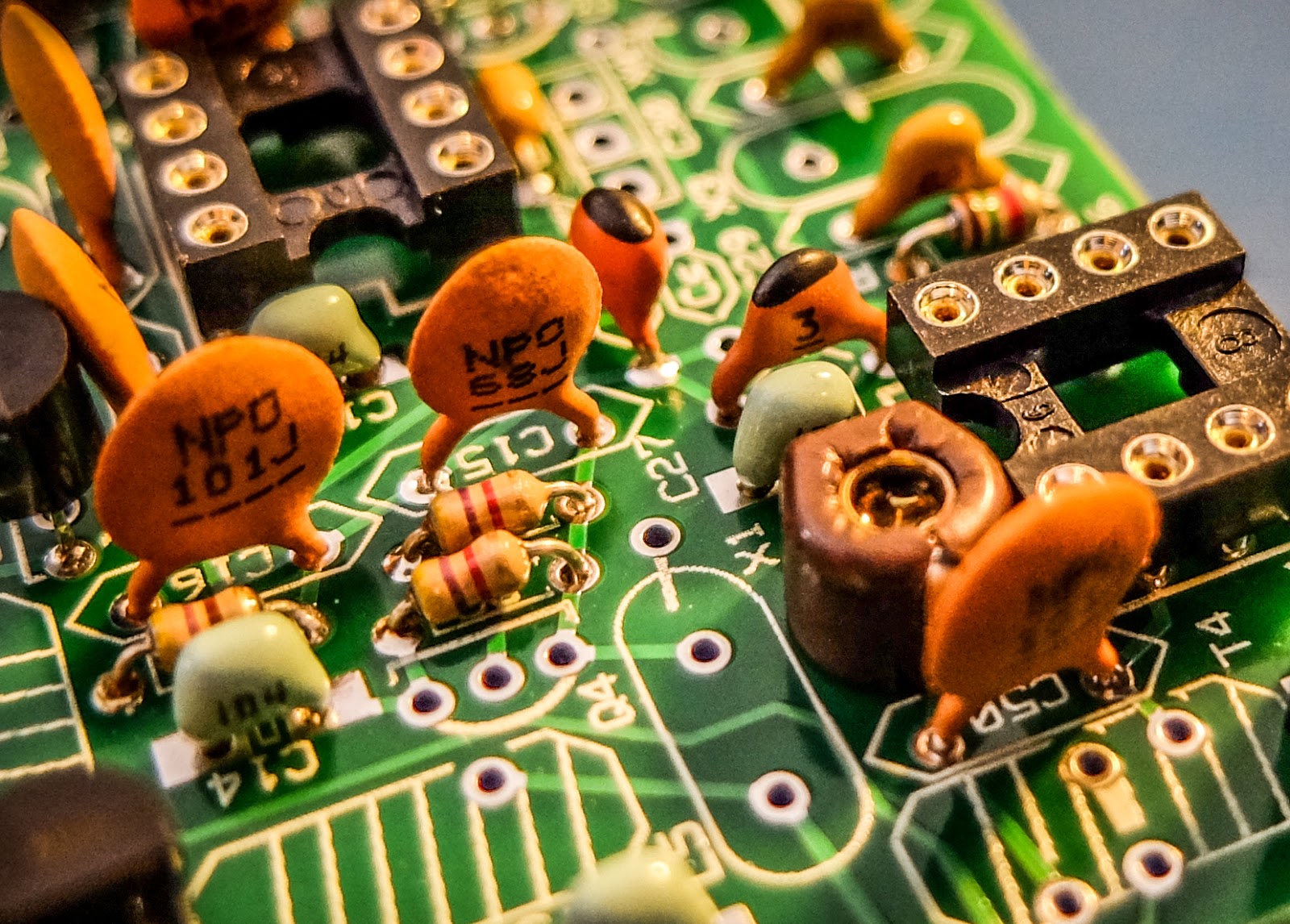 |
| close up |
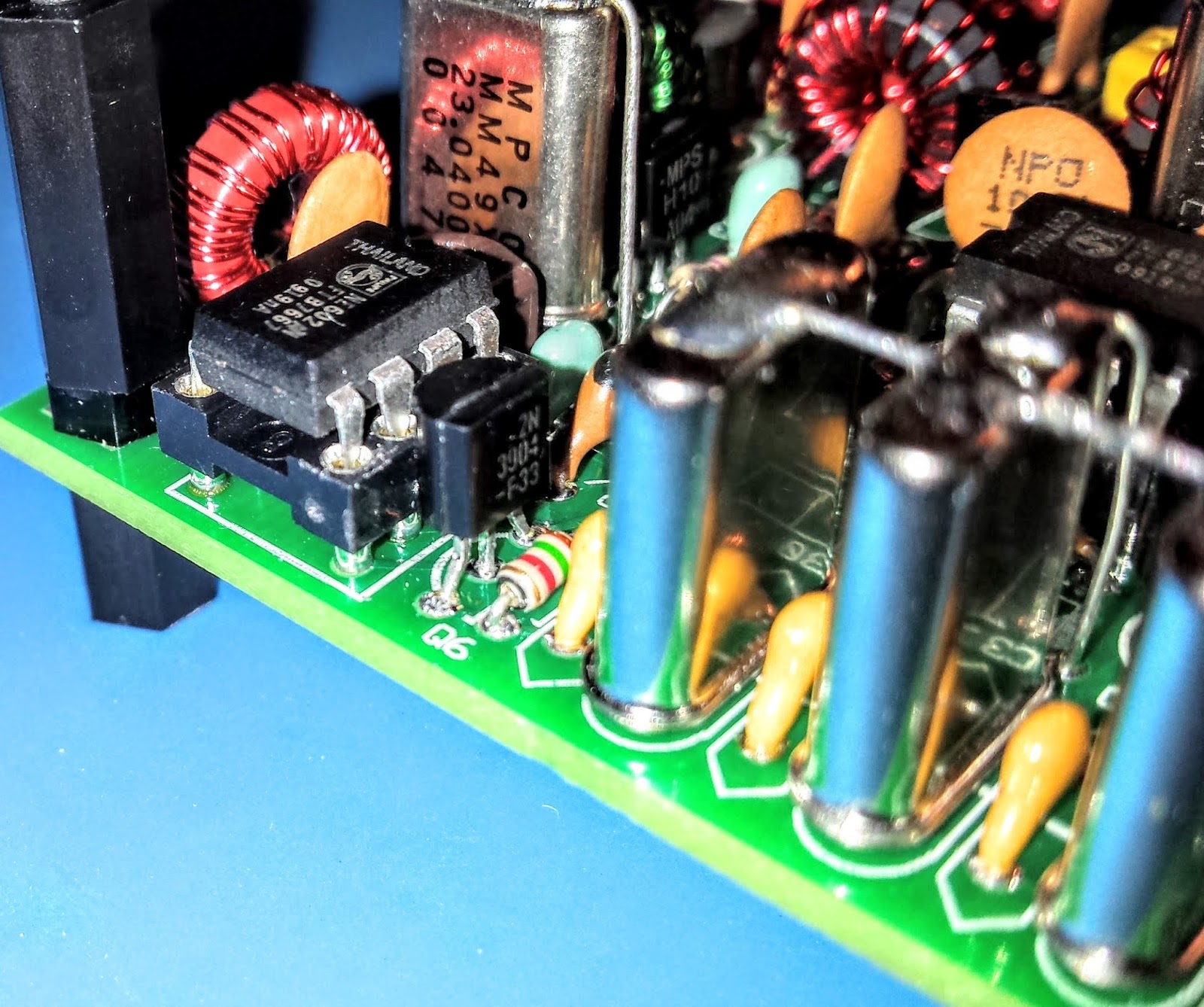 |
| XTAL filters give it good selectivity |
 |
| Everything except the final transistor |
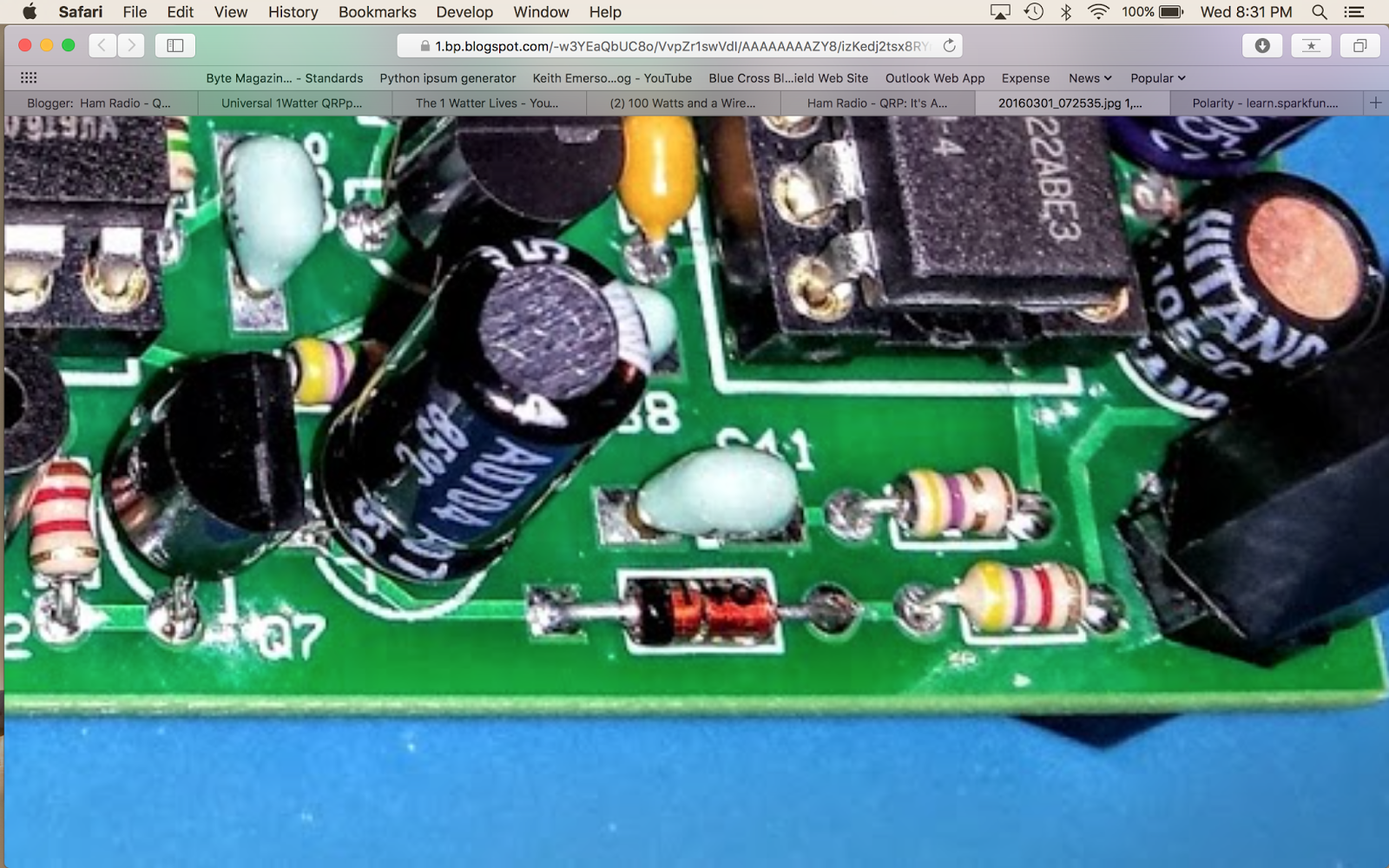 |
| AGC circuit |
Debugging
When the build was completed I connected the rig to an antenna and heard nothing.
The keying circuit and transmitter worked fine and I verified those functions but the receiver was deaf as a stump.
Thus began a number of days of investigation. Diz (the creator of the board) guided me through a number of debugging steps.
The first recommendation was to examine and rewind the binocular toroid balun that transformed the impedance from the xtal filters to the input of the U5 oscillator. He believed that I may had wound it incorrectly. I desoldered it and rewound it but that did not resolve the issue.
He then guided me through determining if one of the filter crystals or filter capacitors was bad. I desoldered a few components as a tests but that did not resolve the issue.
There are 3 identical mixer chips on the board. I swapped them around as there was a suggestion that there were some faulty chips in one of Diz's shipments.
I then took the board to my Elmer Paul Stroud AA4XX. He had a signal generator, Oscilloscope and RF detector. He traced the RF and all looked well but we still were unable to obtain any signal through the U5 mixer. Lastly we tried disconnecting the AGC transistor to see if it was clamping it and that didn't resolve it either.
Diz asked me to return the radio to him so he could take a look. After a couple weeks he emailed me saying he thought the BFO xtal might have a problem. But he later discovered that the oscillator in U5 was not starting up. Apparently the circuit design had a low Q and needed more current to get the oscillator working. He modified the design, adding a 16k resistor to the bottom of the board on U5 to get the oscillator going. After that all was well and he shipped the board back to me.
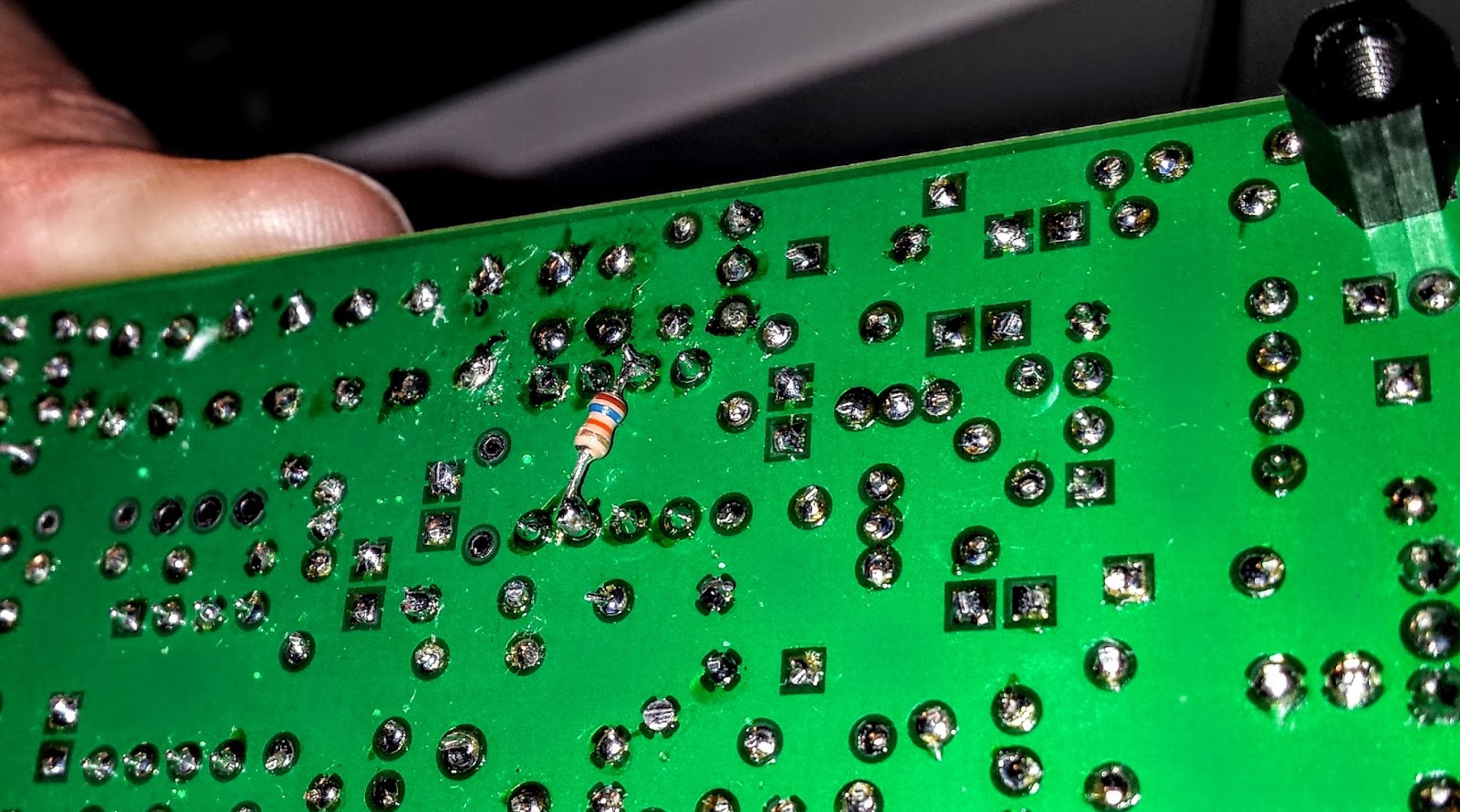 |
| The FIX for all those problems required an extra resistor connected across U5 |
Learning from problems
Being the first person to build a particular version of a kit brings its own set of challenges, especially when you're as new to kit building debugging RF problems as I am. However I'm actually glad the kit didn't work right at the initial build.The process of debugging the board, was a great learning process. I studied the schematics and learned, as best I could, the function of each circuit so that I could better understand how to test it. During the debugging process Diz instructed me that although RF signal generators and scopes are useful you can tell a lot by touching a RF component with an inductive metal object and listening for a buzz or hum from the BFO.
So all-in-all, even though the bug in the board was not due to a error on my part, I'm glad it occurred. I understand more about superhet radio design than I did before and more than if the kit had worked right off the bat.
On the air
After receiving the board back, I hooked up the frequency XCO potentiometer, paddle, command button, audio and output potentiometer and an external speaker. I then connected a 12v battery and heard the 1H2O keyer chip announce itself at power up in Morse "1 W".
 |
| Frequency control pot on the left |
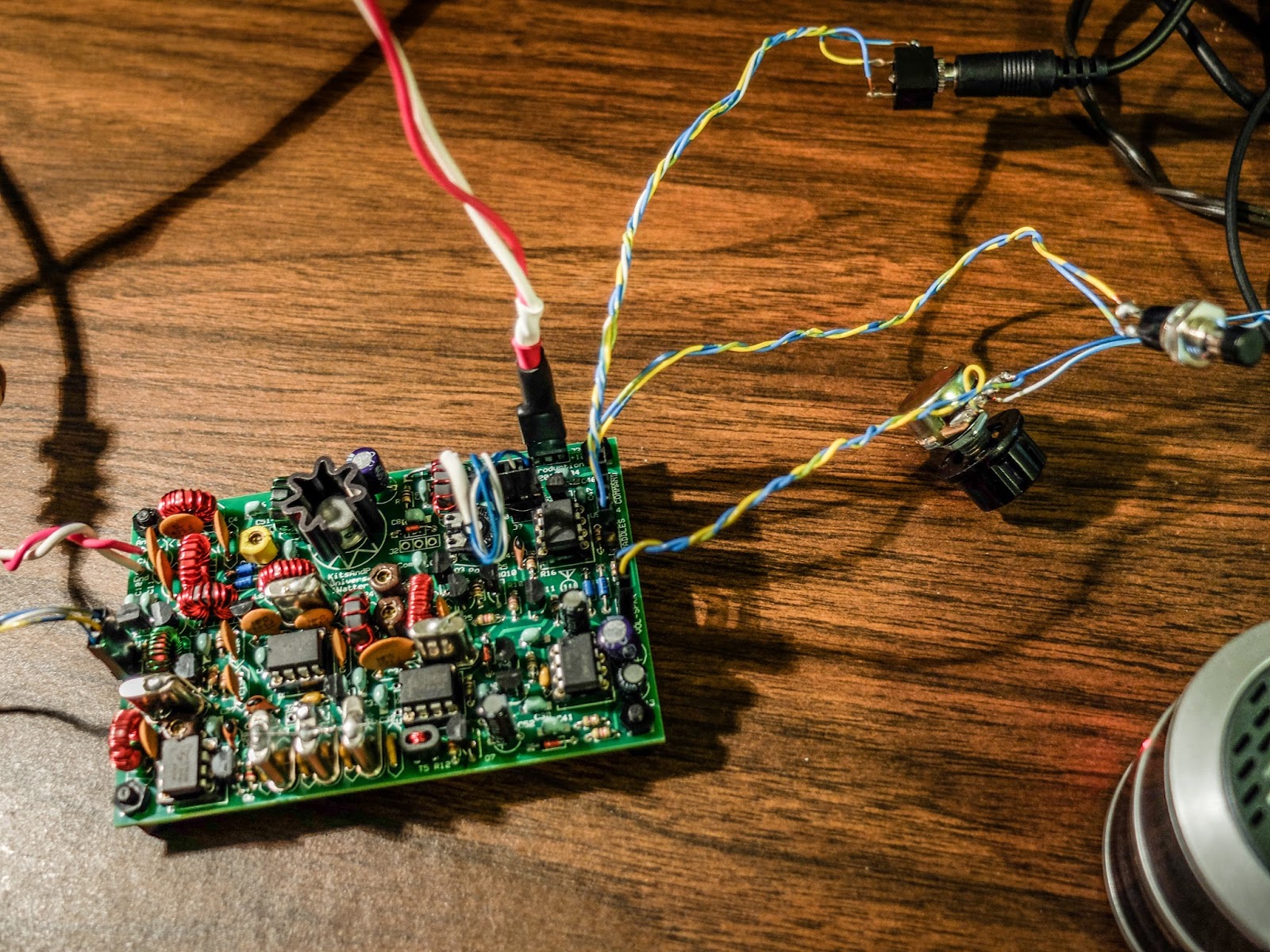 |
| Volume control, output jack, cmd pot and paddle input |
For this first on-air excursion I was using it at the default startup 15wpm keyer speed. You can default the speed higher with a different resistor value.
I have a resistor shrink wrapped and connected in-line to the blue-white wire coiling above the radio connecting to the speed pot terminal. In essence fixing the speed at 15wpm until I add the speed pot.
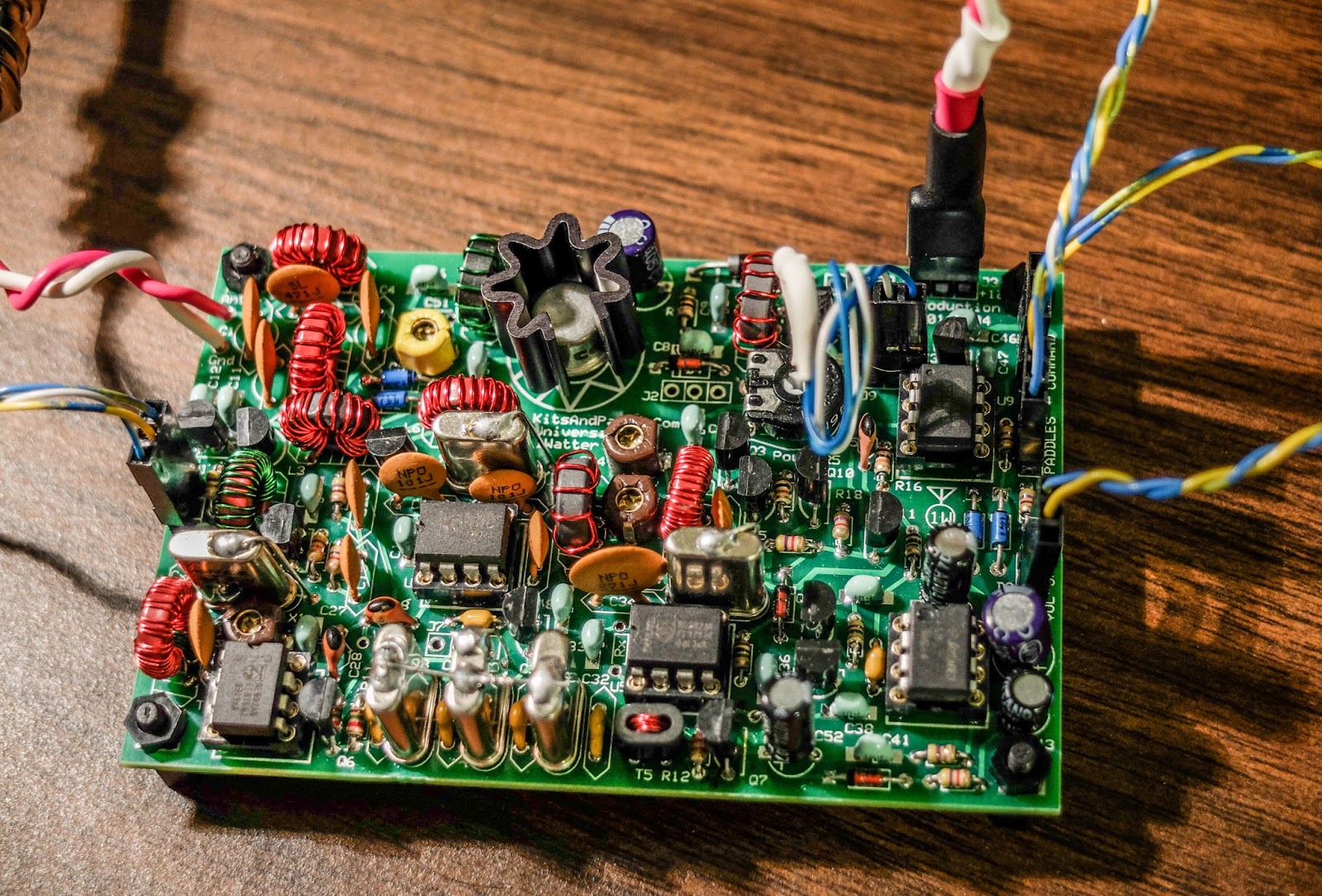 |
| Ready to transmit |
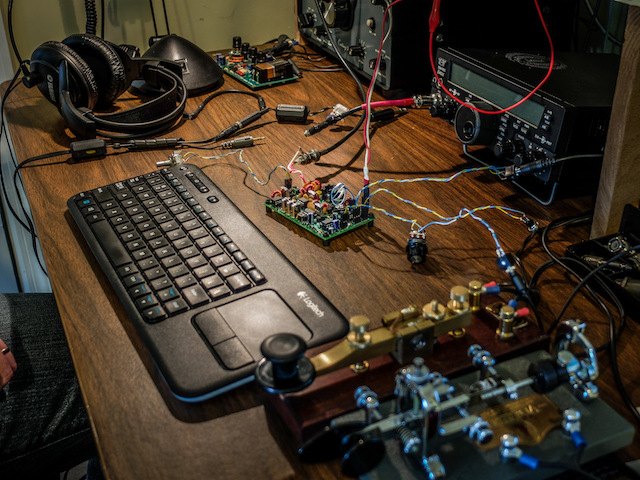 |
| On the air... I was using my paddle out of the photo to the right of the Bug |
First On Air QSO
I tuned around and found a strong station at the end of a QSO near 7030 kHz.
When he sent the final dit-dit I called and WD4AXJ answered my first call. He was in TN near Knoxville, and I received a 559. We chatted for about 10 minutes. Sorry about the blurry video. I thought I'd focused.
After I recorded this video I found an open frequency and sent out my call. Very shortly thereafter KD2FSH answered my call and reported me as 599!
Whoo - hoo. 599 for my little 1Watter 40m.
I was transmitting using my 40m attic antenna. So deed restricted HAMs take note. You can build a one-watt radio and make contacts using your attic antenna. Haha.
You'll hear in the video there is some weirdness going on with the audio derived AGC. It is clamping down sometimes and is worse when I don't have the volume turned up very loud. When I began calling it clamped after every semi-break-in but didn't do it much after that. I'll have to look into that.
The AGC clamping may be a side effect of the increased gain Diz added to the BFO oscillator. I'll ask the forum.
Other than the AGC issue I'm super pleased with the little board. I touched the heat sync a couple of times after transmitting my side of the qso and it was warm but not really hot. It seems as though as long as you have a reasonable match to the antenna the power transistor should be happy.
My next steps are to get it in an enclosure and get it out to the Excalibur antenna site to hook onto that nice 40m doublet we put up a couple weekends ago. I plan to use my efficient little BLT tuner for that purpose. I will do a further review of the feature set on the keyer and record some more qsos for a later review.
Summary
The band was fairly busy and the little 1Watter did a fine job with stations on nearby frequencies. You can hear some getting around the passband but it is not bad at all. I'll do some tests to further define it's selectivity but at first glance it is far better than my old Ten-Tec Century/21.
My calls were answered quickly and I received good signal reports. It didn't sound as though the transmitter was drifting at all during the QSO. That's one advantage of using VCXO in the design. The disadvantage of using a crystal controlled oscillator for the frequency control is limited tuning range. The transmitter only has about a 18 kHz tuning range around 7030 kHz and I don't find many of the SKCC folks around that frequency but it is the QRP watering hole for 40m.
It is possible to shift the frequency with some capacitance changes but I think I'll leave it as is for a time and see how many states I can work.
Just imagine. This little $50 single band kit has good selectivity, a nice built-in keyer with a natural sounding sidetone, and lest we forget... You get a MIGHTY 1 WATT of OUTPUT. What more could a QRP ham need.
That one-watt of output was sufficient for all the QSOs I attempted tonight.
So lower your power and raise your expectations
72/73
Richard, AA4OO
UPDATE: 04/01/2016
I am still having the AGC pumping issue and others on the list have reported similar issues but only on receive. It happens to me when I key unless I turn up the volume very high. I did get it installed in a case but I still need to wire up a real power connector rather than using alligator clips.
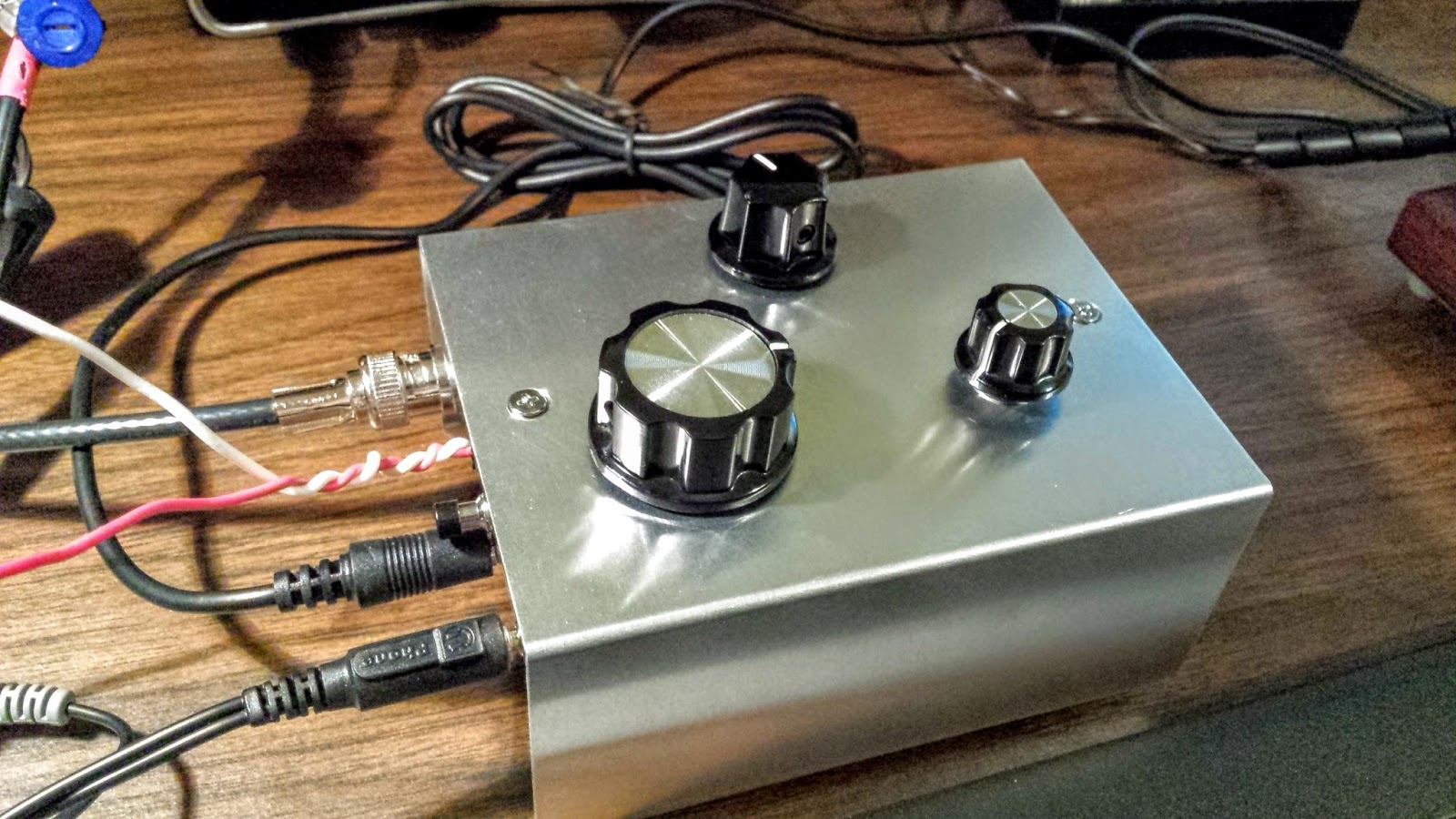 |
| !Watter installed in a case |
UPDATE: 04/05/2016
After doing quite a bit of reading I learned that the LM386 op-amp used in the 1watter is rather notorious for audio oscillations. There are a number of suggested fixes. I went with a 4.7uf cap connecting Pin 7 on U6 (the LM386) to ground. That hasn't totally resolved the issue but it's much less pronounced now.
I have it in the case with all the proper plugs now (see below) so I'm happy. I've been making QSOs every day with it and it continues to amaze me and the stations that work me. It is stable as a rock with regard to frequency and the large knob with the single turn 10k pot seems to work well for tuning. I have enough control to vary the frequency slightly without having to turn it too much. The tuning range is only about 20kHz so just 3 frequency markers are plenty to let me know what frequency I'm near. The selectivity is just fantastic for such a simple little radio. Diz has created an inexpensive winner.
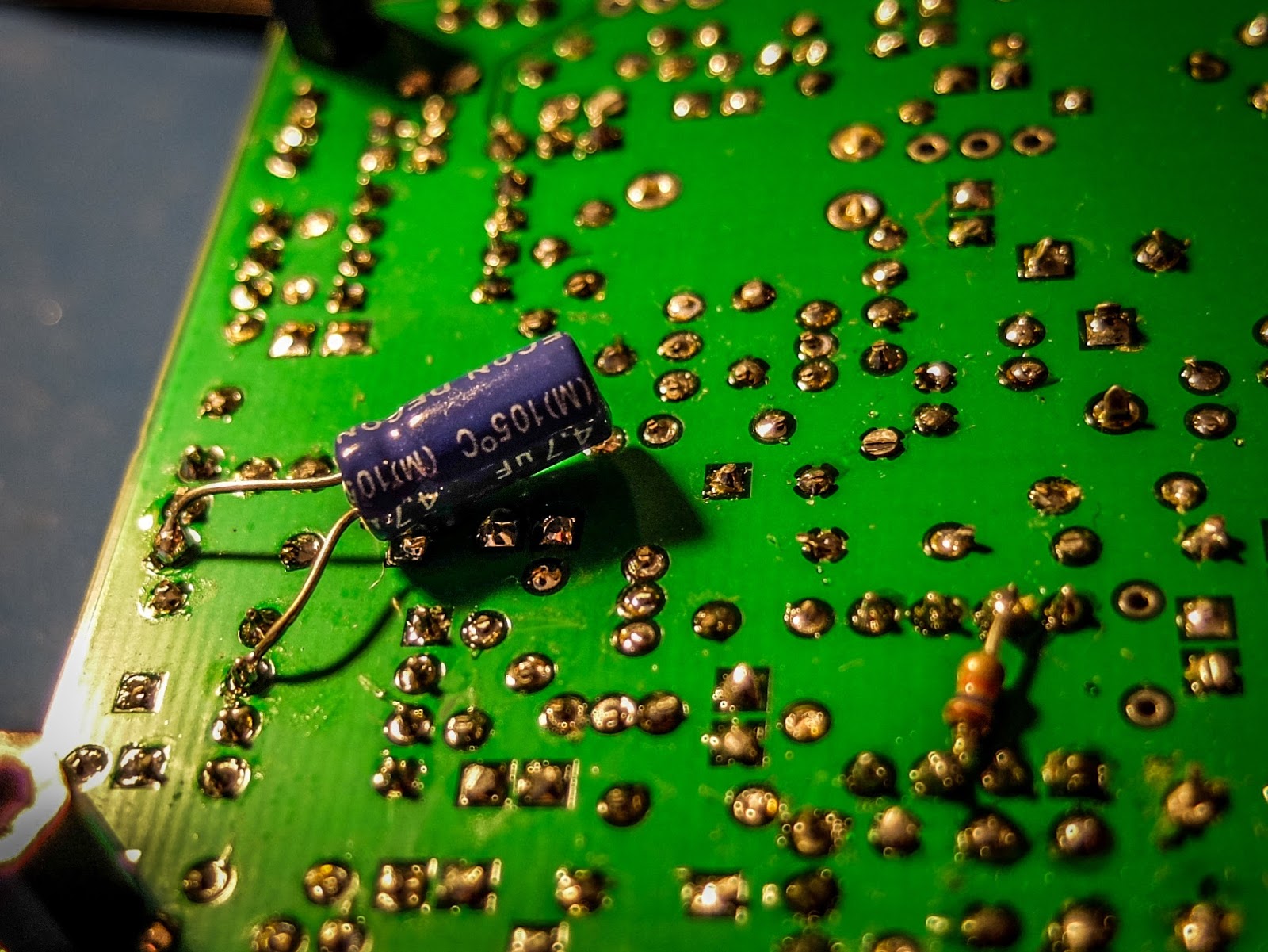 |
| cap fix for LM386 oscillations |
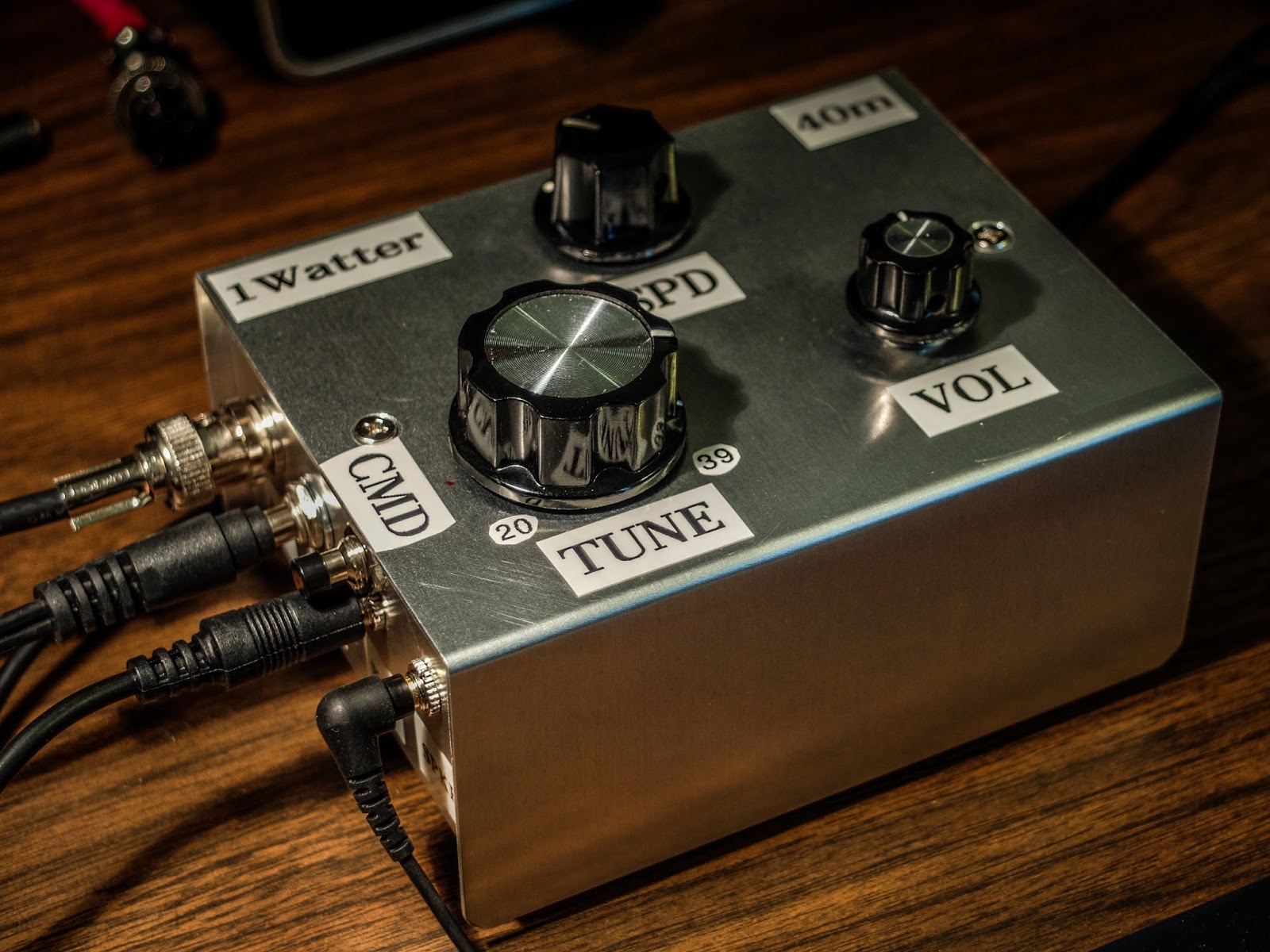 |
| 1Watter in enclosure with all the proper connectors for the case |
BLT+ Balanced line tuner at Excalibur
Another portable test of the BLT+ tuner
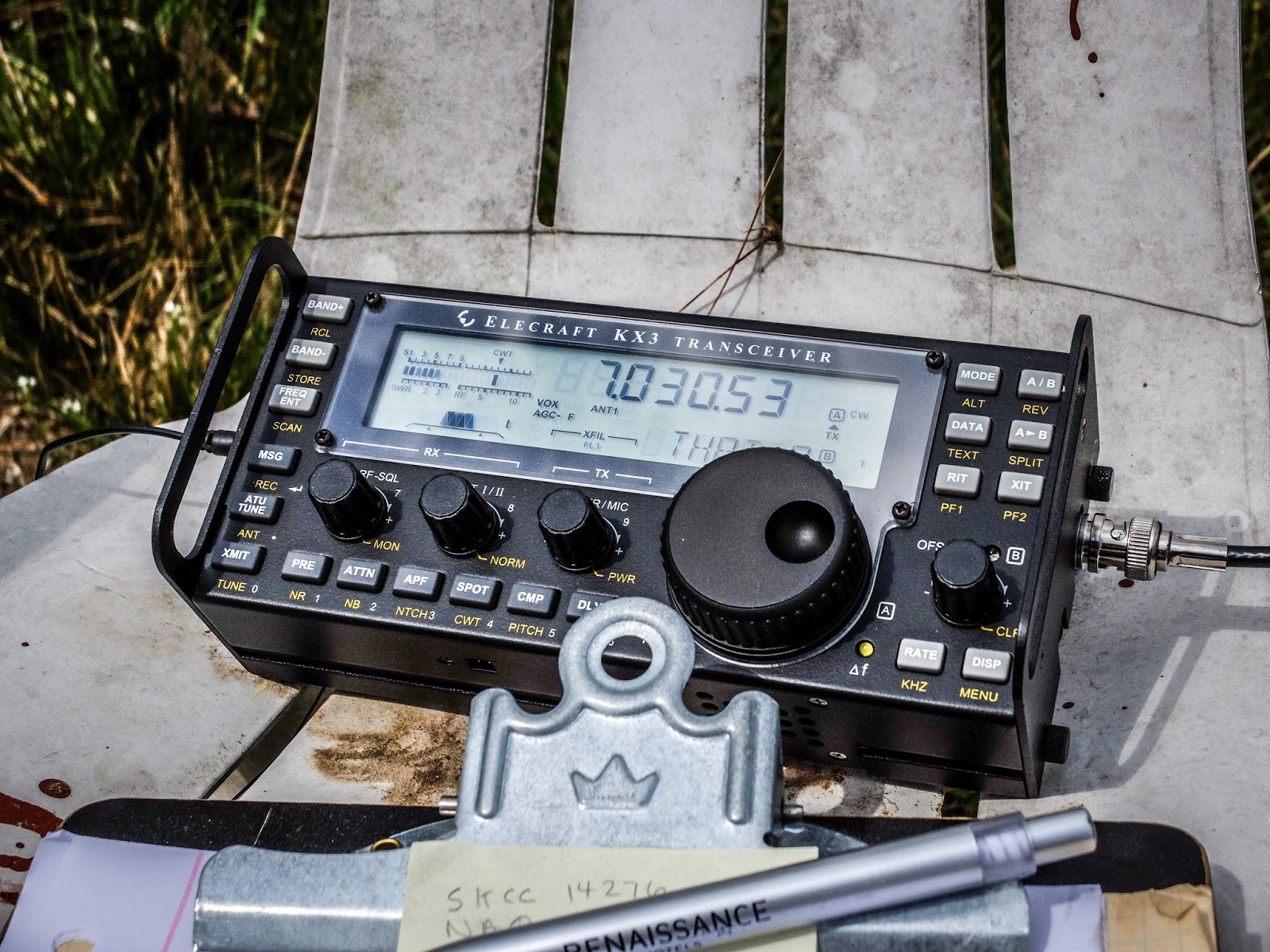 |
| KX3 operating on internal battery. What a fantastic portable rig. |
I took the BLT+ balanced line tuner out to the Excalibur antenna site to try it out on the doublet antenna that we put up last Saturday. This was the first test of that antenna (40m and 80m using a common feedpoint).
I didn't have much time today and after the first QSO it started to rain so I packed up and left before getting as much documented as I would have liked. I apologize for not recording the actual tuning process and the subsequent QSO.
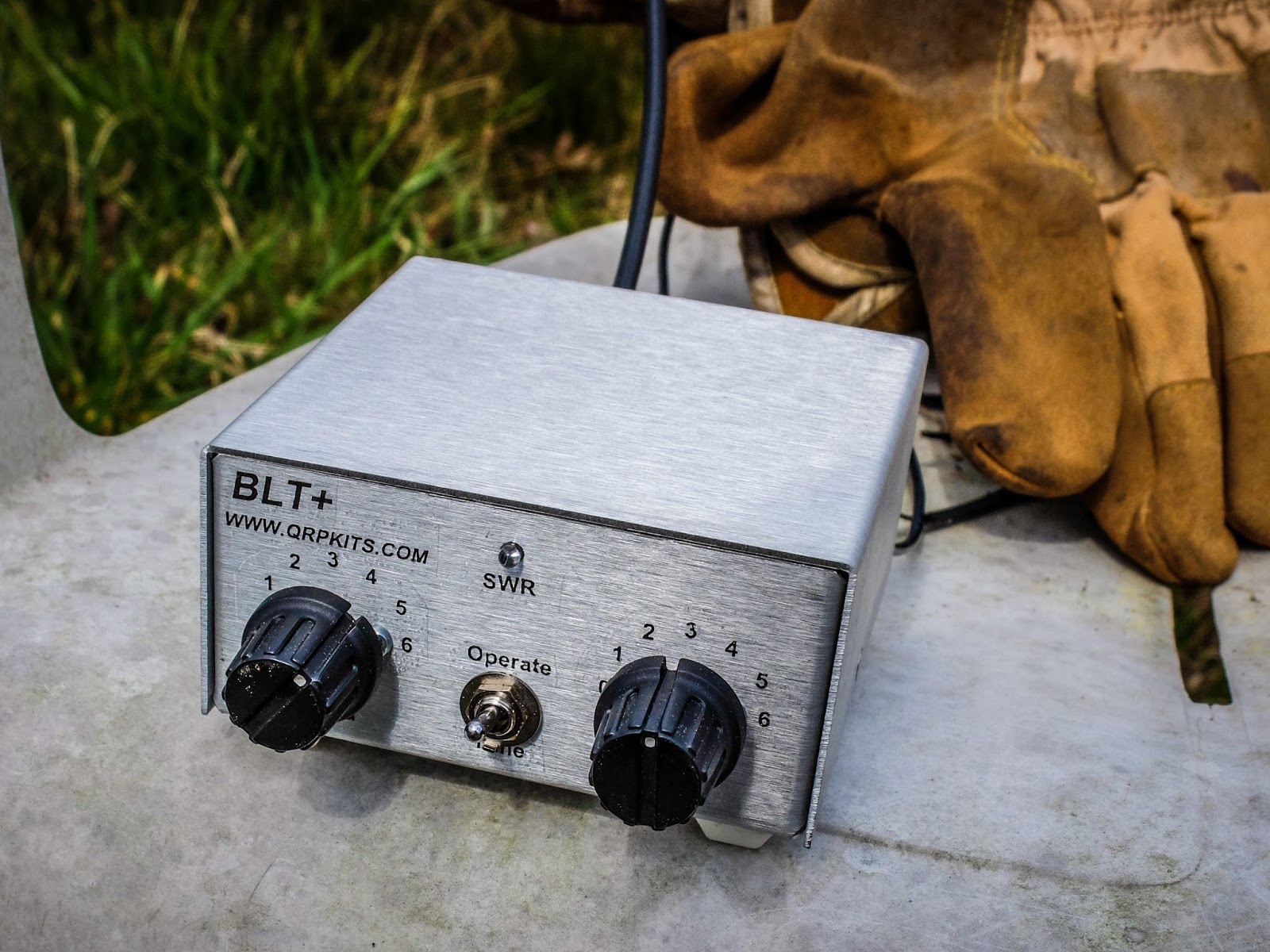 |
| BLT+ connected to open wire line (under the gloves) going to ta 40m Doublet at 65ft |
I had the KX3 operating using its internal batteries and outputting 2w. I was running 2 watts because that is the most efficient PA mode for the KX3.
I used the BLT+ to tune the 40m/80m doublet. Balanced line antennas perform better with a tuner designed for balanced line and this was a good test for both the tuner and the new antenna.
I used the BLT+ to tune the 40m/80m doublet. Balanced line antennas perform better with a tuner designed for balanced line and this was a good test for both the tuner and the new antenna.
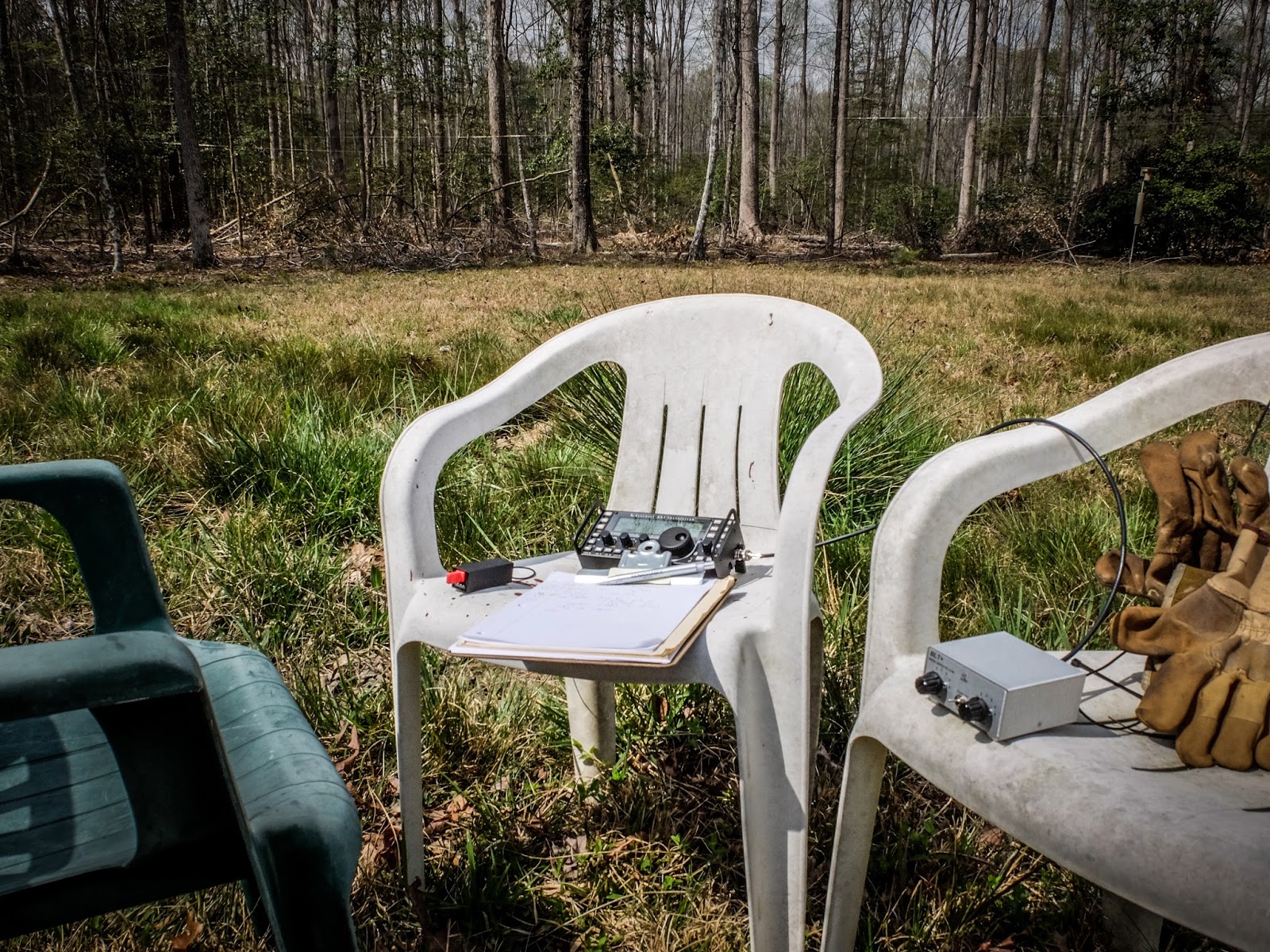 |
| Portable shack, courtesy of three plastic chairs |
I quickly matched the doublet using the BLT+ using the lowest impedance setting which is also the most efficient. I was glad to see that the BLT SWR LED indicator is bright enough to be seen in direct sunlight. I was wondering about that but you can definitely tell when it dims even in direct sunlight.
Performance
After quickly tuning up I sent my call two times and was promptly answered. The other station was running a Flex 6500 into a KPA500 and a OCF Windom at 50 feet.
He reported me as 559, while he was a 599. He was running a new KPA500 amp at 500w so we were a bit mismatched on power.
Interestingly the difference in 2w and 500w exactly matches the 4 S-Unit difference in our reports if you do the math (each increase in an S-unit requires quadruple the power).
AA4OO sitting back and listening to the QSO
Paul AA4XX kindly snapped some pictures while I was listening to the other operator. This is the Excalibur antenna site but the shack is outside the photo.
The Doublet's feed line has not been brought to the shack yet so I was just sitting under the antenna. The open feed line is running along the ground for a bit which certainly didn't help the signal but we haven't installed the posts to carry the feed line over to the shack and I was too lazy to move the chairs far enough away to keep the feed line in the air.
In the foreground is some saw-grass common on the NC coast. I'm not sure why it's growing this far inland.
The Doublet's feed line has not been brought to the shack yet so I was just sitting under the antenna. The open feed line is running along the ground for a bit which certainly didn't help the signal but we haven't installed the posts to carry the feed line over to the shack and I was too lazy to move the chairs far enough away to keep the feed line in the air.
In the foreground is some saw-grass common on the NC coast. I'm not sure why it's growing this far inland.
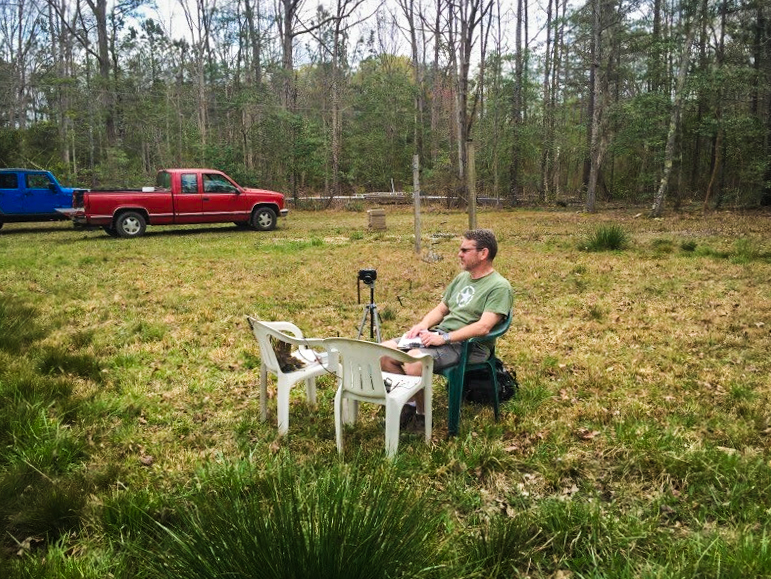 |
| Portable shack at the Excalibur antenna site... The Doublet is 65 feet above my head |
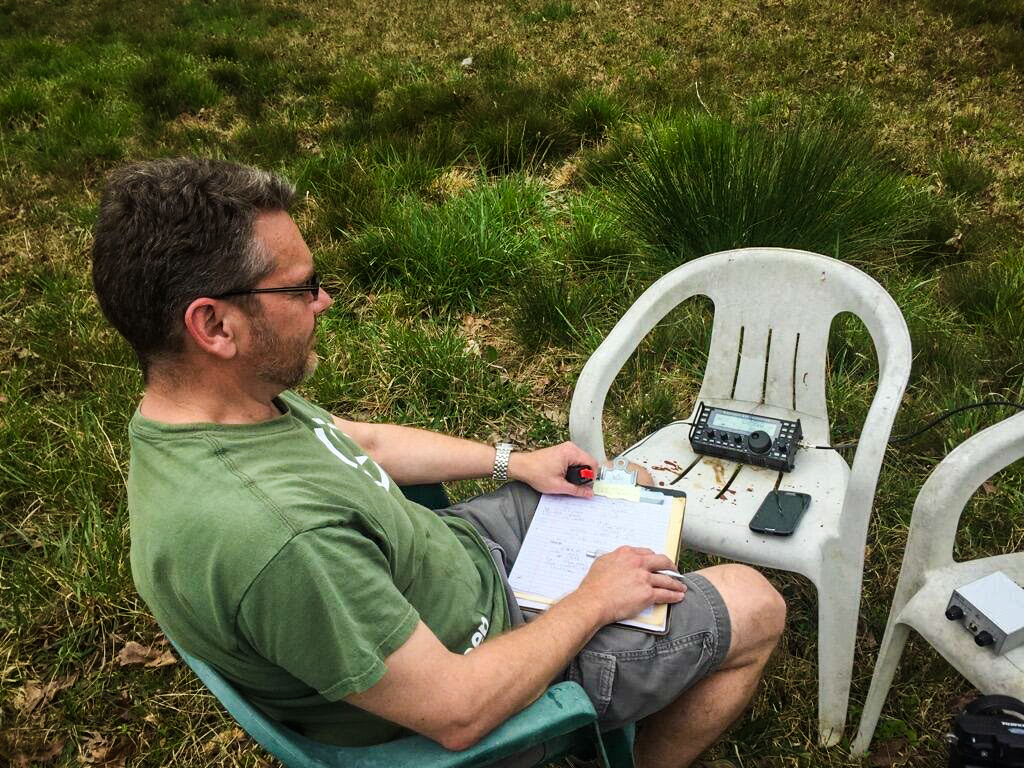 |
| Waiting my turn in the QSO... holding the Palm Single Paddle. BLT+ tuner in the chair to the right |
Video
Here is a brief video showing how the BLT+ is connected to the Doublet...
Summary
The little BLT+ performed great with both balanced line antennas I've tried. It is easy to use and allows me to use my KX3 with balanced feed line antennas now. I encourage you to build the kit from Pacific Antenna / QRPKits.com .
That's all for now
So lower your power and raise your expectations
72/73
Richard, AA4OO
A visit with a QRP contest station
160m Spring Stew Perry Contest - QRP style
I had the opportunity to visit with Paul Stroud AA4XX as he worked the early hours in the 160m Spring Stew Perry Contest. Paul is an avid CW operator dedicated to QRP and QRPp operations. When he works contests he often participates using the Knightlites club call WQ4RP (Note the QRP in the call).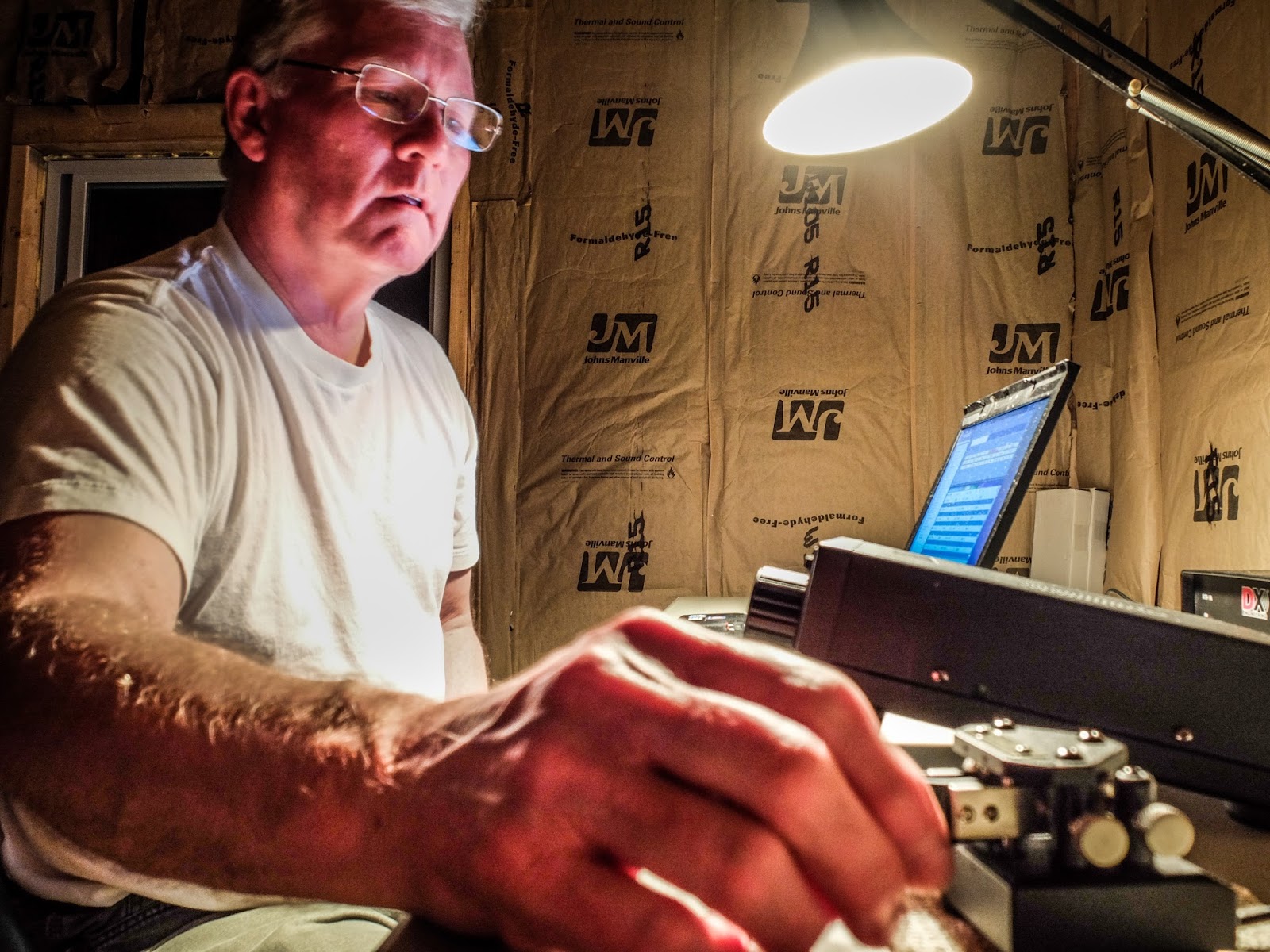 |
| AA4XX operating as WQ4RP during the 160m Stew Perry Spring Top Band contest |
160m Top Band
160m (top band) is challenging due to the physical logistics of a suitable antenna. I had the opportunity to assist with a portion of raising the 160m vertical loop antenna at the "Excalibur antenna site" and installing the 24 elevated radials that help make this antenna so effective. There's a lot of wire in the ground system. The antenna site is located in the woods, off grid, and away from electrically noisy homes.Power to the remote shack is supplied by a quiet Honda 1kW generator operating a couple dozen feet from the shack. Due to the lower power requirements of QRP Paul can run the generator on eco-mode allowing its small fuel tank to provide 8 hours of operation between fill-ups.
Paul uses a Ten Tec Argonaut VI, running 5 watts output into the Excalibur 160m vertical loop. He uses N1MM+ logger software and a WinKeyer interfaced to the software. He also employs a SDR (software defined radio) feeding CWSkimmer signals across the band. An antenna splitter simultaneously feeds the SDR and the Argonaut. The SDR receiver is switched out during transmit by a DX Engineering RTR-1A Receive switch. His CW key is a N3ZN ZN-QRP model.
The N1MM+ logging software keeps track of which stations have already been worked and the CWSkimmer interface displays calling stations on the band being heard by his antenna.
 |
| The remote QRP station setup for contesting |
In the Stew Perry contest the only information exchanged was grid squares. I'm still relatively new to CW and watching Paul casually copy grid squares sent at 30wpm was impressive. I would have had to ask the caller to re-send their grid squares 5 times but Paul makes it look easy.
Instructions for the newbie
Paul explained to me the in's and out's of operating in a contest. Speed and timing the openings were important, as was persistence. The integration of the software and receiving tools optimized his operating but experience and skill seems to be the biggest factors to success. I could have sat down there using the same tools but I would have been dumfounded with the logging controls and the speed the other stations were sending information. However, not all stations were sending at mach speed. When Paul worked a station sending at a slower or faster speed he would use the interface to Winkeyer to speed up or slow down the sending simply using the Page-up / Page-down keys. He would change frequency to a new station in the skimmer display by clicking on it.
Due to the limited amount of information exchanged during the contest most of the sending is accomplished via macros programmed into the contesting software. Paul rarely had to touch the CW key during the time I was there and his primary physical interaction with the radio seemed to be changing bandwidth or bandpass settings (he tends to keep bandwidth at 500Hz).
 |
| Paul demonstrating the contesting software and usage |
Why QRP?
This contest was not a QRP-only contest although there were multipliers for working QRP. There were plenty of big gun stations operating and the Reverse Beacon spots showed some of them with 56dB SNR reports pounding the ionosphere with their big amps.
The strongest signal spot last night for WQ4RP was 35db with the average at around 18dB. Paul has worked QRO in the past but the challenge of QRP operation is now in his blood. During a previous 160m CW contest this winter he and Dick Hayter N4HAY worked 3 stations in Hawaii with Excalibur which thrilled them given the current propagation on 160m. QRP adds a bit more challenge and those multi-thousand mile per watt contacts on the top band make it all the more special
 |
| Finding the next station to work. (N3ZN QRP CW key in the foreground) |
Why contest?
As a new CW operator I'm still getting my feet wet and enjoying the process of improving my CW copy skills doing more ragchews than adding stations to the log or chasing DX. I casually contest with the SKCC weekend sprints and it can be fun to see how many stations I work but I'm not ready for real contesting.
During the time I observed, I could sense Paul's excitement seeing the propagation progress across the band and when a distant station in Russia was heard he looked forward to the challenge to getting that one in the log using QRP. He let the stations running big amps get their fill before jumping in. Ultimately he wasn't able to work that station but he later worked a GW3 station in Wales which was a first for him on 160m. The rewards of contesting seem to be in the accomplishment of something difficult and achieving something new. I can understand that.
What's next?
With summer coming on 160m will turn noisy from atmospheric static and the opportunities for top band contacts fewer. Attention will turn to other bands and challenges for a while. Maybe Paul will decide it's time to get that 40m Moxon back up on the tower as the sunspot cycle decreases this summer.
I enjoyed the opportunity to watch real CW contesting first hand. It is technically challenging and requires skills I do not yet possess and I look forward to progressing in my CW/QRP journey to the point where I can assist Paul in a contest.
That's all for now
So lower your power and raise your expectations
73/72
Richard, AA400
I will have a BLT please
The BLT-Plus Balanced line QRP tuner
I was looking for a QRP tuner for the 1Watter 40m transceiver I am building that would work with both balanced feedline antennas as well as coax feedline. The traditional Z-Match tuner is quite efficient at tuning balanced line antennas and the built-in SWR bridge gives you an all-in-one tuner and SWR indicator without having to take a separate SWR meter along with its inherent mess of cabling a separate SWR meter. The BLT in the name stands for "Balanced Line Tuner".This tuner kit is available from the fine folks at Pacific Antenna.
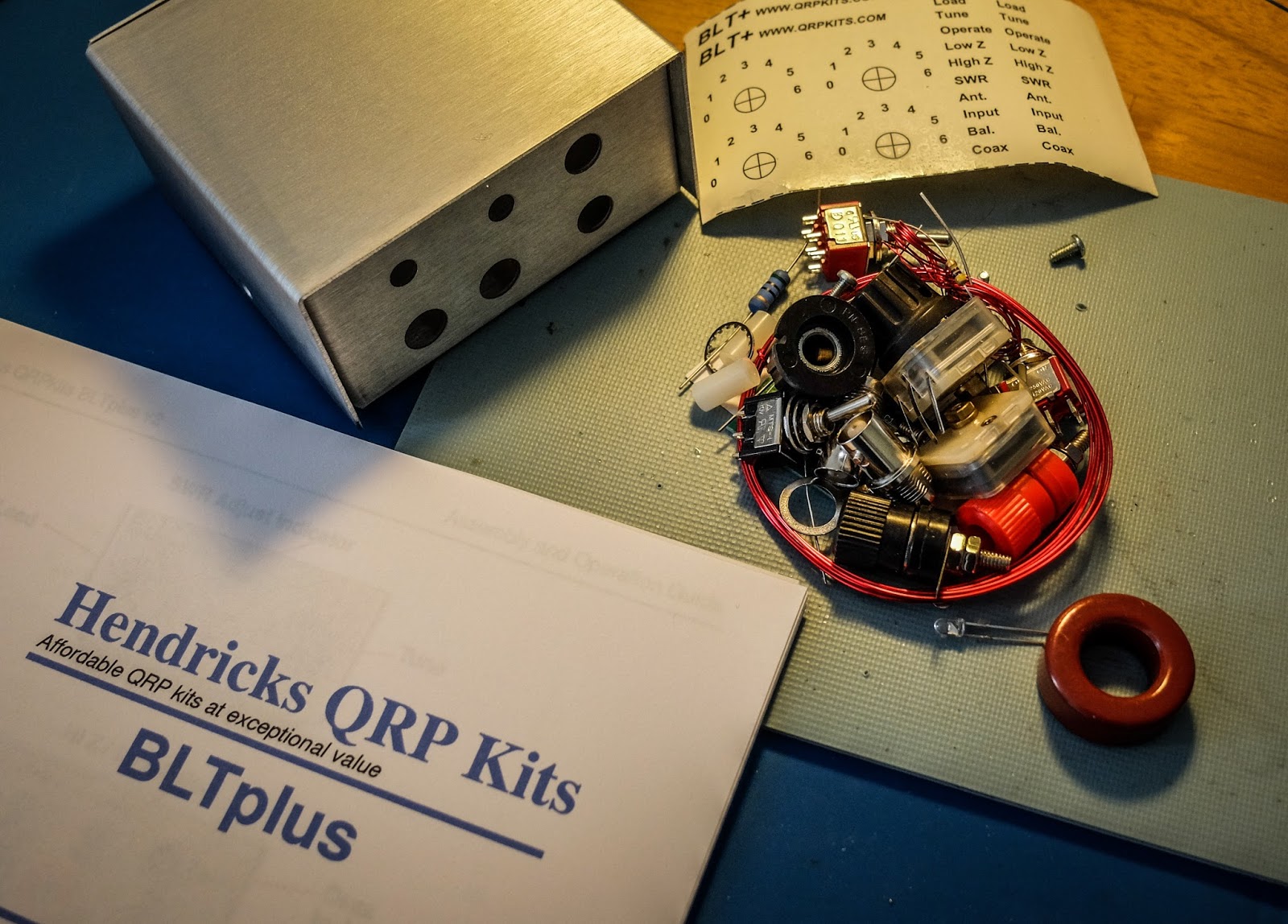 |
| The Kit as it comes out of the bag |
The kit comes with everything you need except for hookup wire and your soldering equipment. Instructions are downloaded from the qrpkits website.
Why use a z-match ?
Here are some advantages that the Z-match design offers:
- Matches balanced loads without the use of lossy baluns.
- Being a parallel resonant circuit, the Z-match can provide some band-pass filtering for your receiver and harmonic attenuation for your transmitter.
- A well-designed Z-match tuner has a high Q and is more efficient (less lossy) than other types of tuners.
- The fixed inductor simplifies construction (no taps or rollers needed).
The secret sauce
Matching balanced line fed antennas is sometimes problematic for a traditional balun and tuner as the antenna can present impedances that are far outside of the balun's design. The Z-Match uses a center tapped coil to keep the complex impedance balanced across the inductor (at least that's how I understand it). I have measured my Elecraft BL2 balun getting appreciably warm at QRP levels when connected to my doublet indicating loss I'd prefer to avoid. The Z-Match design supposedly results in less loss.
Built in SWR indicator
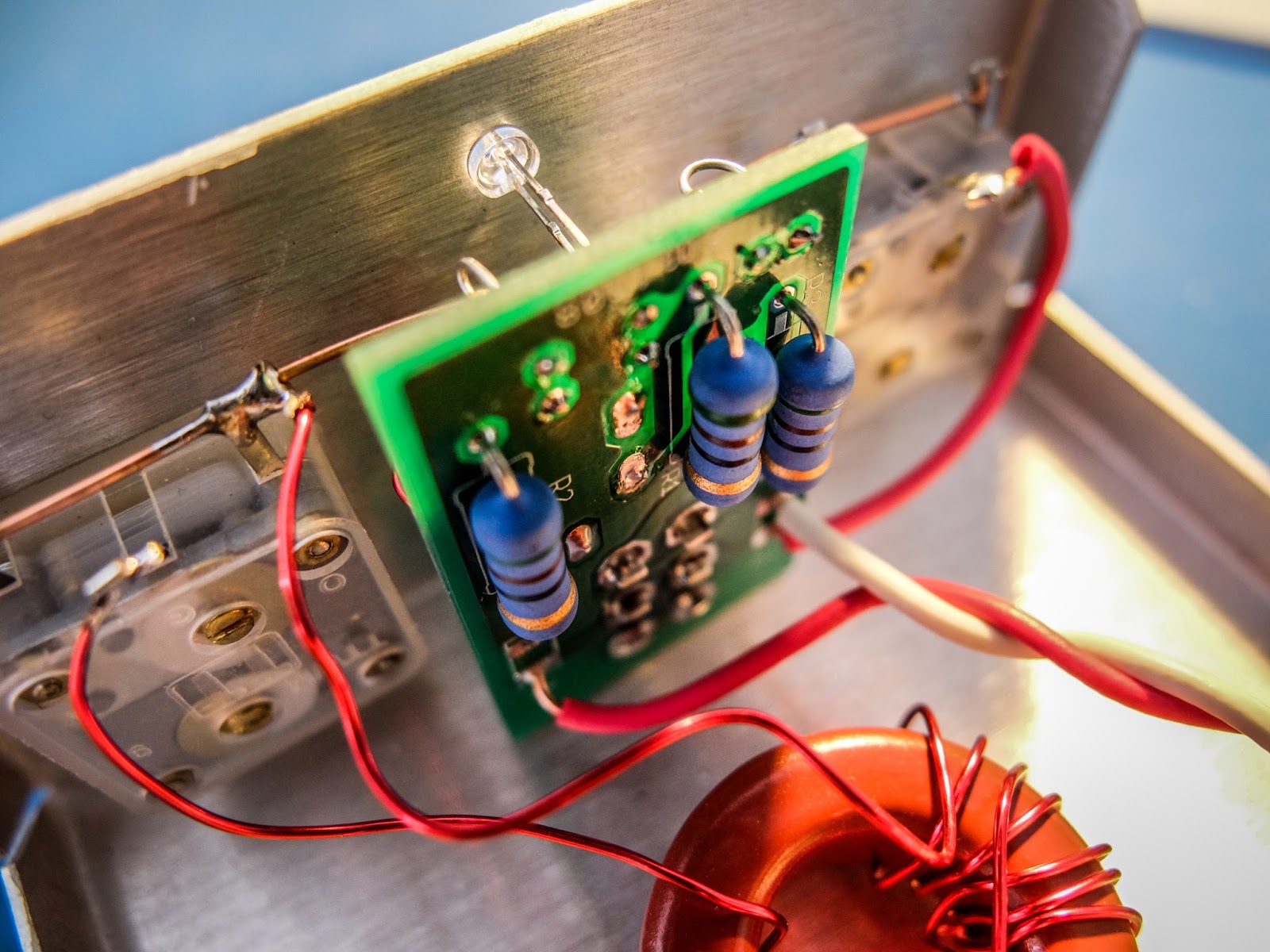
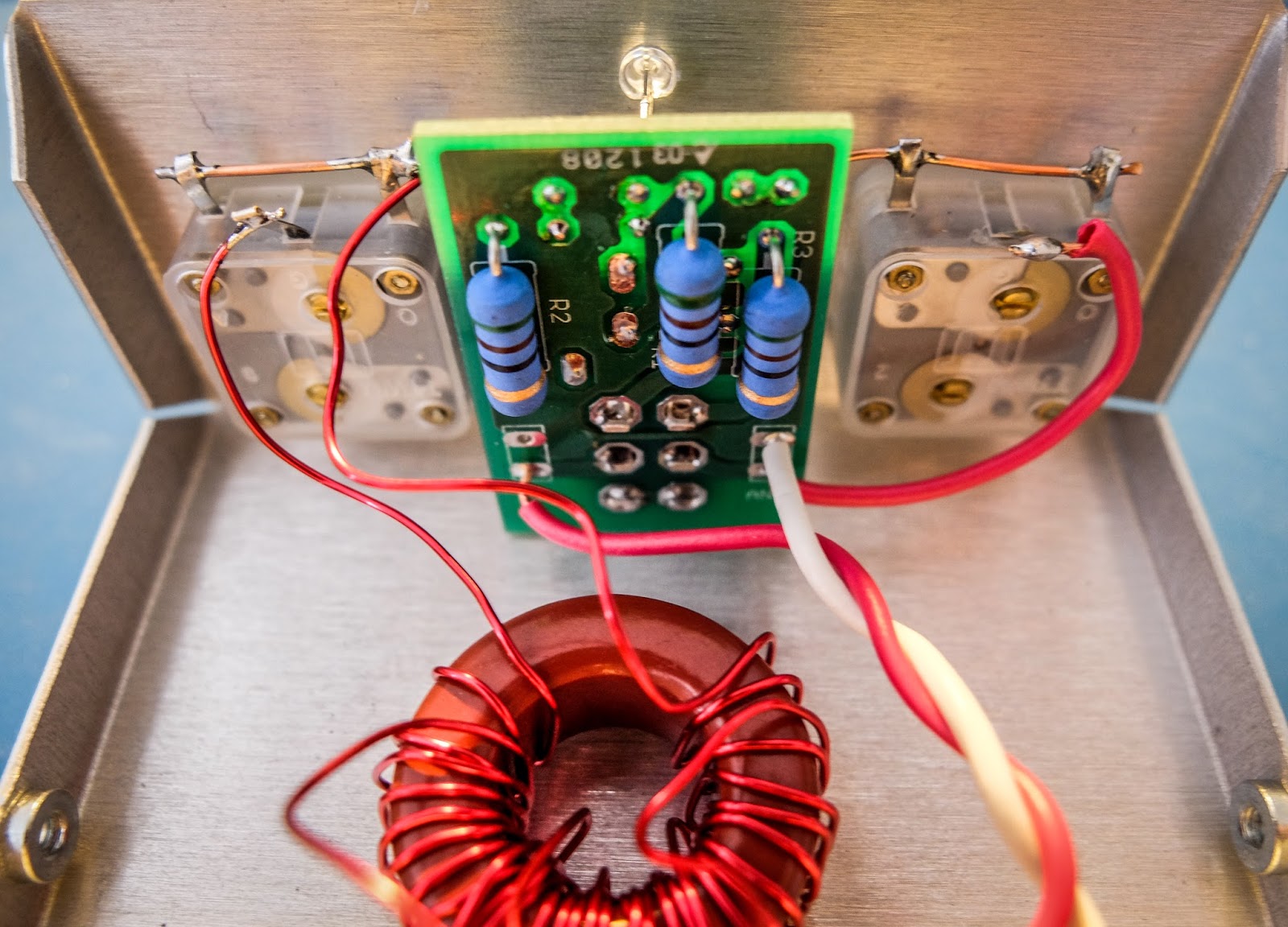
The BLT plus includes a Dan Tayloe N7VE LED SWR indicator which eliminates the need to carry a separate SWR meter. The concept is beautiful. The SWR bridge is switched into "Tune" mode and presents a 50 Ohm impedance to your transmitter while you are tuning so that you don't risk damaging sensitive home-brew finals. The LED lights when the SWR is too high and dims and then goes out as the match is made. It is simple and fast to use. The instructions for the bridge are not with the BLT instructions. Download them from this link.
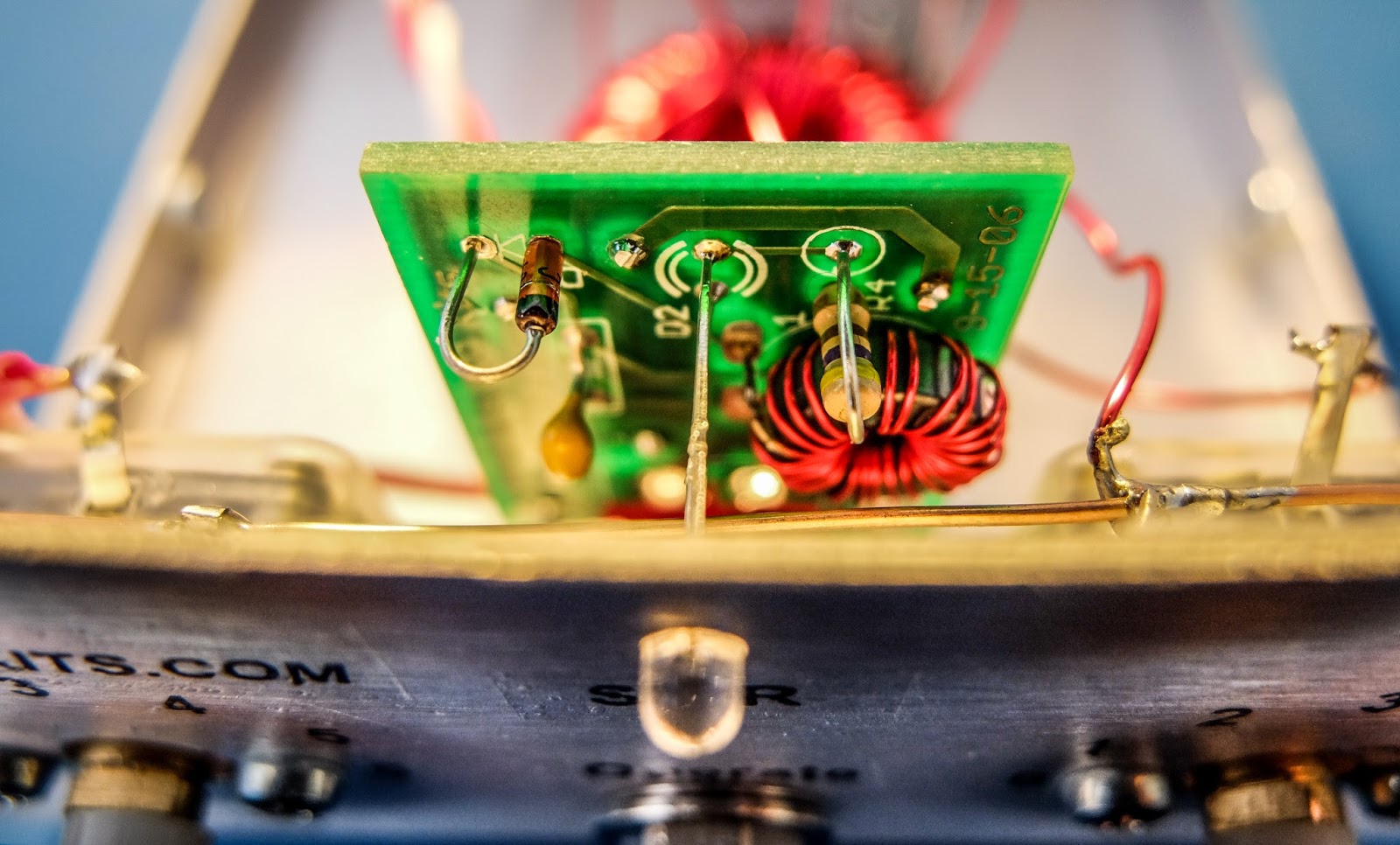 |
| SWR bridge with LED indicator |
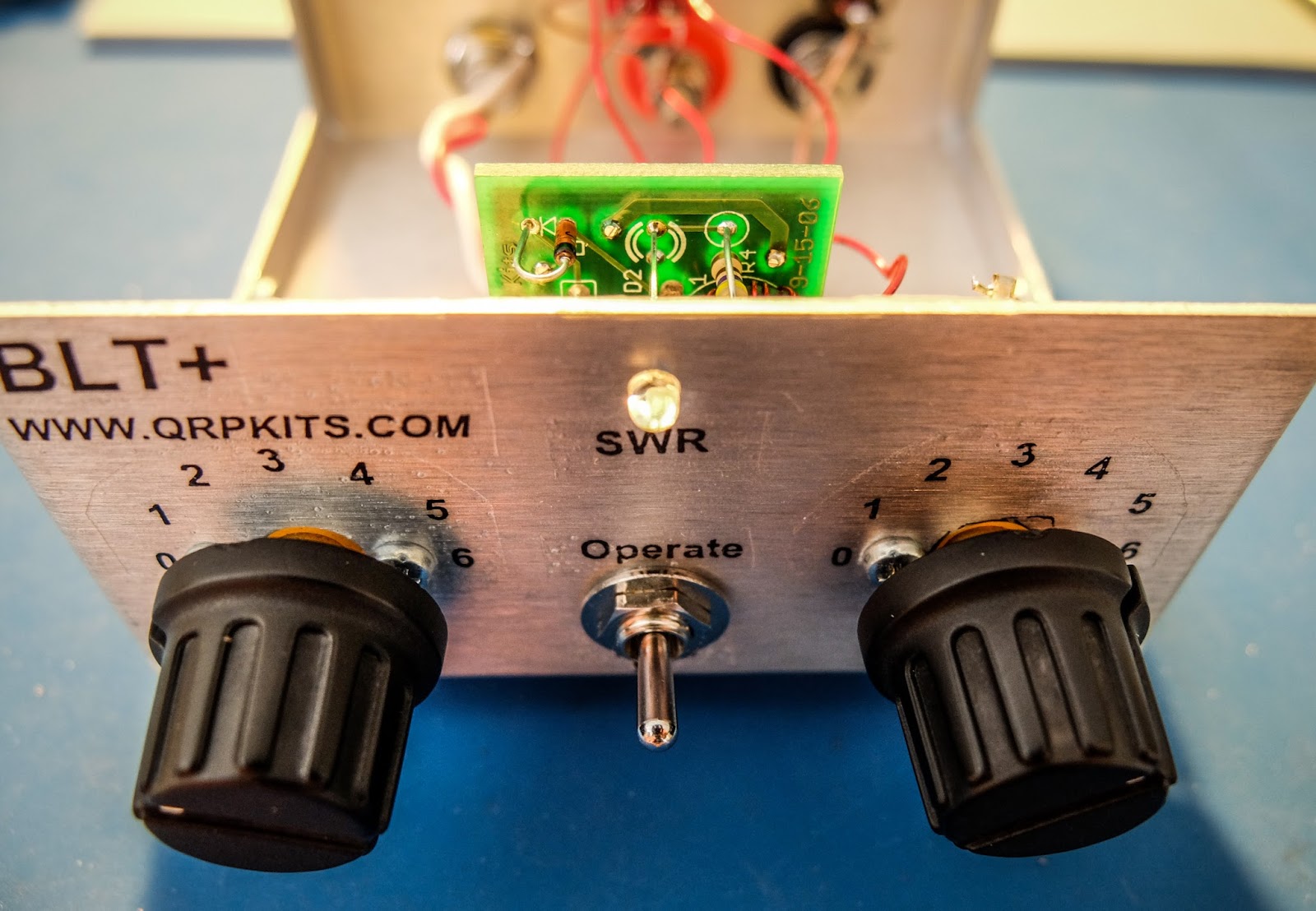 |
| Switch to Tune to present a low SWR to the transmitter while matching, switch to Operate when finished |
Building
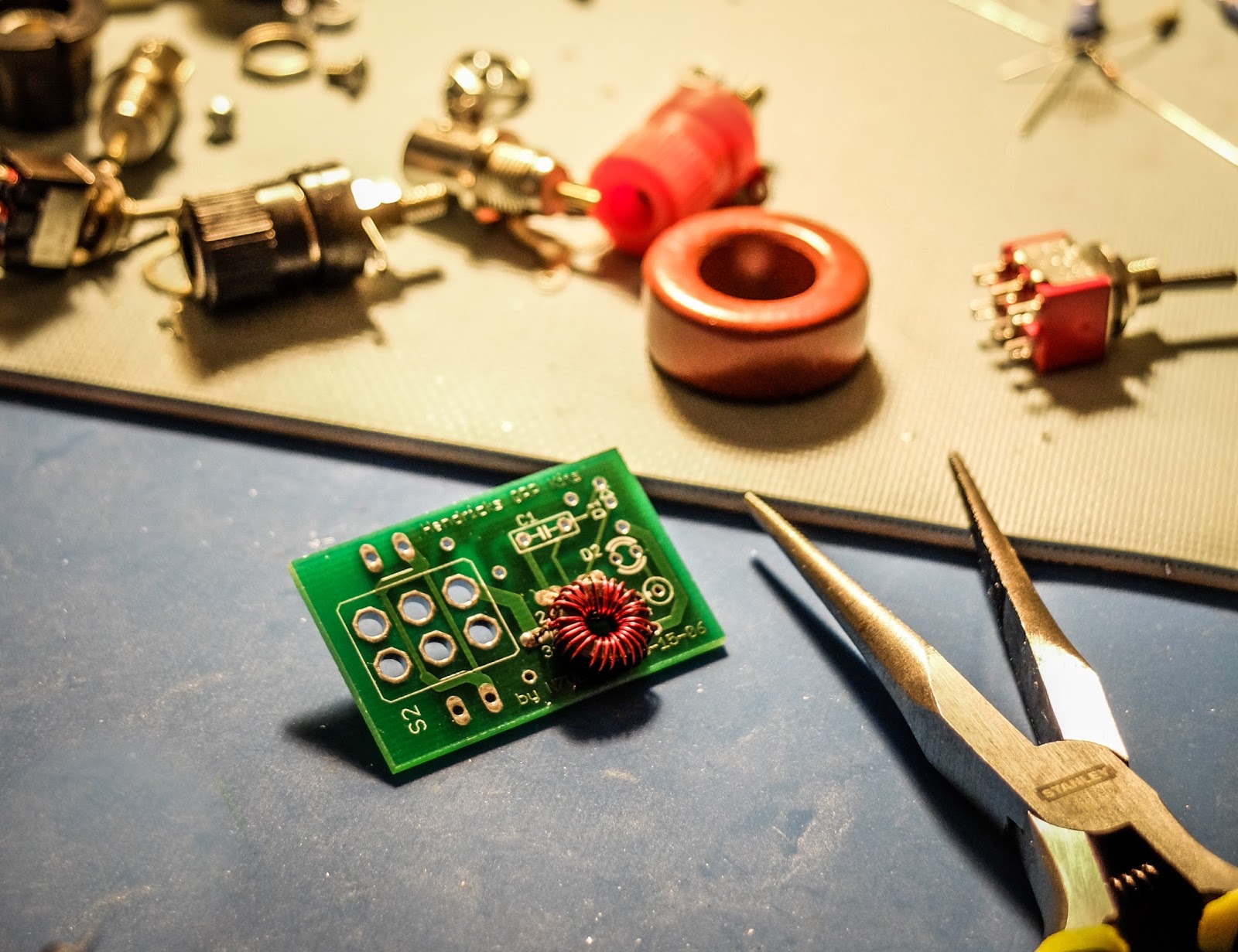
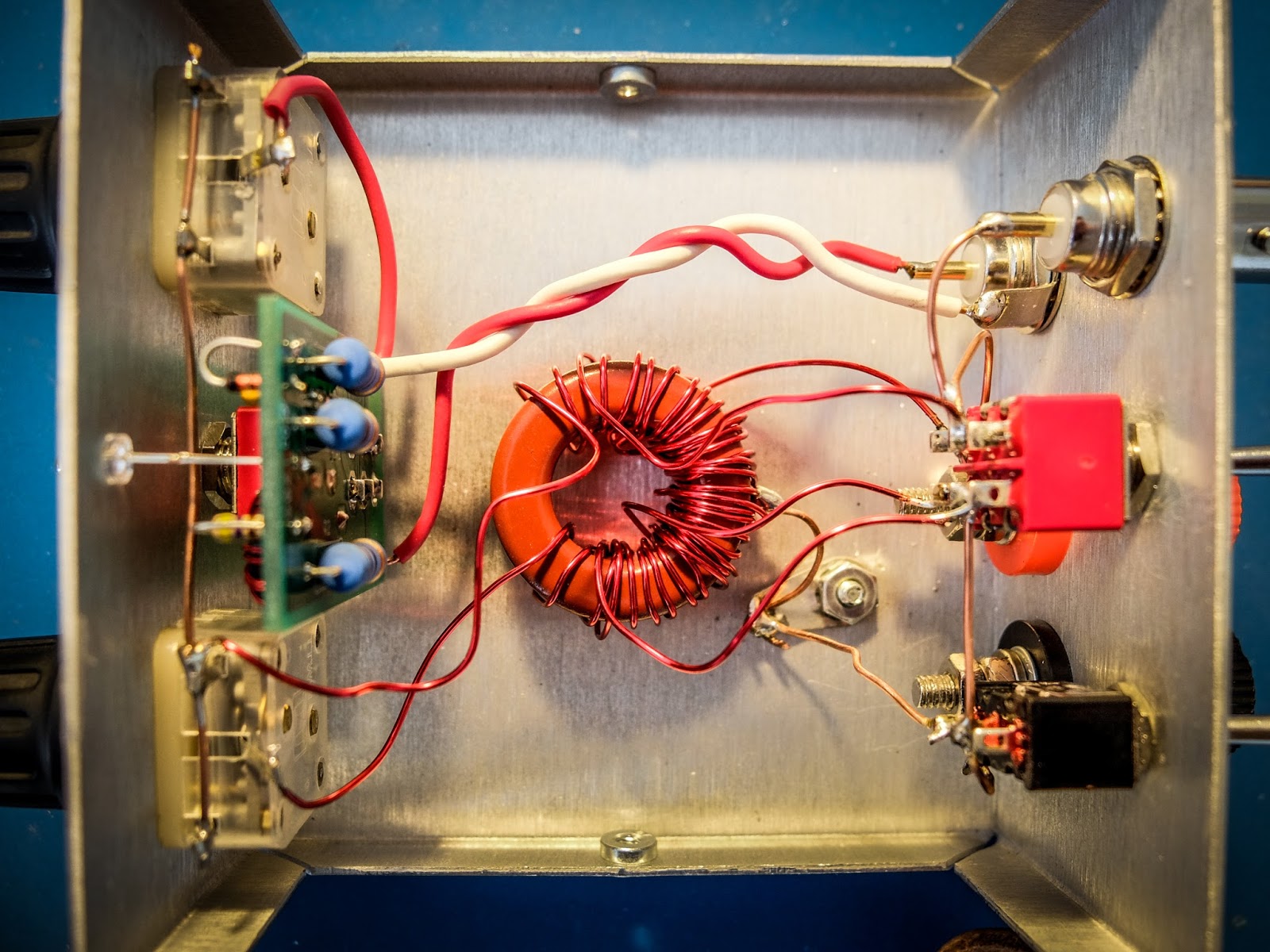
The kit is relatively easy to build with one tapped toroid to wind for the SWR bridge and one 3 winding toroid for the tuner. I faced a few issues that you might avoid:
- The kit is provided with really nice water slide decals that give it a commercial look (if you don't ruin them like I did). The instructions recommend applying a clear coat to the decals after they are applied. I used a Krylon matte finish clear coat which indicated it was fine for metals and plastics but it partially melted the decals and caused them to bubble. I'd suggest testing whatever you are going to clear coat them with first.
- Don't over tighten the plastic tuner shafts or you won't be able to slide the knobs on (yes I did).
- The binding posts have little plastic spacers that separate and it isn't obvious. If you install them and wonder how they don't ground themselves (like I did) you've done it wrong and will have to go back after it's together and try to remove them with all the wiring in place.
- The bolts for the binding posts are very soft metal and the nuts can strip them if you apply too much force (yep I did that too).
- The main toroid has three sets of windings and they overlap. Pay attention to the instructions about winding them all in the same manner (clockwise or counter clockwise) or you will have to rewind them (yep, I did that too).
- The 3 windings on the main toroid overlap so you won't be able to go back and verify your turns when doing the 2nd and 3rd winding so count carefully (ask me how I know).
- Temporarily attach the SWR bridge to the front panel to get the spacing correct to solder the LED leads.
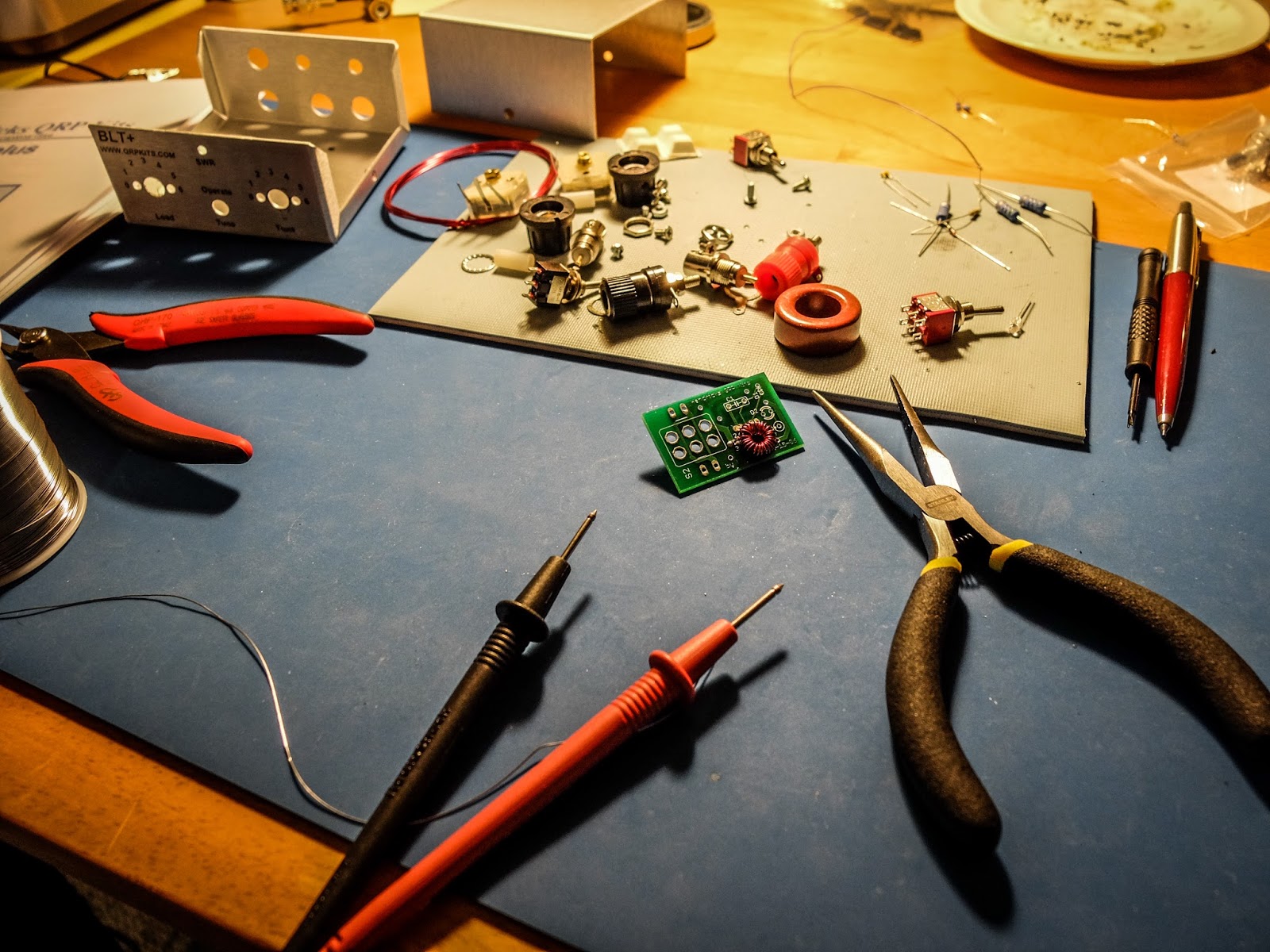
My tuner toroid ended up being a bit messier than I'd like because I had to rewind it and my resulting leads aren't as short as they could be. I may go back and trim the leads to make it tidier but my least favorite part of winding toroids is heat stripping the insulated magnet wire so I'll probably leave it as is. Initial tests indicate it's working great.
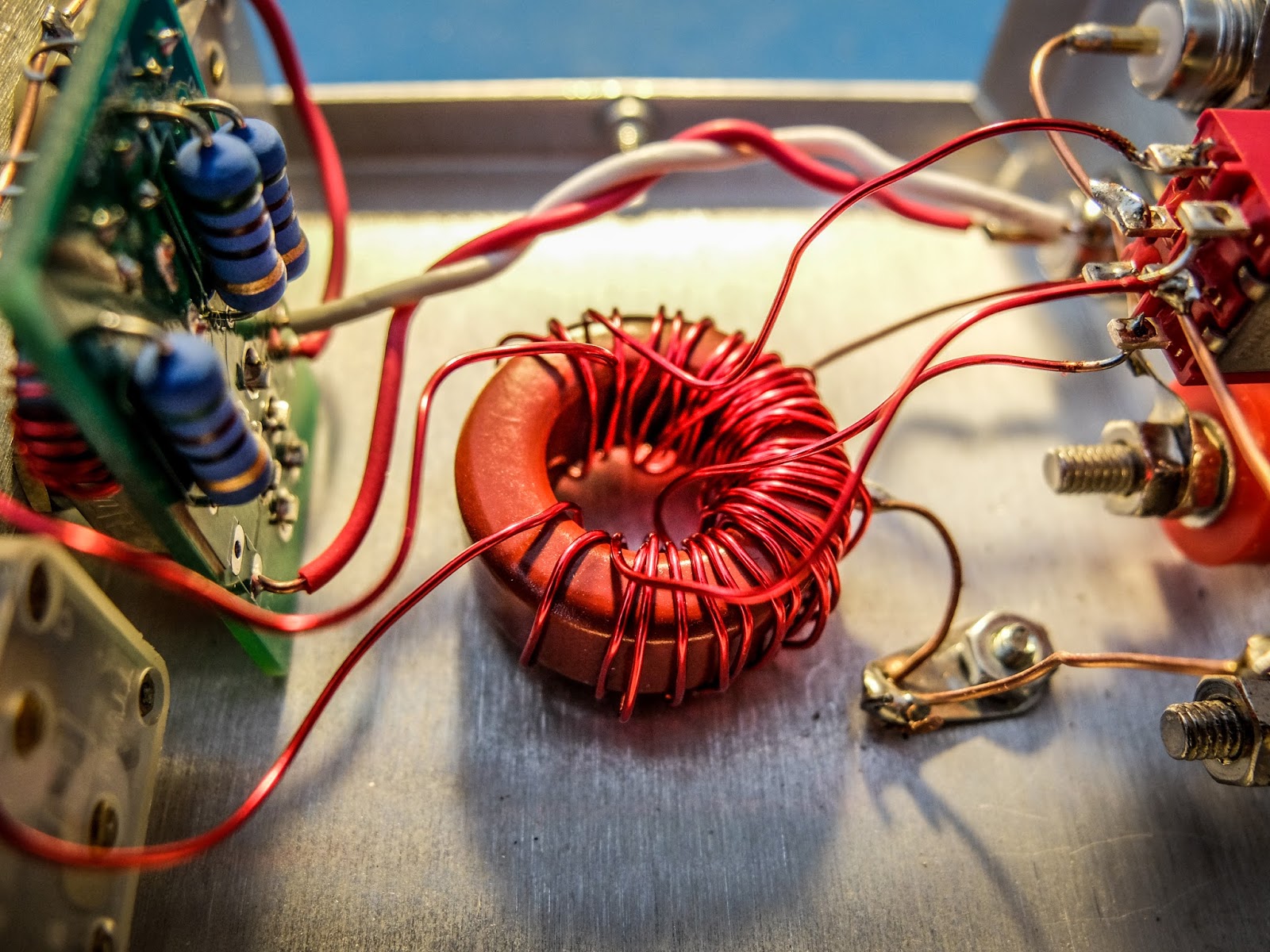 |
| My messy toroid winding... but it's working fine |
Operation
- Connect your transmitter and antenna.
- Choose the appropriate switch in the back for coax or balanced line antenna (Up for coax, Down for balanced line).
- Start with the inductance switch on the back set to low-impedance (Low-Z) because it is the most efficient. It uses the 6 turn secondary rather than the 12.
- Switch the front switch to "Tune"
- Key the transmitter and be sure you are using 5 watts or less
- Turn the "Load" knob first until you see a dimming of the LED then the "Tune" knob to make it go out completely
- The knobs interact so you'll need to go back and forth between them to achieve best match
- If you can't get a good match switch the inductance switch on the back to "High Z" and try again
- Don't apply power too long at a time during tune because the 50 Ohm resistors are heating up in there during the Tune process
- When the LED goes out or gets very dim you have a very good match. Switch to "Operate" and enjoy a well matched antenna
Photos
 |
| Result of having to rewind the secondaries made it messier than I'd like |
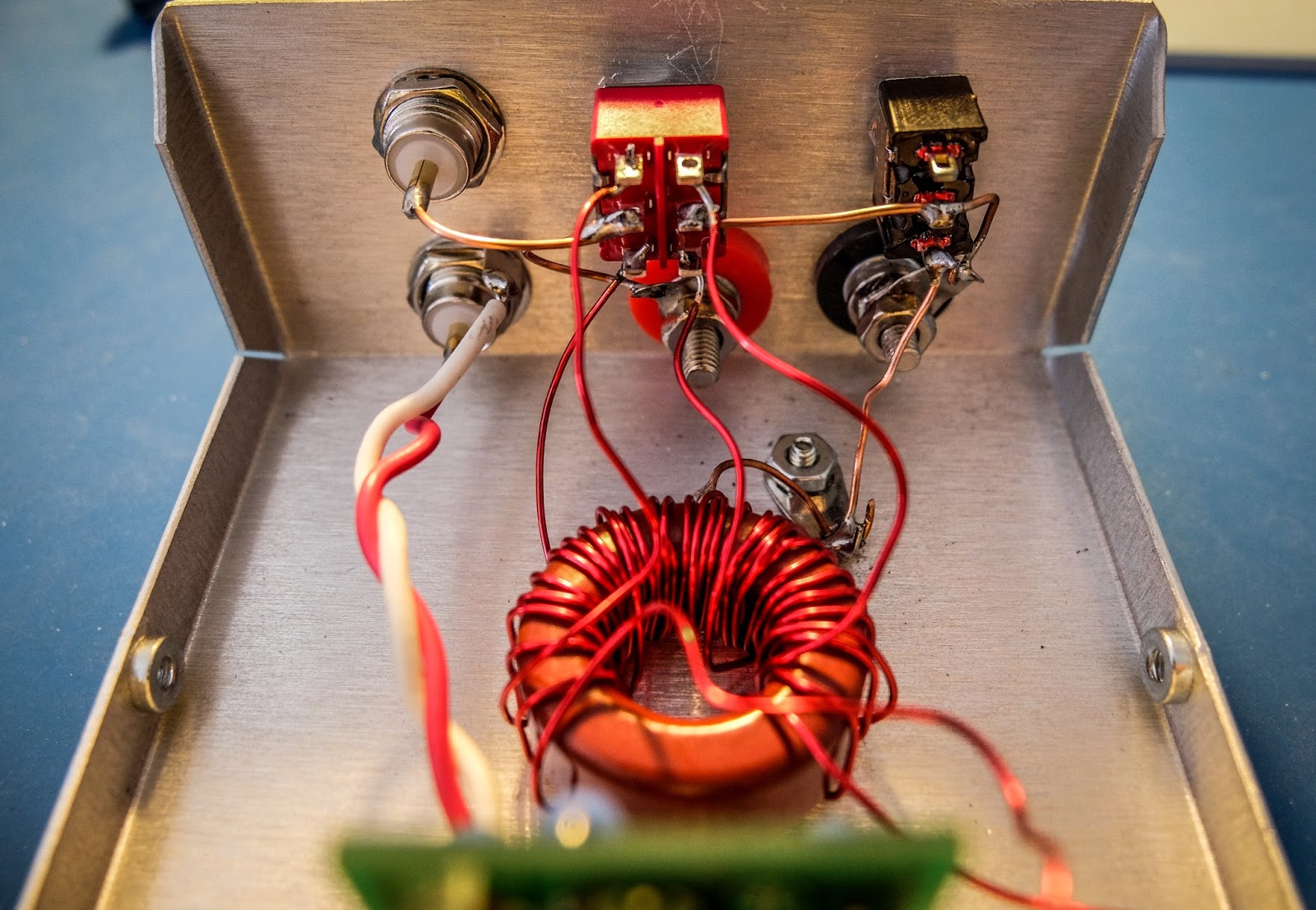
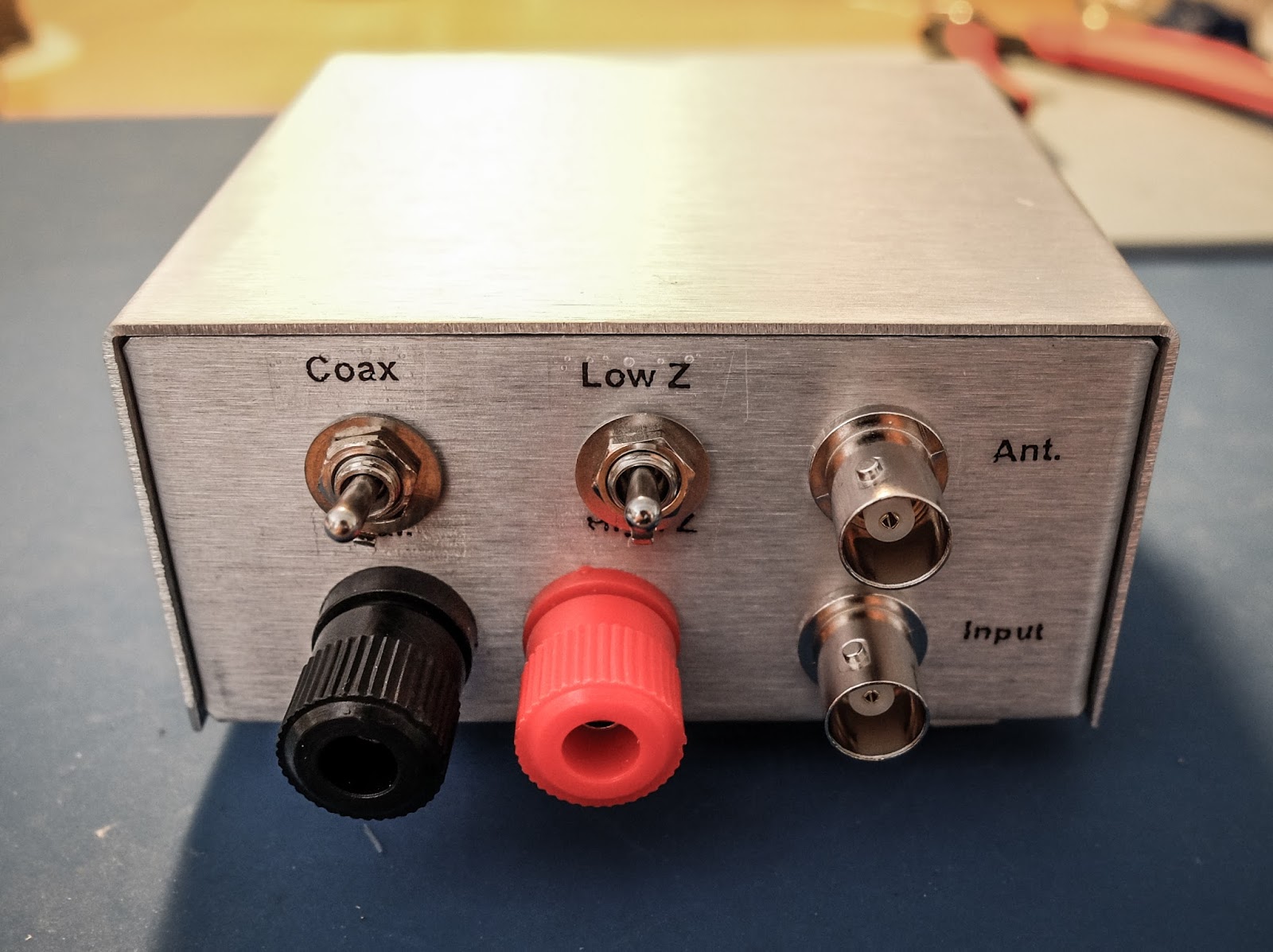
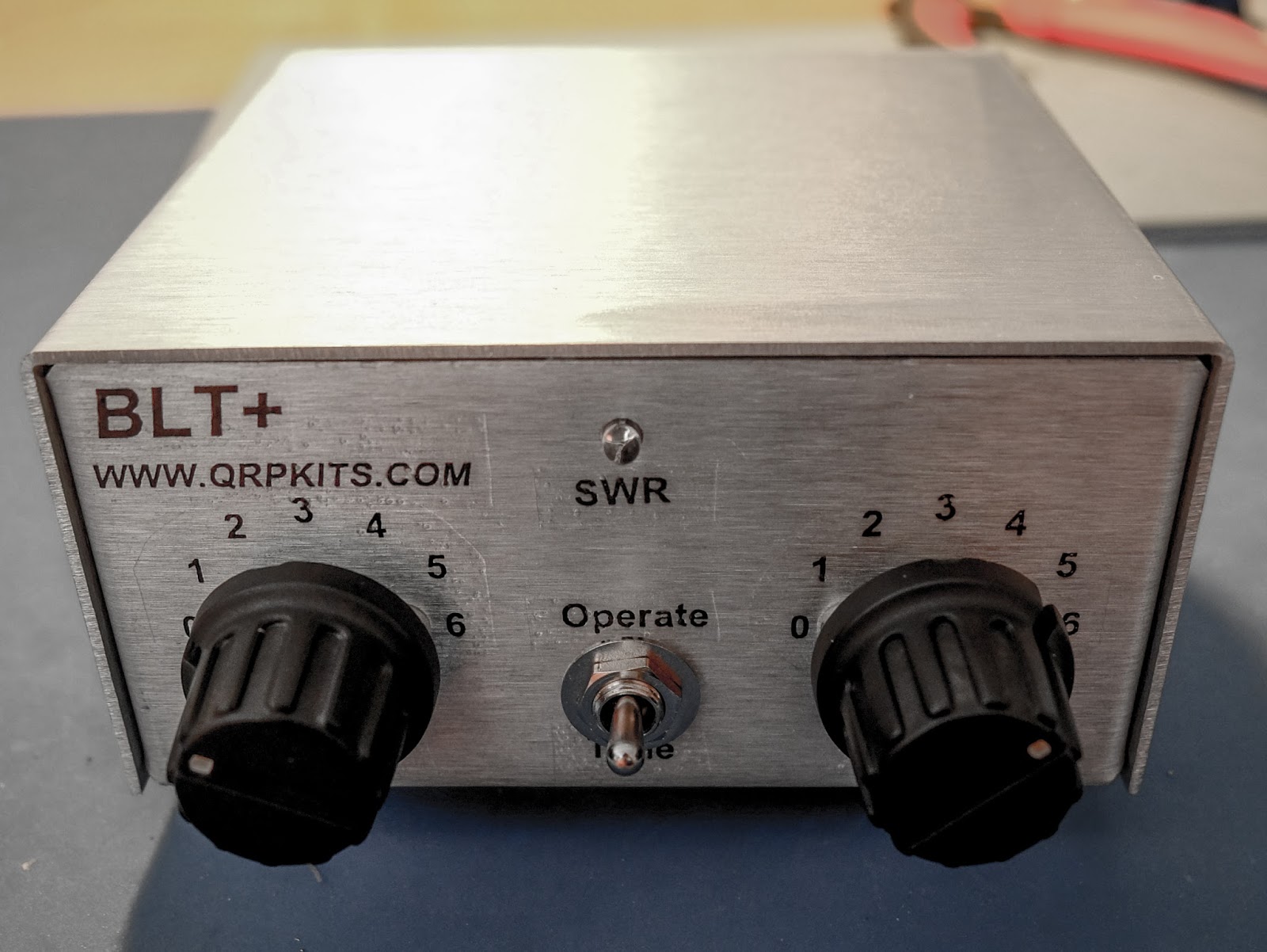
Dimensions
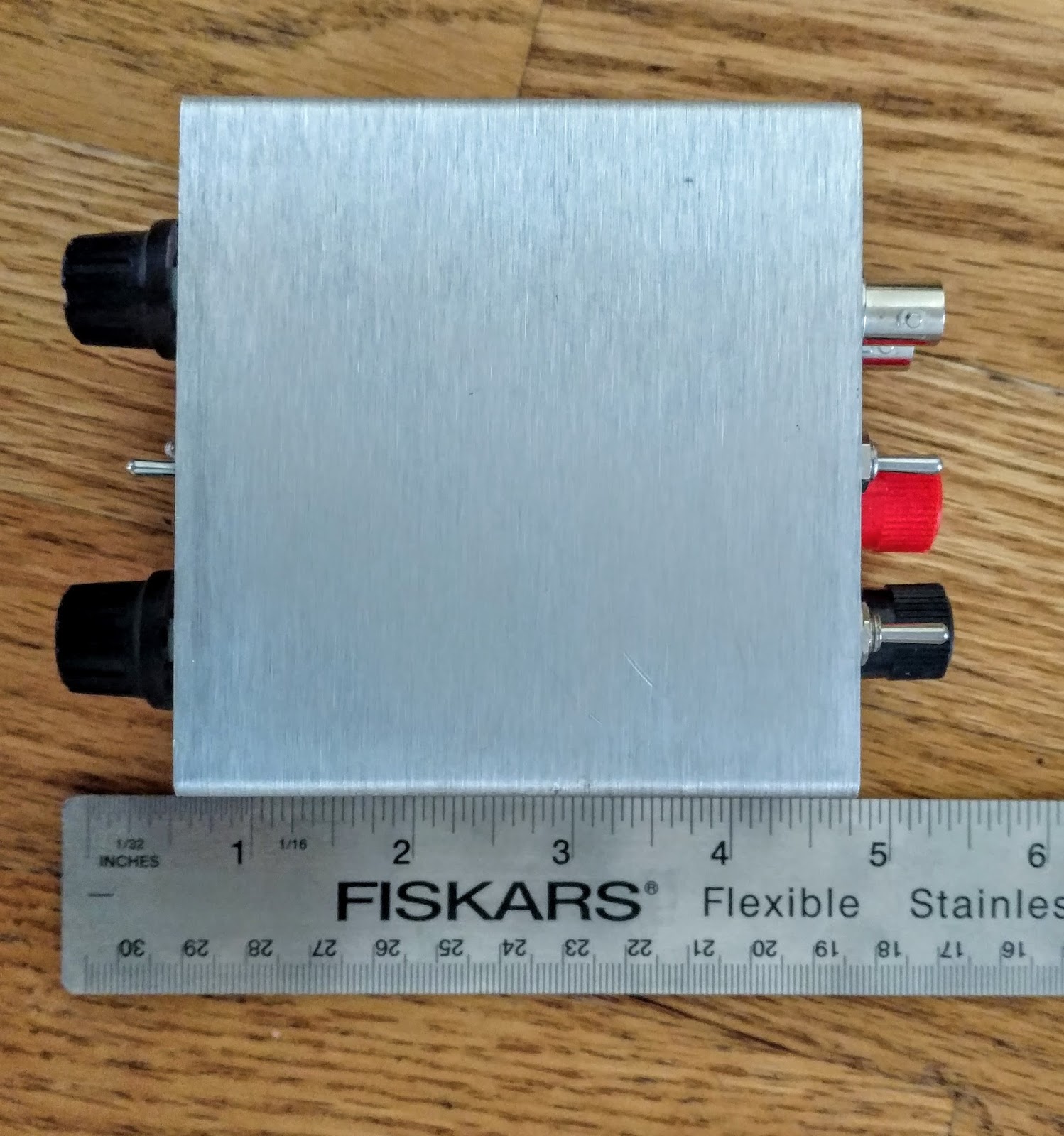
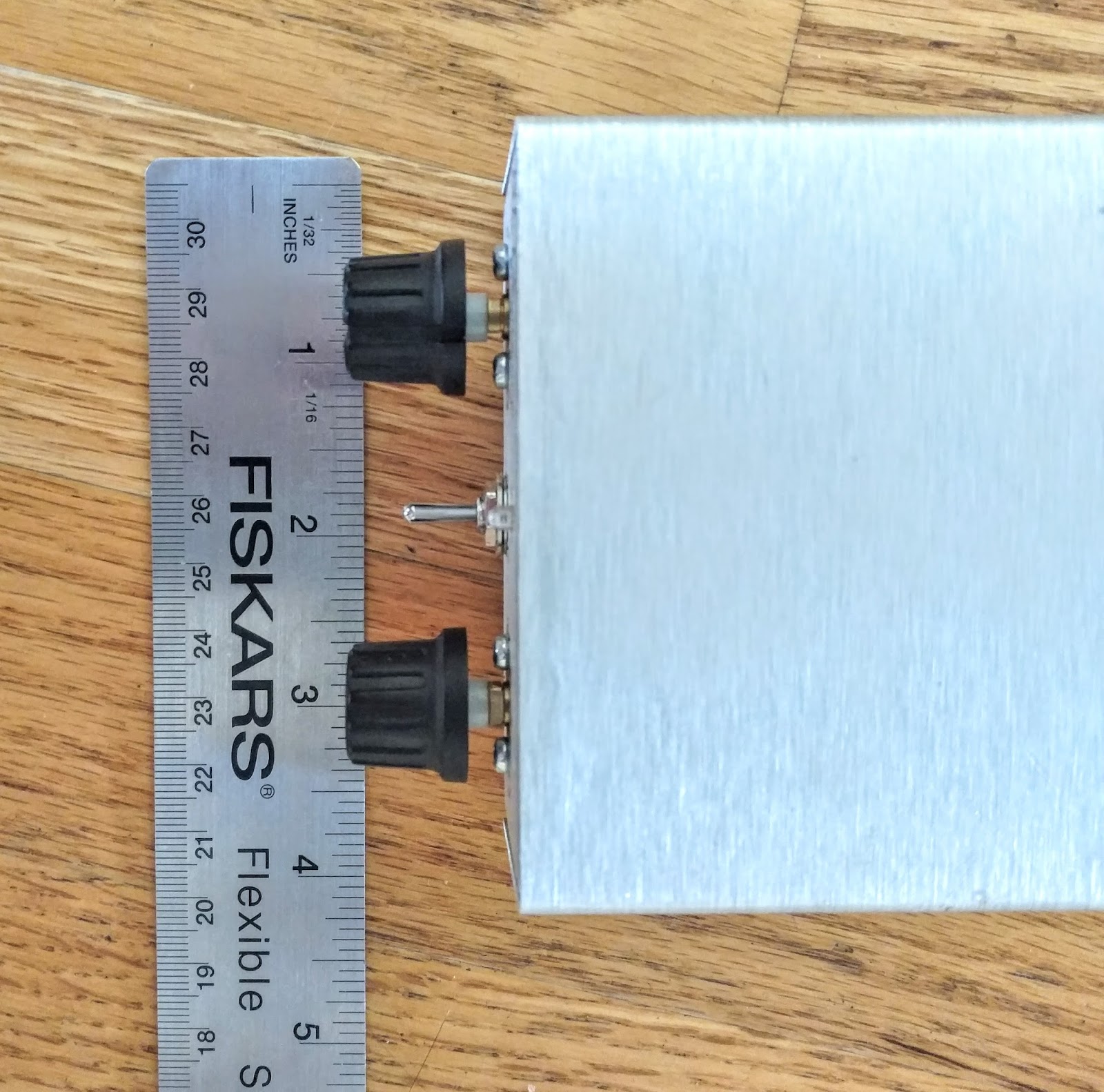
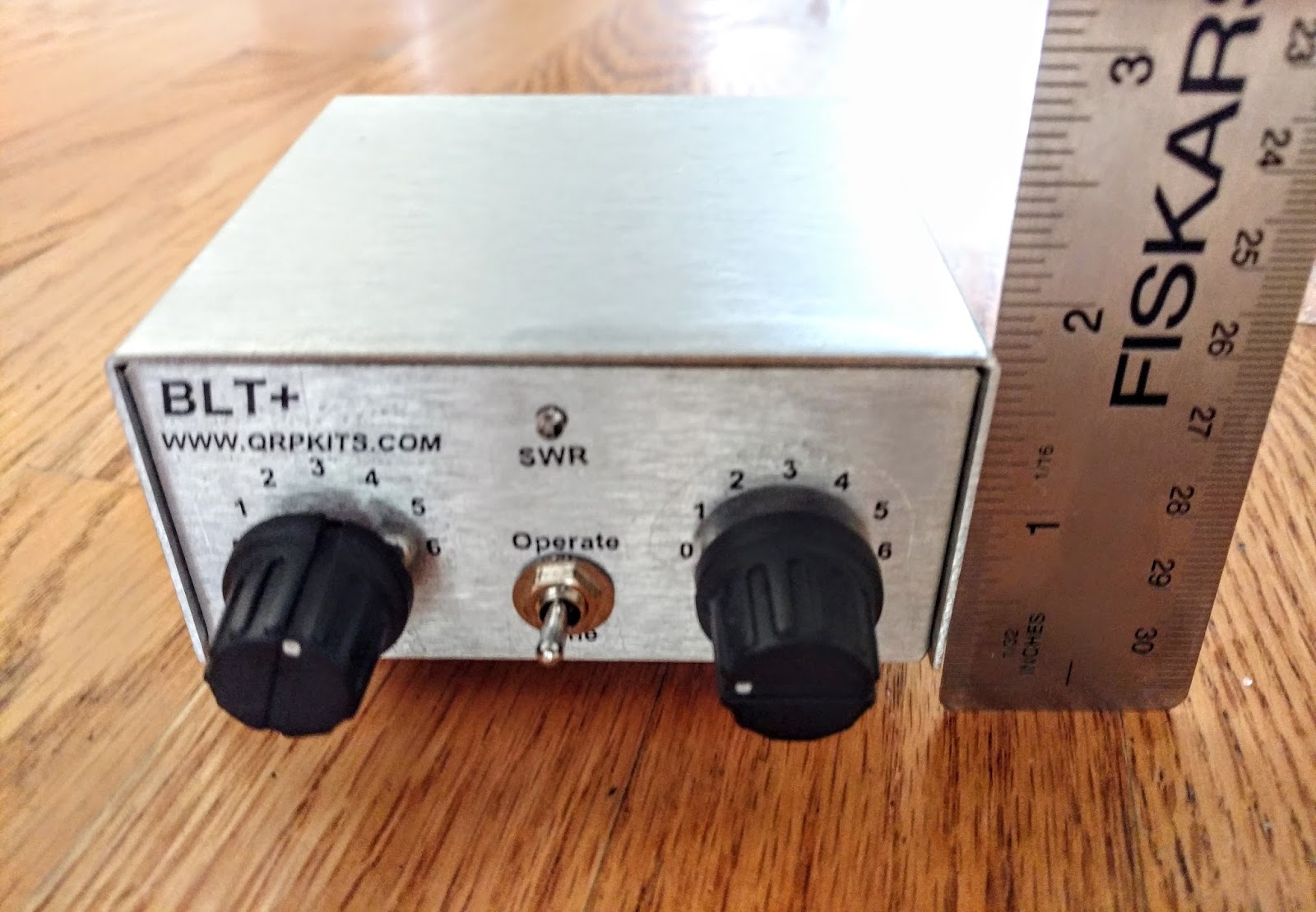
Remarks
Qrpkits offers a great little kit that results in a commercial looking product. You end up with a small portable tuner plus SWR indicator that reduces the complexity of your portable operation. Pacific Antenna is very responsive to questions. I sent a question concerning the incorrect instructions I'd downloaded for the antenna bridge and James answered me the same day with a different link (included above).
So if you have a QRP radio that needs an antenna tuner I recommend this kit. It's well thought out and works well.
That's all for now
So lower your power and raise your expectations
72/73
Richard, AA4OO
The N3ZN Iambic CW Paddle
Behold… mechanical beauty
 |
| N3ZN ZN-QRP Iambic Paddle (sporting my new call sign) |
I re-entered the amateur radio hobby in the summer of 2015 after a bit of a hiatus. To get my General license in 1996 a Morse code proficiency test was required. At that time I had purchased a cheap MFJ practice key and a used version of the ubiquitous Bencher BY-1 paddle. My Bencher was in reasonable shape but I just never became comfortable with it. It always felt a bit imprecise to me and I wasn’t happy with the width and size of its paddles.













