Author Archive
 LHS Show Notes #074
 February 7th, 2012 |
  Author:
 Introduction:
- They barely get the introductions done, and Richard is off on a tangent about the great hobo migration in Texas. All this just proves Larry Bushey of the Going Linux podcast is right: LHS rambles. More on this in a moment.
Announcements:
- Richard and Russ discuss a disparaging comment Mitt Romney made six years ago about ham radio operators. He’s since reversed his position, at least publicly.
- Larry Bushey says LHS rambles in episode 160 of the Going Linux podcast. You know, Larry, you’re right.

Topics:
- Terminal emulation programs for Linux.
- If you’re interested in running packet radio with your Linux computer, you’ll likely need a terminal emulation program to communicate with your terminal node controller(TNC). There are several Linux tools you can use:
- setserial is a command-line program designed to set and/or report the configuration information associated with a serial port.
- microcom is a very basic terminal emulation program. Tip: pressing Control-\ will access the menu.
- minicom is a menu-driven communications program. It emulates ANSI and VT102 terminals, has a dialing directory and auto zmodem download.
- At the command line, type “minicom -s” to begin configuration. The first time you run “minicom -s”, you’ll probably want to run it as root so you have write access to the configuration file.
- The first serial port in Linux is called ttyS0.
- Most things will work at 9600 baud, 8 data bits, no parity bit, and 1 stop bit.
- Text based modem control program.
- Runs in a terminal screen
- It’s useful for other serial port tasks, too.
- Ctrl-A followed by W turns on line wrap, so you won’t have long lines truncated.
- Install on a Debian-based system by using “apt-get install minicom” or use Synaptic.
- Press Ctrl-A then X to exit.
- GTK Term is a terminal emulator written with GTK+.
- Gets added to the launch menu during installation, but with the name “Serial Port Terminal”, not “GTK Term”.
- Has a nice looking interface.
- Easy access to the serial port settings.
- CuteCom is another graphical terminal emulator, with split input and output screens.
Feedback:
- Sean, AC0VD, writes about http://www.badgerbadgerbadger.com. Thanks, Sean. That’s pretty much where the whole badger thing on LHS began. Sean also likes the howto article Installing Linux on a Dead Badger.
- Ilan Rabinovich, of the Southern California Linux Expo, SCALE, sent a voice mail asking that we play promotions for the event. Unfortunately, we’re too late with releasing the LHS episodes to promote SCALE in time. We’ll try to do better next year.
- Richard has posted an article Making Yourself Clear on the Radio, and it received a couple of comments:
- Tim liked the article and agrees that talking slower helps.
- Lief, KC8RWR, notes that codes and ciphers are only prohibited when intended to hide the meaning of a transmission.
- We received a donation from Walter J. Thank you, Walter!
- John, KF6EFG, asks what was the open source podcast mentioned in a recent episode. We don’t remember, John, but it may have been any of these:
- ICQ podcast
- Tux Radar
- Linux Outlaws
- The Linux Link Tech Show (TLLTS)
- Going Linux
- Mintcast
- To answer the second part of John’s question, neither Russ nor Richard will be at the Indiana LinuxFest. If you would like to be the LHS ambassador there, please let us know.
- The Dalton Hamfest in Dalton, Georgia, will have an LHS ambassador on duty! Look for the LHS booth on February 25th, 2012.
- If you’d like your podcast included in the Black Sparrow Media empire, send us an email!
Contact Info:
- Contact Richard at [email protected], Russ at [email protected], or both at the same time at [email protected].
- Listen to the live stream every other Tuesday at 8:00pm Central time. Check the LHS web site for dates.
- Leave us a voice mail at 1-909-LHS-SHOW (1-909-547-7469), or record an introduction to the podcast.
- Sign up for the LHS mailing list.
- Sign up for the MAGNetcon mailing list.
- LHS merchandise is available at the Merch link on Web site. Check out the Badgerwear or buy one of the other LHS-branded items at PrintFection.com/lhs or Cafe Press. Thanks!
- Thanks to Dave from Gamma Leonis for the theme music.
Music:
- To be added.
LHS Episode #074: The Great Hobo Migration
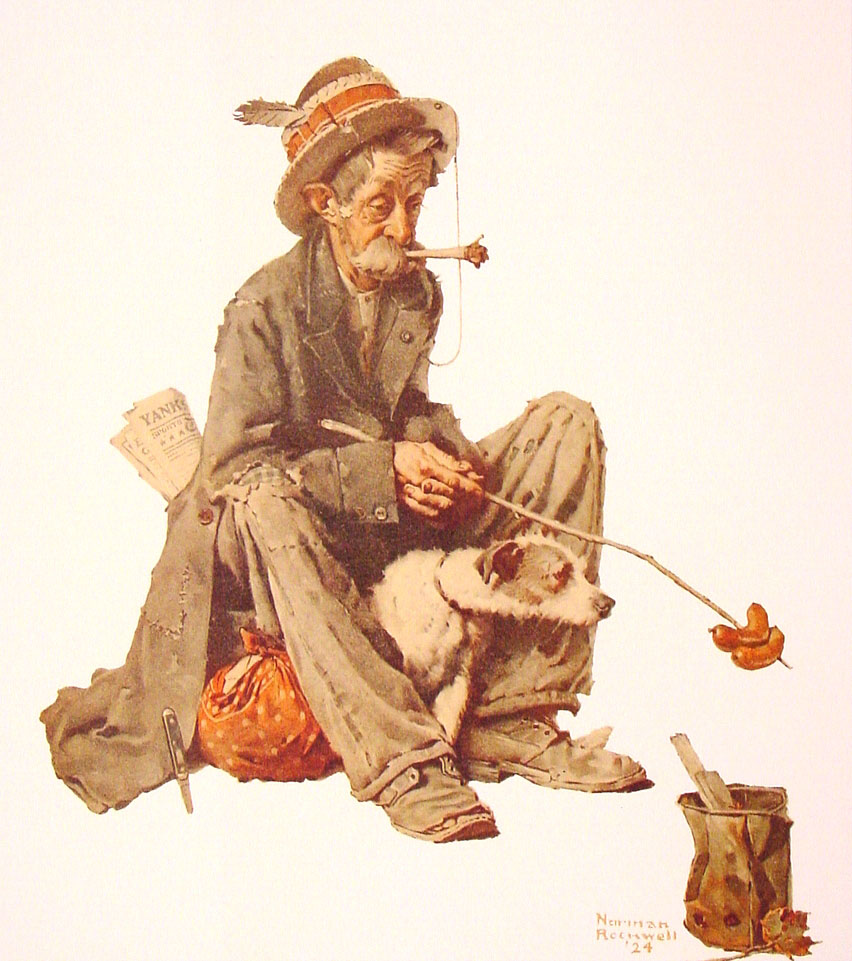 2012 is rolling along nicely and Linux in the Ham Shack is rolling along with it, bringing you new ways to use your computer with amateur radio, and sometimes just technology for fun (and maybe profit). This time around, the guys break into politics — just slightly — and get a few grievances of their chests. In the middle segment, Richard and Russ discuss terminal emulation, something a radio amateur might need for accessing modems built into rigs or running packet TNCs. Finally, our intrepid co-hosts open up the mail bag and respond to listener feedback. If you would like to contribute feedback, please do so by sending us e-mail at [email protected] or calling in on our voice line at +1-909-547-7469.
73 de The LHS Guys
LHS Show Notes #073
Introduction:
Announcements:
- The free Black Sparrow Media Android app is available now. An iPhone app is in the works. Visit http://blacksparrowmedia.net/ or the Android Market to get your copy.
- Ronny, K4RJJ, has offered to be an LHS ambassador at the Dalton Hamfest, February 25, 2012, in Dalton, GA.
- The Southern California Linux Expo, SCaLE 10x will be (was!) January 20-22, 2012, in Los Angeles, CA. If you will attend and would like to be an ambassador for LHS, please let us know.
- Northeast Linux Fest will be March 17, 2012, in Worcester, MA. Again, if you’d like to be an LHS ambassador for that event, please contact us.
Topics:
- IPv6 – The End is Near (of IPv4)
- Internet Protocol version 6.
- If you can, start setting up your devices for IPv6 on your devices that support it. All of the current IPv4 address space has been allocated to the Regional Internet registrars (RIRs). IPv6 is the next version of Internet Protocol with a greatly expanded address space.
- IPv6 is now the default IP stack for Linux. Unfortunately, many Internet service providers (ISPs) are not yet ready for IPv6.
- There are IPv6 tunneling services that will forward your IPv6 traffic to IPv4 services:
- If possible, give IPv6 a try. It’s inevitable, so if it works for you, you’ll be that much further along.
- HSMM – High Speed Multimedia, also known as “hinternet” (ham + internet)
- The advantage is that we can use the normal “Internet” tools and off-the-shelf wifi hardware to provide emergency communications services.
- One caveat: avoid using channel 1 as it uses the same frequency as AMSAT OSCAR 40 (Note: AO-40 became non-operational in 2004.)
- Compared with other digital communications equipment, HSMM offers a lot of capability for little investment. The Linksys WRT54GL router is often used with alternate firmware from dd-wrt or OpenWrt.
- Resources:
Feedback:
- Andrew, AC8JO, updated his blog to acknowledge that the LHS website has been updated and new episodes have been released. Thanks, Andrew!
- Bert, K1OIK, has been a frequent commenter on the website. Unfortunately, the comments aren’t appropriate and he becomes the latest victim of the Ban Hammer.
- To Gary, KN4AQ: contact us via email if you’d like us promote your endeavors.
Contact Info:
- Contact Richard at [email protected], Russ at [email protected], or both at the same time at [email protected].
- Listen to the live stream every other Tuesday at 8:00pm Central time. Check the LHS web site for dates.
- Leave us a voice mail at 1-909-LHS-SHOW (1-909-547-7469), or record an introduction to the podcast.
- Sign up for the LHS mailing list.
- Sign up for the MAGNetcon mailing list.
- LHS merchandise is available at the Merch link on Web site. Check out the Badgerwear or buy one of the other LHS-branded items at PrintFection.com/lhs or Cafe Press. Thanks!
- Thanks to Dave from Gamma Leonis for the theme music.
Music:
- To be added.
LHS Show Notes #072
Introduction:
- Happy New Year! Sorry for the delay in releasing the last several episodes.
Announcements:
- Would you be interested in the return of Resonant Frequency, the Amateur Radio Podcast, if it cost a dollar an episode? Send your thoughts to Richard via email at [email protected].
- Black Sparrow Media now provides an aggregate RSS feed of Linux in the Ham Shack, QSK Netcast, and Resonant Frequency. One feed, three shows! Quite a bargain.
- There is now a (free) Black Sparrow Media mobile app for the iPhone, iPad, iPod Touch and Android! See blacksparrowmedia.net for details, and send us your feedback.
- Andrew, AC8JO, has a blog that discusses Linux, amateur radio, and other topics. Naturally, he mentions our podcast. Thanks, Andrew!
- Leif, KC8RWR, responded to our comments in episode 67 that Apple created CUPS. According to Wikipedia, CUPS, the Common UNIX Printing System, was developed by a Michael Sweet beginning in 1997, and was later adopted by Apple for OS X. In 2007, Apple hired Michael Sweet and purchased his source code. The Apple website provides a somewhat different version.
Thanks for the information, Leif. Our advice is to pick the story you like and stick with it!
Topics:
- Channel Bonding for Linux
- Channel bonding combines two or more network interfaces on a host computer for redundancy or greater bandwidth.
- By bonding two or more Ethernet links to your computer, you get several benefits, including redundancy, so if one network port fails, the other still works, and greater bandwidth when both (or more) links are running.
- Based on the Link Aggregation Control Protocol (LACP), though called different things depending on vendor, such as EtherChannel or PortChannel.
- It’s relatively easy to set up. Briefly:
- You’ll need an Ethernet port for each link, set up and configured in the normal manner. These ports will likely be called eth0, eth1, etc.
- Install the ifenslave package, which allows you to create a “bond” interface, say bond0.
- Create modules.conf file to alias the various ethx devices as bonding interfaces.
- Modify your /etc/sysconfig or /etc/network/interfaces file (depending on your version of Linux) to include an entry that references the bond0 interface.
- ifup the bond0 interface, and all the component interfaces should come up.
- Other configuration settings will set up the failover time.
- Resources:
- http://www.linux-corner.info/bonding.html for Red Hat-based systems.
- http://wiki.debian.org/Bonding for Debian-based systems.
- Ethernet bonding on linux (Debian based)
- Ethernet Bonding Configuration in Debian
- Bonding
- Our hosts then discuss the utility of load balancing between multiple network interfaces.
- More about the apt-cache utility
- Russ provides more information about the apt-cache utility for Debian-based systems, previously discussed in Episode 69.
- The basic syntax of the utility is apt-cache [command] [package(s)]. There are many commands you can use, including:
- policy [package] shows which repository provided, or would provide, a specified package.
- depends [package] shows all packages in the repositories that depend on the named package, and which other packages would be installed or suggested.
- showpkg [package] shows reversed dependencies; that is, which packages depend on the named package, and the MD5 checksum of the package.
- stats shows some aggregate sums about all the packages in the repositories included on your system. For example, on Russ’ system:
Total package names: 42814 (856 k) Total package structures: 42814 (2,398 k) Normal packages: 32874 Pure virtual packages: 374 Single virtual packages: 3670 Mixed virtual packages: 465 Missing: 5431 Total distinct versions: 33706 (2,427 k) Total distinct descriptions: 33706 (809 k) Total dependencies: 200360 (5,610 k) Total ver/file relations: 35248 (846 k) Total Desc/File relations: 33706 (809 k) Total Provides mappings: 6402 (128 k) Total globbed strings: 197 (2,192 ) Total dependency version space: 789 k Total slack space: 65.4 k Total space accounted for: 11.5 M - unmet shows packages in the repositories with unmet dependencies in the tree, that is, if you attempted to install, would fail.
- show [package] shows meta information about the package. For example, “apt-cache show adduser” returns:
   Package: adduser
      Version: 3.113
      Installed-Size: 1100
      Maintainer: Debian Adduser Developers
      Architecture: all
      Replaces: manpages-it (<< 0.3.4-2), manpages-pl (= 5.6.0)
      Suggests: liblocale-gettext-perl, perl-modules
      Description: add and remove users and groups
      This package includes the 'adduser' and 'deluser' commands for creating
      and removing users.
      - 'adduser' creates new users and groups and adds existing users to
        existing groups;
      - 'deluser' removes users and groups and removes users from a given
        group.
      Adding users with 'adduser' is much easier than adding them manually.
      Adduser will choose appropriate UID and GID values, create a home
      directory, copy skeletal user configuration, and automate setting
      initial values for the user's password, real name and so on.
      Deluser can back up and remove users' home directories
      and mail spool or all the files they own on the system.
      A custom script can be executed after each of the commands.
      Development mailing list:

http://lists.alioth.debian.org/mailman/listinfo/adduser-devel/

      Homepage: http://alioth.debian.org/projects/adduser/
      Tag: admin::user-management, implemented-in::perl, interface::
      Section: admin
      Priority: important
      Filename: pool/main/a/adduser/adduser_3.113_all.deb
      Size: 217556
      MD5sum: 74c114db96f321f4d097b04ae305600a
      SHA1: 567b8e42dc9b4777ab694f15ca71b7fa159749ef
      SHA256: 3bfea7f2ffcb363e2cc2b701a6e6d2079f7554b4d76194a118916afd2400f5c4
- Tim Allen’s character in his latest TV show, “Last Man Standing” is a Ham Radio Operator, KA0XTT.
Feedback:
- Kevin, KC9VAN, writes that he’s enjoying the show and just recently received his ham radio license. He also notes that he’s had the most luck with Hewlett-Packard printers under Linux. Thanks, Kevin. Russ has had good luck with Dell printers and generic PCL drivers.
- Leif, KC8RWR, posted several comments about episode 67. He suggests avoiding “all-in-one” printers, and instead, using separate printers and scanners. (I agree! -Ed.) Often, used scanners can be had for very little money. Leif also suggests buying printers with separate cartridges for each color. That way, you’re not throwing away all the colors when just one is empty. He seconds Russ’ suggestion to use a laser printer over inkjet, as the cost per page is less.
- Russ likes the Epson Artisan 835, especially for printing on CDs and DVDs, and it works well with Linux.
Contact Info:
- Contact Richard at [email protected], Russ at [email protected], or both at the same time at [email protected].
- Listen to the live stream every other Tuesday at 8:00pm Central time. Check the LHS web site for dates.
- Leave us a voice mail at 1-909-LHS-SHOW (1-909-547-7469), or record an introduction to the podcast.
- Sign up for the LHS mailing list.
- Sign up for the MAGNetcon mailing list.
- LHS merchandise is available at the Merch link on Web site. Check out the Badgerwear or buy one of the other LHS-branded items at PrintFection.com/lhs or Cafe Press. Thanks!
- Thanks to Dave from Gamma Leonis for the theme music.
Music:
- To be added.
LHS Episode #073: Advanced Networking Topics
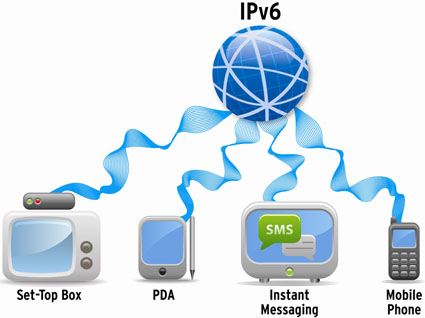 Today the guys delve deep into their geek pockets and come up with a couple of fairly advanced networking topics. One is ham radio related, the other is everything related. Don’t be scared off, however, as the discussion is a 10,000-foot overview of these technologies and how they will be important in YOUR future. Russ tackles IPv6 in a generic way, discussing using it with Linux, and gets on his soapbox about how everyone should already be using it.
Richard discusses a wireless technology called HSMM or High-Speed Multimedia. This is a networking technique that blurs the line between FCC Part 15 and FCC Part 97, but gives ham radio operators some new and exciting things to try with their off the shelf wireless gear. HSMM has some nice features and will definitely earn you your Boy Scout Geek Cred Badge if you decide to dive in.
Thanks as always to our listeners, present and future. Comments and questions, make sure to send them our way. Donations are also appreciated. If you want to promote yourself, your ideas or your projects, leave us an intro to the show at 1-909-LHS-SHOW. Stay geeky!
LHS Episode #072: We Need Cache
 Welcome to another fine and dandy episode of Linux in the Ham Shack. The end of 2011 and the beginning of 2012 have been very busy for your stalwart co-hosts, but we press on. Shows are being recorded, content is being disseminated and our listeners are being educated–sort of. We hope everyone has had a wonderful start to the new year and best of luck in all your endeavors, present and future. Oh, and if you find a free moment or two, please tell a friend about LHS. The publicity will do us all good.
73 de The LHS Guys
Making yourself clear on the Radio
A few days ago I was putting together a piece of training for our local A.R.E.S. Group and it dawned on me that I should share it with everybody. So after I finished the net I took a little time to flesh out that training and what I ended up with was this article. You are welcome to use this as a basis for training in your group or as a reference for your own self training. Don’t forget to let everybody know where you got it.
Speak slowly and clearly
When we say speak slowly and clearly what we mean is sometimes at normal conversational speed words run together when you are talking on the radio. Most radio equipment doesn’t reproduce all the audio frequencies of human speech or hearing. This can make it difficult to understand what someone is saying on the air. When you have some hearing loss it is even worse. I have some low end hearing loss so most of the time I have to add a speaker to my rig that produces more low frequencies to make the speech ineligible to me in noisy environments.
Annunciate. Some people don’t consider that when they speak they are trying to convey information. I know several people that just engage there mouth and let the words fall out without giving a second thought as to if the person on the other end of the conversation is having to decipher the noises emanating from their mouth. It is sometimes difficult to understand a conversation when you are in the same room with someone if the are slurring and mumbling their words. It is even more difficult when you are on a noisy frequency or using a narrow band width mode like SSB, or D*STAR. When you add the stress of a net situation people tend to speak faster than they normally would. They also tend not to speak clearly. This makes the problem even worse.
Use Standard ITU Phonetics
Another consideration is the use of phonetics. In most cases phonetics can greatly increase your ability to understand and be understood when conditions a frequency are not optimal. Ham radio operators are as a rule a playful bunch so we do things to make talking on the radio more fun like making up funny phonetics for our call sign. Unfortunately during emergency and disaster communications play time falls by the wayside and these home brew phonetics become more of a problem than an asset. Most of the time these home brew phonetics in no way resemble any of the standardized phonetic systems. When These operators find themselves in a situation where they need to be understood their home brew phonetics really don’t help. That is why the ITU Phonetic alphabet is the agreed upon standard for amateur radio emcomm communications. Every radio operator should be able to at least spell their call sign with these phonetics. Memorization of these phonetics is not difficult. Some operators can jump to phonetics without even thinking about it. Since so many letters in the English language like E,B,V,C and others sound so much alike it is very important to know the standard ITU phonetic alphabet.
Do not yell, Don’t whisper
Yelling at a microphone is a problem that has propagated down through the hobby. Many of us have come into the hobby by way of the citizens band service. Operating AM on cheaply made and badly maintained equipment in that service. Many others use sideband radios on a regular bases. On AM and Sideband speaking louder into the microphone can give you a small increase in the output power of your radio. Since we are using primarily FM radio equipment this is not the case. Without going off into an explanation of how FM works lets just say that yelling at your microphone causes distortion making it difficult to understand the information you are trying to convey. Since the equipment that we use on VHF and UHF is Frequency Modulated the Amplitude of your voice can cause more problems than you would think.
Whispering into the microphone also has problems. There are some operators out there that speak very quietly into there microphone. This results in a full quieting signal and barely understandable audio. Some times the microphone gain or deviation on your radio may not be adjusted properly. if you do not speak up while transmitting this can make the problem worse. In the case of a Net Control located in a noisy environment it makes your transmissions unusable. It also waste valuable time while the Net Control attempts to take your traffic. We don’t always have the luxury of calling a net from the comfort of our home.
Don’t eat the microphone.
Eating the microphone or holding it to close to your mouth is another bad habit that has trickled down through the hobby from the days of carbon microphones and the poor quality microphones of the past. Today the microphone supplied with a standard piece of amateur radio equipment is very good. Eating the microphone presents its own set of problems. Holding the microphone to close to your mouth can overdrive the diaphragm in the microphone and audio stage of the radio causing distortion which most often results in muffled audio. You may also experience Flat Topping of your audio signal that is very similar to clipping in other audio equipment. Over deviation of your signal is also a problem you may experience. Over deviation is a problem because most repeaters are equipped with a band pass filter to eliminate unwanted noise on nearby frequencies. This means that in some cases you could be sitting under the repeater running a hundred watts and not be able to key the machine because your signal exceeds the width of the passband. Another problem that may occur from eating the microphone is known as P-pops or Clicks. These are most common when the microphone is held directly in front of the mouth. These are not only annoying but can also make it difficult for net control to understand the information you are trying to convey. It is always best to hold the microphone off to one side of the mouth. I also like to use what I call the “Thumb Rule”. If I am holding the microphone to transmit I should be able to extend my thumb and lightly touch my chin or lower jaw. This seems to be just about the right distance and works well with most radios including hand held transceivers.
Lastly a word on hand held transceivers. Most HT’s come from the factory with the microphone gain turned up higher that mobile radios. So the built in microphones are “Hotter” than one might expect. They are designed to be held a foot to eighteen inches away from your mouth. Eating the microphone on these will cause many of the problems listed above to be much worse. External microphones will depend on the design of the microphone.
Q signals, codes and jargon
Since from time to time we will be transmitting information for use by non-hams such as our served agencies we need to keep Q-Signals, Codes, and Jargon to a minimum. Our served agencies have there own language or jargon and in most cases it doesn’t even remotely resemble the jargon that we use as amateur radio operators. The National Weather Service has its own language for describing weather and that is the only possible jargon that we may need to use. That information will be covered at Skywarn School where it will be covered by the folks that know what they are talking about.
Codes and Ciphers are prohibited by part 97 so they are not appropriate for any reason.
Q-Signals are a problem in amateur radio today because everybody wants to sound like a professional radio operator and they think that Q-Signals help achieve that goal. Q-Signals were designed to make cw operation easier and have no place on a phone (Voice) frequency especially during an emcomm net where the transmission and reception of clear and concise information is critical. Lastly, There is a place for Over, Out and Roger in emcomm communications. Most amateur radio operators tend not to use them correctly. My personal opinion is that if you want to acknowledge a transmission the word “Received” works just fine.
These are just a few of the things that can help all of us improve our communications skills. Clarity in communications is always important. It is even more important when we start to deal with Emergency and Disaster communications. Remember we are not transmitting for ourselves. We are transmitting for everybody.













