 |
 Amateur Radio Newsline Report 1926 July 11 2014
 11 July 2014 | by
 - Hawaii to mainland US opens on VHF just after July 4th weekend
- UKube-1 ham radio satellite successfully launched
- New amateur radio regulations to be introduced in Thailand
- Hurricane Watch nets activate for Hurricane Arthur
- United States lightship is the 300th registrant for ILLW
- A look at the recent HAM RADIO convention in Germany
On the Road With D-STAR (part 2)
Part 2 of 2
If you purchase the DHAP with the Raspberry Pi, it includes a factory image of the OS and software. Configuration is easy enough. The DVAP software is set to auto-boot so you need only configure it once. If you connect the device to a wired network connection the Pi will boot up and obtain a connection. If you want to use the device with Wi-Fi, then you have to launch the WiFi configuration tool and set up the connection.
This is only slightly tricky because it would be handy to plug in a keyboard, mouse, and the network dongle — three USB connections while the Pi only offers two. A USB hub handles the multiple connections and you’re underway. After setting it all up once, there’s no need for reconfiguration as it all just boots up and obtains a network connection without the need for additional interface.
In other words, connection to a monitor, mouse and keyboard is only required for the initial configuration. After that, the DHAP can be operated “headless”.
Unless of course you’re thinking of taking this on the road with you and would like to connect it to a hotel’s Wi-Fi. Then you’re going to need to carry the input peripherals and a monitor, or use the TV in your hotel room if that’s possible.
This is all much more than I like to carry on out of town trips which is why I tether the DHAP to my cellphone. Carrying Wi-Fi in my pocket simplifies things considerably though this brings me to a tip I’d like to pass along when using it this way.
Wi-Fi and Tethering
If you set your home Wi-Fi and your tethered connection to have the same SSID, password, and encryption method, then there is never a need to reconfigure the Raspberry Pi. One of my home wireless networks (WPA PSK2) is called ‘GUEST’ and the password is ‘lemonade’ and I’ve made those settings identical on my phone.
When I’m away from home, I tether to my phone. When I’m home, the Pi auto connects to my home Wi-Fi. Simple. Easy. Clean.
It takes about 15-20 seconds for the Pi to boot up and another 20-30 seconds for the networking to kick-in, negotiate a connection, and begin working. When you power up the DHAP, give yourself a full minute before trying to connect to it with your radio.
Powering the DHAP
The DHAP comes with a brick charger that has an LED indicator. When it’s red, the batteries are charging and when it’s green the charge cycle is complete. Silly me. I plugged it in and started using it right away. The charger went through the cycle, the LED turned green and the voltage began to drop. Though I wasn’t paying attention and several hours later my D-STAR connection was dead. When I checked on the DHAP the voltage display showed 2.2 volts — not enough to keep the Pi or the DVAP alive.
This seemed odd. The battery voltage was low but the charger LED was green. There was no charging going on for some reason and I thought I had a defective unit.
Then I discovered that the charger is fairly “dumb”. It provides one charge cycle then stops. Removing power resets it for the next charge. This works well if you charge the DHAP, then unhook it and take it in the field. If, on the other hand, you want it to just sit on the shelf at home and provide a hot-spot, you should provide power via the USB Power socket on the front panel.
This bypasses the batteries altogether and directly powers the Raspberry Pi and the DVAP. By the way, *don’t turn the unit on in this mode* — and the voltage display will show the power being supplied via a USB power supply — probably something a little less than 5 volts.
A one amp USB power supply should do the trick nicely.
Odds and Ends
It makes sense to get things working with your DVAP connected to your desktop (or laptop) computer before installing it in the DHAP. It will operate exactly the same once it’s tucked away in the enclosure.
There is a small slot in the top of the DHAP that permits you to see the activity LED’s on the DVAP. You will find this quite useful.
The tiny antenna on the DVAP works well enough but it can be replaced with a more efficient “ducky” style antenna. The DHAP comes equipped with a built-in cable that can “remote” the antenna connection to the back panel. Don’t be tempted to try and interface the DVAP to a full-sized, outdoor antenna. Internet Labs has reported hardware failures that they attribute to doing just that.
Have Fun
D-STAR is not worth the bits it’s built upon if you don’t enjoy it. If you’re considering joining the growing crowd in this unique mode of operation let me first ask you one simple question: do you enjoy repeater operation?
Because at its core, that’s what D-STAR is. A global collection of repeaters and individual users who have the ability to communicate with each other using this digital technology. If you’re answer is “YES” and you enjoy rapid learning, then you will no doubt enjoy digging in and exploring this evolving mode of operation.
But if you’re answer is “NO”, well, then this facet of amateur radio is probably not for you. Don’t waste your time — or your treasure. Move on and find something you really enjoy. After all, amateur radio is a hobby with endless things to do, people to meet, and fun to be had.
Filed under: Ham Radio Tagged: dhap, dstar, dvap, hr, icom, id51a


Jeff Davis, KE9V, is a regular contributor to AmateurRadio.com and writes from Indiana, USA.
6m Polar Madness
Looking at the path on DX Atlas shows an almost all-daylight path from VE7 to Europe, but for the first short hop out of the summer twilight.
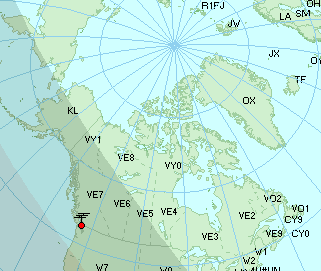 |
| VE7 - EU at 1100Z |
I was soon joined by John, VE7DAY, and we both began to CQ towards the sunlight after alerting several of the European operators via the ON4KST chat page. No 49MHz eastern Europe video signals were heard at all but this is often not a deal breaker. One beacon that always seems to be present when hearing Europe, the VA5MG/b in central Saskatchewan, was not heard either. After 90 minutes of no other indicators I headed back to bed.
In view of the high levels of summer Es in the sunlight-bathed Arctic / northern Canada regions, this crazy night time path might be worth exploring more closely during the last week of June and the first week of July. In view of the ungodly hour however, I fear that it may be some time before 6m reveals more of her secrets.
Steve McDonald, VE7SL, is a regular contributor to AmateurRadio.com and writes from British Columbia, Canada. Contact him at [email protected].
Build a Zork Teletype Machine
I thought this linux teletype project was pretty amazing. If you have not heard of Zork, read up here.
Are there any amateurs still running old teletype equipment for regular RTTY QSOs?
Scott Hedberg, NØZB, is a regular contributor to AmateurRadio.com and writes from Kansas, USA. Contact him at [email protected].
University of Liverpool on-line courses
Very many years ago (1967-1970) I was an undergraduate student studying Electronics at the University of Liverpool. Since those days, the Department has become heavily involved with on-line learning as reported by the Southgate Amateur Radio News page. This course could suit someone needing a grounding in electronics. I think there is some (easy-ish) maths. To do the honours degree course we had to do maths to degree level. I found this very hard.
Proving how small the world is, one of our close friends in the village is the brother of my personal tutor at university. The brother is now a visiting professor at Liverpool. I believe my old tutor still works at the university as an emeritus professor.
A new Massive Open On-line Course (MOOC) covers Analogue/Digital Electronics, AC/DC Circuits, Electromechanics and an introduction to C programming.
Over the last few months here at Liverpool we have been putting together a MOOC (Massive Open On-line Course) which introduces aspects of electrical engineering. The course starts in September, but you can sign up now. It’s free and there are no gimmicks.
The link to the MOOC info is here: https://www.futurelearn.com/courses/electrify
Any ideas on how to make this course better are welcome.
Matt O’Rourke
MOOC developer
Liverpool University On-line Electrical Engineering Course

Roger Lapthorn, G3XBM, is a regular contributor to AmateurRadio.com and writes from Cambridge, England.
The Wouff Hong
One of the most interesting and unique artifacts from the early days of radio was not powered by batteries nor did it have any electronic components. I far as I can tell, Radio Shack never stocked it on their shelves and you can’t order it from Ham Radio Outlet.
From the 1969 ARRL “Radio Amateur’s Operating Manual”:
Every amateur should know and tremble at the history and origins of this fearsome instrument for punishment of amateurs who cultivate bad operating habits and who nourish and culture their meaner instincts on the air…
This is the Wouff Hong.
It was invented -or at any rate, discovered- by “The Old Man” himself, just as amateurs were getting back on the air after World War One. “The Old Man” (who later turned out to be Hiram Percy Maxim, W1AW, Co-founder and first president of ARRL) first heard the Wouff Hong described amid the howls and garble of QRM as he tuned across a band filled with signals which exemplified all the rotten operating practices then available to amateurs, considering the state of the art as they knew it. As amateur technology and ingenuity have advanced, we have discovered new and improved techniques of rotten operating, but we’re ahead of our story.
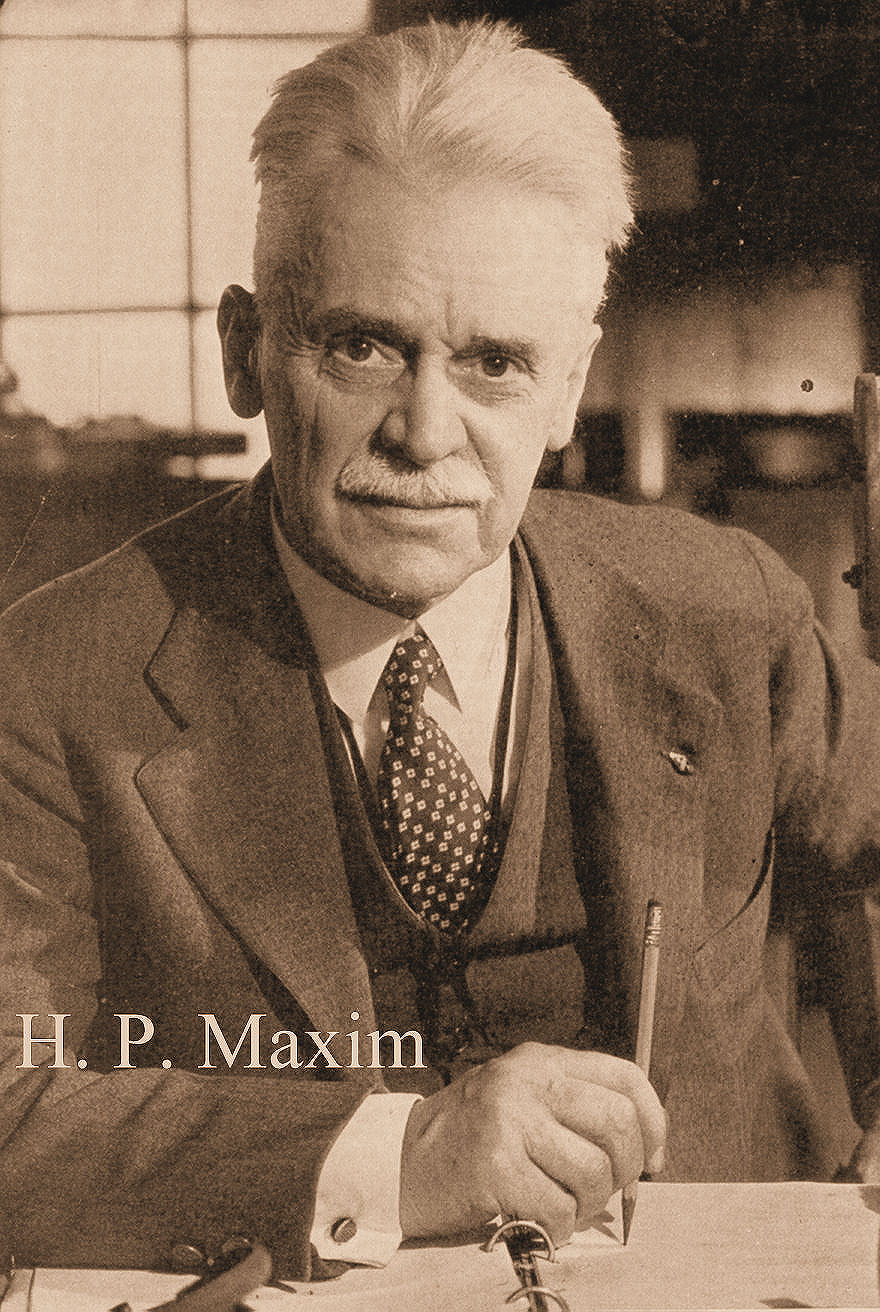
As The Old Man heard it, the Wouff Hong was being used on some hapless offender so effectively that he investigated. After further effort, “T.O.M.” was able to locate and identify a Wouff Hong. He wrote a number of QST articles about contemporary rotten operating practices and the use of the Wouff Hong to discipline the offenders.
Early in 1919, The Old Man wrote in QST “I am sending you a specimen of a real live Wouff Hong which came to light out here . . . Keep it in the editorial sanctum where you can lay hands on it quickly in an emergency.” The “specimen of a real live Wouff Hong” was presented to a meeting of the ARRL Board and QST reported later that “each face noticeably blanched when the awful Wouff Hong was . . . laid upon the table.” The Board voted that the Wouff Hong be framed and hung in the office of the Secretary of the League and there it remains to this day, a sobering influence on every visitor to League Headquarters who has ever swooshed a carrier across a crowded band.
The Old Man never prescribed the exact manner in which the Wouff Hong was to be used, but amateurs need only a little i
imagination to surmise how painful punishments were inflicted on those who stoop to liddish behavior on the air.
Read more about the Wouff Hong:
http://amfone.net/WouffHong/wouff.htm
http://www.netcore.us/wh/
http://everything2.com/title/Wouff+Hong
… and you can buy your very own miniature replica of the Wouff Hong in the form of a pin from ARRL. Now how cool is that?

Scott Hedberg, NØZB, is a regular contributor to AmateurRadio.com and writes from Kansas, USA. Contact him at [email protected].
Wireless Headphone Hell
 For the past several years I have been aware of a very loud wideband FM signal just below the 6m band....about 49.8 MHz. Any time I listened to it, it seemed to be rebroadcasting TV audio so I assumed that it was a set of wireless headphones somewhere in the neighbourhood. I was thankful that it did not cause any problems to my 6m reception, being far enough down the band.
 Two days ago I decided that it was not drifting any higher and had happily entrenched itself on 50.090. It needed to be eliminated.
I constructed a 6m dipole (106") from some scrap aluminum tubing and dug out my Icom IC-R20 handheld scanner.

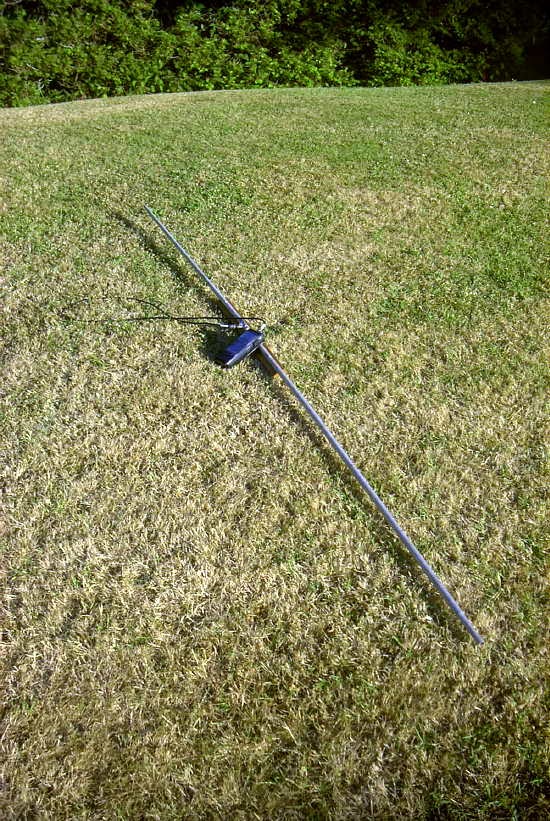
The next day I set about walking around the neighbourhood, taking bearings at various locations, as the signal was easily heard with the dipole. I had earlier determined the rough direction of the signal using my main 6m antenna, a 4 element homebrew Yagi at 55'.
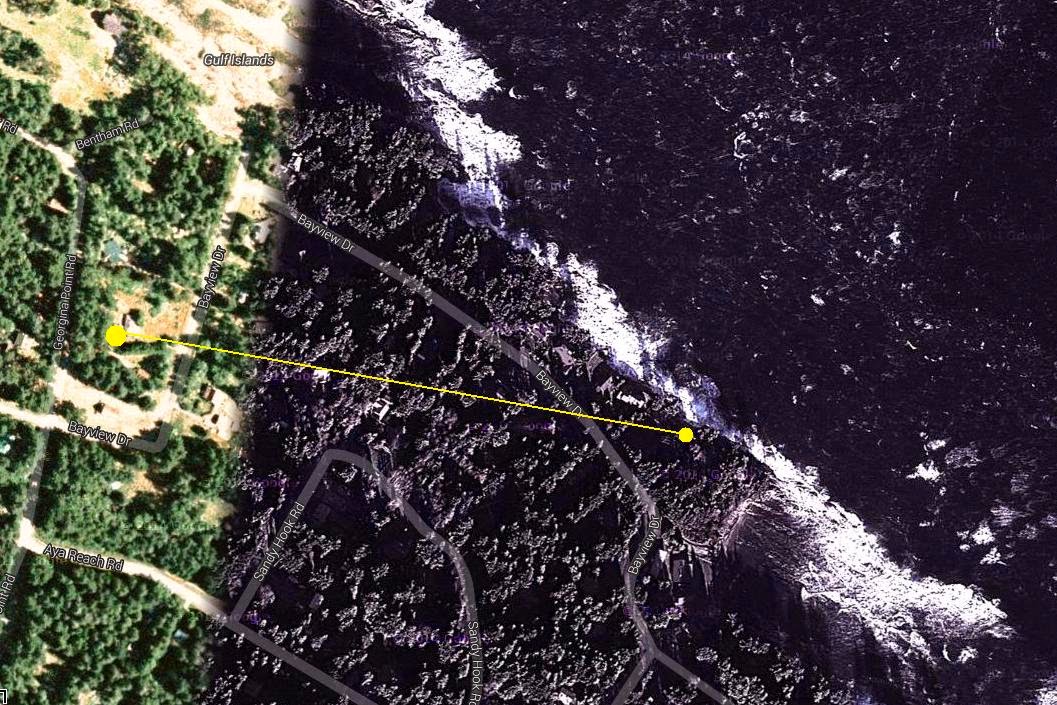 |
| Courtesy: Google Maps |
The band is wonderfully peaceful once again (except when the power lines start arcing at about noon) and within minutes of the headphone system shut down I was able to work a loud BV2DQ in Taiwan and several JA's, shortly before dinner time.
These amazing early July conditions continue on the magicband.
Steve McDonald, VE7SL, is a regular contributor to AmateurRadio.com and writes from British Columbia, Canada. Contact him at [email protected].
 Ham Radio Deluxe |
 W5SWL Electronics |
 Ham Radio Prep |
 KB3IFH QSL Cards  Hip Ham Shirts  HamRadioAuctions HamRadioAuctions Reliance Antennas Reliance Antennas Enigma Shop Enigma Shop |  morseDX  Ni4L Antennas  R&L Electronics R&L Electronics antennas.us antennas.us QRV QRV |
- Matt W1MST, Managing Editor
