 |
 Amateur Radio Newsline Report 1973 August 21, 2015
 21 August 2015 | by
 - BREAKING NEWS
- FILTERD OUT FOREVER
- A HEALTHY DOSE OF HAM RADIO
- WAITING ROOM
- FIELD DAY WITH A TWIST
- SCHOOL'S OUT - SCHOOL'S BACK IN
- HUNTSVILLE HAMFEST YHOTY
- A SHINING BEACON
- THE POLITICS OF RADIO
- DX UP FRONT
- THE WORLD OF DX
- A NATON UNTO ITSELF
AmateurLogic 81: Huntsville with Peter
AmateurLogic.TV Episode 81 is now available for download.
George and Tommy finally meet Peter in person at Huntsville Hamfest!
1:12:40
George Thomas, W5JDX, is co-host of AmateurLogic.TV, an original amateur radio video program hosted by George Thomas (W5JDX), Tommy Martin (N5ZNO), Peter Berrett (VK3PB), and Emile Diodene (KE5QKR). Contact him at [email protected].
Still M.I.A.
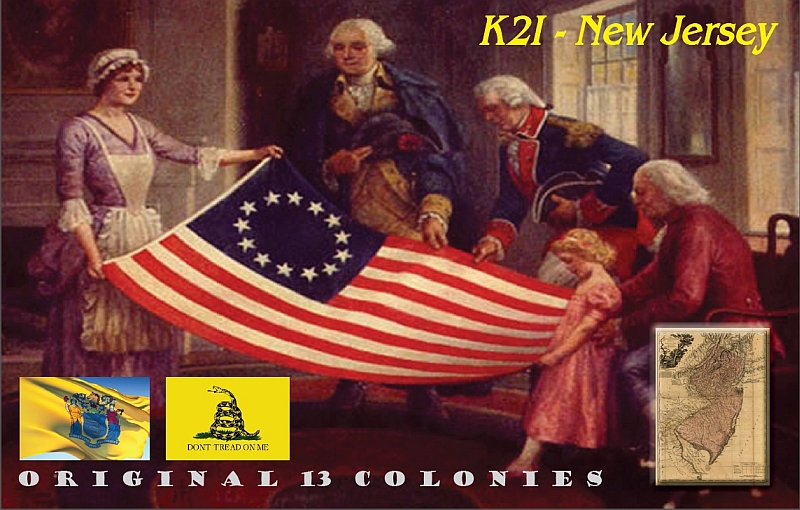
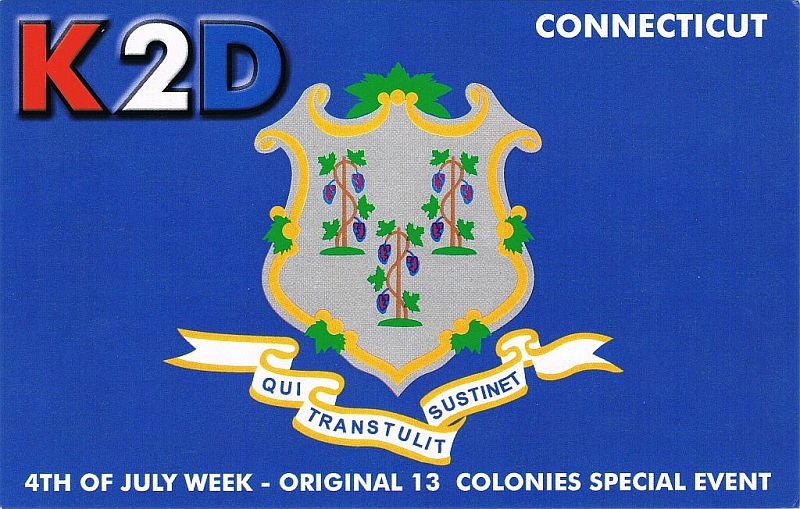
Of course, it's kind of ironic that one of the two QSL cards that I need would be from the state that I live in - and that my original QSL request was sent to a town just two over from home. I guess I will have to re-send QSL requests to both New Jersey and Delaware. However, instead of mailing the NJ one, I might just drop it off at the manager's mail box. He lives not far off the route I take to get back and forth from work every day. That way I'd be 1000% sure that he received it.
I've been e-mailing back and forth with my good friend Bob W3BBO. At a recent hamfest, he picked up these:
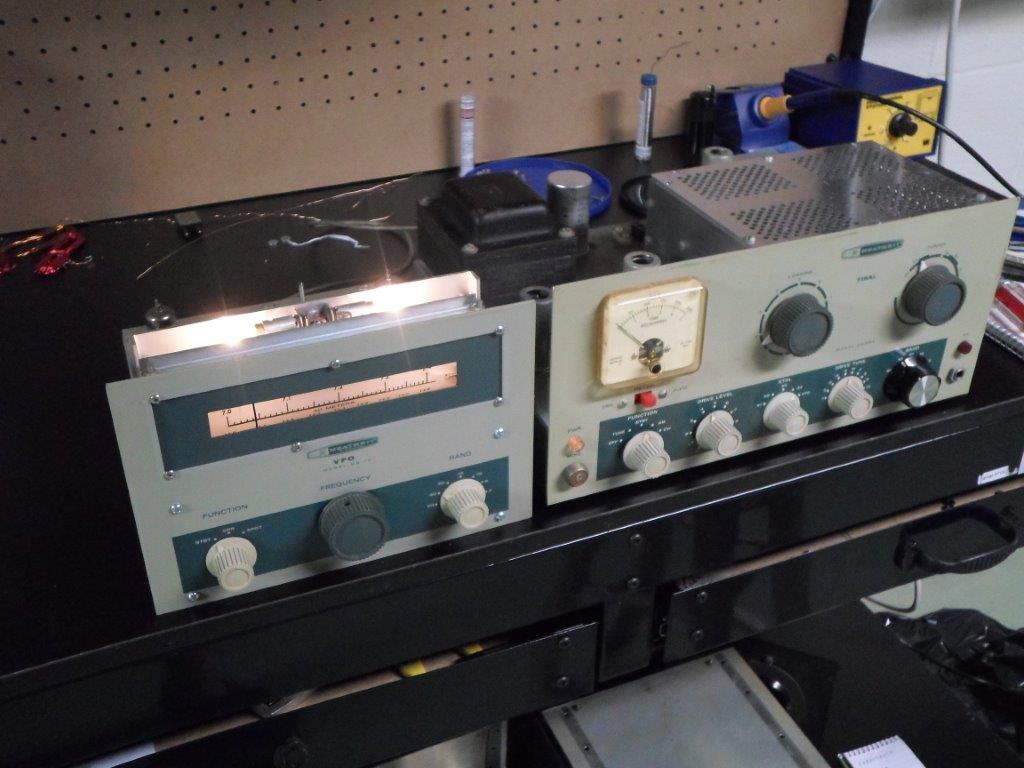
Yes, this is a Heathkit DX-60 and the accompanying HG-10 VFO. Well actually, he picked up the DX-60 at the hamfest. A friend supplied the HG-10 and advised Bob that it needed some TLC, and that if he could get it working, that he could purchase it at a super reasonable price. Bob has succeeded in getting it to work and he e-mailed me this morning that he is in the process of homebrewing a cable to get the output of the VFO into the DX-60.
That reminded me of a much earlier time, when I had these in my Novice station.
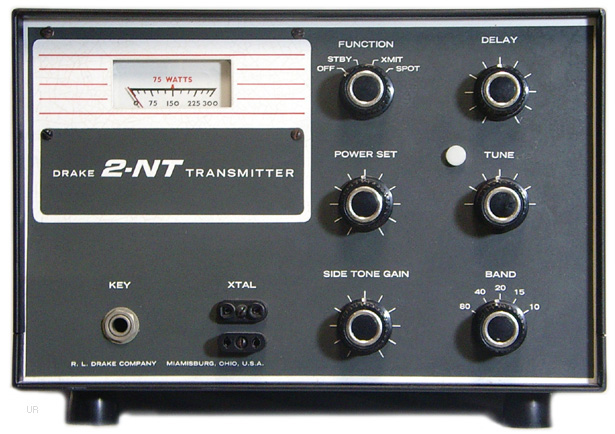
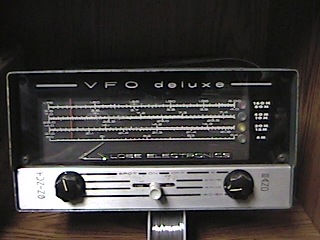
My Novice transmitter was a Drake 2-NT that I had purchased through Burghardt Electronics. I had purchased the Globe V-10 VFO from John Kakstys W2FNT who lived in Linden, NJ which was not too terribly far from East Brunswick, where I was living at the time. My receiver was the Heathkit HR-1680, which was my very first Heathkit build. That it worked without a hitch the very first time, upon firing it up, still amazes me to this day.

Anyway, I had the transmitter and I had the VFO. What do I do with them? That was the quandary for me at the time. This was 1979, after all. There was no Internet, no Google. I had no Elmer with whom I could speak, other than the instructor who taught the license class I had attended (and I never got his home telephone number). So it was either get the information I needed from a book, QST or go with my gut and improvise.
I improvised. There was a two conductor cable coming from the output of the VFO. The 2-NT's crystal socket had two holes for where you would plug in a crystal. I figured that the output from the VFO had to go there - it just seemed reasonable to me. So I took a junk crystal, pried the bottom part off, which left me with a base and pins. Then I soldered the two wires coming from the VFO output to the crystal base pins. I plugged it in, hoping the 2-NT wouldn't know the difference between a crystal and a VFO. I took a deep breath, muttered a prayer and turned everything on. I half expected it to blow up, taking me along with it, or to somehow electrocute me.
It didn't.
I connected the 2-NT to a dummy load and adjusted it for the lowest output power I could (see, QRP even way back then, I just didn't know it yet!). Then I turned on the HR-1680 and keyed the 2-NT to see if I could hear anything.
It worked!
I had successfully hooked up my VFO to my transmitter and did not harm myself or anyone else in the process. Much to my parent's delight, I didn't burn down the house, either! I used that setup for a lot of QSOs and enjoyed the heck out of it. After I upgraded to General and bought some equipment capable of doing SSB (silly boy), instead of selling off my Novice station, I donated it to the Handi-Hams, who were pretty much a new organization back then. I guess they must have been desperate for equipment donations at the time, as they gratefully accepted it - homebrewed VFO cable patch job and all.
72 de Larry W2LJ
QRP - When you care to send the very least!
Larry Makoski, W2LJ, is a regular contributor to AmateurRadio.com and writes from New Jersey, USA. Contact him at [email protected].
FSQCALL for quick messages
In the September 2015 QST magazine, there is an article about FSQCALL. This is an interesting digital mode with some free software to send quick, short messages between other hams. It’s meant to be more conversational than PSK – you type a sentence, hit enter, and away it goes. It has some selective calling features that let you address stations individually.
I loaded the software on my Windows 10 desktop, turned on my KX3, and was up and running on 30M with 5 watts in about 5 minutes. The software is pretty simple, especially after watching a couple of videos on YouTube first. I ran into Jim, W1PID, and also talked with Maine, and Texas.
For me, this is a great place to just hang out and see who’s around. No expectation of making endless CQs on 14.070, or sharing signal reports on JT65.
I’m going to play with the message store/forward functionality next. If you didn’t see the QST article, you can read more from ZL1BPU. Or, take a look at this video:
Michael Brown, KG9DW, is a regular contributor to AmateurRadio.com and writes from Illinois, USA. Contact him at [email protected].
FSQCALL for quick messages
In the September 2015 QST magazine, there is an article about FSQCALL. This is an interesting digital mode with some free software to send quick, short messages between other hams. It’s meant to be more conversational than PSK – you type a sentence, hit enter, and away it goes. It has some selective calling features that let you address stations individually.
I loaded the software on my Windows 10 desktop, turned on my KX3, and was up and running on 30M with 5 watts in about 5 minutes. The software is pretty simple, especially after watching a couple of videos on YouTube first. I ran into Jim, W1PID, and also talked with Maine, and Texas.
For me, this is a great place to just hang out and see who’s around. No expectation of making endless CQs on 14.070, or sharing signal reports on JT65.
I’m going to play with the message store/forward functionality next. If you didn’t see the QST article, you can read more from ZL1BPU. Or, take a look at this video:
Michael Brown, KG9DW, is a regular contributor to AmateurRadio.com and writes from Illinois, USA. Contact him at [email protected].
Hunting For NDBs In CLE 197
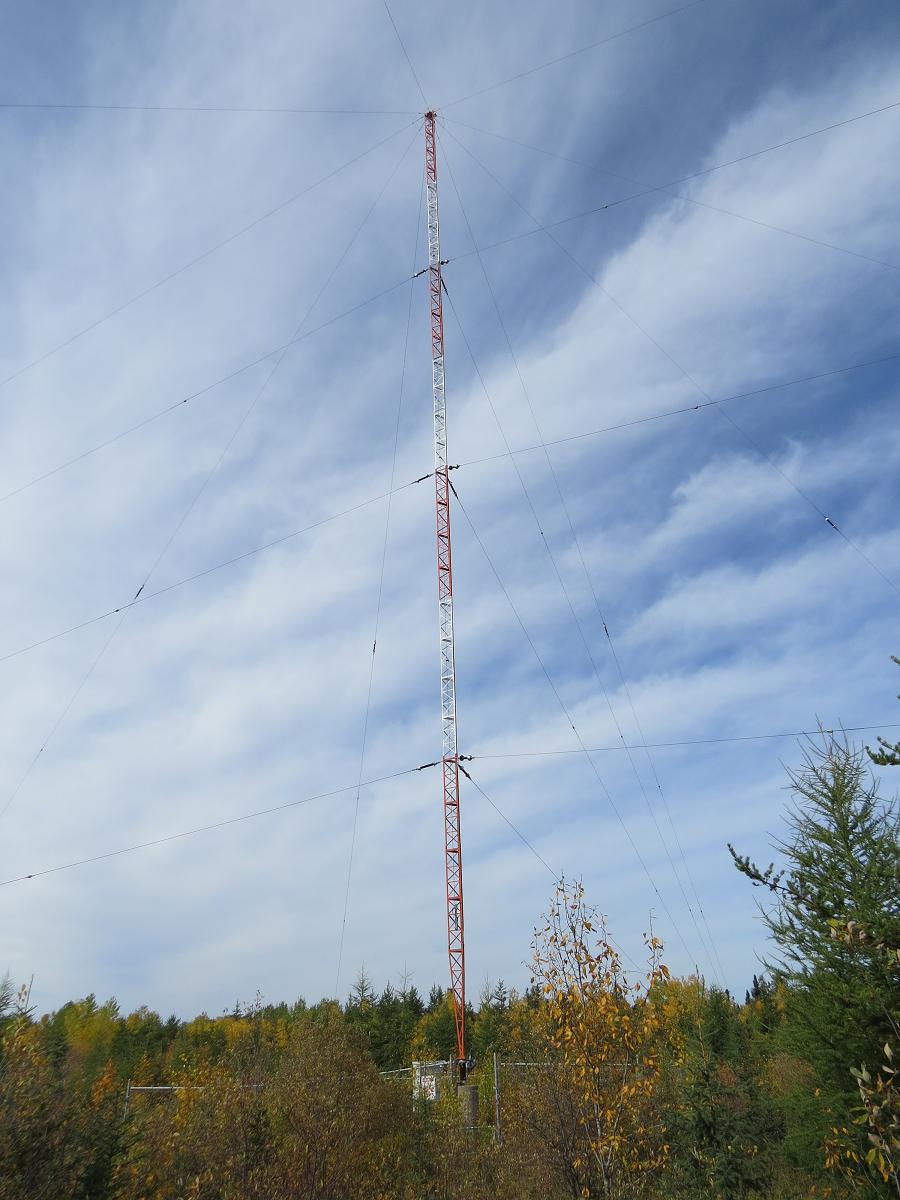 |
| 'ZSJ-258' Sandy Lake, ON |
A list of all of the North American targets in this range can be found in the RNA database, while targets for European DXers will be found here... specify the frequency range wanted and check 'show all results'.
An excellent target for this CLE is 'ZSJ', the Sandy Lake, Ontario NDB (258KHz) shown here. Its 500W signal and big antenna get out very well ... it has been heard in Europe as well as in Hawaii.
From CLE coordinator Brian Keyte (G3SIA) comes the following reminder:
Here are the final details for our 197th co-ordinated listening event this
weekend. First timer logs too? Yes, please!
Days: Friday 21 August to Monday 24 August
(that's a week earlier than usual)
Times: Start and end at midday, your LOCAL TIME
Range: 240.0 - 259.9 kHz plus 420.0 - 439.9 kHz
(BOTH ranges are for ALL listeners)
Please log NDBs that you can positively identify in the ranges, plus any
UNIDs that you come across there.
Send your CLE log to the List, if possible as a plain text email and
not in an attachment, with CLE197 at the start of its title.
Show on EVERY LINE of your log:
# The Date (or day 'dd') and UTC (the day changes at 00:00 UTC).
# kHz - the beacon's nominal published frequency (if you know it).
# The Call Ident.
Please show those main items FIRST on each line, then any optional details
such as Location, Offsets, Distance, etc.
If you send interim logs, do make sure that you also send a 'Final' log
containing all your loggings. As always, please make your log useful and
interesting to everyone by including your own location and brief details
of your receiver, aerial(s) and any recording equipment that you used.
I will send the usual 'Any More Logs?' email at about 17:00 UTC on
Tuesday so that you can check that your Final log has been found OK.
Do make sure that your log has arrived on the List at the very latest by
08:00 UTC on Wednesday 26th August.
I hope to complete the combined results later on that day.
You can find CLE-related information from the CLE page,
http://www.ndblist.info/cle.htm , including access to the seeklists
that have been made for the event from REU/RNA/RWW.
(NB: To also see a MAP of the seeklist NDBs around you, just change
'List' to 'Map', select 'All Results' and uncheck 'Clustering')
Good listening
Brian
----------------------------------------------------------
From: Brian Keyte G3SIA ndbcle'at'gmail.com
Location: Surrey, SE England (CLE co-ordinator)
----------------------------------------------------------
(Reminder: You could use any one remote receiver for your loggings,
stating its location and owner - with their permission if required.
A remote listener may NOT also use another receiver, whether local or
remote, to obtain further loggings for the same CLE).
These listening events serve several purposes. They:
- determine, worldwide, which beacons are actually in service and on-the-air so the online database can be kept up-to-date
- determine, worldwide, which beacons are out-of-service or have gone silent since the last CLE covering this range
- will indicate the state of propagation conditions at the various participant locations
- will give you an indication of how well your LF/MF receiving system is working
- give participants a fun yet challenging activity to keep their listening skills honed
Final details can be found at the NDB List website, and worldwide results, for every participant, will be posted there a few days after the event. If you are a member of the ndblist Group, results will also be e-mailed and posted there.
The very active Yahoo ndblist Group is a great place to learn more about the 'Art of NDB DXing' or to meet other listeners in your region. There is a lot of good information available there and new members are always very welcome.
If you are contemplating getting started on 630m, listening for NDBs is an excellent way to test out your receive capabilities as there are several NDBs located near this part of the spectrum.
You need not be an ndblist member to participate in the CLEs and all reports, no matter how small, are of much value to the organizers. 'First-time' logs are always VERY welcome!
Reports may be sent to the ndblist or e-mailed to either myself or CLE co-ordinator, Brian Keyte (G3SIA), whose address appears above.
Please...do give the CLE a try....then let us know what NDB's can be heard from your location! Your report can then be added to the worldwide database to help keep it up-to-date.
Steve McDonald, VE7SL, is a regular contributor to AmateurRadio.com and writes from British Columbia, Canada. Contact him at [email protected].
Build a $2 USB Radio Programming Cable
| Frustrated with that generic programming cable? This $2 solution might just be your ticket to sanity. | |||||||||
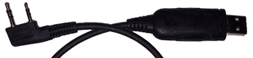 | |||||||||
| Let’s See…You purchased a radio and programming cable, loaded the software, and that’s as far as you’ve gotten. You’re fighting with error messages: – Radio did not respond – Could not open COM port – Run Time Error and Windows (TM) 10 keeps changing your drivers.Now you do what many owners do. Put the radio in the drawer to be worked on later. This is like buying a rollaway treadmill and putting it in the closet until the next time you want to exercise. (NOT gonna happen)But wait, yours has the company name and logo right on the cable. – It doesn’t matter. Keep reading.There are a few options available, such as an FTDI cable. It’s truly Plug ‘n Play, and costs about $20.But here’s a project that just might solve the issue for around $2. All you need is a small flat blade screwdriver, a soldering pencil, and a CP2102 board. CP2102 The CP2102 is a USB to TTL UART chip. What? CP2102 boards can be found on eBay for around $2 and on Amazon. Here’s How Let’s start with that original cable.
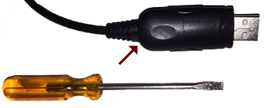
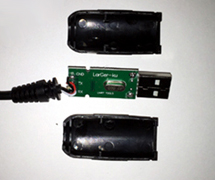
Take a small screw driver and pry the open the case from the back where the cable enters.
It should only be snapped together.
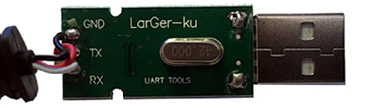
Unsolder the 3 wires connected to the board.
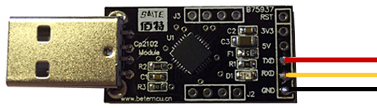
Solder the 3 wires to the corresponding terminals on the new board. Note 1: Some boards may have the TxD and RxD reversed. If it doesn’t work the first time, reverse the two wires. No damage has been done. Note 2: Some boards have pins on the back requiring small connectors. You can either remove the pins, solder to them, or use the connectors. Whatever floats your boat.
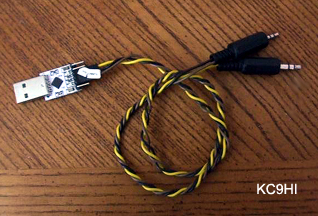
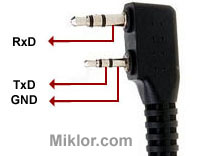
Driver If the driver is labeled CH340 instead of CP210x in Device Manager, that’s not a problem. Both chips are designed to do the same thing. But I don’t have a Cable If you don’t have a generic cable, you can use 2.5 and 3.5mm stereo jacks. Here are the pin outs, and what Jim’s (KC9HI) cable looks like.
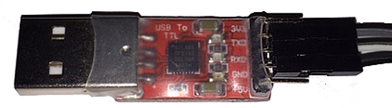
Cosmetics If you are adventurous, try retrofitting the new board inside the original plastic housing. This will require a Dremel tool, X-Acto knife, Glue, and some patience, but it can be done. If the board only has 5 terminals instead of 6, it’s not an issue. You only need GND, TX and RX. Some come protected with a piece of clear heat shrink over the board so you can see the cool blinking lights. Note 3: If you are trying to retrofit the board inside an existing shell, the red board below is a bit shorter and easier to fit.
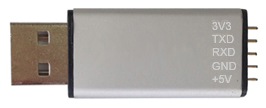
For a dollar or so more, you can find the same boards in a metal case.
What’s the Advantage – First and Foremost, it works. Take the radio out of the drawer, program it and have some fun. – Next, it only cost around $2 to save the generic cable from the trash. – Very Important – Bragging Rights. Now, when you go to a club meeting and someone says they can’t get their cable to work, tell them they can build their own, just as you did. I hope you had fun with this project. It’s super simple and very rewarding. I’ve made several and never had a failure. Say goodbye to driver issues.
|
John 'Miklor', K3NXU, is a special contributor to AmateurRadio.com and writes from Pennsylvania, USA. Contact him at [email protected].
 Ham Radio Deluxe |
 W5SWL Electronics |
 Ham Radio Prep |
 KB3IFH QSL Cards  Hip Ham Shirts  HamRadioAuctions HamRadioAuctions Reliance Antennas Reliance Antennas Enigma Shop Enigma Shop |  morseDX  Ni4L Antennas  R&L Electronics R&L Electronics antennas.us antennas.us QRV QRV |
- Matt W1MST, Managing Editor
