 |
 News: Olivia Digital Modes on HF
 25 July 2026 | by
 Greetings Olivia and digital mode operators,
GREAT NEWS! WEBSITE UPDATE!
Here are the big three new features:

Live spotting is now available!
- Live Olivia spotting. Just like on POTA and other sites, this is a live show and tell of your activity either by self spotting, or spotting stations you copy. Dedicated live spot page, you can view even on a cell phone.
We are excited to announce a major new feature now live on OliviaDigitalMode.org: an interactive Live Station Spotting tool designed specifically for our digital HF community. Inspired by popular spotting platforms like DXWatch and POTA.app, this system makes it easier than ever to see who is active on the bands, find open Olivia QSOs, and share your own station reports in real time.
Come Join the Live Spotting of Olivia Digital Mode
Whether you are hunting for a contact or tracking band openings across different bandwidths and tone counts, the new spotting tool brings several powerful capabilities straight to your browser:
- Real-Time Live Feed: The spotting page automatically refreshes every 15 seconds, ensuring you always see the latest on-air activity without needing to manually refresh the page.
- Smart Spot Grouping: When multiple operators spot the same station, the system automatically groups those reports together into a single clean line. Instead of duplicate entries cluttering your view, you will see the station, frequency, mode, and a list of all operators who spotted them.
- Timeframe Visual Highlighting: You can easily filter for fresh activity. By selecting a window of 5 minutes, 15 minutes, 30 minutes, or 1 hour, brand-new spots are visually highlighted so you can jump on active signals immediately.
- Flexible Display Options: On the dedicated spotting page, you can choose how many spots to display at once (from 10 up to 250 rows) and toggle between a grouped callsign layout or a detailed chronological log.
- At-a-Glance Homepage Widget: A lightweight summary widget on the main homepage shows the top 5 to 10 most recent spots the moment you arrive on the site.
- Fast Performance and Historical Archives: Active spots stay on the main board for 12 hours to keep queries ultra-fast. After 12 hours, spots automatically move to a historical archive where they remain available for band activity research and propagation analysis.
To keep the spotting board reliable and free of spam, posting new spots will require a simple, free operator account. When you register, you will just need to include a short note for the site administrators to verify your callsign and approve your posting access. Once approved, you can log in anytime and share spots whenever you are on the air.
- Live Calendar of Olivia Events. I have now put live the active calendar functionality on the site, and seeded it with possible calendar events. I will start planning our upcoming events – which require YOUR input on such things as, monthly sprints, special events that you want to do, and, our quarterly QSO parties.
- Feedback form. This is a community website. Now, you can leave feedback; what would you like on the website. What should be different? What is not working? What is working? Please leave us feedback.
Come be a part of this conversational digital mode!
Visit, subscribe: NW7US Radio Communications and Propagation YouTube Channel
Part 2 of….. Antenna solve one problem to only create another.
 |
| My new SWR on 15M |

 |
| Issue found. |
Mike Weir, VE9KK, is a regular contributor to AmateurRadio.com and writes from New Brunswick, Canada. Contact him at [email protected].
VHF for Parks On The Air?
Parks On The Air (POTA) has exploded in popularity, with most of the activity on the HF bands. That makes sense — HF gives you the long-distance contacts and the big pileups. But don’t overlook the VHF bands, especially 2m FM. Two meter FM is simple, highly portable, and often an easy way to knock ... Read more
The post VHF for Parks On The Air? appeared first on Above Average Terrain.
Bob Witte, KØNR, is a regular contributor to AmateurRadio.com and writes from Colorado, USA. Contact him at [email protected].
Antenna…solve one problem only to create another.
The antenna I have is the Hustler 4BTV, and I have owned it for about four years. I had been noticing that after a couple of days of rain, the SWR on 15 meters would increase.As the weather warmed up, the problem disappeared. My suspicion was that water was making its way into the 15-meter trap and causing the SWR issues.
I waited for a forecast of a few nice, dry days before taking the antenna down for inspection. The first thing I noticed was that I had accidentally covered the drainage slots at the bottom of each trap with electrical tape. If water was getting into the traps, those slots were intended to let it drain out. My first course of action was to remove the tape from all three traps.
 |
| Tape removed from drainage slots |
I started with the 20-meter trap, then moved on to the troublesome 15-meter trap. As soon as I removed the tape from the 15-meter trap, a small amount of water drained out. I then removed the tape from the 10-meter trap, and like the 20-meter trap, no water came out.
Each trap has a plastic cap at the top that helps keep water out while also insulating the trap tube from the center antenna element. This seemed like the most likely place for water to enter the trap, so I decided to disassemble the 15m trap for a closer inspection.
Before taking anything apart, I carefully marked the position of the tubing so I could reassemble it in nearly the exact same location. My hope was that this would keep the antenna's SWR very close to where they had been. See above drainage pic for position marking in red.
After removing the 15-meter trap from the antenna, I took off the plastic cap and inspected it closely. I couldn't find any visible damage, but I know that water can find its way through even the smallest of gaps. That alone could have been enough to cause the SWR problems I was seeing.
 |
| Outer tubing showing water drops |
With the cap removed, I looked inside the trap and found several small water droplets. I then removed the outer trap tubing so I could inspect the trap winding and all of the electrical connections.
Fortunately, everything inside the trap was in excellent condition. The winding and all of the connections looked perfect, which reinforced my belief that moisture—not corrosion or a failed connection—was the source of the problem.
After thoroughly drying all of the parts, I noticed the original bead of silicone that had been applied during manufacturing. When I first tuned the antenna after purchasing it, I had to slide the 15-meter trap's outer tube to adjust its resonant frequency. My guess is that this movement disturbed the original silicone seal. If so, it was probably only a matter of time before water found its way inside. I was actually surprised it took four years for the problem to appear.
 |
| 15m trap condition |
When I reassembled the 15-meter trap, I applied non-acetic, neutral-cure silicone around the plastic trap cap to restore the weather seal. While researching the best product to use, I learned that not all silicone sealants are the same. Silicone that smells like vinegar releases acetic acid while curing, which can promote corrosion on aluminum. I certainly didn't want to solve one problem only to create another.
The product I chose was GE Silicone II, which is a neutral-cure silicone and safe for use on aluminum. I happened to have an older tube on hand, but I noticed the silicone had turned yellow. I never realized that silicone could age over time so I purchased a new tube of silicone.
With the trap reassembled, it was time to tape the joints where the antenna sections fit together. While I'm not an expert on silicone sealants, I am very familiar with electrical tape after spending my career as an electrician. Not all electrical tapes are created equal. For this project, I chose 3M Scotch Super 33+, a premium tape well known for its excellent UV resistance, flexibility, and long-term outdoor durability. Rather than list all of its specifications here, you can simply click HERE to learn more about it.

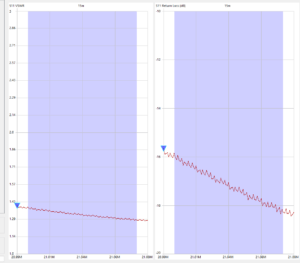
With the antenna back in the air, I went inside to check its performance. The results on 40, 20, and 10 meters were exactly as expected. Unfortunately, I had created an entirely new problem on 15 meters!
I had solved one issue, only to create another. Fortunately, I have almost solved this new problem. In my next post, I'll explain what happened and how I fixed it.
Mike Weir, VE9KK, is a regular contributor to AmateurRadio.com and writes from New Brunswick, Canada. Contact him at [email protected].
AmateurLogic 219: Field Day 2026
AmateurLogic.TV Episode 219 is now available for download.
Field Day 2026 at Pearl River County Amateur Radio Club and W5AXC. Antennas, radios, and hams make for a fun weekend.
Mike’s SenseCAP K1100 and the Helium network.
Episode Highlights:
In episode 219 of AmateurLogic.TV, the team reflects on their experiences at Field Day 2026 and explores various technical projects.
Pearl River County ARC: The team visited the Pearl River County Amateur Radio Club in Picayune, Mississippi, highlighting innovative setups like a multi-band dipole made from a chalk reel (3:12) and a vertical antenna construction (5:33).
W5AXC: George and Tommy shared their own station setups, discussing the use of the IC-7100, Icom IC-7760, and Yaesu FT-857D (11:15, 15:56), the challenges of getting antennas into trees, and the necessity of using antenna tuners and various battery solutions (12:33, 16:58, 25:00).
Technical Projects and News:
SenseCAP K1100: Mike demonstrates the Seeed Studio SenseCAP K1100 sensor prototype kit, discussing its integration with LoRaWAN and the Helium network to monitor greenhouse data (36:20, 41:40).
Mesh Networking: Emile discusses the Gulf Coast Mesh Network and the potential for experimenting with the 915 MHz ISM band (34:00, 56:59).
Homeowner Association (HOA) Solutions: Tommy shares an ARRL news story about a ham in California who successfully used a horizontal loop antenna around his fence (20:10).
Community Interaction: The episode concludes with viewer emails, including a discussion on troubleshooting an MFJ-949E tuner (47:47).
George Thomas, W5JDX, is co-host of AmateurLogic.TV, an original amateur radio video program hosted by George Thomas (W5JDX), Tommy Martin (N5ZNO), Peter Berrett (VK3PB), and Emile Diodene (KE5QKR). Contact him at [email protected].
Amateur Radio Weekly – Issue 430

HAMgpt
New platform combines an operator’s license, station, location and live band conditions to answer a practical question: “What can I do with my radio today?”
HAMgpt
In-depth series: Ham Radio
A podcast series on a wide range of Ham Radio topics.
Hacker Public Radio
What does a Ham Radio antenna look like on the International Space Station?
Here’s a peek at part of the gear that helps keep us running in space.
ARISS
APRSMap – Cross platform APRS client
Messaging, offline maps, and ADS-B support.
DC6AP
Paper logging
If anyone would like to use my template, they can download it from my server.
RZ01
Jamoncito FX: My Casio FX870P Logbook software
Logging QSO’s on a calculator. Does it add up?
EI3LH
Exploring the art and science of spectral painting with SDR
Spectral painting is the art of drawing pictures directly on the spectrum waterfall.
RTL-SDR.com
Introduction to DMR: The four wheels on the car
Get all four wheels turning and you’re on the air.
EtherHam
The original social media: Ham Radio connects Rhode Island to the world
The group is composed of Amateur Radio operators ranging from ages 16 to 92, who meet weekly to practice and develop their radio expertise together.
Warwick Beacon
16-year-old ARRL member wins 2026 student coding competition
He designed a mobile application to help users prepare for their Amateur Radio license examinations.
ARRL
Video
DIY folding antenna for military satcom made from trash
I wanted to copy the Trivec style of portable Satcom antennas used by Western militaries. Usually the commercial version costs $1,500 or more.
saveitforparts
Wow that’s a tall vertical antenna
Portable Ham Radio with a vertical dipole for 20 meters.
Coastal Waves & Wires
This is why every Ham Radio operator should attend a Hamfest
Join me as I take you on a complete walkthrough of the 2026 Greater Nashville & Middle Tennessee HamQuest.
KM4ACK
Get Amateur Radio Weekly in your inbox.
Sign-up here
Amateur Radio Weekly is curated by Cale Mooth K4HCK. Sign up free to receive ham radio's most relevant news, projects, technology and events by e-mail each week at http://www.hamweekly.com.
ICQPodcast Episode 488 – World RadioSport Team Championship (WRTC) 2026
In this special episode, Martin Butler (M1MRB), Chris Howard (M0TCH) and Colin Butler (M6BOY) attended and bring you a flavour of the World Radiosport Team Championship 2026 taking place in the UK.
We would like to thank our and monthly and annual subscription donors for keeping the podcast advert free. To donate, please visit - http://www.icqpodcast.com/donate
Colin Butler, M6BOY, is the host of the ICQ Podcast, a weekly radio show about Amateur Radio. Contact him at [email protected].
 Ham Radio Deluxe |
 W5SWL Electronics |
 Ham Radio Prep |
 KB3IFH QSL Cards  Hip Ham Shirts  HamRadioAuctions HamRadioAuctions Reliance Antennas Reliance Antennas Enigma Shop Enigma Shop |  morseDX  Ni4L Antennas  R&L Electronics R&L Electronics antennas.us antennas.us QRV QRV |
- Matt W1MST, Managing Editor
