 |
 LHS Episode #154: Sorry, I Kant Today
 21 September 2015 | by
  Welcome to the latest installment of Linux in the Ham Shack. In this episode we present some topics of the day related to ham radio and Linux, as well as veer a little off course and put forth a thought experiment, comparing Linux, Windows and MacOS in a purely subjective way. We also look at open pharmacology, Linux distros, German food and a lot more. Thanks for listening, and please let your friends know about us.
73 de The LHS Guys
Russ Woodman, K5TUX, co-hosts the Linux in the Ham Shack podcast which is available for download in both MP3 and OGG audio format. Contact him at [email protected].
Taking the digi plunge………again!
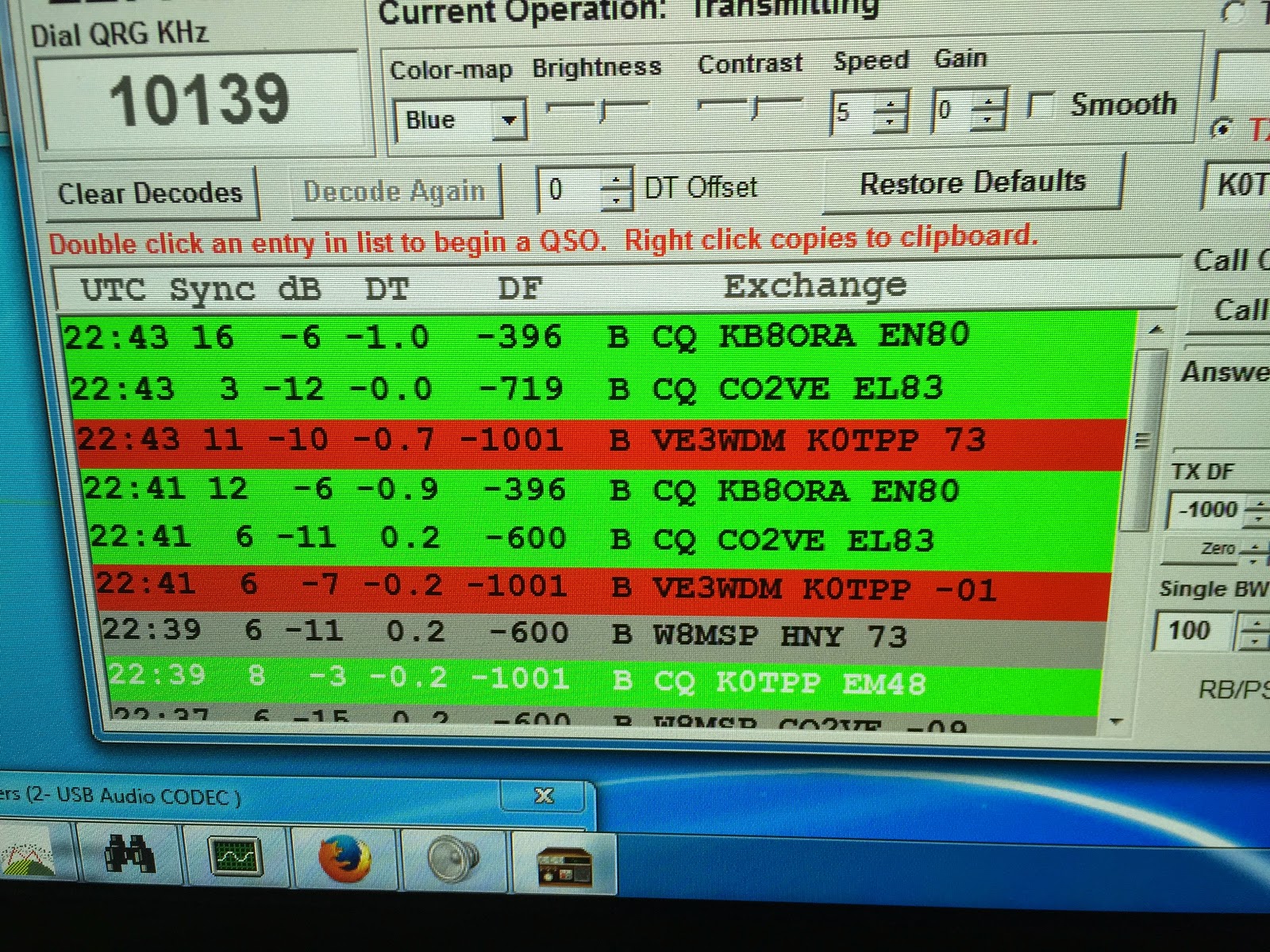 |
| Once upon a time my digi experience |
Mike Weir, VE9KK, is a regular contributor to AmateurRadio.com and writes from New Brunswick, Canada. Contact him at [email protected].
Arduino Morse Tutor

In a recent conversation with my good friend Lewis, we started discussing Morse code, training and the old equipment that was used to educate and teach the code to newcomers. In particular we discussed the old Datong D70 practice oscillators. Lewis carried on the tell me that his Datong like so many others started sending odd illegal characters and essentially rendered the kit useless. Of course you could whip of the lid and replace the logic chips, but I thought of recreating the Datong functionality in a new Arduino sketch.
So here is a breakdown of what the Datong offered:
- Either Mixed, letter or number combinations
- Groups of 5 characters
- Variable speed ( up to 37.5 word per minute)
- Variable character spacing (up to 4 seconds)
The Datong also allowed you to connect a telegraph key, and your headphones. But for now I will focus on the code generation element of the project.
The finished project has just a handful of components and can easily be created on a breadboard, or indeed if you have an old broken Datong you can reuse the box and panel to really replicate the old kit. The complete project includes 3 variable resistors (1K LIN) for Character speed, gap and volume. It also needs a 3 way switch to select the mode.
The Arduino I’m using is the UNO. Arguably the most popular Arduino on the market, but I have also tried the sketch on a Nano and it works fine – just some customisation of pin assignments is all that is needed.
On start up the Arduino checks to see which switch is LOW – it also saves the current mode and checks if the saved mode is the same as the current selected switch. If this is different, then the Arduino has had a change in the mode selection and resets.
When generating the tones, the Arduino randomly selects a character from an array. With that chosen letter – it calls a function and plays the corresponding tone functions. 2 functions exist as a DIT and a DAH.
The rest of the functions are dedicated to allowing the speed and gap to alter and also displaying the results on the LCD panel (completely optional).
Here is a short video of the kit working, and a link to the source code.
Dan Trudgian, MØTGN, is a regular contributor to AmateurRadio.com and writes from Wiltshire, England. He's a radio nut, IT guru, general good guy and an all round good egg. Contact him him here.
Arduino Morse Tutor
In a recent conversation with my good friend Lewis, we started discussing Morse code, training and the old equipment that was used to educate and teach the code to newcomers. In particular we discussed the old Datong D70 practice oscillators. Lewis carried on the tell me that his Datong like so many others started sending odd illegal characters and essentially rendered the kit useless. Of course you could whip of the lid and replace the logic chips, but I thought of recreating the Datong functionality in a new Arduino sketch.
So here is a breakdown of what the Datong offered:
- Either Mixed, letter or number combinations
- Groups of 5 characters
- Variable speed ( up to 37.5 word per minute)
- Variable character spacing (up to 4 seconds)
The Datong also allowed you to connect a telegraph key, and your headphones. But for now I will focus on the code generation element of the project.
The finished project has just a handful of components and can easily be created on a breadboard, or indeed if you have an old broken Datong you can reuse the box and panel to really replicate the old kit. The complete project includes 3 variable resistors (1K LIN) for Character speed, gap and volume. It also needs a 3 way switch to select the mode.
The Arduino I’m using is the UNO. Arguably the most popular Arduino on the market, but I have also tried the sketch on a Nano and it works fine – just some customisation of pin assignments is all that is needed.
On start up the Arduino checks to see which switch is LOW – it also saves the current mode and checks if the saved mode is the same as the current selected switch. If this is different, then the Arduino has had a change in the mode selection and resets.
When generating the tones, the Arduino randomly selects a character from an array. With that chosen letter – it calls a function and plays the corresponding tone functions. 2 functions exist as a DIT and a DAH.
The rest of the functions are dedicated to allowing the speed and gap to alter and also displaying the results on the LCD panel (completely optional).
Here is a short video of the kit working, and a link to the source code.
Dan Trudgian, MØTGN, is a regular contributor to AmateurRadio.com and writes from Wiltshire, England. He's a radio nut, IT guru, general good guy and an all round good egg. Contact him him here.
Series Eight Episode Twenty – Software Defined Radio Dongles (20 September 2015)
In this episode, Martin M1MRB / W9ICQ is joined by Leslie Butterfield (G0CIB), Chris Howard (M0TCH) and Edmund Spicer (M0MNG) to discuss the latest Amateur / Ham Radio news. Colin (M6BOY) rounds up the news in brief, and this episodes feature is Software Defined Radio Dongles.
- Bermuda Closes AM / Medium Wave Radio Transmitters
- Acorn II 40m SDR Construction
- Indian Government Employees to learn Amateur / Ham Radio
- Chess Controversy and Morse Code
- Ofcom Suggest 70.5 MHz for Internet of Things
- Reflectorless Yagi Radio Antennas Designs
- Councillors Vote in Favour of Ham Radio Mast
- Malta Digital Repeater
Colin Butler, M6BOY, is the host of the ICQ Podcast, a weekly radio show about Amateur Radio. Contact him at [email protected].
Series Eight Episode Twenty – Software Defined Radio Dongles (20 September 2015)
In this episode, Martin M1MRB / W9ICQ is joined by Leslie Butterfield (G0CIB), Chris Howard (M0TCH) and Edmund Spicer (M0MNG) to discuss the latest Amateur / Ham Radio news. Colin (M6BOY) rounds up the news in brief, and this episodes feature is Software Defined Radio Dongles.
- Bermuda Closes AM / Medium Wave Radio Transmitters
- Acorn II 40m SDR Construction
- Indian Government Employees to learn Amateur / Ham Radio
- Chess Controversy and Morse Code
- Ofcom Suggest 70.5 MHz for Internet of Things
- Reflectorless Yagi Radio Antennas Designs
- Councillors Vote in Favour of Ham Radio Mast
- Malta Digital Repeater
Colin Butler, M6BOY, is the host of the ICQ Podcast, a weekly radio show about Amateur Radio. Contact him at [email protected].
The Gray Line Report
Ham club newsletters exist in abundance. Most to inform members about upcoming events or to celebrate recently concluded activities with words and pictures. But there are those that serve a much larger audience — with timely advice and stories that cover the broader spectrum of amateur radio.

One of my favorites is The Gray Line Report — a quarterly publication of the Twin City DX Association.
The September edition is another good one. I’m reading ‘Adding an Amplifier to a Low Power Contest Station’ by Al Dewey, K0AD.
An there’s plenty more where that came from. Don’t miss it.
Tagged: dx, newsletter, tcdxa 

Jeff Davis, KE9V, is a regular contributor to AmateurRadio.com and writes from Indiana, USA.
 Ham Radio Deluxe |
 W5SWL Electronics |
 Ham Radio Prep |
 KB3IFH QSL Cards  Hip Ham Shirts  HamRadioAuctions HamRadioAuctions Reliance Antennas Reliance Antennas Enigma Shop Enigma Shop |  morseDX  Ni4L Antennas  R&L Electronics R&L Electronics antennas.us antennas.us QRV QRV |
- Matt W1MST, Managing Editor
