 |
 Hey! I almost forgot !!!
 31 May 2019 | by
As per the ARRL Announcement
Museum Ships Weekend will take place over the June 1 – 2 weekend, sponsored by the Battleship New Jersey Amateur Radio Station NJ2BB. Radio operation will be from a variety of vintage and noteworthy vessels. This is not a competition.
So far 75 ships are on the roster to take part. All stations working at least 15 different participating ships will receive a certificate, if they send a copy of their log showing these contacts.
While operation on any amateur frequency is allowed, most ships will be operate in the General portion of the bands. PSK31 operation will be on 14.070 MHz, 10.142 MHz, 18.100 MHz, 21.070 MHz, and 28.120 MHz.
Some ships also may be found on 75 meters (3.880 – 3.885 MHz) and on 40 meters (7.290 MHz) using AM, some using the vessel’s original restored equipment.
This is what I love about Summer - there's always something going on, just about every weekend. If you follow the link above, you'll get a list of who will be on the air. Log 15 ships and $4 will get you a piece of wallpaper for your shack.
72 de Larry W2LJ
QRP - When you care to send the very least!
Larry Makoski, W2LJ, is a regular contributor to AmateurRadio.com and writes from New Jersey, USA. Contact him at [email protected].
Another D Day Special Event

Larry Makoski, W2LJ, is a regular contributor to AmateurRadio.com and writes from New Jersey, USA. Contact him at [email protected].
LHS Episode #286: Hamvention 2019 Deep Dive
Welcome to Episode #286 of Linux in the Ham Shack. The hosts are back from Dayton Hamvention 2019 and have stories to share about their experiences. We touch on everything from booth visits from other podcasters to hedonism on the road to multiple cart crashes--and everything else under the sun. We want to thank everyone who listens to and supports our program for getting us to Hamvention for another successful conference in Ohio. We hope to do it all again in 2020.
73 de The LHS Crew
Russ Woodman, K5TUX, co-hosts the Linux in the Ham Shack podcast which is available for download in both MP3 and OGG audio format. Contact him at [email protected].
Weekly Propagation Summary – 2019 May 27 16:10 UTC
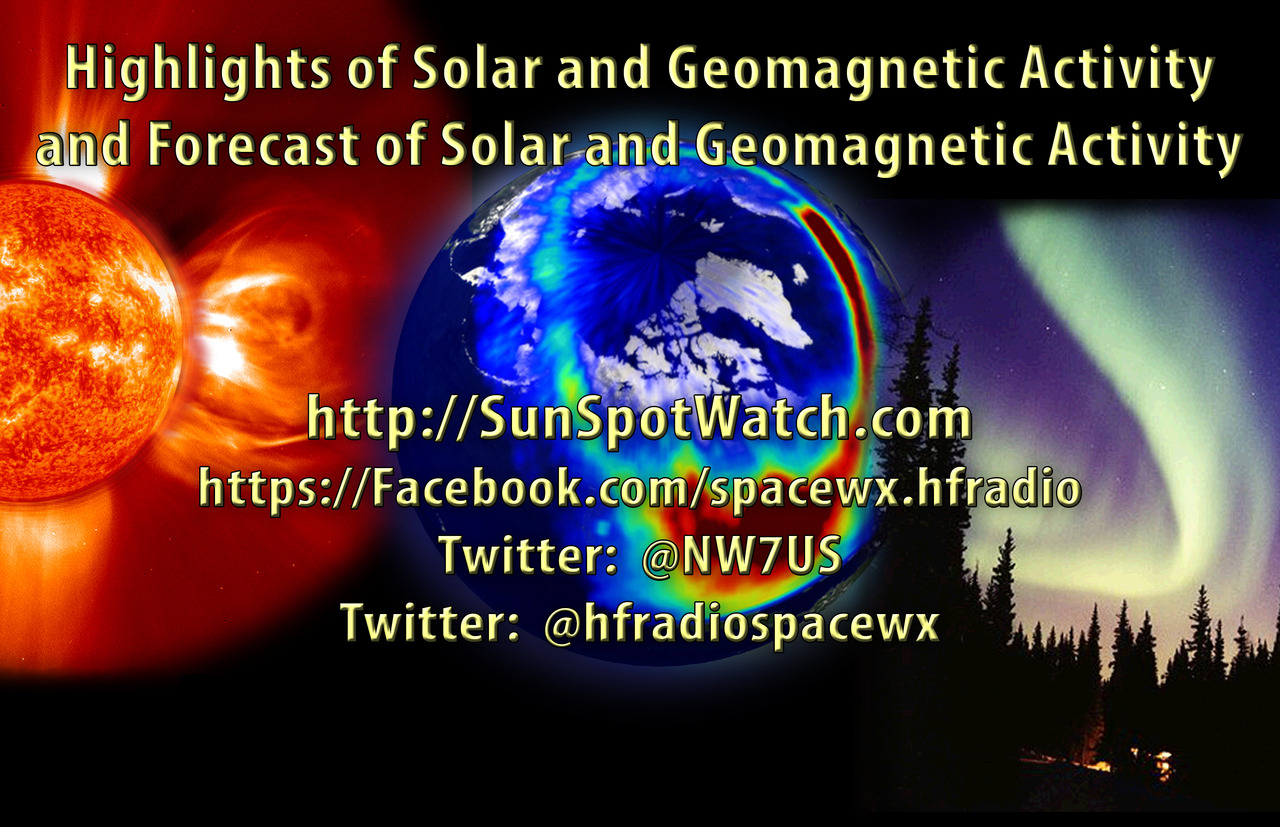
Here is this week’s space weather and geophysical report, issued 2019 May 27 0149 UTC.
Highlights of Solar and Geomagnetic Activity 20 – 26 May 2019
Solar activity was very low. No sunspots were observed on the solar disk and no Earth-directed CMEs were observed in available coronagraph imagery.
No proton events were observed at geosynchronous orbit.
The greater than 2 MeV electron flux at geosynchronous orbit was at normal levels on 20-21 May and normal to moderate levels on 22-26 May.
Geomagnetic field activity was at quiet to unsettled on 20 May and 26 May. The remainder of the reporting period was quiet.
Forecast of Solar and Geomagnetic Activity 27 May – 22 June 2019
Solar activity is expected to be very low throughout the outlook period.
No proton events are expected at geosynchronous orbit.
The greater than 2 MeV electron flux at geosynchronous orbit is expected to range from normal to high levels. High levels are expected on 29 May – 02 Jun and moderate levels are expected on 03-12 Jun. Enhancements in electron flux are due to the anticipated influence of multiple CH HSSs. The remainder of the outlook period is expected to be at normal background levels.
Geomagnetic field activity is expected to range from quiet to active levels. Early on 27 May, unsettled to active levels are possible due to weak enhancements in the solar wind. Negative polarity CH HSS influence is expected to produce unsettled to active conditions from 28-30 May and quiet to unsettled conditions from 31 May-02 Jun. The remainder of the outlook period is expected to be mostly quiet under nominal solar wind conditions.
Don’t forget to visit our live space weather and radio propagation web site, at: http://SunSpotWatch.com/
Live Aurora mapping is at http://aurora.sunspotwatch.com/
If you are on Twitter, please follow these two users: 1. https://Twitter.com/NW7US 2. https://Twitter.com/hfradiospacewx
– – – – – – – – – – – – –
Be sure to subscribe to our space weather and propagation email group, on Groups.io
https://groups.io/g/propagation-and-space-weather
Spread the word!
– – – – – – – – – – – – –
Links of interest:
+ Amazon space weather books: http://g.nw7us.us/fbssw-aSWSC
+ https://Twitter.com/NW7US
+ https://Twitter.com/hfradiospacewx
Space Weather and Ham Radio YouTube Channel News:
I am working on launching a YouTube channel overhaul, that includes series of videos about space weather, radio signal propagation, and more.
Additionally, I am working on improving the educational efforts via the email, Facebook, YouTube, Tumblr, and other activities.
You can help!
Please consider becoming a Patron of these space weather and radio communications services, beginning with the YouTube channel:
https://www.patreon.com/NW7US
The YouTube channel:
https://YouTube.com/NW7US
..
Visit, subscribe: NW7US Radio Communications and Propagation YouTube Channel
ICQ Podcast Episode 295 – Hamvention 2019
In this episode, Martin M1MRB is joined by Leslie Butterfield G0CIB, Bill Barnes N3JIX and Edmund Spicer M0MNG to discuss the latest Amateur / Ham Radio news. Colin M6BOY rounds up the news in brief and this episode’s feature is Dayton Hamvention 2019.
ICQ AMATEUR/HAM RADIO PODCAST DONORS
We would like to thank John Stevens (AB9JS), Michael Ladd (KD2KOG), Scott MacDonald (KA9P) and his wife Sara, Will Christman WD5I and Tage Carlson K1SEI and our monthly and annual subscription donors for keeping the podcast advert free. To donate, please visit - http://www.icqpodcast.com/donate
- VOA Museum to host 75th-anniversary commemoration of D-Day
- Record Number of South African Candidates for Radio Amateur Exam
- CEPT Annual Radio Interference Statistics
- Arizona Homeowners Association - Outdoor Antenna Guidelines
- British Inland Waterways on the Air 2019
- GCARC Special Event Station
- Proposed 60m Trial in Australia
Colin Butler, M6BOY, is the host of the ICQ Podcast, a weekly radio show about Amateur Radio. Contact him at [email protected].
Xenia Invaded by Orange Shirts! No One Harmed…
This was my first time to visit what is commonly called Dayton. Except now it’s in Xenia. And those who want to ensure that you aren’t a Real Ham if you didn’t attend Dayton wear tee shirts to that affect. So, it’s a thing. But whether you attended the “old” Hamvention or the latest edition in nearby Xenia, that’s a thing, too. And both are ok.

This year, the ICQ Podcast Team had eight of the eleven “Presenters” (British terminology) come to Hamvention and rent an AirBnB in lovely, historic Lebanon, OH. Colin M6BOY arranged for some of our listeners, including two from another podcast team, to donate toward the cost of producing nice ICQ Podcast Team Polo Shirts. They were hits in that they drew quite a bit of attention as we roved the Greene County Fair Grounds in a pack, except for Dan KN6BU who teaches his One-Day Tech Class most of the day on Saturday. The Team was very humbled by the number of listeners who approached us, several times with $20 bills extended to help with production costs. We enjoy talking about amateur radio but to get these expressions of gratitude from listeners is, well, just a humbling experience. Thank you all who took the time to stop and speak with us about the podcast.

The podcast Team is largely from the UK and a couple hold U.S. amateur licenses but must only use them (and the higher power they are allowed) on American soil. During our conference call to organize this first trip by the European group to the States, I offered to bring one of my portable HF rigs to the house we had secured in Lebanon for them to activate their U.S. call signs for the very first time. Martin M1MRB / W9ICQ and Chris M0TCH / N4CTH were able to do this. Martin worked Cuba but that station never got the last letter of his call. Chris worked a couple of stations but the need for a Snickers Bar side-tracked him. But Edmund M0MNG played Big Gun on the front porch as he worked many stations working Grey Line as the 40M band did it’s nightly thing. Dan KB6NU, of CW Geek fame, kept trying to figure out how to connect a keyer he bought in the bone yard to the transceiver. But, of course, I was not any help with my own rig as I haven’t yet gotten proficient in CW. This was a Yaesu FT-891, running 50 then 90 watts into a Wolf River Coils TIA vertical, powered by a Bioenno 20aH Life4Po battery. And Yuengling refreshments. Martin and I conversed well past our due date for sleep. Being about the same age, Martin and I have developed a close friendship during my first and now second stint working with the podcast. A good time was, indeed, had by all. And no one was harmed in the production of this event!


The Team was working quite a number of scheduled, and a few impromptu, interviews with company officials and prominent hams by day (see here), and enjoying visiting with one another by evening. Due to Colin’s midnight editing efforts, we published three time-sensitive product announcement interviews for a special episode on Sunday. But several less time-sensitive ones will come out in the next few months too. We toured WLW, the AM powerhouse of long history near Cincinnati, and the VOA Museum for the Bethany Relay Station. Unique history. And important if you’re a ham radio operator or SWL. The fact that we were doing this tour together after a joint chili dinner with the Amateur Radio Newsline team made it extra special. We thank Neil Rapp of Ham Talk Live for arranging our tour. We compared notes on our individual amateur and broadcast radio experiences while in awe over getting a special instruction on the former 500,000 watt Bethany Relay VOA transmitter. Martin M1MRB and I even got interviewed by the visiting podcast team from Pod People. That was different but most pleasant and enjoyable for us. Good thing that’s an audio-only podcast as we realized we were standing so the NSFW stickers on the back of a pickup truck would have video-bombed our head shots.

Bill N3JIX kept us entertained with his (and my) quirky humor and color-coordinated bandannas. His wit belies his deep understanding of networking radio technology as exhibited in his interview of Gerald Youngblood, President of Flex Radio Systems. Bill and I share a number of common interests outside of amateur radio, including IT which we both have a long history in as well as how libraries work. Ed DD5LP had braces to match his orange team shirt (and new red hair). Ed’s quick-on-the-draw reactions to ham radio discussions was something that I enjoyed immensely. Chris M0TCH has been to the States for work and pleasure several times. So he drove the van. And that was both a good and safe thing. Even though I’m from the States, I had driven 12 hours up and really appreciated the break from driving. Chris was already a friend through our podcast experiences but it was a real delight to spend time with him in person.
But it would be a real contest to see whose sense of humor was best. Some dry, some loud, some witty. But all great in-person QSOs from a team that meets online every two weeks to record a podcast. We missed those Team members who could not make the trip. I truly hope we can do this again whether it’s in Xenia or across the pond. If so, look for the horde of orange shirts. They don’t bite. But they do have fun when it comes to amateur radio.

Frank Howell, K4FMH, is a regular contributor to AmateurRadio.com and writes from Mississippi, USA. Contact him at [email protected].
Blogging……has it seen it’s time?

Mike Weir, VE9KK, is a regular contributor to AmateurRadio.com and writes from New Brunswick, Canada. Contact him at [email protected].
 Ham Radio Deluxe |
 W5SWL Electronics |
 Ham Radio Prep |
 KB3IFH QSL Cards  Hip Ham Shirts  HamRadioAuctions HamRadioAuctions Reliance Antennas Reliance Antennas Enigma Shop Enigma Shop |  morseDX  Ni4L Antennas  R&L Electronics R&L Electronics antennas.us antennas.us QRV QRV |
- Matt W1MST, Managing Editor
