 |
 LHS Show Notes #062
 28 July 2011 | by
 Introduction:
- Introductions, chit chat, a bit about the Dayton Hamvention, Texas Linuxfest, and the Belton hamfest.
- LHS will be at several events this summer:
- SouthEast LinuxFest (SELF), June 10-12 in Spartanburg, SC. (Yes, I know, by the time you hear this episode, it’s come and gone.)
- Huntsville Hamfest August 20-21 in Huntsville, AL.
- Ohio Linuxfest September 9-11 in Columbus, OH.
- Stop by and say hello to Russ and Cheryl!
- Richard may be attending the Texoma Hamarama October 21-22 in Ardmore, OK.
- Russ tells us about the sewer failure at Dayton. Only two restrooms in Hara were working Saturday afternoon. Apparently it was fixed by Saturday evening.
Topic: PulseAudio
- Richard’s son is trying to start his own computer repair business and recently he received a call from Misha who wanted him to fix a sound issue on her Sony Vaio, which dual-boots Windows 7 and Ubuntu 11.04. Sound worked fine in Windows, but not in Ubuntu, and she preferred using Ubuntu. After working with the machine for a while, he figured out that PulseAudio was the problem, and replacing it with ALSA fixed it.
- While researching the problem, Richard discovered PulseAudio problems exist on more than just the Sony Vaio. He also found PulseAudio problems with Ubuntu, Fedora, Open Suse 11 or higher, Arch Linux, Zen, and Sabayon, and with both Gnome and KDE desktops.
- Two sites in particular were helpful:
- Russ and Richard discuss Linux audio problems, and the current state of PulseAudio, particularly with WINE. Russ notes that he’s had no sound problems under Linux Mint.
- Russ describes various ways to troubleshoot PulseAudio issues on Linux.
- In Gnome, right-click on the speaker icon and select sound preferences. From here you can examine the hardware, choose a sound profile, configure your inputs and outputs, and see which applications are using PulseAudio.
- There are a variety of utilities useful for debugging PulseAudio problems:
- paman (PulseAudio Manager Utility). Install it with the command “apt-get install paman”. It tells you a lot of information about PulseAudio, including “sinks” and “sources”. You can also use it to set volume levels with greater control than with the desktop audio manager.
- paprefs (PulseAudio Preferences Panel) Install it with the command “apt-get install paprefs”. Allows you to perform advanced functions such as connecting PulseAudio servers together, send sound from one server to another, create virtual sound devices, etc.
- pavucontrol (PulseAudio Volume Control) Install it with the command “apt-get install pavucontrol”. Allows you to see every application that accesses PulseAudio, set volume levels per channel, and other configuration settings.
- pavumeter (PulseAudio VU Meter) Install it with the command “apt-get install pavumeter”. Creates a VU Meter window that displays your audio levels.
- padsp, pamon Install with the command “apt-get install pulseaudio-utils”. pamon will allow you to capture the bytes of audio data. padsp allows you to pipe the audio from an application that does not normally support PulseAudio, into PulseAudio.
- Remember, you can use the “man” command for help on any of these commands. For example, in a terminal type “man padsp” for help on the padsp utility.
- Check out Ted’s sound card programs for ham radio. They are all now PulseAudio compatible.
Contact Info:
- Contact Richard at [email protected], Russ at [email protected], or both at the same time at [email protected].
- Listen to the live stream every other Tuesday at 8:00pm Central time. Check the LHS web site for dates.
- Leave us a voice mail at 417-200-4811, or record an introduction to the podcast.
- Sign up for the LHS mailing list.
- Sign up for the MAGNetcon mailing list.
- LHS merchandise is available at the SHOP! link on Web site. Check out the Badgerwear or buy one of the other LHS-branded items at PrintFection.com/lhs or Cafe Press. Thanks!
- Thanks to Dave from Gamma Leonis for the theme music.
Russ Woodman, K5TUX, co-hosts the Linux in the Ham Shack podcast which is available for download in both MP3 and OGG audio format. Contact him at [email protected].
ARRL Forums are Open for Business
I haven’t seen anything on this on Twitter, but every now and again, I like to make sure to check the ARRL’s website for info on what’s going on. It seems that a lot of it seems to not make it to Twitter. Either no one’s retweeting it or I keep missing it on the ARRL’s Twitter.

Screen Shot of the ARRL's New Web Forums
The ARRL has opened up a forum on their website back on July 26th. I have only taken a glance at some of the forums that are open, like DXCC and VUCC. There is also a couple of RFI forums as well. I could use that with my mobile radio. But at first look alone, this looks to be a good resource for new as well as veteran hams.
Forums rules are also posted for all to read, and I encourage those of you planning on using the forums to read them. I don’t know about anyone else, but I’m not a fan of coming in to a forum and reading a question from a new ham and seeing a sideways comment aimed at them. I’m reasonably sure no one likes that.
As the forum is brand new, there really isn’t much in there, but I think a few good posts could help that and get more people in there to post. Plus if more people talk about it, that would help greatly. So if you can, retweet the link, or better yet, retweet this story! Yeah, That’s the ticket!
73.
Rich also writes a Tech blog and posts stories every Tuesday and Thursday on Q103, The Rock of Albany’s website, as well as Amateur Radio stories every Monday thru Friday here on AmiZed Studios.
Rich Gattie, KB2MOB, is a regular contributor to AmateurRadio.com and writes from New York, USA. Contact him at [email protected].
Ham Nation 10
Special guest Nate Brightman talks about working in the wireless room aboard the Queen Mary, George builds a crystal radio kit, Bob answers your questions, and more.
Guests: Nate Brightman, K6OSC, David Akins, N6HHR, and George Thomas, W5JDX
Download or subscribe to this show at http://twit.tv/hn.
We invite you to read, add to, and amend our show notes at wiki.twit.tv.
Thanks to Joe Walsh who wrote and plays the Ham Nation theme.
Thanks to Cachefly for the bandwidth for this show.
http://dts.podtrac.com/redirect.mp4/twit.cachefly.net/video/hn/hn0010/hn0010_h264b_864x480_500.mp4
http://dts.podtrac.com/redirect.mp4/twit.cachefly.net/video/hn/hn0010/hn0010_h264b_640x368_256.mp4
http://www.podtrac.com/pts/redirect.mp3/twit.cachefly.net/hn0010.mp3
Dr. Bob Heil, K9EID, is the founder of Heil Sound and host of TWiT.tv's Ham Nation which streams live each Tuesday at 6:00pm PT (9:00pm ET) at http://live.twit.tv. Contact him at [email protected].
Handiham World for 27 July 2011
Welcome to Handiham World!
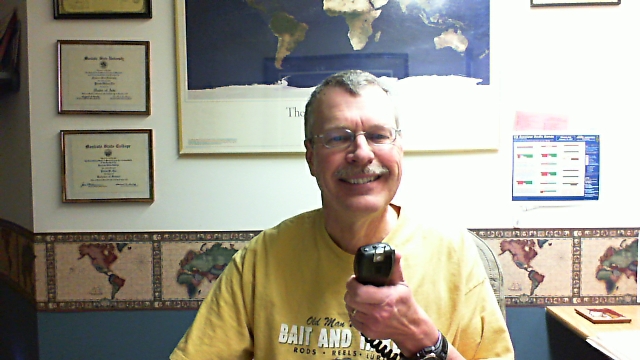
It is less than two weeks to Handiham Radio Camp, which begins on Monday, 8 August. As you might imagine, Nancy and I have been busy with last minute paperwork and communications from everyone who is planning to be at camp. We have made considerable progress, but lots of work still needs to be done as we get the equipment ready and answer questions while still trying to provide services to our Handiham members who will not be at camp. Last week I got my son Will, KC0LJL, sent off to Japan, where he will be teaching English for a year. Needless to say, I have not been bored for lack of things to keep me busy!
 | Wouldn’t it be nice to get QST in digital format? That just could be an option in the future. A plan for the next steps in providing QST digitally (in addition to the print edition) was approved at the recent ARRL Board meeting. The change in accessibility brought about by the personal computer and digital reading devices is simply enormous. Worldradio Magazine has led the way with an entirely digital version, which allows blind computer users to access the articles with screenreading software at virtually the same time they are available to everyone else. |
| Curious about Morse code? Coming to Radio Camp? Keep reading for news about learning code. |
[email protected]
Handiham Manager
But first – Help us win the Dr. Dave Challenge!
Money is tight these days and we desperately need your support. Now, thanks to a generous challenge grant by Dr. Dave Justis, KN0S, we have a chance to help fill the budget gap. Dr. Dave will donate $5,000 to the Handiham System if we can raise a matching amount. That means we need to really put the fund-raising into high gear! If you can help, designate a donation to Handihams, stating that it is for the “Dr. Dave Challenge”. We will keep you posted in our weekly e-letter as to the progress of the fund.
Nancy can take credit card donations via the toll-free number, 1-866-426-3442, or accept checks sent to our Courage Center Handiham address:
Courage Handiham System
3915 Golden Valley Road
Golden Valley, MN 55422
Be sure to put a note saying “Dr. Dave Challenge” somewhere in the envelope or on the note line of the check. If you donate online as detailed toward the end of your weekly e-letter, be sure to designate to Handihams and then send me an email letting me know you donated to the Dr. Dave fund: [email protected].
Thank you so much for your support!

Pat Tice, WA0TDA, is the manager of HANDI-HAM and a regular contributor to AmateurRadio.com. Contact him at [email protected].
Meet Leo Laporte – KJ6QGP
I have been a fan of Leo Laporte for many, many, years. I even had the pleasure to interview him for NewsTek, about his Tricaster and just new media in general. And now, after many years of saying he could be an amazing ambassador for Amateur Radio, it has come to pass, as I had speculated a few months back, Leo is now KJ6QGP.

Photo Courtesy of Leo Laporte
There really isn’t much I can say about Leo that isn’t already widely known about him already. He’s a syndicated radio show host, with The Tech Guy, and he is now starting a new chapter in the TWiT history books with a new studio built on the popularity of the shows he has created and produced, which are all online. New Media’s finest example.
Now that he has him Ham Radio ticket, from what I have heard in Ham Nation Episode 8, is that Leo is planning on making Ham Radio a main fixture at the new studio for his shows. And that local Hams will be helping to get it all started. From setting up the station to helping erect antennas. According to Bob, K9EID, the station will be able to transmit HF as well as VHF/UHF. And it has also been said, that Leo is applying for the vanity call W6TWT.
If anything, I now have a goal of getting my HF back on the air, so I can try and work the new TWiT Brickhouse and get a cool QSL card. And then, there is always getting out there to actually use the station.
73.
Rich also writes a Tech blog and posts stories every Tuesday and Thursday on Q103, The Rock of Albany’s website, as well as Amateur Radio stories every Monday thru Friday here on AmiZed Studios.
Rich Gattie, KB2MOB, is a regular contributor to AmateurRadio.com and writes from New York, USA. Contact him at [email protected].
The meaning of >F
I have been playing with using the Kenwood TH-D72 as a standalone digipeater and fired up the FoxTrak APRS tracker I built last year. The FoxTrak is a TinyTrak clone using DK7IN firmware. I had not noticed a problem before when using a TNC connected to PC software, but now I found that the D72 will not display the FoxTrak’s packets. Instead, it interrupts the frequency display and puts >F G4ILO-12 on the first line of the display. The packets are digipeated but they don’t appear in the radio’s list of received stations.
I’m guessing that >F is some sort of error status but it is not listed on page APRS-3 of the user manual where the other status indicators are listed. Does anyone know what it means, or how to configure the FoxTrak so that the Kenwood will display the beacons?

Julian Moss, G4ILO, is a regular contributor to AmateurRadio.com and writes from Cumbria, England. Contact him at [email protected].
A Dozen Radios in One Car. [VIDEO]
So I guess this video is as viral as you can get in the Ham Radio Community. But the name of the video lives up to what you see in it. I guess you could almost say it’s something you would see on HamSexy. But everyone has their own way. So here it is. The video that has been making it’s way around Twitter. Some questions I have about this video is, how does he know which mic to use, and how does he keep track of conversations? And what’s up with the business cards on the dash? And with all those speakers, does he get surround sound now if he tunes all the radios to the same frequency? Just askin’.
73.
Rich also writes a Tech blog and posts stories every Tuesday and Thursday on Q103, The Rock of Albany’s website, as well as Amateur Radio stories every Monday thru Friday here on AmiZed Studios.
Rich Gattie, KB2MOB, is a regular contributor to AmateurRadio.com and writes from New York, USA. Contact him at [email protected].
 Ham Radio Deluxe |
 W5SWL Electronics |
 Ham Radio Prep |
 KB3IFH QSL Cards  Hip Ham Shirts  HamRadioAuctions HamRadioAuctions Reliance Antennas Reliance Antennas Enigma Shop Enigma Shop |  morseDX  Ni4L Antennas  R&L Electronics R&L Electronics antennas.us antennas.us QRV QRV |
- Matt W1MST, Managing Editor
