Author Archive
 Giant Blizzard! Not really, but my antenna is down
 January 18th, 2018 |
  Author:
 We aren't supposed to get this much snow in central NC
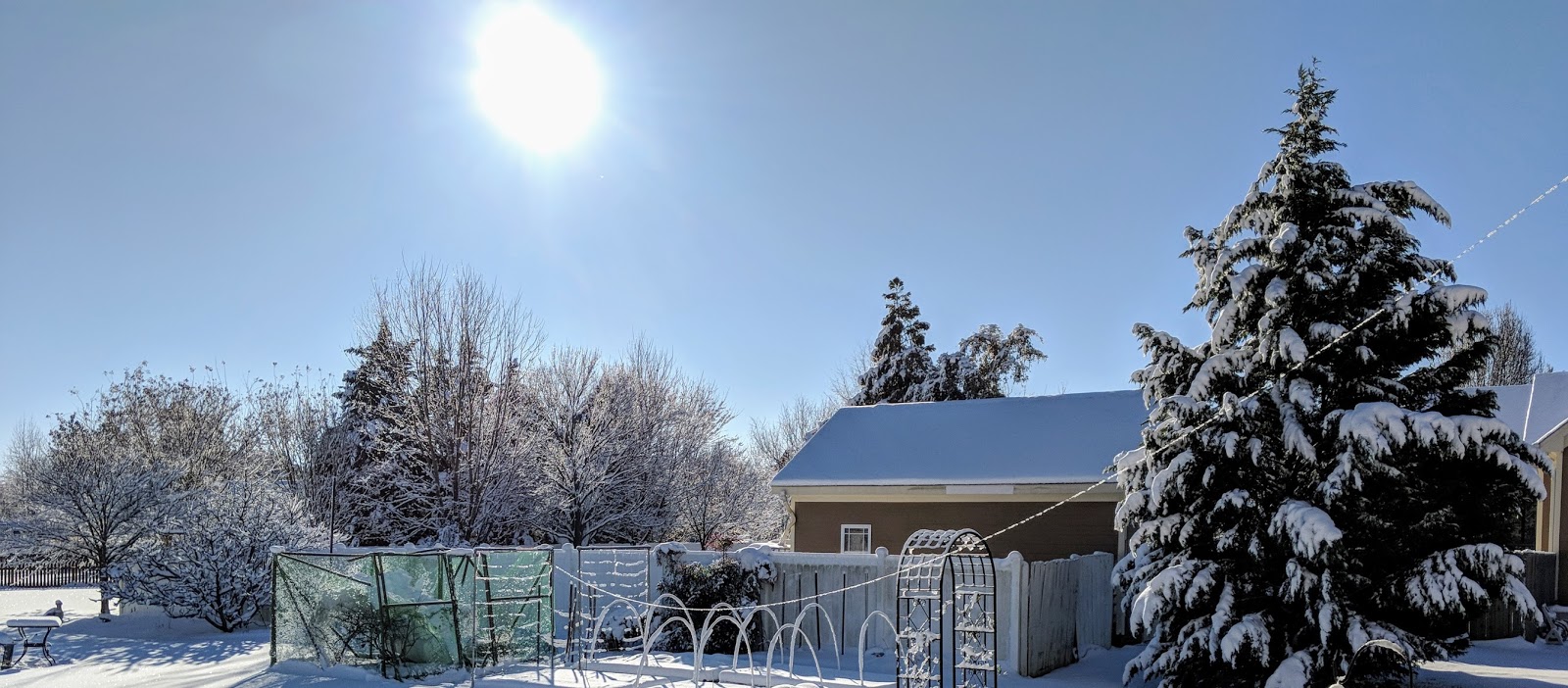
We received a remarkable amount of snow yesterday here in central NC, my antenna iced up and looked very pretty, then the wind picked up and my antenna fell down. Boo-hiss !
My homebrew OCFD antenna is constructed from donated, surplus, lightweight doorbell type wire attached to a 4:1 current balun in a PVC tube with threaded nuts to hold each end of the dipole on top and a coax connector on the bottom. An eyelet through the top of the balun suspends it all via some 10 year old dacron rope (dacron rope is amazing stuff), which is attached to the eave at the peak of my roof.
How, pray tell did I get the rope attached to the peak of roof 33 feet up in the air you ask, having no tall ladders or Spiderman abilities? I'm glad you asked... Well, the rope is tied inexpertly, using granny knots, to one side of an S-hook. I use a cane-pole fishing rod as an extension with a piece of masking tape on the end lightly holding the S-hook. Then I precariously lean out my 3rd story window eight feet under the eave (don't try this at home) and "fish" the S-hook through a loop at the peak of the eave, that was installed there by my nice painter, many years ago. Once the S-hook is in the loop, I tug on the fishing pole and the masking tape lets loose of the S-hook and the S-hook remains in the loop, holding a few feet of old dacron rope. QRP-indeed !
This incarnation of the antenna was first installed November 2015. In that time an ice storm drug it to the ground, and a tropical storm broke the mooring as well.
Amazing stuff, doorbell wire and old dacron rope.
How, pray tell did I get the rope attached to the peak of roof 33 feet up in the air you ask, having no tall ladders or Spiderman abilities? I'm glad you asked... Well, the rope is tied inexpertly, using granny knots, to one side of an S-hook. I use a cane-pole fishing rod as an extension with a piece of masking tape on the end lightly holding the S-hook. Then I precariously lean out my 3rd story window eight feet under the eave (don't try this at home) and "fish" the S-hook through a loop at the peak of the eave, that was installed there by my nice painter, many years ago. Once the S-hook is in the loop, I tug on the fishing pole and the masking tape lets loose of the S-hook and the S-hook remains in the loop, holding a few feet of old dacron rope. QRP-indeed !
This incarnation of the antenna was first installed November 2015. In that time an ice storm drug it to the ground, and a tropical storm broke the mooring as well.
Amazing stuff, doorbell wire and old dacron rope.
That gleaming line of ice from right to left in the picture below used to be elevated a bit more
 |
Even with my outdoor antenna down, I was able to make a contact on 80m last night using the 68'ish foot long doublet in my attic so wasn't completely incommunicado. It shouldn't be hard to get the OCFD operational again. A bit harder will be repairing the blueberry cage that collapsed under the weight of snow on top of the netting.
This antenna is designed to fail gracefully
I wanted to be sure that when the antenna was under stress it would relieve itself at the easiest place to repair. The rope on the long end of offset dipole runs through a pulley attached, with a zip tie, at the top of a set of sturdy, stacked fiberglass tent poles. The rope runs through the zip-tie attached pulley to a long, lightweight, spring (the kind used for a small fence gate) along with the pulley provides the strain relief when it's windy. The zip tie holding the pulley at the top of the pole is intentionally the weak link. When the forces become too much the zip tie breaks and the long, heavy side of the antenna falls across the garden. It's a simple matter to pull a section of the fiberglass pole loose, attach a new zip tie, and Bob's your uncle.So when you design your next wire antenna, plan ahead for easy repair.
That's all for now...
So lower your power and raise your power... and antennas after they fall
72/73
Richard AA4OO
Troublesome characters to copy in Morse Code
The trouble with DITS
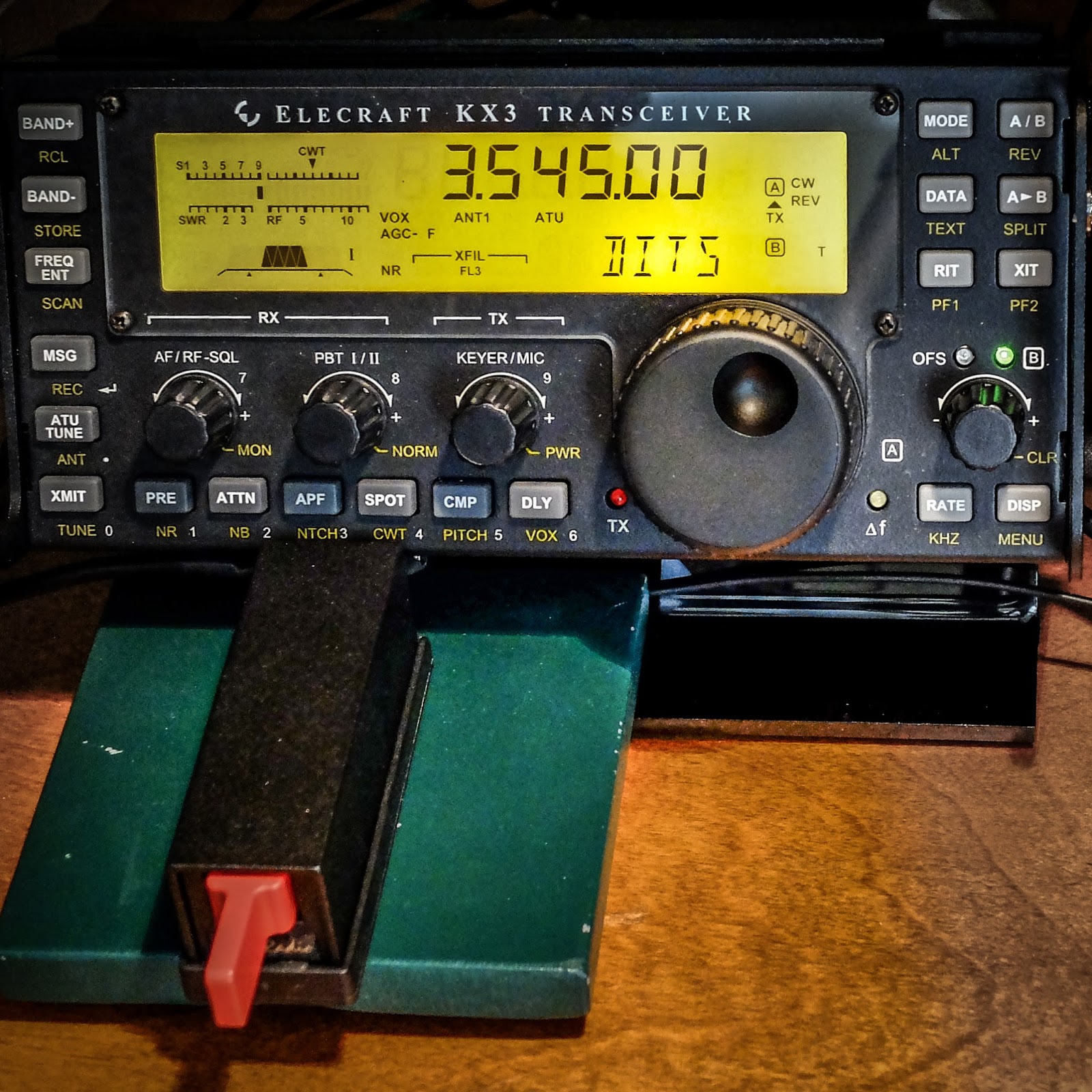 |
| KX3 Displaying some sent code and a Palm Single paddle in front, magnetically attached to a steel base |
As I've learned the code one problem area, early on, was dealing with words that started with characters that were all DITS. I'm probably not alone in having my puny brain overloaded when I am trying to head copy words that start with DITS. I would panic because the all-dits character would fly by and I'd get fixated on trying to figure out what that was and miss the rest of the word.
To overcome DIT panic, I started training on the all DIT characters of E, I, S and H
Using https://lcwo.net/ I'd configure it to send only those characters, and practice them alone. Then I started creating words that began with DIT characters and I'd practice recognizing them.
After two and half years I still get tripped up on occasion but I'm doing much better.
I also like to practice sending DITS. The following sentence is fun to practice: "SHE IS 55 ES IS HIS SISTER"
So how do you deal with DIT overload?
That's all for now.
So lower your power and raise your expectations...
72/73
de Richard AA4OO
Don’t forget — Straight Key Night 2018 is tomorrow !
Straight Key Night -- 2018
Don't forget January 1st, 2018 starting 00:00 GMT (7pm EST Dec 31) is the start of Straight Key Night 2018. Bring your tired, old equipment on-air and mash your favorite mechanical key. This is not a contest, just an opportunity to make lots of fun QSOs.
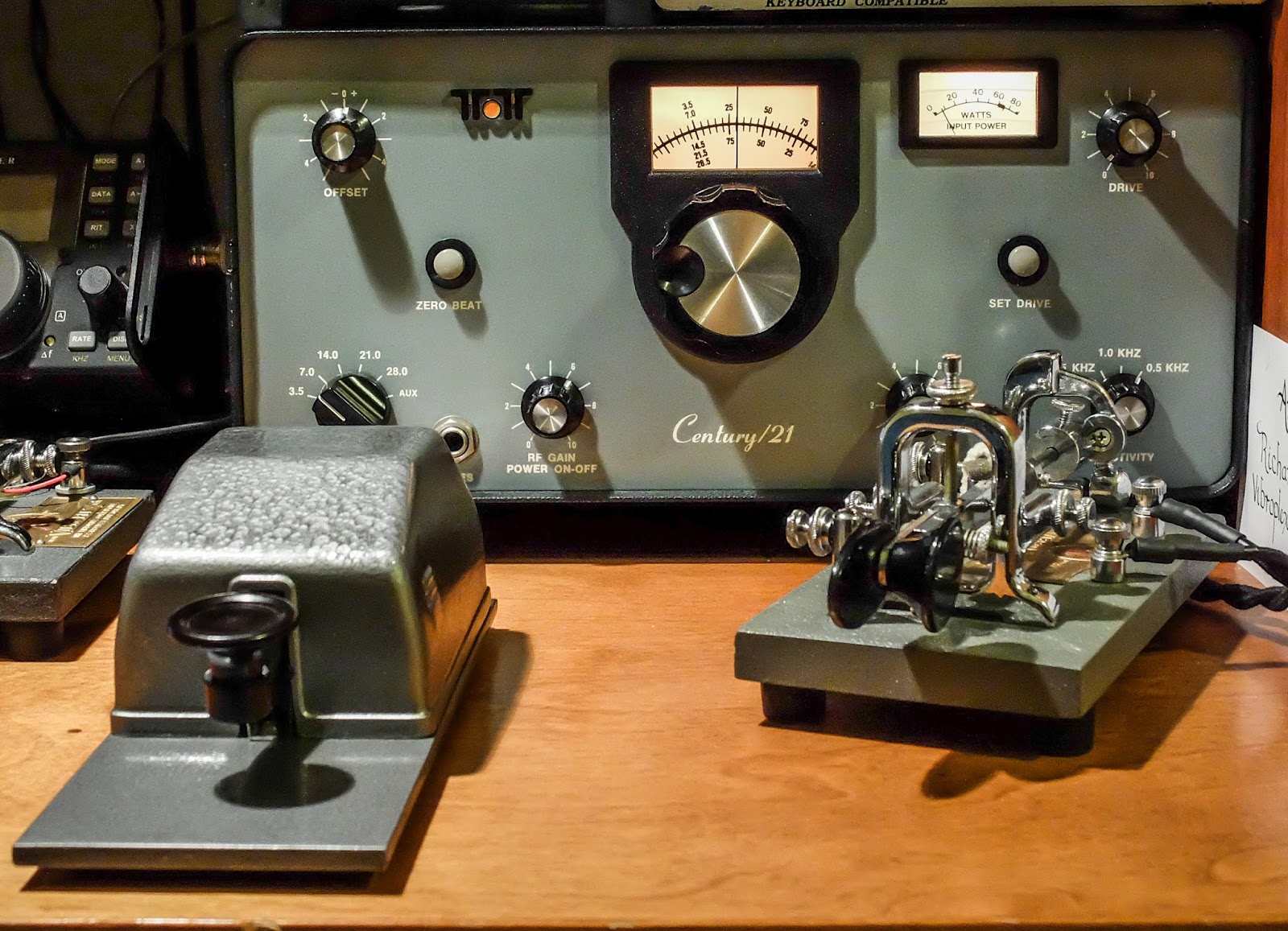
ARRL has details on their website... http://www.arrl.org/straight-key-night
Video from 2018 SKN
If you hang in there until the 2:08 mark you'll see my new, spiffy, dual camera angle recording method that I plan to use in all my videos.
So, lower your power, and raise your expectations...
72/73
Richard AA4OO
Video recording woes
Getting the audio right shouldn't be this hard...
I've spent a considerable amount of time lately creating machine generated Morse code videos for copy practice.
I've created videos of the top 100 Words, 500 Words and today, the top 100 most common words in a QSO, at different speeds. I'm machine generating rather than keying them by hand because I would make too many mistakes. I do this through my memory keyer connected to the computer via a terminal application and capture the text being sent along with the audio.
I've created videos of the top 100 Words, 500 Words and today, the top 100 most common words in a QSO, at different speeds. I'm machine generating rather than keying them by hand because I would make too many mistakes. I do this through my memory keyer connected to the computer via a terminal application and capture the text being sent along with the audio.
Getting the audio right has been hard. When I record screen captures on my PC it wants the audio to be recorded at 44 kHz but when I transfer that to a Mac to use my video editing software, it expects the audio to be recorded it 48 kHz, and converting the audio in the video just doesn't work well. I use an H2 USB mic for the recording. If I set the mic and the PC screen capture software to 48 kHz I get no audio. So I have had to record at 44 kilohertz on the PC. I'm sure there's better screen capture software that could be used on the PC but I haven't been able to find it for free. I guess I'm too cheap.
This has caused my videos to have popping noises in the transferred audio. While I've tried to fix it during the editing process, it still sounds bad to me.
So, you may wonder why haven't I just recorded the videos on a Mac from the beginning rather than using a PC? Well, I haven't been able to get the OSX terminal application to talk to my 1990's MFJ Super Memory keyer via the serial cable. For some reason my Mac doesn't have a driver for the usb dongle I used to talk to the old memory keyer but my PC does. I searched a bit more and found a non-free terminal application that will let me connect to this serial cable. Now I connect from the Mac and capture the keyer output. I'll spend hundreds of dollars on ham gear but ask me to shell out $30 for computer software and I balk. And after all, I'm a software developer, shame on me.
So, starting today, my new videos should have improved audio and be at a higher resolution than previous videos recorded from the PC.
These practice Morse code videos seem to be popular with folks, so I hope they're helping people. They're a lot of work but I guess they're worth it.
That's all for now...
So lower your power, and raise your expectations
Richard AA4OO
http://www.hamradioqrp.com
No love for CW in ARES / RACES
CW - emergency communication ?
With the recent spate of natural disasters and dire warnings of impending doom, from terrorists and rogue nations alike, it got me to looking into my previous emergency ops participation.
When I was a newly minted amateur operator about a decade ago, I participated some in traffic nets and obtained FEMA certifications to participate in emergency operations. At the time I had built my go-kit, consisting of battery powered FM 2m/440 equipment and portable J-poles. It even had wheels and a pull handle, very spiffy. But I wasn't much concerned with CW.
With a re-kindled interest in QRP and CW operations, it got me to looking again at participation in emergency ops, and to my surprise there are few states that even list CW as a mode for emergency communication frequencies.
The following table lists the only pre-approved ARES frequencies I can find, designated for CW. There are 37 states missing from this list... If you live in a state other than those listed below; no CW emcomm for you buddy.
Excerpt from http://www.idahoares.info/resources_ares_frequencies.shtml I looked in a number of ARES/RACES sites listing nationwide frequencies and they appeared to have the same list
Why no love for CW?
I understand that CW is a slow mode of communication and not well represented by the amateur radio masses, but let's face it, CW has more efficiency at getting a signal through in marginal conditions than FM or SSB. When a disaster strikes and the electrical grid is down for hundreds of miles and gasoline for running generators is short, you won't be operating QRO stations or have power to run computers for digital modes. Powering a 12v battery with a solar panel may be your only option.
CW's power density is superior to any non-digital mode. A 5 watt CW signal packs as much punch as 100 watt SSB and let's not even discuss the inefficiency of FM or AM. In extended emergency conditions, using CW could mean the difference between getting a message through and not.
Operating CW in Emergencies
So if there were an extended emergency, shouldn't there be some fallback plan for use of low cost, easy to build and store XTAL controlled radios? Many home-built XTAL controlled CW radios use QRP watering hole frequencies for their center frequency; 3560, 7030 and 14060 kHz. Why not designate those frequencies using CW as standards for emergency communication?
Maybe CW is sinking so far into obscurity in amateur radio, this sort of thinking doesn't enter the consciousness of those in charge, but I don't think it should. Maybe CW clubs like FISTS and SKCC could partner with QRP clubs (who tend to be CW focused) to form a homespun group of emergency operators prepared to use CW when all else fails. It might be fun to organize, and who knows, it could save a life, or reunite separated family members.
That's all for now...
So lower your power and raise your expectations
72/73
Richard, AA4OO
Morse Chrome
Chrome browser extension for Morse Code
I'm always interested in finding new ways to practice my copy skills when away from the radio.
While there's a growing number of mobile device apps for sending and practicing Morse Code, as well as excellent websites like www.lcwo.net, it's always fun to stumble upon a new one.
While there's a growing number of mobile device apps for sending and practicing Morse Code, as well as excellent websites like www.lcwo.net, it's always fun to stumble upon a new one.

Morse Chrome is an extension for the Chrome web browser that allows you to select text on a web page, and send it as Morse Code.
After installing the extension, select text on a web site of your choice and right click (or in the case of a Macintosh, CTRL-click) and one of the options in the right-click dialog will be "Play Morse".
It will proceed to play the selected text as Morse Code.
The speed and pitch can be managed from your Chrome Extension options for Morse Chrome
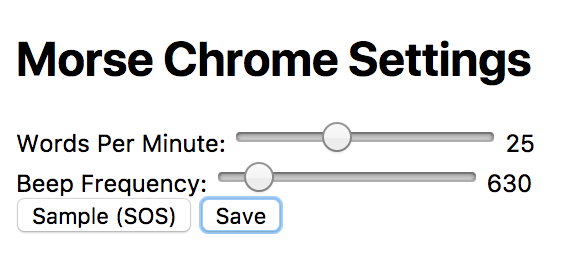
The generated code sounds accurate to me but it is generated with a rather harsh ramp (possibly a pop) at the beginning of each element. I've heard other computer generated Morse sound similar so it may simply be a problem with the the audio API in the browser. I've played around with different pitch settings and can't reduce the pop. It may be better or worse on different computers.
The only real complaint I have is that I can't find a way to stop it from playing without closing the browser. So if you select a rather large block of text you'll have to wait for it to finish sending before being able to select another selection, unless you exit and restart your browser.
But it's another tool in the arsenal of practicing Morse Code practice so I'm glad to have it.
That's all for now...
So lower your power and raise your expectations
72/73
Richard AA4OO
CQ WW Contest
FT8 hasn't killed CW yet
I'm not a contester but I enjoy listening to some amazing contestants pulling in those weak signals flying by at 30 wpm during CW contests. Today is the last day of the...
CQ WW Contest
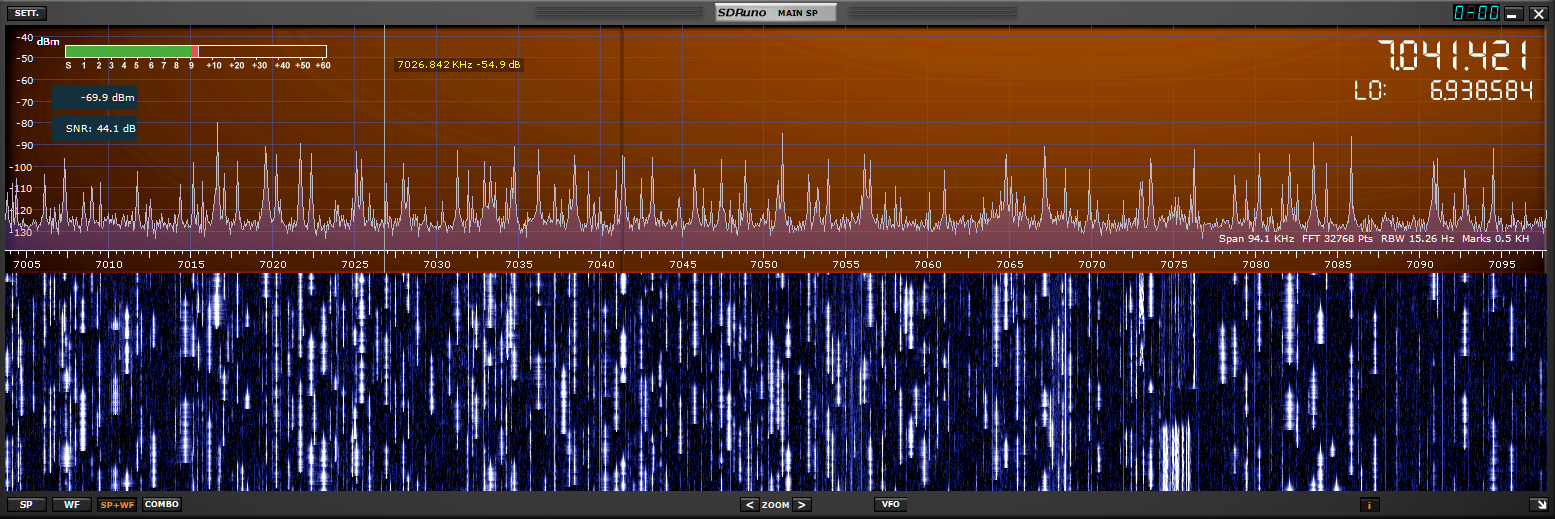 |
| Lots of CW stations grabbing those final contacts of the contest |
I was listening via my SDRPlay connected to a short piece of wire in my garage. Even with this highly compromised "antenna" I was hearing wall-to-wall CW stations vying for a piece of the action. I listened to W4SO and other big-gun stations, pulling in DX contacts one after another.
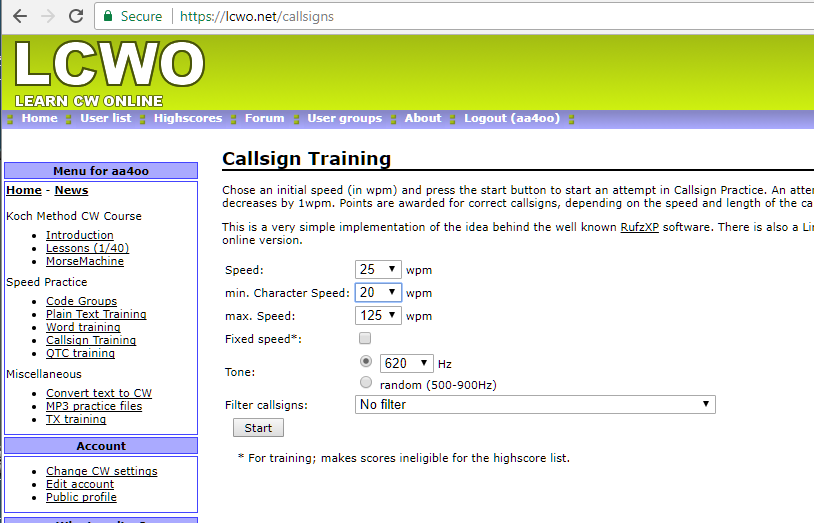
I'm looking forward to the day when my brain can decode call signs at that rate. I need to spend more time with LCWO.net callsign trainer...
That's all for now...
So lower your power and raise your expectations
72/73
Richard AA4OO













