Author Archive
 A new article about APRS
 June 16th, 2010 |
  Author:
  I have just added a new article to my website:
APRS – Putting ham radio on the map.
It’s quite a long article, but do read it if you have the time. I hope that it will explain what APRS is for to the many people who don’t seem to understand, and even more I hope it will encourage more people to try it.
If you like the article and think that it will help to spread the word about APRS, please post links to it anywhere you think would be appropriate.

New APRS client for Linux
Linux users now have an alternative APRS client to Xastir. It’s called APRSIS32 for Win32. I have discovered that Lynn KD4ERJ’s Windows APRS client runs almost perfectly under the Linux OS using wine, the Windows compatibility layer.
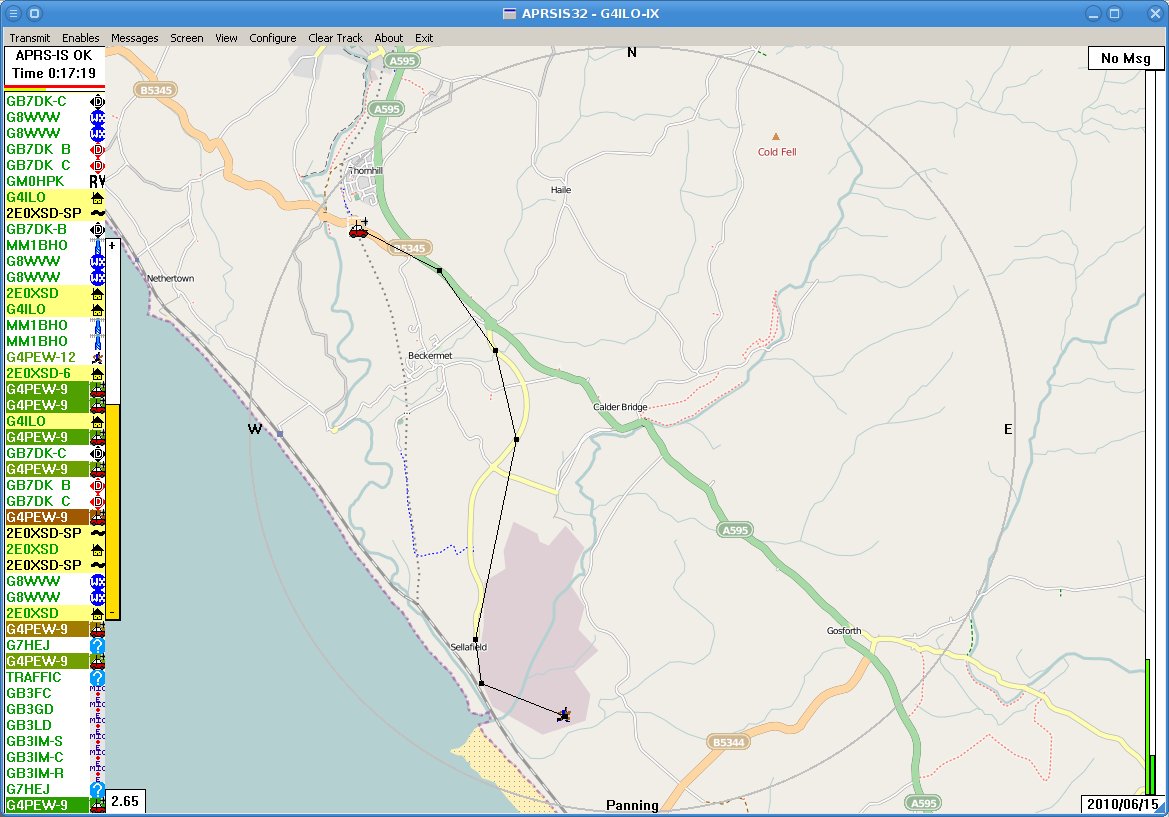 It’s pretty easy to get APRSIS32 going. Just download the Win32 version from the APRSISCE Yahoo group, save it into a folder somewhere under .wine/drive_C and run it. The program will start downloading maps so you can zoom in and set your home location. The only problem is, you can’t see them. By default the maps are displayed semi-transparent and it appears that wine doesn’t support transparency. So you will need to keep hitting the right arrow key which increases the opacity until the maps are 100% opaque, when they should appear. Check the APRSISCE/32 documentation wiki for more information.
There are a few screen redraw issues and the automatic updater always seems to fail, but these are minor issues. APRSIS32 uses code common with the APRSISCE version that runs on Windows CE mobile phones. These use a pretty small subset of the features available to current Windows software so by happy accident the program avoids doing things that wine doesn’t support which prevent more complex programs like Ham Radio Deluxe from working.
I haven’t tried the program with a GPS or a TNC as I don’t have them, but since these are just standard serial connections which are certainly possible under wine that is unlikely to be a problem. Lynn seems pretty keen to tackle the problems that I have discovered. In the meantime, the program still seems to work pretty well, so if you use Linux and are interested in APRS why not give APRSIS32 a try?

Undesired attention
I wish Murphy, the patron saint of things that don’t work, would leave me alone. It’s a bit frustrating reading on other blogs that someone spent a weekend and ended up with some perfect working piece of gear while I spent several hours just trying to get a computer to talk to a radio.
Although APRSIS32 now supports transmit and receive using AGW Packet Engine which can use a soundcard as a modem I have never decoded a single packet, nor have my beacons been reported as heard by anybody. I started to wonder whether my cheap USB dongle – one of those things about the size of your thumb with a USB plug on one side and two 3.5mm stereo jacks on the other, that cost next to nothing – was up to the job. It had worked acceptably well for Echolink, but although my braaaps sounded to me like packet, they might not sound enough like packet to someone else’s decoder.
My computer’s on-board soundcard is in use by my K3 so there was no point in trying that. But I did have another slightly better USB audio dongle being used for PC sound, so I decided to swap them over. I removed the cheaper dongle in order to better access the audio sockets and when I replaced it I received a message from Windows that “One of the USB devices attached to the computer has malfunctioned” and it disappeared from the system.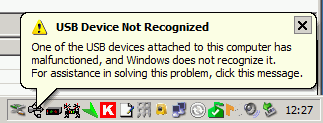 Giving up on computer sound for the moment I proceeded to try to test APRS packet transmission using the other dongle. But although I was receiving audio OK and keying the transmitter I was not transmitting any audio!
I fished the interface out from behind the rigs – a trying task ever since I installed the new shelving – in order to test it with my netbook and FT-817. It worked perfectly with Fldigi. Perhaps a bad connection? Back in position connecting the Icom to the shack computer and still no transmit audio, even though I could plug the computer speakers into the headphone output and hear the braaps being generated by the software!
Eventually it finally dawned on me that the AGWPE soundcard software only generates audio on the left channel. My radio interface was wired to the right channel! The cheapo USB audio dongle (that was now malfunctioning) presumably had a mono output so I was getting audio on both channels. The better one was generating proper stereo so there was no output on the channel I was using. D’oh!!
Fixing this ought to have been simple. Just open up the interface and switch the wires so the one from the left channel provides the input instead of the right one. But of course, it wasn’t. Even though the cable from the stereo jacks used in this interface had no less than four insulated wires within the screening, only one was connected to anything – the tip (right channel) of the plug. The ring was unconnected. So I had to take another audio patch lead, cut it in half, and use that to make new audio cables for the interface using the left hand channel.
Finally, it appears to be working, though I have still to decode an APRS packet. But now I have no computer audio because the other USB dongle is still broken and the connecting cable was cut in half to get the interface working. I came this –><-- close to saying "the hell with all this" and ordering a Signalink USB interface this morning.

Antenna analyzer from China
An antenna analyzer is a very useful piece of equipment and I have never regretted buying my AA-200, though I probably wouldn’t get one now with the current model priced at £410.00. Even the basic MFJ-259B which is not exactly renowned for its quality construction will set you back £260.00. So I was interested to discover that the Chinese have entered the market with the Feature Tech AW07A which can be bought on eBay for a much more reasonable £160.00.
 The unit can measure RF impedance and SWR from 1.8 to 490MHz (making it more directly comparable to the MFJ-269B model) as well as measuring capacitance and inductance. It may be used as a non-precision signal source and frequency counter, and with the addition of an inductor may be used as a dip meter. It looks like a nice addition to any amateur’s toolkit.

Cutting off your head to cure a cold
 I received an email from a German CB operator named Dieter (I presume he is a CB operator from the callsign) asking if I knew of a program to design a SuperMoxon antenna for 27 or 28MHz. I replied, as I would have done to a licensed amateur who had asked the same question, that I didn’t. The SuperMoxon was designed and made by Ron, GW3YDX. Only he knows how he designed it.
My reply to Dieter’s gmx.de email address bounced back with the message: “Sorry, your envelope sender has been denied: The recipient 550 5.1.1 does not want to receive mail from your address.”
Dieter wouldn’t have known, since he contacted me through the form on my website, that I use a Gmail email address. So if I understand correctly, the German ISP gmx.de is blocking all mail from the largest email service in the world (though I suppose it’s possible that it is only blocking email from me.)
I guess this has something to do with preventing spam, since I read recently that a lot of spam comes from fake Gmail addresses. But if gmx.de can’t distinguish spam from real email – something Gmail does extremely well, and one reason why I’ve been very happy to use this free email service – then perhaps it should stop using half measures and turn off email altogether rather than leave its customers wondering why they don’t receive replies from some of the people they contact?

Uranus to blame for poor propagation
 A recently published paper suggests that the peaks of the next two solar cycles are likely to have greatly reduced sunspot activity similar to solar cycles 5 & 6 during the Dalton Minimum of 1790 to 1830. Solar records going back over 11,000 years have been correlated with planetary ephemeris and the results appear to show that solar cycles are affected by the position of the solar system’s outer gas giants Uranus and Neptune.
However I’m not sure what is more depressing: the thought that I’m unlikely to see a solar maximum in which ten metres is wide open for worldwide propagation during my lifetime, or the reaction of some of our fellow amateurs to the news on QRZ.com. “WHY CRY about it? Buy a BIGGER antenna & amp for the bands you enjoy & have FUN!” read one comment. “All the whiners about hams using kilowatt amps will be crying constantly. Life is too short for QRP.” went another.
QRPers have been having fun throughout the extended solar minimum of the last few years and will no doubt continue to do so despite the dearth of sunspots. What is sadder, in my opinion, is the passing of an era when radio amateurs were all thoughtful, intelligent, articulate, considerate and gentlemanly individuals who treated their fellow enthusiasts, whatever their interests, with respect.

Noises off
Show me a tidy shack and I’ll show you the shack of someone who doesn’t spend much time tinkering with equipment, or someone who has been nagged by his XYL to make the shack tidy and curses every time he needs to connect or disconnect something – which at G4ILO seems to be several times a week.
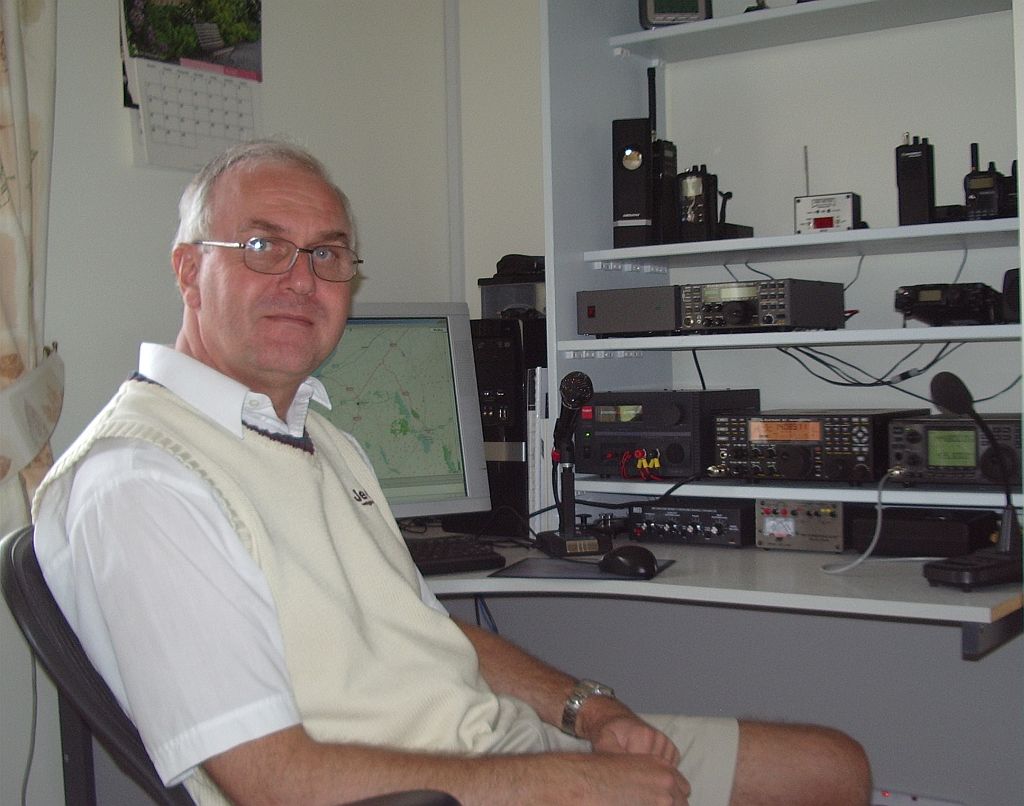 When I switched on the computer this morning there appeared to be a Sporadic-E opening building on 2m to the south east so I switched on the IC-910H and turned the SuperMoxon in that direction. Nothing was heard, so I switched to the vertical instead and was puzzled as to why the band noise was so much greater on the beam than the Slim Jim.
The opening passed, as all such openings have this year with nothing heard or worked, and I decided to investigate. I switched the computer off and the noise fell to the same level as on the vertical. Eventually, after much trial and error and cursing because the cables can only be reached by groping blind (with the aid of a shaving mirror or a picture of the back of the rig) behind the equipment I established that the problem was the serial cable providing PTT control to the interface connecting the 910H to the computer. Even when it was disconnected from the radio, plugging it in to the serial port on the computer caused the noise level to jump up.
This was a cheap interface I’d bought some time ago for the FT-817. The serial cable supplied wasn’t screened, but I’d shortened it to use with a USB to serial adapter without a lot of spare cable lying around. This had resulted in it being too short to use with a real serial port, so I had replaced the cable. I had used screened cable for the replacement, but although I had connected the copper shield to the GND pin of the RS-232 port, it wasn’t connected to the body or shell of the plug, which in any case was plastic.
I managed to solder to the metal flange of the plug, the bit that pushes on to the socket on the PC, and connect a short wire from that to the GND pin and the shield. That seemed to do the trick, and the noise level is now the same when the beam is pointing towards the shack as it is on the vertical. Problem solved, for once! Nevertheless I do sometimes wonder if computers are worth all the trouble they cause to us radio enthusiasts.














